
📊 Full opportunity report: Acoustic Dampening, Placement, and the “Rig in the Closet” Setup on ThorstenMeyerAI.com — validation score, market gap, and execution plan.

Get business pricing on monitors, keyboards and dev gear
- Business-only prices and quantity discounts
- Tax-exempt purchasing
- Multiple users, one account, clear invoices
TL;DR
Placing AI workstations in separate rooms or closets significantly reduces noise. Proper ventilation is essential to prevent overheating. Acoustic foam alone is less effective than strategic placement.
Putting AI workstations in separate rooms or closets is the most effective way to reduce noise, according to experts. This approach, combined with proper ventilation, offers a practical solution for quiet work environments, especially when high-power hardware is involved.
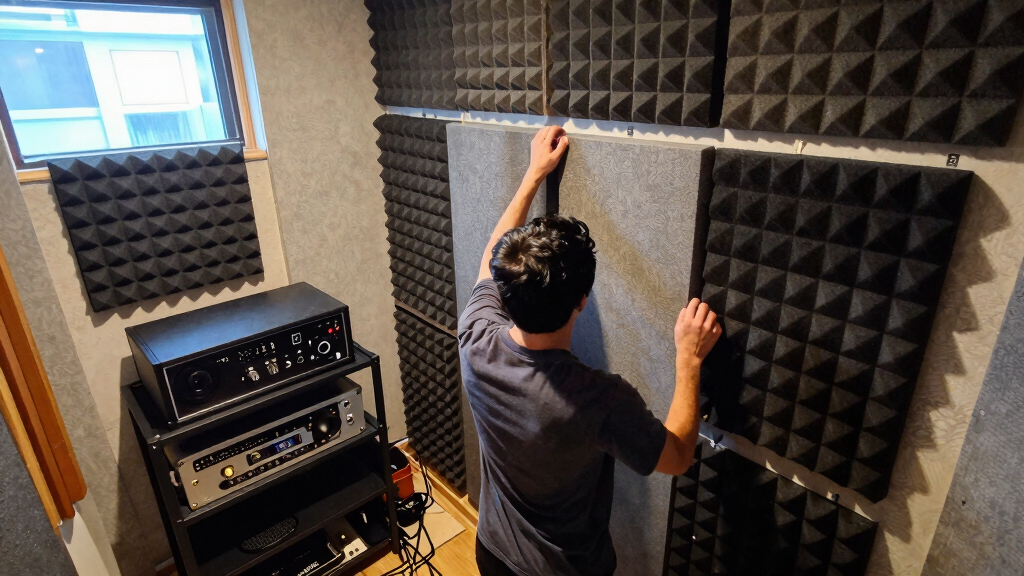
Research from Thorsten Meyer emphasizes that the most impactful way to reduce noise from high-performance AI rigs is to move the hardware away from the workspace entirely. Placing the machine in another room, such as a closet or basement, minimizes airborne noise and allows for network-based access, removing the need for the machine to be physically near the user. However, this setup requires careful attention to ventilation to prevent heat buildup, which can cause thermal throttling and increased fan noise. Active ventilation, such as ducted airflow or purpose-built soundproof cabinets with temperature control, is necessary to maintain optimal operating temperatures. The common misconception that acoustic foam alone can manage noise is addressed, as foam only absorbs reflections within a room and does not block airborne or structure-borne sound.Acoustic dampening
& the rig in the closet.
The most powerful noise fix isn’t a material — it’s a floor plan. A rig you can’t hear because it’s in another room beats any amount of foam. Tap the approaches in Part 1 to see what actually works.
(another room)
(levers 1–4)
(door / barrier)
(acoustic foam)
Contain the noise, not the heat
Why Placement and Ventilation Are Critical for Quiet AI Workstations
Effective placement and ventilation strategies dramatically improve workspace comfort by reducing noise and heat. Moving the rig into another room or closet can eliminate most noise issues, making high-power AI hardware feasible in shared or quiet environments. Proper airflow prevents overheating, ensuring consistent performance and longevity of the hardware. This approach is especially relevant for remote or networked workflows, where the physical location of the machine is less critical than its acoustic footprint. Understanding these principles allows users to optimize their setups without costly soundproofing or complex modifications, making high-performance AI workstations more accessible and less disruptive.Products Worth Considering

Bose QuietComfort Wireless Bluetooth Headphones with Active Noise Cancellation, Mic, USB‑C Charging, Deep Bass, 24‑Hour Battery – White Smok

Bose QuietComfort True Wireless Earbuds with Active Noise Cancellation, Black

Sony WH-1000XM6 Wireless Noise-Canceling Over-Ear Headphones, Blue, Bundle
As an affiliate, we earn on qualifying purchases.
Understanding the Hierarchy of Noise Reduction Strategies
Traditionally, users focus on acoustic foam and soundproofing to manage noise, but these are less effective than strategic placement. The hierarchy of noise mitigation prioritizes distance and isolation first, then source reduction, barriers, and finally absorption. Airborne noise, such as fan hum, is best addressed by barriers and placement, while structure-borne noise, like vibrations transmitted through surfaces, requires decoupling with rubber pads or grommets. The concept of the 'rig in the closet' aligns with the principle that physical separation is the most effective noise reduction method, especially for high-power, heat-generating hardware. Proper ventilation remains the key challenge in such setups, demanding active airflow solutions to prevent thermal issues."The most effective noise reduction isn't acoustic treatment but moving the rig into another room or closet, where it can run silently without disturbing your workspace."
— Thorsten Meyer
Remaining Challenges in 'Rig in the Closet' Implementations
It is still unclear how best to balance noise reduction with effective cooling in various room sizes and configurations. The optimal design of soundproof cabinets and ventilation systems varies depending on hardware load and ambient temperature, and more empirical data is needed to establish standardized solutions.Next Steps for Optimizing 'Rig in the Closet' Setups
Further research and development of integrated soundproof and cooling enclosures are expected to improve practical implementations. Users should focus on customizing ventilation solutions tailored to their specific hardware and room conditions. Experimentation with different airflow configurations and thermal management tools will help refine best practices for silent, reliable AI workstations.Key Questions
Is placing my AI rig in a closet safe?
It can be safe if proper ventilation and airflow are maintained. Sealed spaces without active cooling can cause overheating, damaging hardware. Use vented cabinets or add exhaust fans to ensure adequate cooling.
Does acoustic foam help if I put my rig in another room?
No, acoustic foam primarily absorbs sound reflections within a room. Placing the rig in another room or closet is far more effective for noise reduction than foam alone.
What are the best ventilation options for a 'rig in the closet' setup?
Active ventilation with ducted airflow, quiet exhaust fans, and temperature-controlled vents are recommended. Purpose-built soundproof cabinets with integrated cooling are also effective but more costly.
Can I run my AI workstation without worrying about heat in a closet?
Heat management is critical. Without proper ventilation, heat can cause throttling and hardware damage. Always ensure airflow pathways are sufficient to dissipate heat effectively.
Is the 'rig in the closet' setup suitable for all types of hardware?
It is most suitable for high-power, heat-generating hardware like GPUs. Lower-power or well-cooled systems may not require such extensive measures but still benefit from proper placement and airflow.
Source: ThorstenMeyerAI.com