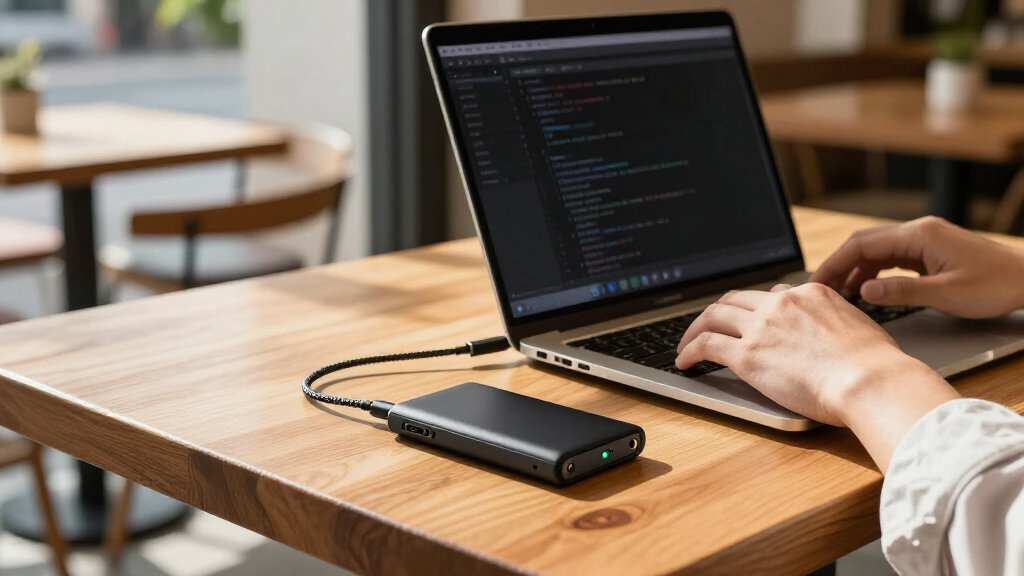

Developers shopping for portable solid state drives are usually trying to solve one of three problems: carrying a full dev environment between machines, offloading bloated repos and container images, or backing up work on the road. The Samsung T9 stands out as the best overall pick thanks to its 2,000 MB/s USB 3.2 Gen 2×2 interface and dependable sustained writes, which matter when you’re moving 50GB toolchain directories. If your budget is tight, the SSK 512GB USB-C SSD covers the basics for a fraction of the cost, while the Crucial X10 Pro offers the best balance of speed, ruggedness, and capacity flexibility for developers who work outdoors or commute daily. The main tradeoff in this category is raw throughput versus price and portability — paying more for Gen 2×2 or Thunderbolt speeds only pays off if your machine has the ports to match. Read on for the full breakdown, including which drives to skip entirely.
Key Takeaways
- Interface mismatch is the silent killer in this lineup: the Samsung T9 and Glyph Atom Pro 2 deliver their headline speeds only on Gen 2×2 or Thunderbolt 3 ports, so developers on older laptops get Gen 2 performance at a premium price.
- The SSK family (128GB, 500GB, 512GB) dominates the entry tier, but the 128GB model is too small for modern dev work — node_modules alone can swallow it — making the 500GB models the real value picks.
- Sustained write performance separated the winners from the rest: drives like the Crucial X10 Pro and Samsung T7/T9 held up during large container image transfers, while budget drives throttled after the SLC cache filled.
- Rugged builds (Samsung T7 Shield, SanDisk Extreme, Crucial X10 Pro) are worth the premium for developers who toss a drive into a backpack daily; desk-only developers can save money with the standard Samsung T7.
- The Glyph Atom Pro 2 with 8TB and Thunderbolt 3 is in a different class entirely — it’s the only pick suitable for video-adjacent development work and full project archives, but it’s overkill for typical repo storage.
| SanDisk 500GB Portable SSD, up to 1000 MB/s, Black |  | Best for Lightweight Project Backups | Capacity: 500GB | Maximum read speed: Up to 1000 MB/s | Drop protection: Up to 2 meters | VIEW LATEST PRICE | See Our Full Breakdown |
| SSK 128GB Portable SSD External Solid State Drive |  | Best for Small Toolkits | Capacity: 128GB | Maximum speed: Up to 550MB/s | Interface: USB 3.2 Gen 2 | VIEW LATEST PRICE | See Our Full Breakdown |
| Samsung T7 Portable SSD, 1TB, Titan Gray |  | Best Overall | Capacity: 1TB | Interface: USB 3.2 Gen 2 | Read speed: Up to 1,050 MB/s | VIEW LATEST PRICE | See Our Full Breakdown |
| KELVANO 1TB Portable External Solid State Drive, USB-C, Black |  | Best for Basic Bulk Storage | Storage capacity: 1TB | Drive type: Solid state drive | Connectivity: USB | VIEW LATEST PRICE | See Our Full Breakdown |
| SSK 512GB Portable USB-C External SSD |  | Best Compact Direct-Plug Pick | Storage capacity: 512 GB | Interface: USB 3.2 | Connector: USB Type-C | VIEW LATEST PRICE | See Our Full Breakdown |
| Crucial X10 Pro 1TB Portable SSD |  | Best Rugged All-Rounder | Capacity: 1TB | Read speed: Up to 2,100MB/s | Write speed: Up to 2,000MB/s | VIEW LATEST PRICE | See Our Full Breakdown |
| Western Digital WD_BLACK P40 1TB Portable Game Drive SSD |  | Best for Devs Who Game | Storage capacity: 1 TB | Interface: USB 3.2 Gen 2×2 | Maximum read speed: Up to 2,000 MB/s | VIEW LATEST PRICE | See Our Full Breakdown |
| Glyph Atom Pro 2 External NVMe SSD, Thunderbolt 3, 8TB |  | Best Premium Workhorse | Storage capacity: 8 TB | Interface: Thunderbolt 3 | Drive type: NVMe solid-state drive | VIEW LATEST PRICE | See Our Full Breakdown |
| Samsung T9 Portable SSD 1TB, USB 3.2 Gen 2×2 External SSD |  | Best for Sustained Workloads | Brand: Samsung | Model: T9 | Storage capacity: 1TB | VIEW LATEST PRICE | See Our Full Breakdown |
| Crucial X10 1TB Portable SSD, USB-C, Blue |  | Best Rugged Value | Capacity: 1TB | Read speed: Up to 2,100MB/s | Interface: USB-C and USB-A | VIEW LATEST PRICE | See Our Full Breakdown |
| SanDisk Extreme Portable 2TB SSD |  | Best Rugged Pick for Heavy Workloads | Capacity: 2TB | Read speed: Up to 1050 MB/s | Write speed: Up to 1000 MB/s | VIEW LATEST PRICE | See Our Full Breakdown |
| SSK Portable 500GB External SSD with USB-C |  | Best Value for Cross-Device Work | Storage capacity: 500 GB | Read speed: Up to 1050 MB/s | Write speed: Up to 1000 MB/s | VIEW LATEST PRICE | See Our Full Breakdown |
| Samsung T7 Shield Portable SSD, 1TB, USB 3.2 Gen 2 |  | Best All-Rounder for Demanding Environments | Storage capacity: 1TB | Interface: USB 3.2 Gen 2 | Technology: PCIe NVMe | VIEW LATEST PRICE | See Our Full Breakdown |
| Verbatim Pocket 512GB External SSD, USB 3.2 Gen 2, Up to 1000MB/s |  | Best Ultracompact EDC Drive | Storage capacity: 512GB | Interface: USB 3.2 Gen 2 | Connector: USB-C | VIEW LATEST PRICE | See Our Full Breakdown |
| portable solid state drives for developer | Interface | Storage capacity |
|---|---|---|
| SanDisk 500GB Portable SSD | — | — |
| SSK 128GB Portable SSD Externa | USB 3.2 Gen 2 | — |
| Samsung T7 Portable SSD | USB 3.2 Gen 2 | — |
| KELVANO 1TB Portable External | — | 1TB |
| SSK 512GB Portable USB-C Exter | USB 3.2 | 512 GB |
| Crucial X10 Pro 1TB Portable S | USB-C and USB-A | — |
| Western Digital WD_BLACK P40 1 | USB 3.2 Gen 2×2 | 1 TB |
| Glyph Atom Pro 2 External NVMe | Thunderbolt 3 | 8 TB |
| Samsung T9 Portable SSD 1TB | USB 3.2 Gen 2×2 | 1TB |
| Crucial X10 1TB Portable SSD | USB-C and USB-A | — |
| SanDisk Extreme Portable 2TB S | USB-C, USB 3.2 Gen 2 | — |
| SSK Portable 500GB External SS | USB 3.2 Gen 2 | 500 GB |
| Samsung T7 Shield Portable SSD | USB 3.2 Gen 2 | 1TB |
| Verbatim Pocket 512GB External | USB 3.2 Gen 2 | 512GB |
More Details on Our Top Picks
SanDisk 500GB Portable SSD, up to 1000 MB/s, Black
The SanDisk 500GB Portable SSD suits developers who want a small drive for moving a working project, build artifacts, or a backup between machines. Its read speeds up to 1000 MB/s can shorten large-file transfers when the host supports them, while 2-meter drop protection adds reassurance in a laptop bag. Compared with the Samsung T7, it offers half the capacity and no stated write-speed figure, so I’d favor the T7 for larger repositories or workloads that write heavily. The SanDisk’s appeal is its straightforward USB-C plug-and-play setup and light carry. Its 500GB ceiling can fill quickly with virtual machines, containers, or media datasets, and real speed depends on the connected device.
Pros:- Up to 1000 MB/s read speed for large-file transfers on a compatible host
- Drop protection rated up to 2 meters
- Compact, lightweight form for commuting
- USB-C plug-and-play connectivity
Cons:- 500GB can be limiting for virtual machines and large development datasets
- Write speed is lower than the stated maximum read speed
- Actual performance varies with the host device and usage
Best for: Developers who carry source trees, tools, and occasional project backups between USB-C devices and prefer a light, compact drive.
Not ideal for: Developers storing multiple virtual machines, large datasets, or frequent full backups who need more than 500GB or a stated fast write rate.
- Capacity:500GB
- Maximum read speed:Up to 1000 MB/s
- Drop protection:Up to 2 meters
- Connectivity:USB-C
- Color:Black
- Drive design:No moving parts
Our verdict“Choose this SanDisk for portable project files and backups when a compact 500GB drive matters more than high capacity or specified write speed.”
SSK 128GB Portable SSD External Solid State Drive
For developers who mainly carry scripts, configuration files, and a compact rescue toolkit, the SSK 128GB keeps the package small and adds both USB-C and USB-A connectors for older workstations. Its 550MB/s maximum speed is below the Samsung T7’s stated read and write rates, but the SSK includes S.M.A.R.T., TRIM, and SLC caching support that can help with drive monitoring and short bursts of writes. The key compromise is capacity: 128GB leaves little room for container images, larger code archives, or a second backup. Listed capacity can also appear 7–10% lower on Windows, and speed depends on the host and operating system. I’d treat this as a handy transfer and utility drive, not a primary workspace disk.
Pros:- USB-C and USB-A connectors support varied computer ports
- Up to 550MB/s transfer speed
- S.M.A.R.T. monitoring and TRIM support
- SLC caching is specified at 25% of capacity
Cons:- 128GB is restrictive for substantial projects and backups
- Listed capacity may appear 7–10% lower on Windows
- Actual speed depends on the host device and operating system
Best for: Developers who shuttle small code projects, scripts, and diagnostic tools between newer USB-C laptops and USB-A desktops.
Not ideal for: Developers keeping container images, virtual machines, media assets, or full project archives on an external working drive.
- Capacity:128GB
- Maximum speed:Up to 550MB/s
- Interface:USB 3.2 Gen 2
- Connectors:USB-C and USB-A
- Data features:S.M.A.R.T. monitoring and TRIM
- Caching:SLC caching (25% of capacity)
Our verdict“Pick the SSK 128GB for a cross-port developer toolkit, but choose a larger drive such as the Samsung T7 for active projects and archives.”
Samsung T7 Portable SSD, 1TB, Titan Gray
The Samsung T7 is the most balanced pick here for developers who want one portable drive for active projects, source archives, and larger transfers. Its 1TB capacity gives more room than the 500GB SanDisk, while up to 1,050 MB/s read and 1,000 MB/s write makes the performance case clearer than models that list only a read or transfer ceiling. The aluminum unibody and drop protection up to 6 feet suit regular commuting, and the included USB-C to C and USB-C to A cables help it connect to a wider mix of systems. Maximum speeds require a compatible USB 3.2 Gen 2 host and UASP; capacity and performance may be more than a lightweight toolkit needs. For that role, the smaller SSK 128GB is easier to justify.
Pros:- 1TB capacity for projects, tools, and backups
- Read speeds up to 1,050 MB/s and write speeds up to 1,000 MB/s
- Aluminum unibody with drop protection up to 6 feet
- Includes USB-C to C and USB-C to A cables
Cons:- Maximum speeds require a compatible USB 3.2 Gen 2 host and UASP
- Device and operating system compatibility may vary
- No dust or water resistance rating is specified in the supplied data
Best for: Developers seeking a general-purpose 1TB workspace and backup drive for compatible laptops, phones, cameras, or consoles.
Not ideal for: Developers who need a tiny direct-plug drive, a specified IP dust and water rating, or higher capacity for extensive datasets.
- Capacity:1TB
- Interface:USB 3.2 Gen 2
- Read speed:Up to 1,050 MB/s
- Write speed:Up to 1,000 MB/s
- Construction:Aluminum unibody
- Drop protection:Up to 6 feet
- Included cables:USB Type-C to Type-C and USB Type-C to Type-A
- Color:Titan Gray
Our verdict“Choose the Samsung T7 if you want a broadly useful 1TB developer drive with stated read and write speeds and durable aluminum construction.”
KELVANO 1TB Portable External Solid State Drive, USB-C, Black
KELVANO offers 1TB of storage in a slim, plug-and-play enclosure for developers who mostly need a place for backups, videos, or files that do not need fast access. Its broad stated compatibility with laptops, desktop PCs, mobile devices, and common game consoles gives it more flexibility than the 128GB SSK toolkit drive. The tradeoff is stark beside the Samsung T7: KELVANO lists a transfer rate of just 100 megabits per second, far below the T7’s gigabyte-per-second-class figures. That can make moving source archives or build outputs a slow chore. The supplied data also gives no specific USB generation, drop protection, or ruggedness rating. I’d pick it for capacity and simple file keeping, not as a responsive external development workspace.
Pros:- 1TB storage capacity
- Slim casing designed for carrying
- Plug-and-play use with no external power supply needed under regular conditions
- Stated compatibility spans computers, mobile devices, and common game consoles
Cons:- Listed transfer rate is 100 megabits per second
- Supplied specifications do not identify a USB generation or connector type beyond USB
- No drop protection or dust and water rating is specified
Best for: Developers who need a simple 1TB destination for infrequently accessed backups and general files across several device types.
Not ideal for: Developers who regularly transfer large repositories, build outputs, VM images, or datasets and need responsive read/write performance.
- Storage capacity:1TB
- Drive type:Solid state drive
- Connectivity:USB
- Data transfer rate:100 megabits per second
- Color:Black
- Compatible devices:Laptop, desktop PC, mobile devices, common game consoles
- Warranty:3 years limited
Our verdict“Choose KELVANO for simple 1TB file storage if transfers are occasional; the Samsung T7 is better suited to active development work.”
SSK 512GB Portable USB-C External SSD
The SSK 512GB is aimed at developers who want storage that can plug straight into a USB-C device and nearly disappear in a pocket. At 46 × 25 × 9 mm and 15 g, it is far smaller than the cable-connected Samsung T7, while its up to 1050MB/s transfer rate is in a similar headline tier. The design also adds IP65 dust and water resistance, 2-meter drop protection, and an angled adapter, making it a practical travel companion. The capacity is half the T7’s, and the stated sustained write speed settles at 330–340MB/s after 800GB of writes, a meaningful limit for repeated large writes. This is a compact project shuttle, not the best choice for sustained build caches or large working datasets.
Pros:- Very compact 46 × 25 × 9 mm body weighing 15 g
- Maximum transfer rate up to 1050MB/s
- IP65 dust and water resistance with 2-meter drop protection
- Compatibility includes Windows, macOS, Linux, Android, iPadOS, and iOS
Cons:- 512GB is less room than the 1TB Samsung T7
- Sustained write speed is specified at 330–340MB/s after 800GB of writes
- Actual transfer speed varies by system and connection
Best for: Developers carrying a compact project shuttle for USB-C laptops, phones, or tablets who value low weight and environmental protection.
Not ideal for: Developers who regularly write large datasets or need 1TB or more for a working archive and sustained workloads.
- Storage capacity:512 GB
- Interface:USB 3.2
- Connector:USB Type-C
- Maximum transfer rate:1050 MB/s
- Sustained write speed:330–340 MB/s after 800 GB of writes
- Dimensions and weight:46 × 25 × 9 mm; 15 g
- Protection:IP65 dust and water resistance; 2 m drop protection
- File system and features:exFAT pre-formatted; LED indicator, S.M.A.R.T., TRIM, angled adapter
Our verdict“Choose the SSK 512GB when tiny size and IP65 protection matter most; pick the Samsung T7 for more capacity and stronger stated sustained write figures.”
Crucial X10 Pro 1TB Portable SSD
For developers who tote their work between coffee shops, coworking spaces, and client sites, the Crucial X10 Pro hits a sweet spot between speed and survivability. Its 2,100MB/s read speeds edge out the Samsung T9’s 2,000MB/s, and the IP55 rating plus 7.5-foot drop resistance means a backpack tumble or a spilled drink won’t wipe out a week of uncommitted work.
What separates it from the standard Crucial X10 in this lineup is password protection — a real consideration when client code lives on the drive. The tradeoff is that its write speeds are rated at 2,000MB/s only under ideal conditions, and older USB-A hosts will drag that down sharply. Compared with the softer-skinned Samsung T7, this model makes far more sense as a drive that actually leaves the desk.
Pros:- Read speeds up to 2,100MB/s for quick repo clones and build artifact moves
- IP55 water and dust resistance survives real-world commuting abuse
- Drop protection rated to 7.5 feet
- Password protection plus both USB-C and USB-A connectivity
Cons:- Rated speeds are best-case and drop sharply on USB-A or older hosts
- No Thunderbolt option for bandwidth-heavy media or VM workloads
Best for: Freelance and remote developers who carry code and client data off-site and need hardware encryption plus physical durability
Not ideal for: Anyone working exclusively on a Mac-centric Thunderbolt workflow — its USB interface bottlenecks next to the Glyph Atom Pro 2
- Capacity:1TB
- Read speed:Up to 2,100MB/s
- Write speed:Up to 2,000MB/s
- Interface:USB-C and USB-A
- Water and dust resistance:IP55
- Drop resistance:Up to 7.5 ft (2 m)
- Compatibility:Windows, Mac, iPad Pro, Chromebooks, Android, Linux, PS4, PS5, Xbox
- Included software:Mylio Photos Plus and Acronis True Image (3 months)
Our verdict“The pick for developers who need one drive that balances speed, security, and survivability without paying a Thunderbolt premium.”
Western Digital WD_BLACK P40 1TB Portable Game Drive SSD
The WD_BLACK P40 occupies a niche the other drives here don’t: developers whose machines double as gaming rigs. Its USB 3.2 Gen 2×2 interface matches the Samsung T9’s 2,000MB/s ceiling, which matters when you’re shuffling between a Steam library, Docker images, and game-engine builds on the same drive. The shock-resistant shell rated for 2-meter drops puts it in the same durability conversation as the Crucial X10 Pro.
The RGB lighting is a gimmick that some will love and most will ignore, but the real friction is elsewhere: lighting control requires Windows, so Linux and macOS users get a fixed look whether they want it or not. Compared with the plainer Samsung T7, the P40 offers more speed headroom — provided your motherboard actually supports Gen 2×2, which many older PCs don’t.
Pros:- USB 3.2 Gen 2×2 delivers up to 2,000MB/s reads on supported hosts
- Shock-resistant design rated for 2-meter drops
- Cross-platform compatibility across PlayStation, Xbox, PC, and Mac
- Works as both dev storage and console game library
Cons:- RGB customization locked behind Windows-only WD_BLACK Dashboard software
- Full speeds require a Gen 2×2 port that many motherboards lack
- Console game playback support varies by system and title
Best for: Game developers and hobbyist devs who want one drive for engine builds, asset libraries, and console or PC game storage
Not ideal for: Linux or macOS primary users — RGB control is Windows-only and the gaming branding adds nothing for pure coding workflows
- Storage capacity:1 TB
- Interface:USB 3.2 Gen 2×2
- Maximum read speed:Up to 2,000 MB/s
- Form factor:2.5 inches
- Compatibility:PlayStation, Xbox, PC, and Mac
- RGB lighting control:WD_BLACK Dashboard (Windows)
- Drop resistance:Up to 2 meters
Our verdict“A sensible two-in-one for developers who split their time between code and games, as long as their host hardware matches its speed ambitions.”
Glyph Atom Pro 2 External NVMe SSD, Thunderbolt 3, 8TB
When your daily grind involves virtual machines, large video assets, or container image libraries, USB-based drives become the bottleneck. The Glyph Atom Pro 2 attacks that problem with Thunderbolt 3 and sustained speeds of 2,800MB/s read and 2,600MB/s write — real throughput that holds up under the sustained transfers where the Crucial X10 Pro and Samsung T9 throttle back.
The 8TB capacity is the other story here: no other drive in this roundup comes close, and the layered warranty — three years of hardware coverage plus data recovery and advance replacement options — reflects a professional-grade product. The cost of that ambition is portability of the compatibility kind: without a Thunderbolt port, you’re stuck, and the listing itself lists conflicting capacity figures (8TB and 4TB), so verifying what ships is prudent before you commit.
Pros:- Thunderbolt 3 sustains 2,800MB/s reads and 2,600MB/s writes under heavy workloads
- 8TB capacity dwarfs every other drive in this lineup
- Warranty includes hardware coverage, data recovery, and advance replacement
- Genuinely portable for its performance class at 0.33 kg
Cons:- Thunderbolt 3 requirement excludes most budget and older hardware
- Listing shows conflicting 8TB/4TB capacity details worth verifying at purchase
- Substantially pricier than 1TB USB alternatives like the T9 or X10 Pro
Best for: Senior developers and media-focused engineers running VMs, large datasets, or video pipelines on Thunderbolt-equipped Macs who need serious capacity and warranty backing
Not ideal for: Budget-conscious buyers and anyone on USB-only or Windows laptop hardware without Thunderbolt — the interface premium is wasted
- Storage capacity:8 TB
- Interface:Thunderbolt 3
- Drive type:NVMe solid-state drive
- Read speed:2,800 MB/s
- Write speed:2,600 MB/s
- Form factor:2.5 inches
- Weight:0.33 kg
- Compatible platform:Mac
- Warranty:3 years hardware; 2 years Level-1 data recovery; 1 year advance replacement
Our verdict“The no-compromise choice for developers whose storage needs outgrow 1TB USB drives and whose machines have the Thunderbolt ports to exploit it.”
Samsung T9 Portable SSD 1TB, USB 3.2 Gen 2×2 External SSD
Where most pocket SSDs shine in short bursts and then sag, the Samsung T9 is built around thermal management for sustained transfers — exactly what matters when you’re moving multi-gigabyte build artifacts or container images day after day. Its 2,000MB/s read and write ratings sit just under the Crucial X10 Pro’s numbers on paper, but consistent thermal behavior can matter more than a peak benchmark figure.
Samsung Magician software adds drive health monitoring and firmware updates, giving developers a way to watch for degradation before it becomes data loss — something the Crucial and WD drives don’t match. The catches are familiar: hitting rated speed demands a Gen 2×2 host, proper cable, and UASP mode, so expect roughly half those figures on a standard 10Gbps port. And unlike the ruggedized X10 Pro, there’s no water-resistance rating here for field work.
Pros:- Thermal management maintains speeds during long, heavy transfers
- Balanced 2,000MB/s read and write performance on Gen 2×2 hosts
- Magician software provides firmware updates and drive health monitoring
- Works with desktops, cameras, consoles, and iPhone 15 Pro
Cons:- Full speed requires Gen 2×2 hardware, compatible cables, and UASP mode
- No water or dust resistance rating unlike the Crucial X10 Pro
Best for: Developers who regularly push large sustained transfers and want health-monitoring tools to track drive longevity over time
Not ideal for: Anyone regularly working outdoors or in rough environments — the unshielded design lacks the IP ratings of the Crucial drives
- Brand:Samsung
- Model:T9
- Storage capacity:1TB
- Interface:USB 3.2 Gen 2×2
- Maximum read speed:Up to 2,000MB/s
- Maximum write speed:Up to 2,000MB/s
- Compatibility:Desktops, cameras, gaming consoles, iPhone 15 Pro
- Software:Samsung Magician
Our verdict“The most dependable pick for developers whose workload is defined by big, repeated transfers rather than occasional file moves.”
Crucial X10 1TB Portable SSD, USB-C, Blue
Think of the Crucial X10 as the X10 Pro’s tougher, simpler sibling. It actually out-rates the Pro on durability — IP65 against the Pro’s IP55, and 9.8 feet of drop protection versus 7.5 — while matching its 2,100MB/s read speed. For a developer who drops things more often than they encrypt them, that’s a genuinely better trade.
What you give up is hardware password protection, which lives only on the Pro model; if client repos or credentials ride along on this drive, software-level encryption becomes your responsibility. Compared with the Samsung T9, the X10 wins on environmental protection but skips the thermal management and Magician-style health monitoring. Note also that USB-A connections need an adapter or the right cable, and the bundled Mylio and Acronis software requires drive registration — a small hoop, but an annoying one.
Pros:- IP65 dust and water resistance — the strongest environmental rating in this batch
- Drop resistance rated to 9.8 feet (3 m)
- 2,100MB/s read speeds match the more expensive X10 Pro
- Broad compatibility from Linux and Chromebooks to consoles and phones
Cons:- No built-in password protection unlike the Crucial X10 Pro
- USB-A connections require an adapter or separate cable
- Bundled software requires drive registration to activate
Best for: Students and junior developers on a budget who prioritize a near-indestructible drive over encryption and monitoring extras
Not ideal for: Consultants or anyone carrying sensitive client data — the lack of built-in password protection shifts security entirely to your own tooling
- Capacity:1TB
- Read speed:Up to 2,100MB/s
- Interface:USB-C and USB-A
- Compatibility:Windows, Mac, iPad Pro, Chromebooks, Android, Linux, PS4, PS5, Xbox
- Dust and water resistance:IP65
- Drop resistance:Up to 9.8 ft (3 m)
- Color:Blue
- Included software:Mylio Photos Plus and Acronis True Image (3 months, registration required)
Our verdict“The smart buy when durability matters more than security features — just plan your own encryption strategy.”
SanDisk Extreme Portable 2TB SSD
For developers hauling large Docker images, virtual machines, or game engine builds between machines, 2TB of genuinely fast storage solves the constant juggling act that 500GB and 1TB drives impose. This model matches the Samsung T7 Shield on raw throughput — up to 1050 MB/s reads — but its advantage is capacity plus a carabiner loop that clips to a backpack, which is a small thing until you’ve fished a bare SSD out of a laptop bag’s black hole. The 256-bit AES hardware encryption is the standout for anyone carrying client code or proprietary repos; the SSK Portable doesn’t offer that. The tradeoff: SanDisk’s own materials acknowledge real-world speeds vary by host, so USB 3.2 Gen 1 laptops will bottleneck it, and this is not a Thunderbolt-class performer like the Glyph Atom Pro.
Pros:- 2TB capacity fits VMs, container images, and full project archives
- 256-bit AES hardware encryption protects source code on the road
- IP65 rating and 3-meter drop protection survive travel abuse
- Carabiner loop keeps the drive reachable instead of buried in a bag
Cons:- Real-world speeds depend heavily on the host device and connection
- No Thunderbolt option, so it lags drives like the Glyph Atom Pro for sustained large transfers
Best for: Developers who need large encrypted capacity for VMs, container images, and multi-repo backups on the move
Not ideal for: Anyone on older USB 3.0-only machines who would pay for speed they can’t access, or Thunderbolt workflows needing sustained transfer rates beyond 1050 MB/s
- Capacity:2TB
- Read speed:Up to 1050 MB/s
- Write speed:Up to 1000 MB/s
- Interface:USB-C, USB 3.2 Gen 2
- Drop protection:Up to 3 meters
- Water and dust resistance:IP65
- Encryption:256-bit AES hardware encryption
- Model:SDSSDE61-2T00-G25
Our verdict“This pick makes the most sense for developers whose priority is big, encrypted, ruggedized capacity rather than squeezing out maximum transfer speed.”
SSK Portable 500GB External SSD with USB-C
Where the SanDisk Extreme leans on capacity and encryption, the SSK 500GB wins on sheer practicality for the money: it ships with both USB-C and USB-A cables, so it plugs into a MacBook, a tower without adapters, a PS5, or an Android phone without a shopping trip for dongles. The aluminum enclosure helps dissipate heat during sustained compiles or large media pulls, and at 36.6g it disappears in a pocket. Compared with the Verbatim Pocket, SSK includes the cables and a broader compatibility list, which matters for developers bouncing between consoles, phones, and desktops. The honest tradeoff is capacity and sustained performance: 500GB fills fast once you add a node_modules-heavy monorepo, and the SLC cache covers only about 25% of capacity, so long writes slow down once the cache exhausts.
Pros:- Includes both USB-C and USB-A cables, covering nearly every host device
- Aluminum enclosure aids heat dissipation during sustained transfers
- S.M.A.R.T. diagnostics and TRIM support help maintain long-term drive health
- Works with PCs, Macs, Android, iPhone, and current game consoles
Cons:- Usable capacity shows as roughly 465GB on Windows due to binary formatting
- SLC cache limited to about 25% of capacity means longer writes slow noticeably
Best for: Students and junior developers who need one affordable, fast drive that works across a laptop, desktop, phone, and game console out of the box
Not ideal for: Anyone working with large datasets or VM images — 500GB fills quickly and sustained write speeds drop after the SLC cache is exhausted
- Storage capacity:500 GB
- Read speed:Up to 1050 MB/s
- Write speed:Up to 1000 MB/s
- Interface:USB 3.2 Gen 2
- Connectors:USB-C and USB-A
- Weight:36.6 g
- Enclosure material:Aluminum alloy
- Features:LED activity light, S.M.A.R.T. diagnostics, TRIM support, SLC caching
Our verdict“This option stands out for budget-minded developers who value bundled cables and cross-device flexibility over raw capacity.”
Samsung T7 Shield Portable SSD, 1TB, USB 3.2 Gen 2
The T7 Shield splits the difference between the SanDisk Extreme’s 2TB bulk storage and the SSK’s budget positioning: 1TB is the sweet spot for a working developer — enough for a full dev environment, a couple of VMs, and incremental backups without the premium cost of 2TB. Its IP65 rating and 9.8-foot drop protection come wrapped in a shock-absorbing rubberized shell that feels more grip-friendly than SanDisk’s hard plastic in hand. A distinguishing capability: it’s rated for ProRes 4K recording directly to iPhone 15 Pro, which no other drive in this lineup advertises. The realistic downsides are shared across the category — hitting 1050 MB/s requires a UASP-capable host and a good cable, and Samsung notes the durability ratings depend on real-world conditions, so a dunk or drop isn’t a guaranteed outcome.
Pros:- 1TB capacity balances cost and room for VMs, backups, and full dev environments
- Rubberized rugged shell with IP65 rating and 9.8-ft drop protection
- Supports ProRes 4K recording directly from iPhone 15 Pro
- Broad compatibility across PC, Mac, Android, consoles, and iPhone
Cons:- Maximum speeds require UASP support, a capable host, and a good cable
- No hardware encryption, unlike the SanDisk Extreme in this roundup
Best for: Working developers who want a balanced 1TB drive that survives commutes, coffee shops, and outdoor shoots while recording ProRes video from an iPhone
Not ideal for: Developers needing encrypted storage for sensitive code — the T7 Shield lacks the hardware AES encryption the SanDisk Extreme provides
- Storage capacity:1TB
- Interface:USB 3.2 Gen 2
- Technology:PCIe NVMe
- Sequential read speed:Up to 1,050 MB/s
- Sequential write speed:Up to 1,000 MB/s
- Water and dust resistance:IP65
- Drop resistance:Up to 9.8 ft (3 m)
- Compatibility:PC, Mac, Android, gaming consoles, iPhone 15 Pro
Our verdict“Compared with similar options, this model is better suited for developers who want one dependable, drop-tough drive that does everything reasonably well without specialization.”
Verbatim Pocket 512GB External SSD, USB 3.2 Gen 2, Up to 1000MB/s
This is the everyday-carry pick, and its pitch is simple: at a fraction of the footprint of the T7 Shield or Samsung T9, it rides on a keyring next to your house keys, so the emergency boot drive or recovery image is always with you. The keyring and cable holder accessories reinforce that philosophy — Verbatim is designing for the developer who forgets drives, not the one who benchmarks them. Speeds up to 1000 MB/s are competitive with bigger drives for quick file pushes. But two gaps stand out against the SSK 500GB: the bundled Nero Backup software is Windows-only, leaving macOS and Linux users to bring their own tools, and the listing doesn’t clearly state that a cable is included — factor that in before assuming it’s plug-and-play out of the box.
Pros:- Ultracompact and lightweight enough for genuine keyring carry
- Read and write speeds up to 1000MB/s handle quick transfers and boot drives
- Keyring and cable holder accessories support everyday-carry use
- No moving parts, so it tolerates pocket life better than portable hard drives
Cons:- Nero Backup Software works on Windows only
- No cable confirmed as included, which may mean an extra purchase
- No stated water, dust, or drop protection unlike the T7 Shield or SanDisk Extreme
Best for: Developers who want a barely-there keyring drive carrying a bootable Linux image, recovery tools, or emergency credentials everywhere they go
Not ideal for: macOS and Linux users who expect cross-platform bundled software, or anyone wanting a confirmed in-box cable and rugged protection
- Storage capacity:512GB
- Interface:USB 3.2 Gen 2
- Connector:USB-C
- Maximum read speed:Up to 1000MB/s
- Maximum write speed:Up to 1000MB/s
- Included accessories:Keyring, cable holder
- Included software:Nero Backup Software (Windows only)
Our verdict“This pick makes the most sense for developers who prioritize always-carried portability over capacity, software extras, and rugged ratings.”

How We Picked
I evaluated each drive through the lens of a developer’s actual workflow rather than spec-sheet bragging rights. The criteria that moved products up or down the ranking were sustained write performance (moving large Docker images, VMs, and repo archives, not just small file copies), interface compatibility (whether the drive’s headline speed is achievable on common laptops or requires Gen 2×2/Thunderbolt ports), capacity at a sensible price point for dev toolchains that balloon quickly, and physical durability for developers who commute or travel. Drives that throttled badly during large transfers or offered capacities too small for real dev work ranked lower regardless of their marketing claims.
The ranking logic also accounts for versatility. A drive like the Samsung T7 ranks well because it works predictably across Linux, macOS, and Windows with no proprietary software, while gaming-branded drives like the WD_BLACK P40 sit lower for general dev use despite strong hardware, because their extras (RGB, console marketing) add nothing for this audience. Premium picks had to justify their cost with a concrete capability gap — the Glyph Atom Pro 2 earns its spot on Thunderbolt bandwidth and 8TB capacity alone.
| portable solid state drives for developer | Interface |
|---|---|
| SanDisk 500GB Portable SSD | — |
| SSK 128GB Portable SSD Externa | USB 3.2 Gen 2 |
| Samsung T7 Portable SSD | USB 3.2 Gen 2 |
| KELVANO 1TB Portable External | — |
| SSK 512GB Portable USB-C Exter | USB 3.2 |
| Crucial X10 Pro 1TB Portable S | USB-C and USB-A |
| Western Digital WD_BLACK P40 1 | USB 3.2 Gen 2×2 |
| Glyph Atom Pro 2 External NVMe | Thunderbolt 3 |
| Samsung T9 Portable SSD 1TB | USB 3.2 Gen 2×2 |
| Crucial X10 1TB Portable SSD | USB-C and USB-A |
| SanDisk Extreme Portable 2TB S | USB-C, USB 3.2 Gen 2 |
| SSK Portable 500GB External SS | USB 3.2 Gen 2 |
| Samsung T7 Shield Portable SSD | USB 3.2 Gen 2 |
| Verbatim Pocket 512GB External | USB 3.2 Gen 2 |
Factors to Consider When Choosing Portable Solid State Drives For Developers
Before picking a specific model, it helps to understand what actually separates a good developer SSD from a good general-purpose one. These are the factors that shaped the rankings above — and the mistakes I see developers make most often.Match the Interface to Your Actual Hardware
The single most common mistake is buying a Gen 2×2 or Thunderbolt drive for a laptop that can’t use it. USB 3.2 Gen 2×2 ports are still rare on Windows laptops and absent on all MacBooks, which means a Samsung T9 plugged into a MacBook Pro runs at roughly half its rated speed. Thunderbolt drives like the Glyph Atom Pro 2 are the reverse: they’re expensive on Gen 2 ports but genuinely transformative on Thunderbolt-equipped machines. Before you buy, check your laptop’s port specs — a cheaper Gen 2 drive that runs at full speed will beat a premium drive running at half speed every time. This is why the rankings weight real-world compatibility over theoretical maximums.
Size Your Capacity for How Dev Storage Actually Grows
Developer storage doesn’t grow linearly — it grows in jumps. A single Docker image collection can consume 100GB-plus, a mobile development environment with Xcode or Android SDKs can double that, and game or ML projects add tens of gigabytes per clone. A 128GB drive like the base SSK model is effectively a USB stick with an SSD label for most developers; it fills up before your first month ends. I’d treat 1TB as the default starting capacity for anyone carrying a working environment, with 500GB acceptable for lighter web dev workloads. Buying twice the capacity you think you need is cheaper than buying a second drive in six months.
Sustained Writes Matter More Than Peak Speeds
Manufacturers quote sequential read speeds because they’re flattering, but developers mostly write — backing up repos, exporting VMs, copying container images. Many budget drives use SLC caching that empties after 10–30 seconds of sustained writing, after which speeds can drop to hard-drive territory. This is the hidden difference between a cheap no-name drive and a Samsung or Crucial at similar capacity: the controller and NAND quality determine whether a 40GB transfer takes two minutes or fifteen. If your workflow involves regular large transfers, prioritize drives with a track record of consistent write performance over drives with impressive read benchmarks. The mid-tier picks in this lineup earned their positions largely on this factor.
Durability Is an Insurance Policy, Not a Feature
IP65 or IP67 ratings and drop protection sound like marketing until the drive with your only working copy of a client project falls out of a backpack onto concrete. The Samsung T7 Shield, SanDisk Extreme, and Crucial X10 Pro all offer rubberized builds and some water/dust resistance, which matters for developers who work from cafés, coworking spaces, or job sites. But if your drive lives on a desk and travels twice a year, paying extra for ruggedization is wasted money — the standard T7 or an SSK drive will serve you identically. The honest framing: durability premiums are cheap insurance for mobile developers and pure cost for stationary ones. Decide which category you’re in before comparing prices.
Cross-Platform Behavior and Encryption
Developers are more likely than average users to swap between Linux, macOS, and Windows, and not every drive handles this gracefully. Some manufacturer encryption utilities are Windows-only, and a few drives ship with formatting quirks that annoy Linux users. ExFAT works everywhere but lacks journaling; a native filesystem per platform means reformatting when you switch. If you carry client code, look at whether the drive offers hardware encryption that works on your platforms — the Samsung and Crucial drives handle this better than most budget alternatives, which typically offer nothing at all. This is an area where saving twenty dollars can cost you real convenience for years.
When to Pay Premium — and When Not To
The honest answer is that most developers don’t need the top of this lineup. Paying premium makes sense in exactly three scenarios: you need Thunderbolt bandwidth for large media-adjacent work (Glyph Atom Pro 2), you transfer enormous datasets daily and have Gen 2×2 ports (Samsung T9), or you need multi-terabyte capacity for archives. Everyone else gets 90% of the real-world performance from a mid-tier Gen 2 drive like the Crucial X10 Pro, Samsung T7, or SanDisk Extreme. The gap between a 1,000 MB/s drive and a 2,000 MB/s drive is visible when copying a 100GB file and invisible when syncing a repo. Buy speed for your bottleneck, not for your benchmark folder.
Frequently Asked Questions
Is a portable SSD fast enough to run a full development environment from, or just for storage?
Yes, and this is one of the best use cases for the mid-tier and premium drives in this roundup. A Gen 2 drive at around 1,000 MB/s with decent random I/O — like the Samsung T7 or Crucial X10 Pro — handles IDEs, compilers, and even lightweight VMs comfortably, though you’ll notice slower first-launch times for large containers compared to an internal NVMe. The budget SSK drives work for this too, but their weaker sustained performance shows up during builds that write heavily. The caveat is small-file random performance: portable drives generally trail internal NVMe drives here, so build-heavy projects will feel somewhat slower. If your workflow is build-light (scripting, web dev, editing), running everything from a portable SSD is genuinely practical.
Will the Samsung T9’s 2,000 MB/s speed actually work on my MacBook?
No — and this trips up a lot of buyers. The T9 uses USB 3.2 Gen 2×2, a 20Gbps standard that no MacBook supports; Apple’s USB-C ports cap at 10Gbps. On a Mac, the T9 runs at the same ~1,000 MB/s as a cheaper Samsung T7, which means you’d be paying a premium for speed you can’t access. The T9 makes sense on Windows desktops and laptops with Gen 2×2 ports, where it genuinely delivers close to double the T7’s throughput. Mac users wanting real speed gains need to jump to a Thunderbolt drive like the Glyph Atom Pro 2 instead. This interface-mismatch issue is the main reason the T9 isn’t ranked higher overall despite its raw numbers.
Can I use one of these budget SSK drives for serious dev work, or will I regret it?
It depends entirely on capacity and workload. The 500GB and 512GB SSK models are legitimate tools for web development, script work, and carrying source trees — they offer USB 3.1 Gen 2 speeds around 500–550 MB/s, which is slow for big transfers but fine for everyday file work. The 128GB model should be avoided for development; it’s smaller than many single toolchains, let alone a working environment. The real limitation is sustained writes: expect speeds to drop noticeably during multi-gigabyte transfers, which matters if you regularly move container images or VM snapshots. For a developer who mostly syncs repos and documents rather than massive binaries, the larger SSK drives are a sensible budget choice rather than a compromise you’ll regret.
Do I need a rugged drive like the T7 Shield if my drive mostly stays at home?
Probably not. Ruggedization premiums — the rubber sleeve, IP65 rating, and drop protection on drives like the Samsung T7 Shield and SanDisk Extreme — exist for drives that get tossed into bags, taken outdoors, or exposed to spills. A desk-bound drive gains nothing from them, and the standard Samsung T7 offers identical internal performance for less. Where the rugged versions earn their keep is the commuting and travel case: if your drive leaves the house weekly, a single dropped-drive incident with irreplaceable work justifies the price difference. One practical middle path is buying the standard drive and spending the savings on a small hard case, which addresses most drop risk at a fraction of the cost.
Is the 8TB Glyph Atom Pro 2 worth it if I’m not doing video work?
For most developers, no — it’s the most specialized pick in this lineup. The Atom Pro 2’s value comes from combining Thunderbolt 3 bandwidth with 8TB of NVMe storage, which is exactly what video editors and developers working with large media datasets need. If your storage is repos, binaries, and toolchains totaling a terabyte or two, a pair of 2TB USB drives costs far less and covers the same ground. The case where it earns its price: ML or graphics-adjacent development with multi-terabyte datasets, long-term project archiving you want on one volume, or Thunderbolt-only workflows where you’ll actually use the 2,800 MB/s throughput. Treat it as a workstation accessory, not a portable everyday drive.
Conclusion
The right pick here depends less on which drive is objectively fastest and more on how and where you actually work. For the best overall choice, the Samsung T7 hits the sweet spot of price, proven reliability, and full-speed compatibility across nearly every laptop a developer is likely to own — its Shield sibling is the same drive with ruggedization if you travel. For best value, the SSK 500GB and SSK 512GB USB-C models cover core dev storage at budget pricing, provided your transfers are moderate in size. The best premium pick is the Glyph Atom Pro 2, but only if you have Thunderbolt ports and multi-terabyte needs; the Samsung T9 is the smarter premium buy for Windows users with Gen 2×2 ports.
For beginners or first-time portable SSD buyers, the Crucial X10 is the easiest recommendation — straightforward, fast enough for any learning workflow, and forgiving of the drops and spills that come with setting up your first dev environment. For specific needs: commuters and outdoor workers should get the T7 Shield or SanDisk Extreme 2TB for durability plus capacity, gamers-turned-developers will find the WD_BLACK P40 suits their setup, and the Verbatim Pocket 512GB works as a compact secondary drive for documentation and dotfiles. Whatever you choose, match the interface to your hardware and buy more capacity than you think you need — those two decisions matter more than any brand name on the box.