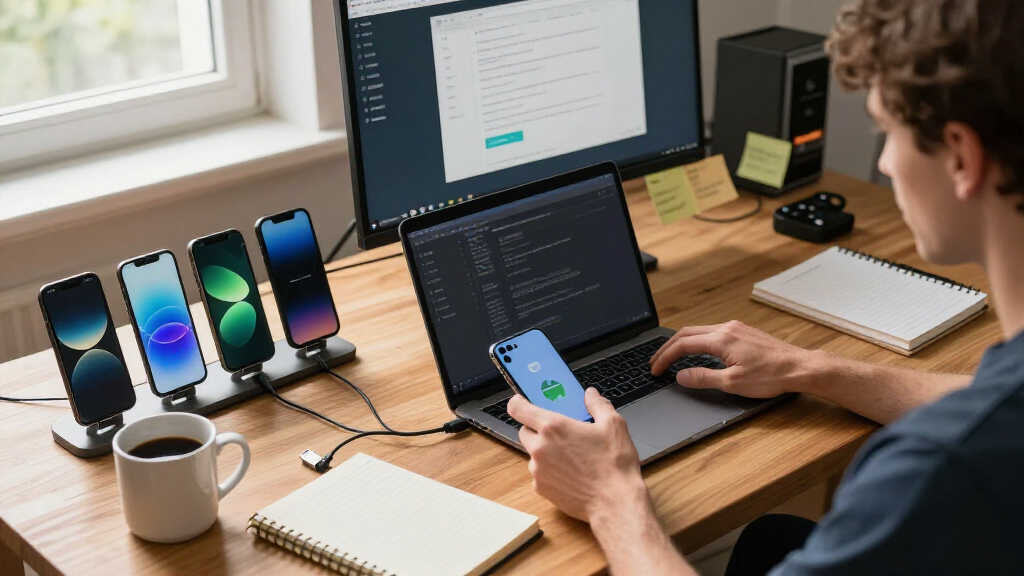

Testing Android apps on real hardware exposes problems that emulators miss — touch latency, screen refresh behavior, thermal throttling, and fragmentation quirks across Android versions. For a dedicated app testing device, my top pick is the Google Pixel 11, because Pixels receive Android updates first, letting you validate builds against the newest OS before most users get it. The Moto G Stylus 5G (2024) is a strong mid-range alternative if you need to test on the hardware most of your users actually own, and the BLU G35 makes sense as a cheap secondary device for low-RAM and legacy-OS testing. The main tradeoff in this category is between OS freshness and realistic hardware: flagship devices get updates earliest but represent few real users, while budget phones are more representative but age out of updates faster. Keep reading for the full breakdown of all 13 options and which one fits your testing workflow.

Get business pricing on monitors, keyboards and dev gear
- Business-only prices and quantity discounts
- Tax-exempt purchasing
- Multiple users, one account, clear invoices
Key Takeaways
- The Google Pixel 11 ranks first because its day-one Android and Pixel SDK access makes it the only option here that reliably lets you test upcoming OS versions before public rollout.
- Budget models like the Moto G Play LTE and BLU G35 fill a different role than flagships: they emulate the low RAM (3-4GB), modest chipsets, and Android 14 installs that still dominate real-world device stats.
- Software update lifespan separated mid-tier picks more than hardware specs — the Fairphone 6+ and Moto G Stylus 5G justify their cost through long support windows, not raw performance.
- Carrier-locked devices (the Tracfone Moto G Play 2024) are poor test devices despite low cost, because locked bootloaders and bloatware interfere with sideloading and debugging workflows.
- Extreme-budget imports (I26 Ultra, C25 Ultra, Ulefone Note 23) are unpredictable testing targets: obscure firmware, spotty OS update records, and non-standard Android builds can make bug reports unreproducible on mainstream devices.
| TCL 60 XE NXTPAPER 5G Unlocked Android Phone, 6.8″ 120Hz Display, 8+128GB |  | Best Overall | Operating System: Android 15 | Display: 6.8″ FHD+ NXTPAPER 3.0, 120Hz | Processor: MediaTek Dimensity 6300 octa-core, 2.4 GHz | VIEW LATEST PRICE | See Our Full Breakdown |
| Motorola Moto G Play 2026 – Unlocked 4/64GB, 32MP Camera, Pantone Tapestry (US Model) |  | Best Value Test Fleet Phone | Storage: 64 GB | RAM: 4 GB (up to 12 GB with RAM Boost) | Display: 6.7-inch, 120Hz | VIEW LATEST PRICE | See Our Full Breakdown |
| BLU Bold K12 | 2025 | Unlocked | 6.8″ HD+ 120Hz Infinity Display | 128GB | Champagne Gold |  | Best Budget Secondary Device | Display: 6.8″ HD+, 120Hz | Storage: 128 GB internal | Rear Camera: 50MP dual main with flash | VIEW LATEST PRICE | See Our Full Breakdown |
| Motorola Moto G Stylus 5G (2024) Unlocked, 8/128GB, Caramel Latte |  | Best for Stylus and Input Testing | Display: 6.7″ pOLED | Processor: Snapdragon-series with 5G (2024 Moto G Stylus platform) | RAM: 8 GB with RAM Boost | VIEW LATEST PRICE | See Our Full Breakdown |
| Fairphone (Gen. 6+) 12GB/256GB Modular Unlocked Android Phone – Cobalt Blue |  | Best Long-Term Investment | Processor: Snapdragon 7s Gen 4 | RAM: 12 GB | Storage: 256 GB, expandable to 2TB | VIEW LATEST PRICE | See Our Full Breakdown |
| Google Pixel 11 – Unlocked Smartphone, Gemini – 256 GB – Obsidian |  | Best for Testing on Stock Android 16 | Operating System: Android 16 | Processor: Google Tensor G6, 3.1 GHz | RAM: 12 GB | VIEW LATEST PRICE | See Our Full Breakdown |
| Motorola Moto G Play 2024, 64GB (Tracfone Locked) – Blue |  | Cheapest Real-World Low-End Test Unit | Carrier: Tracfone (locked) | Processor: Snapdragon 680, 2.4 GHz | RAM: 4 GB (expandable to 6 GB with RAM Boost) | VIEW LATEST PRICE | See Our Full Breakdown |
| Ulefone Note 23 4G Unlocked Cell Phone, 6.56″ 90Hz Display, Android 16, 3GB+32GB, 5000mAh, Deep Blue |  | Best for Stress-Testing Worst-Case Hardware | Operating System: Android 16 (Go edition) | Processor: Unisoc T7100 octa-core, 1.6 GHz | RAM: 3 GB (up to 17 GB virtual) | VIEW LATEST PRICE | See Our Full Breakdown |
| Motorola Moto G Play LTE | Unlocked | Made for US 4/64GB | 50MP Camera | Sapphire Blue |  | Best Value Unlocked Everyday Test Device | Carrier: Unlocked, made for US | Processor: Qualcomm Snapdragon 680 | RAM: 4 GB | VIEW LATEST PRICE | See Our Full Breakdown |
| BLU G35 2025 Unlocked Smartphone, 6.5″ HD+ Display, 32GB/3GB RAM, Dual 8MP Camera, Android 14, Grey |  | Best Starter Device for First-Time Testers | Operating System: Android 14 | Processor: Octa-core ARM Cortex A5 @ 1.6 GHz | RAM: 3 GB | VIEW LATEST PRICE | See Our Full Breakdown |
| Mini Smartphone 3.0″ Unlocked Mini Phone World’s Smallest Android Phone |  | Most Portable Test Bed | Operating System: Android 9.0 | Display: 3.0″ screen (body approx. 3.54 x 1.97 in) | Processor: Quad-core | VIEW LATEST PRICE | See Our Full Breakdown |
| I26 Ultra Unlocked Smartphone, 16GB+512GB, Android 16, 6.9″ AMOLED, 7000mAh Battery, 108MP AI Camera, Built-in Stylus Pen, 5G Dual SIM |  | Best for Heavy Multitask Testing | Operating System: Android 16.0 | Processor: Mediatek Dimensity 9400 (octa-core) | RAM: 16 GB | VIEW LATEST PRICE | See Our Full Breakdown |
| C25 Ultra Phone 8GB+256GB 6.8″ HD 120Hz Display, 7000mAh Battery |  | Best Mid-Range All-Rounder | Operating System: Android 15 | Processor: Snapdragon 8 Gen 3 (3.4 GHz) | RAM: 8 GB | VIEW LATEST PRICE | See Our Full Breakdown |
| Android phones for app testing | Display | Processor | Storage | RAM |
|---|---|---|---|---|
| TCL 60 XE NXTPAPER 5G Unlocked | 6.8" FHD+ NXTPAPER 3.0, 120Hz | MediaTek Dimensity 6300 octa-core, 2.4 GHz | 128 GB, expandable to 2TB via microSD | 8 GB (+8 GB virtual) |
| Motorola Moto G Play 2026 | 6.7-inch, 120Hz | MediaTek Dimensity 6300 | 64 GB | 4 GB (up to 12 GB with RAM Boost) |
| BLU Bold K12 | 2025 | Unlocked | 6.8" HD+, 120Hz | — | 128 GB internal | — |
| Motorola Moto G Stylus 5G | 6.7" pOLED | Snapdragon-series with 5G (2024 Moto G Stylus platform) | 128 GB | 8 GB with RAM Boost |
| Fairphone | 120Hz OLED, Gorilla Glass 7i | Snapdragon 7s Gen 4 | 256 GB, expandable to 2TB | 12 GB |
| Google Pixel 11 | 6.3" Actua Display | Google Tensor G6, 3.1 GHz | 256 GB | 12 GB |
| Motorola Moto G Play 2024 | 6.5" HD+ 90Hz, Corning Gorilla Glass 3 | Snapdragon 680, 2.4 GHz | 64 GB, expandable to 1 TB via microSD | 4 GB (expandable to 6 GB with RAM Boost) |
| Ulefone Note 23 4G Unlocked Ce | 6.56" waterdrop, 1210 x 540, 90Hz | Unisoc T7100 octa-core, 1.6 GHz | 32 GB, expandable to 2 TB via microSD | 3 GB (up to 17 GB virtual) |
| Motorola Moto G Play LTE | Unl | 6.5" HD+ 90Hz ultrawide | Qualcomm Snapdragon 680 | 64 GB, expandable to 1 TB via microSD | 4 GB |
| BLU G35 2025 Unlocked Smartpho | 6.5" HD+ Infinity Display | Octa-core ARM Cortex A5 @ 1.6 GHz | 32 GB | 3 GB |
| Mini Smartphone 3.0" Unlocked | 3.0" screen (body approx. 3.54 x 1.97 in) | Quad-core | — | — |
| I26 Ultra Unlocked Smartphone | 6.9" AMOLED | Mediatek Dimensity 9400 (octa-core) | 512 GB (expandable) | 16 GB |
| C25 Ultra Phone 8GB+256GB 6.8" | 6.8" HD, 3120×1440, 120Hz | Snapdragon 8 Gen 3 (3.4 GHz) | 256 GB | 8 GB |
More Details on Our Top Picks
TCL 60 XE NXTPAPER 5G Unlocked Android Phone, 6.8″ 120Hz Display, 8+128GB
The TCL 60 XE NXTPAPER 5G is the pick I’d point most app-testing teams toward, because it hits the sweet spot of modern software, decent RAM, and broad carrier support without venturing into flagship pricing. Android 15 out of the box means you’re testing against a current OS build from day one — something the Moto G Stylus 5G (2024) and its one-year-older launch window can’t match. The 8GB of physical RAM (plus 8GB virtual) handles multiple dev tools, logcat sessions, and test builds simultaneously, where the Moto G Play 2026 with its 4GB physical buffer will start swapping under the same load. The 120Hz display is also handy for validating animation smoothness in real UI conditions. The tradeoff is honest: the Dimensity 6300 is mid-range silicon, so if your testing includes GPU-heavy gaming scenarios, this isn’t the right bench device.
Pros:- Ships with Android 15 for testing against the latest OS behavior
- 8GB physical RAM keeps multi-app debugging sessions stable
- Dual Nano SIM/eSIM plus AT&T, T-Mobile, and Verizon compatibility makes carrier-matrix testing easy
- 120Hz display for validating real-world scrolling and animation performance
Cons:- Mid-range processor won’t stress-test demanding 3D or gaming apps
- Single physical SIM slot limits some dual-SIM test scenarios
- 18W charging is slow when the device is on the bench all day
Best for: Indie developers and small QA teams who need a current-Android, carrier-flexible daily test device with enough RAM to run debugging tools and test builds at once
Not ideal for: Game studios or teams benchmarking graphics-intensive apps — the mid-range Dimensity 6300 won’t reflect flagship GPU performance
- Operating System:Android 15
- Display:6.8″ FHD+ NXTPAPER 3.0, 120Hz
- Processor:MediaTek Dimensity 6300 octa-core, 2.4 GHz
- RAM:8 GB (+8 GB virtual)
- Storage:128 GB, expandable to 2TB via microSD
- Battery:5010 mAh, 18W fast charging
- SIM:Nano SIM + eSIM
- Carrier Support:AT&T, T-Mobile, Verizon (unlocked)
Our verdict“The most balanced single test phone in this lineup — current software, enough RAM, and near-universal U.S. carrier support for the price of a mid-ranger.”
Motorola Moto G Play 2026 – Unlocked 4/64GB, 32MP Camera, Pantone Tapestry (US Model)
When the goal is populating a device farm cheaply, the Moto G Play 2026 makes the most sense. It shares the same Dimensity 6300 chipset as the TCL 60 XE, so your app runs on identical silicon — you’re mostly paying less for less RAM and storage. That’s a rational trade for fleet testing, where each unit just needs to install your build and stay online. Compared with the BLU Bold K12, Motorola’s carrier coverage is broader and its software update track record is stronger, which matters when a test device needs to stay on a supported patch level. The 4GB of physical RAM is the real limitation: RAM Boost borrows internal storage as virtual memory, which can distort performance profiling results. If your instrumentation is sensitive to storage I/O, treat this device’s numbers with caution or step up to the TCL.
Pros:- Same Dimensity 6300 platform as pricier mid-rangers at a lower unit cost
- 5200mAh battery sustains long unattended test runs between charges
- Compatible with Verizon, AT&T, and T-Mobile for network-matrix testing
- Bright 120Hz display usable for outdoor and sunlight UI testing
Cons:- Only 4GB physical RAM; RAM Boost relies on internal storage and can affect test reliability
- 64GB storage fills fast with multiple test builds and logs
- Charger sold separately adds hidden per-unit cost when buying in quantity
Best for: Startups and QA teams building a multi-device test farm who need several units on the same chipset at minimal per-unit cost
Not ideal for: Performance profiling work — RAM Boost’s storage-based virtual memory can skew benchmark and I/O timing results
- Storage:64 GB
- RAM:4 GB (up to 12 GB with RAM Boost)
- Display:6.7-inch, 120Hz
- Processor:MediaTek Dimensity 6300
- Battery:5200 mAh typical, 18W TurboPower
- Network:5G, unlocked for Verizon, AT&T, T-Mobile
- Build:Vegan leather back, Gorilla Glass 3, water-repellent
Our verdict“The cheapest credible way to put multiple same-chipset Android devices on your test rack — just don’t use it for memory or storage benchmarking.”
BLU Bold K12 | 2025 | Unlocked | 6.8″ HD+ 120Hz Infinity Display | 128GB | Champagne Gold
The BLU Bold K12 earns a spot as the low-cost secondary unit for teams whose main bench device is something like the TCL 60 XE and who want a second screen for checking layout on different hardware. Its saving grace for testing purposes is the 128GB of internal storage — double what the Moto G Play 2026 offers — so you can keep multiple APK builds and screen recordings on it without constant cleanup. The 120Hz panel also lets you sanity-check animation behavior cheaply. But the constraints are real: GSM-only compatibility rules out Verizon entirely, and the HD+ resolution means it represents the low end of the display-pixel spectrum rather than a typical device. Treat it as a supplementary low-res test target, not a primary daily driver for development.
Pros:- 128GB storage holds plenty of test builds, logs, and screen recordings
- 120Hz refresh rate available at a very low price point
- Ships with a case, screen protector, and charger in the box
- Side-mounted fingerprint sensor useful for biometric API testing
Cons:- Not compatible with Verizon or CDMA networks at all
- HD+ resolution is below the FHD+ norm, so UI results aren’t representative of typical devices
- Lower-tier brand means uncertain long-term Android update availability
Best for: Devs on a tight budget who already own a primary test phone and want a cheap second device for layout checks on lower-resolution screens
Not ideal for: Anyone on Verizon or needing a representative mainstream test device — GSM-only support and HD+ resolution limit both coverage and realism
- Display:6.8″ HD+, 120Hz
- Storage:128 GB internal
- Rear Camera:50MP dual main with flash
- Front Camera:8 MP
- Battery:5000 mAh
- Network:GSM unlocked (T-Mobile, Metro, Mint, AT&T, Cricket); no Verizon
- Security:Side-mounted fingerprint sensor
- Box Contents:Case, screen protector, charger, Type-C cable, headphones
Our verdict“A reasonable cheap second bench phone thanks to its 128GB storage and 120Hz screen, as long as your test plan never touches Verizon.”
Motorola Moto G Stylus 5G (2024) Unlocked, 8/128GB, Caramel Latte
If your app needs to handle stylus input, pressure-sensitive drawing, or precision gestures, the Moto G Stylus 5G is the only mainstream option in this lineup with a built-in pen — a capability the TCL 60 XE and Moto G Play 2026 simply can’t replicate. That makes it the natural companion device for note-taking apps, signature capture, and annotation features. Beyond the pen, it’s a stronger daily driver than the G Play: 8GB of physical RAM matches the TCL, and the pOLED display delivers deeper contrast for testing dark-mode UI accurately. Its 50MP camera with OIS is also relevant if you test camera-dependent features like document scanning. The main drawbacks are its 2024 launch vintage, which means a shorter remaining update runway than newer rivals, and Motorola’s RAM Boost reliance on storage for the expanded memory tier.
Pros:- Built-in stylus enables genuine pen-input, pressure, and palm-rejection testing
- 8GB physical RAM keeps debugging tooling and test builds responsive
- 50MP camera with OIS useful for testing scan and capture features
- 30W TurboPower charging minimizes bench downtime between sessions
Cons:- 2024 model means a shorter remaining window of OS updates
- RAM Boost’s expanded tier consumes internal storage
- Battery life varies heavily with sustained network and screen-on testing
Best for: Developers of note-taking, drawing, PDF annotation, or signature-capture apps who need real stylus hardware for input testing
Not ideal for: Teams prioritizing long-term OS coverage — as a 2024 model it has less remaining software life than the TCL 60 XE or Fairphone 6
- Display:6.7″ pOLED
- Processor:Snapdragon-series with 5G (2024 Moto G Stylus platform)
- RAM:8 GB with RAM Boost
- Storage:128 GB
- Camera:50MP Ultra Pixel with OIS
- Charging:30W TurboPower
- Stylus:Built-in
- Model Year:2024
Our verdict“The only choice here for stylus-dependent app testing, and a capable all-rounder besides — just weigh its older model year against the TCL’s Android 15 head start.”
Fairphone (Gen. 6+) 12GB/256GB Modular Unlocked Android Phone – Cobalt Blue
The Fairphone 6+ is the pick for teams planning to keep a test device in service for years, not months. Software support through 2033 and a five-year hardware warranty dwarf anything else here — the TCL 60 XE and Moto G Stylus will age out of updates far sooner. The modular 12-part design is genuinely practical for a lab: when a battery degrades from constant test cycles or a screen cracks, you swap the part yourself instead of retiring the unit. With 12GB of RAM and 256GB of storage, it’s also the most capable machine in this batch for running emulators, containers, and heavy instrumentation side by side. The catches: no Verizon compatibility rules out that entire network matrix, and IP55 splash resistance means less tolerance for field testing abuse than fully sealed rivals.
Pros:- Software support through 2033 gives the longest usable test life in this lineup
- User-replaceable battery, screen, speaker, and cameras cut long-term fleet maintenance costs
- 12GB RAM and 256GB expandable storage handle heavy tooling and many stored builds
- Snapdragon 7s Gen 4 delivers upper-mid-range performance closer to mainstream flagships
Cons:- Incompatible with Verizon and Verizon-network MVNOs
- Only IP55 splash resistance — less durable in rough field conditions
- Higher cost than every other phone in this roundup
Best for: Development shops that want one durable, self-repairable, high-RAM test device supported with OS updates for the better part of a decade
Not ideal for: Teams on Verizon or Verizon-based MVNOs — the phone won’t connect to those networks at all
- Processor:Snapdragon 7s Gen 4
- RAM:12 GB
- Storage:256 GB, expandable to 2TB
- Display:120Hz OLED, Gorilla Glass 7i
- Software Support:Through 2033
- Hardware Warranty:Up to 5 years
- Water Resistance:IP55 splash-resistant
- Carrier Compatibility:AT&T, T-Mobile, and supported MVNOs (not Verizon)
Our verdict“The buy-it-once choice: unmatched update longevity and self-repairability make it the rational long-haul test device, provided you’re not on Verizon.”
Google Pixel 11 – Unlocked Smartphone, Gemini – 256 GB – Obsidian
For developers who need to validate apps against the newest version of Android exactly as Google ships it, the Pixel 11 is the closest thing to a reference device you can buy. Running Android 16 unmodified with the G6 Tensor chip, it lets you catch OS-level behavior changes months before budget handsets receive updates — the Moto G Play LTE arrives on older Android and updates far less predictably, which makes it a poor stand-in for cutting-edge API testing. The unlocked eSIM and carrier flexibility also means you can swap test SIMs without friction, something the Tracfone-locked Moto G Play 2024 simply cannot do. The tradeoff is cost: for the price of one Pixel 11 you could equip a small lab with several BLU G35 or Ulefone Note 23 units for low-end device coverage.
Pros:- Runs stock Android 16 with fast, predictable OS updates for testing the latest APIs
- Factory unlocked with eSIM support for easy carrier and network switching
- 12GB RAM and 256GB storage handle heavy emulators, profilers, and debug builds comfortably
- IP68 durability and 30+ hour battery survive long continuous test sessions
Cons:- Premium flagship pricing makes fleet purchases impractical
- Too powerful to represent the budget hardware most of the Android install base uses
Best for: Developers who need day-one Android 16 and Pixel-exclusive behavior (Gemini APIs, Titan M3 security features) on a carrier-flexible reference device
Not ideal for: Teams building a multi-device low-end testing farm — the premium hardware masks the performance constraints most real-world users face
- Operating System:Android 16
- Processor:Google Tensor G6, 3.1 GHz
- RAM:12 GB
- Storage:256 GB
- Display:6.3″ Actua Display
- Carrier Support:Factory unlocked, eSIM, works with all major US carriers
- Battery:30+ hours with fast wired and wireless charging
- Durability:IP68 water and dust resistance, Titan M3 security chip
Our verdict“The Pixel 11 makes sense for one thing done exceptionally well: testing against the newest, purest Android experience before your users ever see it.”
Motorola Moto G Play 2024, 64GB (Tracfone Locked) – Blue
When your goal is reproducing bugs on the modest hardware your budget users actually own, the Moto G Play 2024 gets you there for minimal spend. Its Snapdragon 680 and 4GB of RAM mirror the performance ceiling of a huge slice of the global Android market, and the 46-hour battery keeps it alive through overnight test runs. The catch is severe: it is locked to Tracfone, so it is useless for carrier or SIM-related testing until the lock expires — the unlocked Moto G Play LTE in this lineup is the same core hardware without that restriction. Compared with the Ulefone Note 23, you get a sharper brand-name SoC and Android from a major OEM, but the carrier lock and 64GB ceiling narrow what test scenarios it can cover.
Pros:- Snapdragon 680 represents true mid-range performance for realistic benchmarking
- 5,000mAh battery delivers up to 46 hours for unattended overnight test cycles
- microSD expansion up to 1TB holds large test builds and log archives
- 90Hz Gorilla Glass 3 display survives rough lab handling
Cons:- Hard-locked to Tracfone, blocking any SIM or carrier testing
- 4GB RAM and 64GB storage limit parallel test environments and larger apps
Best for: QA teams that need a cheap, realistic low-end device for soak testing and performance profiling on a Tracfone plan
Not ideal for: Anyone testing carrier switching, dual-SIM behavior, or international roaming — the network lock blocks all of it
- Carrier:Tracfone (locked)
- Processor:Snapdragon 680, 2.4 GHz
- RAM:4 GB (expandable to 6 GB with RAM Boost)
- Storage:64 GB, expandable to 1 TB via microSD
- Display:6.5″ HD+ 90Hz, Corning Gorilla Glass 3
- Battery:5,000mAh, up to 46 hours
- Operating System:Android 13
Our verdict“A bargain for simulating low-end user hardware, provided your test plan never touches the SIM slot.”
Ulefone Note 23 4G Unlocked Cell Phone, 6.56″ 90Hz Display, Android 16, 3GB+32GB, 5000mAh, Deep Blue
Every app eventually has to run on a genuinely weak phone, and the Ulefone Note 23 is the most extreme low-end device in this lineup. With 3GB of physical RAM, a Unisoc T7100 chip, and a 1210 x 540 display, it exposes memory leaks, jank, and layout breaks that a Pixel 11 will happily hide. It runs Android 16 (Go edition), which few competitors offer at this price — the BLU G35 ships Android 14 and skips the Go variant entirely, making the Ulefone the better pick for testing lightweight-app constraints. Tradeoffs are real: 4G-only, no eSIM, no AT&T or Cricket support, and a low-resolution screen that will not catch visual bugs users on sharper panels would see. The bundled case and pre-applied protector are a small but genuine perk for shared lab devices.
Pros:- Android 16 Go edition matches the OS on millions of budget devices worldwide
- 3GB RAM and entry-level SoC reliably trigger performance and memory edge cases
- Dual SIM and 2TB microSD expansion for multi-profile test setups
- Ships with case and screen protector, sensible for shared devices
Cons:- No AT&T or Cricket compatibility, no 5G or eSIM
- 1210 x 540 display resolution too low to catch visual defects visible on sharper screens
- Bluetooth 4.2 and 2.4GHz-only Wi-Fi limit connectivity and peripheral testing
Best for: Developers who need a worst-case test bed for Android Go, memory-constrained behavior, and entry-level Unisoc chipsets
Not ideal for: Anyone on AT&T or Cricket, or needing to verify UI rendering on standard-resolution displays
- Operating System:Android 16 (Go edition)
- Processor:Unisoc T7100 octa-core, 1.6 GHz
- RAM:3 GB (up to 17 GB virtual)
- Storage:32 GB, expandable to 2 TB via microSD
- Display:6.56″ waterdrop, 1210 x 540, 90Hz
- Battery:5,000mAh, 10W USB-C charging, OTG reverse charging
- SIM:Dual Nano-SIM (dual standby), no eSIM
- Network:4G LTE (no 5G)
Our verdict“A deliberately underpowered tool that earns its place by showing your app at its absolute worst.”
Motorola Moto G Play LTE | Unlocked | Made for US 4/64GB | 50MP Camera | Sapphire Blue
This unlocked Moto G Play LTE hits the sweet spot between cost and capability for a general-purpose test unit. You get the same Snapdragon 680 and 6.5″ 90Hz panel as the Tracfone-locked Moto G Play 2024, but with full carrier freedom — that single difference makes it the default choice for SIM, roaming, and network-condition testing on a budget. It is far more capable than the Ulefone Note 23 for daily driver duties, though it cannot replicate that phone’s extreme low-end memory pressure, and it lags well behind the Pixel 11 on OS freshness and raw speed. The water-repellent coating and Hi-Res Audio support are bonuses for durability and audio-related test cases, but 4GB of RAM means parallel tooling can feel cramped during heavy profiling sessions.
Pros:- Fully unlocked for US carriers, enabling SIM swap and network testing the locked Moto G Play cannot do
- Snapdragon 680 with 4GB RAM provides realistic mid-range performance profiles
- microSD expansion up to 1TB for large test assets
- Water-repellent design and Gorilla Glass survive shared lab use
Cons:- 4GB RAM limits running development tools alongside test builds
- Older Android version with slower, less predictable update cadence than Pixel devices
Best for: Small dev teams or solo developers who want one affordable, carrier-flexible phone that covers most routine device testing
Not ideal for: Teams testing the newest Android APIs or bleeding-edge hardware features — this is mid-range hardware on an older OS
- Carrier:Unlocked, made for US
- Processor:Qualcomm Snapdragon 680
- RAM:4 GB
- Storage:64 GB, expandable to 1 TB via microSD
- Display:6.5″ HD+ 90Hz ultrawide
- Camera:50MP Quad Pixel (12.5MP effective)
- Battery:5,000mAh
- Audio:Stereo speakers, Dolby Atmos, Hi-Res Audio
Our verdict“The most sensible single purchase if you need one budget phone that can handle everyday testing across any US carrier.”
BLU G35 2025 Unlocked Smartphone, 6.5″ HD+ Display, 32GB/3GB RAM, Dual 8MP Camera, Android 14, Grey
For someone setting up their first app-testing setup — a hobbyist developer or a student — the BLU G35 keeps the barrier to entry about as low as it goes while staying GSM-unlocked. Unlike the Tracfone-locked Moto G Play 2024, it works out of the box on T-Mobile and AT&T for real-network testing, and the bundled rugged case, charger, and cable mean one purchase covers everything. Its Cortex A5 processor and 3GB RAM put it near the bottom of the performance range, similar to the Ulefone Note 23, though it runs full Android 14 rather than the Go edition — so it suits general smoke testing rather than Go-specific work. Its GSM-only radio and lack of any water resistance make it a fragile, partial-coverage tool rather than a serious QA workhorse.
Pros:- GSM unlocked for immediate use on T-Mobile, AT&T, and other major GSM carriers
- Complete in-box bundle with rugged case, charger, and cable for a true one-buy setup
- 5000mAh battery supports long unplugged test sessions
- Android 14 is recent enough for validating current-app compatibility basics
Cons:- GSM-only — no Verizon or CDMA carrier support at all
- Entry-level Cortex A5 chip and 3GB RAM cannot represent mid-range or modern devices
- No water resistance and modest build quality limit durability in shared environments
Best for: Hobbyist developers and students building their first test bench on a minimal budget with T-Mobile or AT&T service
Not ideal for: Anyone on Verizon or other CDMA networks, or teams needing durable, long-cycle test hardware
- Operating System:Android 14
- Processor:Octa-core ARM Cortex A5 @ 1.6 GHz
- RAM:3 GB
- Storage:32 GB
- Display:6.5″ HD+ Infinity Display
- Battery:5,000 mAh
- Carrier Compatibility:GSM unlocked (T-Mobile, AT&T, etc.)
- Security:AI Face ID
Our verdict“A fine first rung on the testing ladder: cheap, unlocked, and ready out of the box, as long as your carrier is GSM.”
Mini Smartphone 3.0″ Unlocked Mini Phone World’s Smallest Android Phone
Nothing else in this lineup shrinks a test device down like this. At roughly 3.5 inches tall, this mini phone occupies almost no desk space, which matters when a developer’s bench already holds a Pixel 11 and a Moto G Stylus as primary targets. Android 9 and Google Play access mean it can still install and launch most test builds, and the quad-core chip handles basic smoke tests. But the constraints are real: Wi-Fi only, no SIM support makes it useless for cellular-network or SMS-flow testing, and Android 9 is several major versions behind devices like the C25 Ultra on Android 15. Compared with the Ulefone Note 23, it gives up screen real estate and a modern OS in exchange for a footprint that fits in a pocket of a laptop bag. Treat it as a niche extreme-compact secondary device, not a main testbed.
Pros:- Extremely small footprint frees up bench space next to primary test devices
- Google Play access lets you sideload or install test builds directly
- MicroSD expansion provides room for test artifacts and screenshots
- Light enough to carry as an emergency backup device anywhere
Cons:- Android 9 is far behind current APIs — many modern app features won’t run
- No SIM support means all cellular, SMS, and carrier-network testing is impossible
- Quad-core processor and 3-inch display make extended debugging sessions impractical
Best for: Developers who need an ultra-compact secondary device for quick Wi-Fi-based UI checks on tiny screens
Not ideal for: Anyone testing cellular connectivity, SMS flows, or modern Android APIs — no SIM slot and Android 9 rule those out
- Operating System:Android 9.0
- Display:3.0″ screen (body approx. 3.54 x 1.97 in)
- Processor:Quad-core
- Connectivity:Wi-Fi only — no SIM support
- Cameras:3MP front / 5MP rear with facial recognition
- Storage Expansion:MicroSD card slot (card not included)
- Colors:Black, Blue, Pink
Our verdict“A quirky, space-saving side device for Wi-Fi-only smoke tests on a tiny screen — skip it if your testing requires modern Android or any cellular functionality.”
I26 Ultra Unlocked Smartphone, 16GB+512GB, Android 16, 6.9″ AMOLED, 7000mAh Battery, 108MP AI Camera, Built-in Stylus Pen, 5G Dual SIM
This option stands out for sheer headroom: 16GB of RAM and 512GB of storage mean a test device that rarely hits memory pressure or runs out of space for multiple build variants, logs, and screen recordings. Android 16 also makes it the newest OS in this roundup, ahead of the C25 Ultra’s Android 15 and well past the Moto G Play models — useful for verifying behavior on the latest platform. Compared with the Motorola Moto G Stylus 5G, its built-in stylus plus dual 5G SIM slots let you toggle between two carrier networks without swapping devices. The tradeoffs: an octa-core Mediatek chip differs from the Snapdragon silicon in most US handsets, so performance profiles won’t match mainstream flagships, and battery/thermal behavior on a 7000mAh pack won’t generalize to typical consumer phones.
Pros:- 16GB RAM keeps multiple apps and test builds alive without reloads
- Android 16 offers the newest platform for forward-compatibility testing
- Dual 5G SIM slots let you test across two carriers on one device
- 7000mAh battery survives full-day continuous test cycles without recharging
Cons:- Mediatek Dimensity hardware differs from the Snapdragon chips in most US-market phones
- 7-inch-class AMOLED form factor is unrepresentative of typical consumer screens
- Stylus and 108MP camera hardware are largely irrelevant overhead for app testing
Best for: Developers and QA teams who need maximum RAM and storage to run many parallel app builds and log captures on the newest Android version
Not ideal for: Teams validating performance on hardware typical of US consumers — the MediaTek chipset and huge battery skew results away from real-world flagship behavior
- Operating System:Android 16.0
- Processor:Mediatek Dimensity 9400 (octa-core)
- RAM:16 GB
- Storage:512 GB (expandable)
- Display:6.9″ AMOLED
- Battery:7000 mAh
- Cameras:108MP rear / 50MP front
- SIM:Dual 5G SIM
- Extras:Built-in stylus pen, GPS, USB-C
Our verdict“Pick this if raw memory, storage, and OS-version headroom matter more than matching typical consumer hardware.”
C25 Ultra Phone 8GB+256GB 6.8″ HD 120Hz Display, 7000mAh Battery
This model makes the most sense for testers who want mainstream hardware at a reasonable spec level. The Snapdragon processor and 8GB of RAM land closer to what average US consumers actually own than the I26 Ultra’s oversized configuration, which makes performance readouts more transferable. The 120Hz refresh rate at 6.8 inches gives you a large modern canvas for UI verification, and Android 15 is recent enough for current-API work. Compared with the BLU Bold K12, it doubles the storage to 256GB and adds a 7000mAh battery that outlasts the Fairphone Gen 6 across long scripted test runs. The honest weaknesses: an 18W charging ceiling is slow when you’re cycling the device all day, there’s no water resistance to protect a bench unit from spills, and carrier band support should be verified against AT&T or T-Mobile before committing.
Pros:- Snapdragon processor mirrors chips found in mainstream US phones, making results more representative
- 7000mAh battery supports full-day automated test runs on one charge
- 120Hz 6.8″ display is well suited for UI and layout verification
- Ships with case, screen protector, headphones, and charger — ready for immediate bench duty
Cons:- 18W fast charging is slow relative to the huge battery size
- No water resistance leaves the device exposed on a busy test bench
- 8GB RAM can limit heavily multitasking test setups compared with pricier options
Best for: Solo developers or small QA teams that want a large-screen, long-battery daily test phone representing typical mid-range consumer hardware
Not ideal for: Anyone who needs maximum headroom for parallel builds or the newest Android APIs — the I26 Ultra covers both better
- Operating System:Android 15
- Processor:Snapdragon 8 Gen 3 (3.4 GHz)
- RAM:8 GB
- Storage:256 GB
- Display:6.8″ HD, 3120×1440, 120Hz
- Battery:7000 mAh with 18W fast charging
- SIM:Dual SIM, global 4G/5G bands
- Biometrics:Face + fingerprint unlock
- Carriers:Compatible with AT&T and T-Mobile (verify bands)
Our verdict“A balanced, representative testbed for everyday app QA — choose it over flashier picks when realistic mid-range hardware matters most.”

How We Picked
I evaluated every phone through one lens: how well it serves as an app testing target, not as a daily driver. That meant prioritizing OS version access and update commitments, bootloader and sideloading friendliness, RAM and storage tiers (because memory pressure reveals leaks that generous hardware hides), display refresh rates (90Hz/120Hz panels expose animation jank that 60Hz screens mask), and whether the hardware represents a meaningful slice of the real Android install base. A device that is pleasant to use but runs a stale, skinned Android build scores lower here than a plainer phone with current software.
Ranking also reflected role fit and trustworthiness. Flagship-class picks earned top spots for early-OS validation, mid-range models for representative testing, and ultra-budget models were ranked strictly as cheap secondary or legacy-OS targets. Niche entries like the Fairphone 6+ (longevity) and the 3-inch mini phone (extreme small-screen layouts) were judged on how well they fill their specific niche, while products with carrier locks or unverified firmware were penalized for the friction they add to development workflows.
Factors to Consider When Choosing Android Phones For App Testing
Choosing an app testing phone is a different purchase than choosing your personal phone. These are the factors that actually change what your testing catches — and the mistakes teams make when they skip them.OS Version Coverage Beats Hardware Specs
The single most common mistake is buying a fast phone and assuming it covers your testing needs. Your app will crash more often on older Android builds with less RAM than on anything new, because that describes a large share of real users. Check the Android version out of the box and the manufacturer’s promised update window — two phones with identical specs can differ by years of software support. Ideally, your test fleet spans at least two or three Android versions, not just the newest one. If you can only buy one device, favor a phone that gets updates for years so it stays relevant as your minimum target OS rises. A cheap phone stuck on an old build is only useful for legacy testing; it will never grow with your app.
RAM Tiers Reveal What Specs Hide
Memory pressure is where emulators fail hardest, because an emulator on your development machine borrows desktop RAM and never behaves like a constrained phone. Testing on a 3GB or 4GB device exposes aggressive background kills, cached-state restoration bugs, and out-of-memory crashes that a 12GB flagship will happily absorb. If your analytics show real users on low-memory hardware, at least one device in your lineup should match that tier. Pair it with a higher-RAM phone so you can compare behavior across the spectrum. This is also why ultra-budget phones earn a place in this roundup despite weak performance — their constraints are the feature.
Refresh Rate and Display Variability
Animation jank, scroll stutter, and dropped frames frequently only appear on 90Hz and 120Hz panels, because the higher frame budget punishes inefficient rendering that looks fine at 60Hz. A test device with a high refresh display will catch performance regressions your eyes miss on standard screens. Display size matters too: layouts that work on a 6.8-inch slab can break on compact or unconventional aspect ratios, which is the only scenario where a 3-inch mini phone has genuine development value. Resolution is a quieter factor — HD+ panels with lower pixel density reveal whether your assets and text scale acceptably on cheaper screens most of your audience owns.
Unlock Status and Developer Friendliness
Never buy a carrier-locked phone for testing. Locked bootloaders, preinstalled carrier apps, and restricted settings interfere with USB debugging, sideloading APKs, and automated test runners. Unlocked, factory-direct models give you a clean Android environment where the behavior you observe is the behavior your users will see. Also check whether the manufacturer allows bootloader unlocking if you ever need custom builds or OS-level instrumentation. Lesser-known import brands can complicate this further: non-standard firmware forks may behave differently from mainstream Android, which can produce bug reports nobody can reproduce. Stick with manufacturers whose software you can trust unless the device fills a deliberate fragmentation-testing niche.
Build a Fleet, Not a Hero Device
The most effective approach for teams is two or three deliberately mismatched phones rather than one expensive one: a current-OS device for new-API validation, a mid-range phone for representative performance, and a low-RAM budget unit for stress conditions. This costs about the same as a single flagship and covers far more failure modes. Solitary developers should prioritize whichever gap is biggest — usually a cheap second device running the oldest Android version they still support. Remote device farms can supplement hardware, but they can’t replicate thermal behavior, sensor quirks, or specific vendor skins with full fidelity. Own the devices closest to your actual user base and rent the long tail.
Frequently Asked Questions
Can I just use an emulator instead of buying a test phone?
Emulators are excellent for fast iteration, UI verification, and testing screen sizes you don’t own, but they fail at the edges where most real-world bugs live. They can’t reproduce memory pressure on 3-4GB hardware, thermal throttling during long sessions, cellular-versus-WiFi network handoffs, or vendor-specific skins like Motorola’s and TCL’s Android builds. Touch latency and gesture behavior also differ enough to change how scroll and swipe interactions feel. A practical split is emulator-first for development, then a real device pass before each release. If your budget allows only one phone, pick one that matches your users’ median hardware rather than the newest flagship.
Why is a Pixel recommended for app testing over cheaper options?
Pixels receive Android updates on day one and support factory images and beta programs directly from Google, which means you can test your app against the next Android version months before rollout — time you can use to fix compatibility issues instead of scrambling after launch. Cheaper phones often lag OS updates by a year or more, and some never receive them at all. Pixels also run near-stock Android, so behavior closely matches what the emulator and documentation describe. The tradeoff is cost and unrepresentativeness: few real users own flagships, so a Pixel shouldn’t be your only device. Pair it with a budget phone to cover the other end of the spectrum.
How much RAM does a test phone need?
It depends what you’re hunting. An 8GB or 12GB device approximates mid-to-high-end users and gives your app room to misbehave quietly, while a 3GB or 4GB device forces memory pressure that exposes background-process kills, state-restoration bugs, and OOM crashes. Android itself reserves a meaningful chunk of RAM, so a 3GB phone may leave your app well under 2GB to work with — a condition emulators on development machines never simulate honestly. If you support low-end devices in your minimum spec, you need at least one real phone at that tier. Matching your analytics data matters more than any generic number.
Are ultra-cheap phones from unfamiliar brands worth buying for testing?
Only with clear expectations. Devices like the I26 Ultra or C25 Ultra offer big screens, large batteries, and current Android version numbers at low cost, which can be tempting for a secondary test unit. The risk is unverified firmware and unreliable OS updates: non-standard Android builds may behave differently from mainstream releases, so a bug you reproduce on one may not exist on a Samsung or Pixel, and vice versa. Build quality and long-term support are also gambles. Use them to test broad compatibility on constrained, quirky hardware — not as your primary validation device.
Is a carrier-locked phone okay for development if it’s cheaper?
Almost never, and the upfront savings usually cost more in frustration than they save. Locked phones frequently block or complicate bootloader unlocking, sideloading, and even some debugging features, and preinstalled carrier apps add variables that pollute your test results. You may also be unable to install OS updates or use the device on a different network when your needs change. A factory-unlocked model gives you a clean environment and full control, which is the entire point of a test device. The one exception is deliberate testing of carrier-skinned environments — a niche case most teams never need.
Conclusion
Match the phone to the job your testing actually requires. For best overall, the Google Pixel 11 is the clear choice: first-in-line OS updates, clean Android, and dependable developer tooling make it the most versatile single testing device in this lineup. The Fairphone 6+ takes best premium for teams that want a long-support, repairable device anchoring a multi-year test fleet. For best value, the Motorola Moto G Stylus 5G (2024) delivers representative mid-range hardware, 5G, and enough RAM for realistic testing at a mid-tier price. Beginners setting up their first real test device should start with the Moto G Play LTE or BLU G35 — cheap, unlocked, and low-RAM enough to catch the mistakes new developers make most often. For specific needs: the TCL 60 XE NXTPAPER covers high-refresh and matte-display rendering, the Ulefone Note 23 gives you Android 16 on a budget, and the 3-inch mini phone is a curiosity worth having only if you must validate extreme small-screen layouts. Skip the carrier-locked Moto G Play 2024 unless you specifically need to test carrier environments — the lock adds friction every debugging session will feel. Whatever you choose, treat this purchase as infrastructure: the right test phone pays for itself the first time it catches a crash your emulator never would.
Fall Picks
fall essentials
As an affiliate, we earn on qualifying purchases.