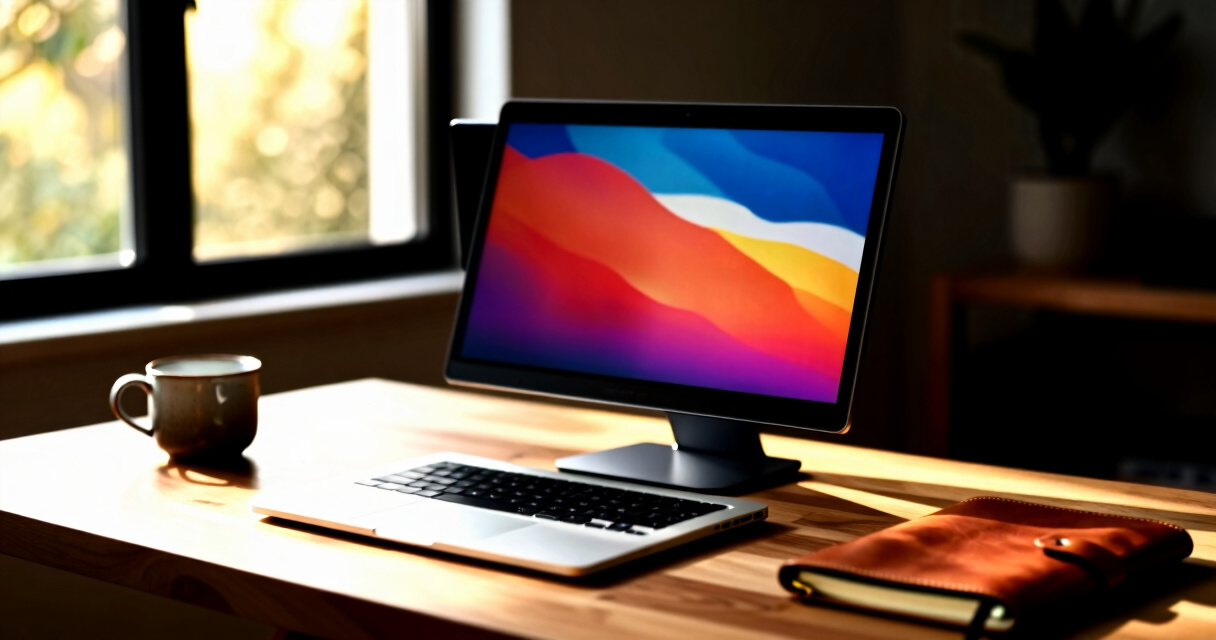

Searching for the best dual screen portable monitor for your laptop? The ideal choice offers flexibility, ease of use, and reliable performance, but tradeoffs often include size, weight, and connectivity options. The VisionOwl Portable Dual 15.6-Inch stands out for its comprehensive features and solid build quality, making it a top overall pick. The KYY 15.6-inch 1080P FHD Portable Monitor is a strong contender for those prioritizing affordability without sacrificing quality. Keep in mind that many models differ in portability, input options, and whether they include features like built-in speakers or VESA mounts. Continue reading for a detailed breakdown to find the best dual screen monitor for your needs.

Get business pricing on monitors, keyboards and dev gear
- Business-only prices and quantity discounts
- Tax-exempt purchasing
- Multiple users, one account, clear invoices
Key Takeaways
- Top models balance portability with screen size, with 15.6-inch screens being the most common and versatile option.
- Connectivity options like USB-C are increasingly standard, but HDMI remains essential for some workflows.
- Build quality and included accessories, such as smart covers or VESA mounts, significantly impact usability and value.
- Price varies widely; the best value models often compromise on extras, while premium picks add features like HDR or higher refresh rates.
- Choosing the right monitor depends heavily on your primary use—whether for travel, professional work, or casual use—highlighting the importance of understanding your specific needs.


More Details on Our Top Picks
VisionOwl Portable Dual 15.6-Inch 1080P FHD Monitor with VESA Mount and Foldable Design
The VisionOwl portable dual-screen monitor stands out for its high color accuracy, thanks to 107% sRGB coverage, making it ideal for creative professionals who need precise visuals. Compared to the KYY 15.6-inch model, it offers better color fidelity and a more durable full-metal build. However, its 60Hz refresh rate makes it less suitable for fast-paced gaming, a tradeoff for its emphasis on color accuracy and build quality. The foldable design and VESA mount provide flexible setup options, while its lightweight 3.5 lbs weight enhances portability. Setup is straightforward with multiple connectivity options, supporting both USB-C and HDMI devices. This pick makes the most sense for mobile workers, designers, or gamers who prioritize display quality and durability over ultra-high refresh rates.
Pros:- High color accuracy with 107% sRGB coverage
- Flexible viewing with foldable and VESA mount options
- Easy plug-and-play with broad device compatibility
- Lightweight and travel-friendly with included sleeve case
Cons:- Limited to 60Hz refresh rate, not suited for competitive gaming
- Requires driver installation on some operating systems
- Cannot provide a continuous waterfall display in extended mode
Best for: Creative professionals and mobile workers needing accurate colors and flexible mounting options
Not ideal for: High-end gamers seeking refresh rates above 60Hz or users needing continuous waterfall displays
- Display Size:15.6 inches
- Resolution:1080P FHD
- Color Gamut:107% sRGB
- Refresh Rate:60Hz
- Weight:3.5 lbs
- Build Material:Full-metal
Bottom line: This monitor is best suited for professionals and casual users who need accurate visuals in a portable form factor.
Dual Laptop Screen Extender, 14″ 1080P Portable Monitor, Type-C (No HDMI) Plug and Play for 13.3″ – 16.1″ Laptops, 270° Rotation Attachment Display for Windows/MacOS/Chrome Laptop Phone
The MagicRaven 14-inch portable monitor excels for users who want a simple, single-cable connection, especially on Windows or Chrome devices, offering plug-and-play convenience. Compared with the VisionOwl, it’s lighter at 3.4 lbs and focuses on portability, but it’s limited to only one extended display and cannot extend a dual setup like the VisionOwl does. Its 250° rotation allows flexible viewing, which is useful for presentations or collaborative work. The bright 300 nits IPS screen with 100% sRGB ensures vivid visuals, though it lacks HDMI and may be less compatible with some devices. This monitor is ideal for business travelers, remote workers, or students who prioritize portability and easy setup over multi-monitor configurations.
Pros:- Single-cable plug-and-play for Windows and Mac
- Lightweight at 3.4 lbs and easy to carry
- Flexible 250° rotation for versatile viewing angles
- Bright IPS display with vivid color reproduction
Cons:- Limited to extending only one display; cannot mirror or extend dual screens
- No HDMI support, reducing compatibility with some devices
- Does not support high refresh rates suitable for gaming
Best for: Travelers and remote workers needing quick, portable dual-screen solutions with minimal setup
Not ideal for: Gamers or users requiring multi-monitor setups with HDMI support or higher refresh rates
- Display Size:14 inches
- Resolution:1080P FHD
- Brightness:300 nits
- Rotation:250°
- Weight:3.4 lbs
- Connectivity:Type-C only
Bottom line: This monitor is perfect for professionals on the move who need quick, reliable extra screen space with minimal fuss.
KYY 15.6-inch 1080P FHD Portable Monitor with HDR, USB-C, HDMI, Smart Cover, Speakers
The KYY 15.6-inch portable monitor offers a compelling balance of features and affordability, with a vivid 1080P FHD IPS display and HDR technology that enhances color and contrast. Compared with the VisionOwl, it is lighter at 1.7 lbs and includes a smart cover that doubles as a stand, making it highly portable. However, it’s limited to 15.6 inches and relies on USB-C or HDMI for connectivity, which might restrict compatibility with some older devices. Its built-in speakers are a bonus, but they may not satisfy audiophiles. This monitor is well-suited for students, remote workers, and casual users seeking a cost-effective dual-screen solution without sacrificing display quality.
Pros:- Bright, vibrant FHD display with HDR support
- Ultra-slim and lightweight design
- Includes a durable smart cover for protection and stand
- Wide compatibility with USB-C and HDMI devices
Cons:- Limited to 15.6 inches, not suitable for larger setups
- Requires compatible USB-C or HDMI ports for operation
- Built-in speakers may lack volume and clarity for critical listening
Best for: Budget-conscious users needing a lightweight, versatile secondary display
Not ideal for: High-end creative professionals or gamers who require color accuracy beyond sRGB or high refresh rates
- Display Size:15.6 inches
- Resolution:1080P FHD
- Panel Type:IPS
- Viewing Angle:178°
- Weight:1.7 lbs
- Connectivity:USB-C, HDMI
Bottom line: This monitor provides excellent value for users seeking a portable, color-rich secondary display at an affordable price point.
InnoView Portable Dual Monitor 15.6″ 1920×1080 Dual Foldable Screen with Adjustable Angles
This dual monitor stands out for its versatile foldable design and multiple display modes, making it a strong choice for those who need flexibility on the go. Compared with the KYY 15.6″, the InnoView offers a broader range of adjustable angles (0-315°) and a foldable form, which enhances portability. However, it requires a higher power input (30W) and needs driver installation for Mac extended mode, which may complicate setup. Its IPS panels deliver crisp 1080p visuals suitable for multitasking, remote work, or light gaming. The plug-and-play compatibility with Windows simplifies use for most users, but the HDMI connection’s limited extended mode support could be frustrating for some. Overall, this pick makes the most sense for travelers who prioritize adjustable angles and multiple modes without sacrificing visual quality.
Pros:- Foldable and adjustable design for easy portability and viewing angles
- Supports multiple display modes including extended, split, and duplicate
- Plug-and-play with Windows, no driver required
Cons:- Extended mode on Mac requires driver installation, adding complexity
- HDMI does not support extended mode, limiting display options
Best for: Frequent travelers and remote workers who need a flexible, foldable dual display for varied setups.
Not ideal for: Mac users who require seamless extended mode without driver installation or minimal setup hassle.
- Screen Size:15.6 inches
- Resolution:1920×1080
- Panel Type:IPS
- Adjustable Angles:0-315°
- Stand Adjustment:180°
- Connectivity:USB-C, HDMI
Bottom line: Ideal for users valuing flexible, foldable dual screens with multiple modes, especially on Windows devices.
KEFEYA 14-inch FHD IPS Laptop Screen Extender Dual Monitor Portable Monitor for Laptops 13-17″ with USB-C/HDMI
The KEFEYA 14-inch portable monitor makes the most sense for users seeking a compact, budget-friendly dual display solution. Its 1080p IPS panel offers vibrant colors and sharp images, comparable to larger options like the KYY 15.6″ but in a more portable size. Its support for multiple modes and 180° rotation enhances versatility, though it requires additional USB-A to USB-C cables when using HDMI, which could be inconvenient. The driver installation requirement on some systems adds a layer of setup complexity that might deter less tech-savvy users. Its compatibility across Windows, Mac, Android, and even gaming consoles makes it a flexible choice for varied use cases. This monitor is best for those who want portability and decent performance at a lower price point, but less suited for users who prioritize a simple, driver-free experience.
Pros:- Compact 14-inch size for easy travel and storage
- Vibrant 1080p IPS display with wide viewing angles
- Supports multiple modes and 180° rotation
Cons:- Requires extra cables for HDMI connection, adding clutter
- Driver installation needed for some laptops, complicating setup
Best for: Budget-conscious professionals and students who need a portable dual display for daily multitasking.
Not ideal for: Power users who dislike driver installations or need a truly driver-free setup.
- Display Size:14 inches
- Resolution:1920×1080 (FHD)
- Panel Type:IPS
- Brightness:300 nits
- Rotation:180°
- Compatibility:Windows, Mac, Android, Linux, Chrome OS, PS4, Xbox, Switch
Bottom line: A solid choice for users seeking affordable, portable dual screens with good image quality and flexibility.
QQH Laptop Screen Extender, 15.6″ Triple Portable Monitor with FHD IPS Display, USB-C Compatibility
The QQH triple-screen extender stands out for its ability to dramatically boost productivity with three ultra-slim 15.6″ FHD IPS displays. It’s perfect for professionals who need multiple windows open simultaneously, such as traders or creative teams. Compared to dual options like the KYY 15.6″, the triple setup offers significantly more workspace but at the cost of increased weight and complexity—requiring driver installation and careful placement since it doesn’t clip onto the laptop. Its durable aluminum construction and adjustable screens with memory functions add to its appeal, though it’s less portable than smaller options. This monitor appeals to power users who want maximum screens on the go, but those seeking simplicity or lightweight solutions should look elsewhere.
Pros:- Triple 15.6″ FHD IPS screens for extensive multitasking
- Adjustable and memory-enabled screens for customized setup
- Durable aluminum alloy construction
Cons:- Requires driver installation, adding setup steps
- Bulky compared to dual monitors, less portable
Best for: Professionals needing a multi-screen setup on the move, especially for multitasking or content creation.
Not ideal for: Light users or travelers who prioritize portability over multiple expanded displays.
- Display Size:15.6 inches
- Resolution:1920×1080 (FHD)
- Brightness:300 nits
- Rotation:360°
- Material:Aluminum alloy
- Compatibility:Windows, macOS, ChromeOS, Android, Linux
Bottom line: Best suited for users who require extensive multi-monitor setups without sacrificing portability for productivity gains.
Laptop Screen Extender, 14-inch FHD Portable Monitor for Laptop, Ultra-Thin and Lightweight Dual Screen Extender
This 14-inch portable monitor is ideal for those prioritizing ultra-lightweight design and simple connectivity. Its 6.5mm thickness and 1.3 lbs weight make it perfect for travelers and remote workers who need a second screen without bulk. The vivid 1080p display with 100% sRGB coverage ensures colorful visuals for multitasking or media consumption. While comparable in size to the KEFEYA 14″, it offers a slightly slimmer profile, which is appealing for frequent movers. Its plug-and-play setup supports multiple operating systems, but some laptops with limited ports may need additional adapters. If portability and ease of use are your main concerns, this model makes a compelling choice, though it’s limited to 14 inches, which might be small for some productivity tasks.
Pros:- Extremely thin and lightweight for travel convenience
- Vivid 1080p display with excellent color coverage
- Supports multiple modes and broad device compatibility
Cons:- Limited to 14-inch size, which may be small for some tasks
- Some laptops may need additional adapters for full connectivity
Best for: Travelers and remote workers who need a lightweight, portable secondary display for on-the-go use.
Not ideal for: Power users requiring larger screens or extensive connectivity options without extra adapters.
- Size:14 inches
- Resolution:1920×1080 (FHD)
- Weight:1.3 lbs
- Thickness:6.5 mm
- Brightness:300 nits
- Compatibility:Windows, Mac, Android, Chrome, Linux, Switch
Bottom line: A strong pick for frequent travelers seeking a portable, easy-to-use second display with vibrant visuals.
KYY 15.6″ Portable Laptop Screen Extender with Dual 1080P FHD IPS Displays, USB-C Triple Monitor, 360° Rotation, Adjustable Kickstand
The KYY 15.6″ portable monitor combines dual FHD IPS screens with a flexible 360° rotation and adjustable kickstand, making it a versatile option for users who need both portability and extensive adjustability. Its single USB-C connection simplifies setup, and the wide viewing angles ensure clarity from various positions. Compared to the InnoView, the KYY’s rotation feature offers more ergonomic flexibility, but it may require driver installation for some systems, adding setup complexity. Its compatibility with multiple operating systems and ability to tilt up to 90° makes it suitable for ergonomic work setups on the move. This monitor is well-suited for users who want a portable dual display with high adjustability, but it might be less ideal for those who prefer a completely driver-free experience or minimal setup time.
Pros:- Single USB-C connection for easy setup
- Supports 360° rotation and adjustable stand for ergonomic positioning
- Wide viewing angles and high-quality IPS display
Cons:- Driver installation may be necessary for some systems
- Requires additional cables or adapters for certain devices
Best for: Remote workers and freelancers who need flexible positioning and easy connectivity for multitasking.
Not ideal for: Users seeking a no-fuss, driver-free setup or minimal configuration.
- Screen Size:15.6 inches
- Resolution:1080P FHD
- Display Type:IPS
- Rotation:0° to 360°
- Stand Adjustment:Up to 90°
- Connectivity:USB-C, USB-A
Bottom line: Perfect for users who value flexible positioning and high portability in a dual-screen setup.
KYY 15.6-Inch Portable Triple Monitor Extender with Type-C, 1080P FHD, Alloy Dual Display for Laptops 13-17″
This triple monitor extender stands out for offering a comprehensive multi-screen setup through a single connection, making it ideal for users who need to maximize productivity on the go. Compared with dual options like the Portable Foldable Dual Screen, it provides an extra display, which is especially useful for multitasking professionals. The aluminum alloy shell ensures durability while maintaining a lightweight profile. The adjustable screens with 360° rotation and a kickstand give flexible viewing angles, but the need for driver installation can complicate setup, especially on some laptops. Compatibility across Windows, macOS, and Android broadens its appeal, yet connection issues may arise without proper configuration.
Pros:- Single-cable connection simplifies setup for triple monitors
- Durable aluminum shell enhances protection and aesthetics
- Fully adjustable screens with wide viewing angles
Cons:- Requires driver installation, adding complexity
- Compatibility depends on laptop port support
- Potential connection issues without proper setup
Best for: Content creators, multitasking professionals, and those who require multiple screens in a portable form factor
Not ideal for: Casual users or those with laptops lacking sufficient Type-C or USB-A ports, as setup can be complex or incompatible
- Screen Size:15.6 inches
- Resolution:1080P FHD
- Aspect Ratio:16:9
- Material:Aluminum alloy
- Ports:Type-C, USB-A
- Viewing Angles:178°
- Number of Screens:Triple
- Adjustability:360° rotatable screens
Bottom line: This option makes the most sense for users who need a portable, multi-monitor setup capable of handling demanding multitasking needs.
Laptop Screen Extender 14” FHD 1080P IPS Ultra-Thin Dual/Triple Monitor Portable Display with Built-in Speakers
This 14-inch portable monitor is a strong choice for users seeking a bright, eye-friendly display with versatile connectivity. Its full HD IPS panel provides vibrant, detailed images, making it a good alternative to the larger 15.6-inch options like the Foldable Dual Screen. The ultra-slim profile and included protective case make it convenient for travel, while built-in speakers add to its multimedia appeal. However, it is not compatible with newer MacBook models with M1 or M2 chips, or Surface devices with only one Type-C port, limiting its universal usability. Connection issues may occur on laptops with limited port support, and the reliance on full-featured Type-C and HDMI ports can restrict compatibility.
Pros:- High-quality 14-inch FHD IPS display with eye protection
- Ultra-slim, portable design with protective case
- Supports dual and triple monitor configurations
Cons:- Not compatible with certain MacBook and Surface models
- Connection compatibility may vary with device ports
- Dependent on full-featured Type-C or HDMI ports
Best for: Travel professionals, students, and mobile workers needing a high-quality secondary screen with minimal bulk
Not ideal for: Power users with MacBooks M1/M2 or Surface devices that lack compatible ports or require more robust features
- Screen Size:14 inches
- Resolution:Full HD 1080P
- Display Technology:IPS
- Thickness:0.24 inches
- Built-in Speakers:Yes
- Ports:2 USB-C, 1 HDMI
- Compatibility:Windows, macOS, Linux, Android, PS, Xbox, Switch
- Included Accessories:Cables, case, guide
Bottom line: Ideal for on-the-go users prioritizing a bright, portable display but with some limitations on device compatibility.
Portable Foldable Dual Screen 15.6-inch FHD IPS Monitor with HDMI, USB-C, VESA, and Kickstand
This 15.6-inch foldable monitor excels in providing a high-color-gamut experience thanks to its 107% sRGB coverage, making it perfect for creative workflows or detailed viewing. Its lightweight, foldable design coupled with VESA compatibility offers versatile mounting options, making it a standout for users who value both portability and high-quality visuals. Compared with bulkier dual monitors, its foldable feature allows easy packing and setup, but it is limited to a 60Hz refresh rate, which may not satisfy gamers or video editors needing higher frame rates. The absence of a specified battery life means it may require external power sources, reducing true portability for some users.
Pros:- Vibrant 107% sRGB color coverage for accurate color reproduction
- Lightweight, foldable, and VESA-compatible for easy transport and versatile mounting
- Multiple connection options including USB-C and HDMI
Cons:- Limited to 60Hz refresh rate, not suitable for gaming
- Requires external power source, reducing true portability
- Driver installation needed for MacOS may complicate setup
Best for: Creative professionals and mobile workers who prioritize color accuracy and flexible mounting options
Not ideal for: Gaming enthusiasts or users needing high refresh rates for fast-paced content, as it only offers 60Hz
- Display Size:15.6 inches
- Resolution:1920×1080 (FHD)
- Color Gamut:107% sRGB
- Contrast Ratio:2000:1
- Refresh Rate:60 Hz
- Weight:3.5 pounds
- Dimensions:17.3 x 13.9 x 0.6 inches
- Ports:USB-C, HDMI, DisplayPort
Bottom line: This monitor suits creative and mobile users seeking vibrant visuals and flexible setup options, with some compromises on refresh rate and power independence.

How We Picked
These monitors were selected based on a combination of performance, usability, build quality, and value. I prioritized models that are known for reliable display quality, ease of setup, and compatibility across various laptops and operating systems. Portability was a key factor, emphasizing lightweight design and case quality. Features like connectivity options, adjustable stands, and additional functionalities such as VESA mounts or built-in speakers were also considered. The ranking reflects a balance between cost and features, aiming to identify options that deliver the best experience for different types of users without overpaying for unnecessary extras.Factors to Consider When Choosing Best Dual Screen Portable Monitor For Laptop
Choosing the best dual screen portable monitor for a laptop involves more than just picking the largest or cheapest option. Key factors include portability, connectivity, display quality, and compatibility. Understanding these aspects can help you avoid common pitfalls—such as buying a monitor that’s too bulky or lacking essential ports. Consider how you plan to use the monitor: for travel, a lightweight model with a protective cover might matter most, while for professional work, you might prioritize higher resolution and better color accuracy. The right choice balances your specific needs with the tradeoffs of size, weight, and features.Portability and Size
Portability is often the primary reason for choosing a dual screen setup on the go. Most models in this category are around 14 to 15.6 inches, offering a good compromise between screen real estate and weight. Larger screens provide more workspace but can be cumbersome to carry. Look for models with lightweight designs and protective cases or smart covers. Consider whether you need a foldable or dual-hinge design, which can greatly enhance portability without sacrificing usability.
Connectivity Options
Most portable monitors rely on USB-C for quick plug-and-play setup, making them highly compatible with modern laptops. However, some models include HDMI ports for broader device support, especially if your laptop lacks USB-C. Be cautious of models that only support one type of connection—this can limit flexibility. Also, check if the monitor supports power delivery over USB-C, which can eliminate the need for a separate power source, simplifying your setup.
Display Quality and Features
Look beyond resolution—while 1080p is standard, some models include HDR support or higher refresh rates for smoother visuals. Color accuracy and brightness matter if you’re doing creative work. Foldable or dual-screen designs with adjustable angles can improve ergonomics but may add bulk or cost. Built-in speakers are convenient but often compromise sound quality; consider external audio if audio quality is important. Clear, bright displays with good viewing angles tend to be more versatile for various lighting conditions.
Compatibility and Setup
Ensure the monitor supports your laptop’s operating system and has compatible input options. Some models are optimized for Windows, MacOS, or Chrome OS, so check compatibility if you work across multiple platforms. Easy setup and quick connectivity are vital—look for plug-and-play features and minimal driver requirements. Also, verify if the monitor can be rotated or adjusted for ergonomic use, especially if you plan to use it for long periods.
Price and Value
Prices range from budget-friendly options to premium models with extensive features. Cheaper monitors often lack advanced features like HDR or high refresh rates but can serve well for basic multitasking. Premium models tend to include better build quality, color accuracy, and additional functionalities, making them worth the investment if you need professional-grade visuals. Assess your usage to determine whether spending more yields tangible benefits, or if a mid-range model offers the right balance of features and affordability.
Frequently Asked Questions
Will a dual screen portable monitor work with my MacBook?
Most dual screen portable monitors support MacBook with compatible connections like USB-C or HDMI. However, it’s important to verify the specific model’s compatibility, especially regarding power delivery and driver support. Some monitors may require additional adapters or settings adjustments to function seamlessly with macOS. Before purchasing, check if the monitor explicitly lists Mac compatibility or has user reviews confirming smooth operation with MacBooks.
Can I use a dual screen portable monitor for gaming or video editing?
Yes, many portable monitors with higher refresh rates and better color accuracy are suitable for gaming or creative work. Look for models with at least 60Hz refresh rate for smoother visuals and IPS panels for consistent colors. Keep in mind, portable monitors typically have limited response times and some may lack the color fidelity needed for professional editing. For serious gaming or editing, investing in a model with HDR support and higher resolution might be worthwhile, even if it costs more.
Do I need special adapters or cables to connect these monitors?
Most portable monitors connect via USB-C, which often supports both display and power, simplifying setup. Some models also include HDMI cables or support adapters for various devices. If your laptop only has USB-A ports, you might need an additional adapter or hub. Always verify the input options of the monitor and ensure you have compatible cables or adapters to match your device’s ports, reducing setup hassles.
Are these monitors durable enough for frequent travel?
Durability varies across models, but many are designed with travel in mind, featuring lightweight, slim builds and protective covers or foldable designs. Some include VESA mounts for more secure setup. Look for models with rugged cases or reinforced edges if you plan to carry them frequently. Remember, even the most portable monitors benefit from careful handling to prevent damage during transit.
Is it worth paying more for features like HDR or higher refresh rates?
Paying more for advanced features like HDR or higher refresh rates makes sense if you prioritize video quality or gaming performance. HDR enhances contrast and color depth, ideal for creative work or media consumption. Higher refresh rates (above 60Hz) provide smoother motion, beneficial for gaming or fast-paced workflows. For basic multitasking or casual use, these features may be less critical, so weigh your specific needs against the additional cost.
Conclusion
The best overall dual screen portable monitor for most users is the VisionOwl Portable Dual 15.6-Inch, thanks to its balanced mix of size, features, and portability. Budget-conscious buyers will find great value in the KYY 15.6-inch 1080P FHD Portable Monitor, which offers a reliable experience at a lower price point. For those seeking premium features like HDR or ultra-lightweight designs, the more expensive options provide added performance and convenience. Beginners or casual users should prioritize models with straightforward setup and durability, while professionals may benefit from higher color accuracy and connectivity options. Matching your specific use case with these insights will help you choose the perfect dual screen monitor for your laptop in 2026. As an affiliate, we earn on qualifying purchases.Halloween Picks
halloween