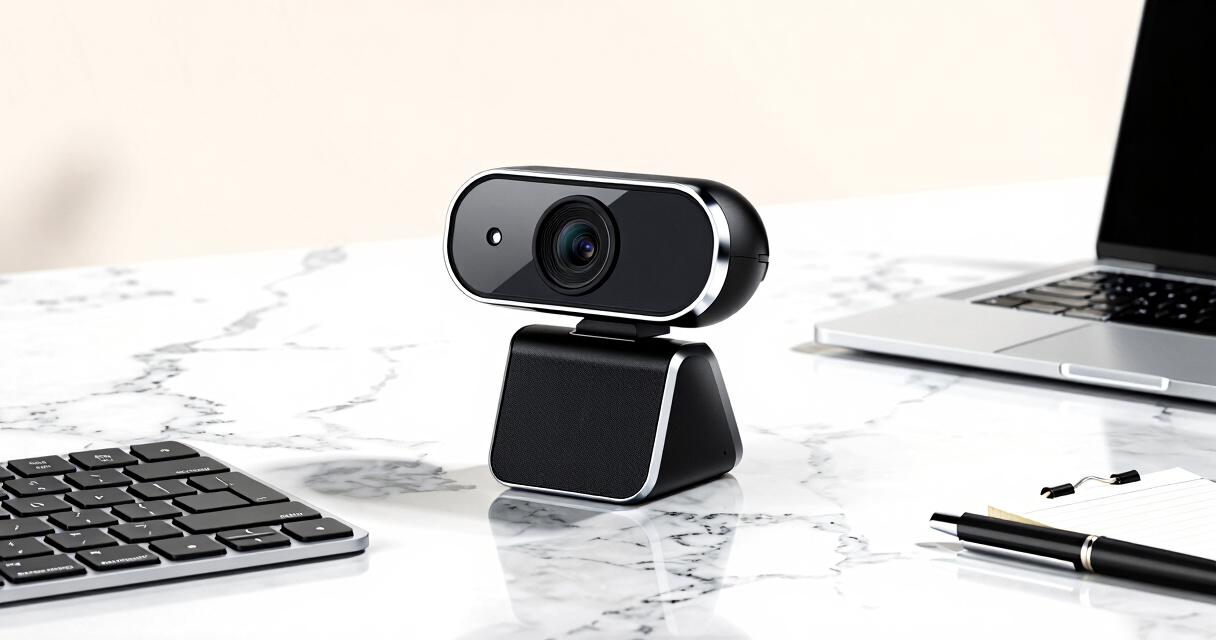

When searching for the best webcam with autofocus for meetings, clarity and smoothness matter most. The Logitech C920x HD Pro stands out for its reliable Full HD video, while the OBSBOT Meet 2 offers advanced AI framing for dynamic setups. Many webcams in this category face tradeoffs between resolution, frame rate, and ease of use, especially when balancing price and performance. Continue reading for a detailed breakdown of the top options and which one fits your needs best.

Get business pricing on monitors, keyboards and dev gear
- Business-only prices and quantity discounts
- Tax-exempt purchasing
- Multiple users, one account, clear invoices
Key Takeaways
- Higher resolution webcams like 4K models deliver sharper images but often come with higher price tags and more demanding system requirements.
- Autofocus performance varies significantly; some webcams offer PDAF for faster, more reliable focus, especially in dynamic meeting environments.
- Built-in microphones and privacy covers are common features, but their quality and utility differ — prioritize these based on your environment.
- Ease of setup and compatibility can be overlooked; USB plug-and-play models tend to be more user-friendly, especially for non-technical users.
- For professional use, investing in premium models with features like AI framing or HDR can justify the higher cost through improved meeting presentation.


More Details on Our Top Picks
EMEET C950 4K Webcam for PC with Microphone & Privacy Cover
The EMEET C950 stands out for delivering crisp 4K video at 30FPS, comparable to the NexiGo N930E Pro, but at a more affordable price point. Its PDAF autofocus ensures quick, reliable focus, making it suitable for professional meetings and live streaming. The built-in microphone and privacy cover add security and clear audio, but limited to USB 2.0 may hinder data transfer speeds and future-proofing. It’s a solid choice for those seeking high quality without the premium cost of more advanced models like the OBSBOT Meet 2.
Tradeoffs involve sacrificing some connectivity flexibility and ultra-high frame rates for a balance of affordability and quality.
Pros:- Sharp 4K video with smooth 30FPS playback
- Reliable PDAF autofocus for meeting clarity
- Includes privacy cover for security
- Plug-and-play compatibility with major platforms
Cons:- Limited to USB 2.0, potentially impacting transfer speed
- No tripod mount support
- Requires compatible software for full 4K experience
Best for: Small-to-medium business users and educators who want crisp video with reliable autofocus on a budget.
Not ideal for: Streamers or content creators needing ultra-high frame rates or USB-C support, who should consider higher-end models like the OBSBOT Meet 2.
- Resolution:4K@30FPS, 1080P@60FPS
- Sensor:CMOS
- Field of View:70°
- Autofocus:PDAF
- Microphone:Omnidirectional
- Connectivity:USB 2.0
Bottom line: This webcam suits professionals needing clear, reliable autofocus at an accessible price point.
NexiGo N930E Pro 4K Webcam with Ring Light, PDAF Autofocus, 1080P@60FPS, Dual Noise-Canceling Mics, Privacy Shutter
The NexiGo N930E Pro offers a compelling combination of 4K clarity and a versatile ring light, making it ideal for streaming, conferencing, or content creation. Its Sony sensor and PDAF autofocus outperform many competitors like the EMEET C950 in low-light conditions, thanks to the adjustable ring light. Dual noise-canceling mics provide excellent audio clarity. However, its plug-and-play setup with multiple mounting options may require some additional adjustments, and software limitations could impact optimal 4K utilization. Compared with the 4K Webcam with Ring Light, the N930E Pro’s autofocus and microphone quality stand out.
This camera is best suited for users demanding professional video, especially in dynamic lighting environments, but less so for those with limited desk space or minimal setup complexity.
Pros:- Sharp 4K video with Sony sensor quality
- Fast PDAF autofocus for consistent focus
- Adjustable ring light for optimal lighting
- Dual noise-canceling microphones
Cons:- Some software dependency for full 4K benefits
- Potentially complex setup for beginners
- Limited tripod compatibility without additional accessories
Best for: Content creators, educators, or professionals who prioritize autofocus accuracy and audio quality in varied lighting.
Not ideal for: Casual users or those with very limited space who prefer simple plug-and-play models without additional mounting or lighting needs.
- Resolution:4K (3840×2160) and 1080p@60FPS
- Sensor:1/2.5″ Sony sensor
- Lighting:Adjustable ring light
- Autofocus:PDAF
- Microphones:Dual noise-canceling
- Mounting:Flexible clip, 1/4″ tripod mount
Bottom line: This webcam excels for users needing high-quality autofocus and audio, especially for professional streaming or meetings.
4K Webcam with Ring Light, Autofocus, Dual Microphones, Privacy Cover for Streaming and Video Conferencing
The 4K Webcam with Ring Light combines high-resolution video with customizable lighting, making it a flexible choice for a range of users. Its TOF autofocus offers quick, stable focus, and dual noise-canceling microphones ensure clear audio. The adjustable ring light with three color temperatures helps optimize lighting conditions for any environment. Its plug-and-play setup simplifies use across different platforms, but some users may find the brightness adjustments overly sensitive, and high-quality 4K streaming could demand a powerful PC. Compared with the EMEET C950, this model provides more adjustable lighting options but lacks detailed specs on autofocus speed and accuracy.
This camera is well-suited for content creators and professionals who need adaptable lighting and autofocus, but less so for users with limited hardware resources or minimal setup needs.
Pros:- High-quality 4K video with smooth 60FPS options
- Adjustable ring light with three color temperatures
- TOF autofocus for quick, accurate focusing
- Built-in privacy cover for security
Cons:- Brightness adjustment may be overly sensitive
- Requires a powerful PC for optimal 4K streaming
- Limited wireless or external mounting options
Best for: Streamers, online educators, or professionals who want customizable lighting and reliable autofocus for varied environments.
Not ideal for: Users seeking a simple plug-and-play experience without adjustable lighting or high system demands.
- Resolution:4K@30FPS, 1080P@60FPS
- Autofocus:TOF
- Microphones:Dual noise-canceling
- Lighting:Adjustable 3-color ring light
- Privacy Cover:Yes
- Connection:USB
Bottom line: Ideal for users who need flexible lighting and autofocus in a professional or streaming setup, with some hardware considerations.
OBSBOT Meet 2 4K Webcam for PC with AI Framing, Autofocus, Gesture Control, HDR, Dual Microphones, 60 FPS, Space Grey
This webcam stands out for its impressive 4K resolution paired with AI-driven features like auto-framing and gesture control, making it ideal for content creators and busy professionals who need sharp, dynamic images. Compared to the NexiGo N680E Pro, it offers higher resolution and more intelligent AI features, though it may get warm during long sessions, and its reliance on software adds an extra layer of complexity. The compact, lightweight design enhances portability, but limited to USB-C connectivity can be a drawback for older setups.
bestFor: Creators and professionals needing portable, high-quality video with advanced AI features.
notIdealFor: Users with older computers or those preferring USB-A connections, as it requires USB-C.
- Pros: 4K high-resolution imaging; AI framing and gesture control for smart operation; Lightweight, portable design; HDR support for bright visuals
- Cons: May heat up during extended use; Requires software for full features; Limited to USB-C
Verdict: This webcam is perfect for content creators who prioritize high resolution and AI features but are prepared for some setup complexity.
- Resolution:4K UHD
- Sensor:1/2″ CMOS
- Frame Rate:60 FPS
- Microphones:Dual omni-directional noise-canceling
- AI Features:AI Framing, Autofocus, Gesture Control
- Connectivity:USB-C
Logitech C920x HD Pro PC Webcam, Full HD 1080p/30fps, Clear Audio, HD Light Correction, Compatible with Microsoft Teams, Google Meet, Zoom, Nintendo Switch, Mac/Tablet
The Logitech C920x delivers dependable 1080p video at 30fps with autofocus and light correction, making it a favorite for those who want consistent quality across various platforms. While it doesn’t match the 4K resolution of the OBSBOT Meet 2, its proven compatibility and plug-and-play ease make it suitable for everyday meetings and streaming. The lack of a privacy shutter might concern some, and 30fps at 1080p can feel limiting compared with higher frame rate options.
bestFor: Professionals and students needing a dependable, easy-to-use webcam for regular video calls.
notIdealFor: Content creators seeking ultra-high-resolution or fast frame rates for detailed streaming or gaming.
- Pros: Full HD 1080p at 30fps with autofocus; Reliable light correction; Compatible across multiple platforms including gaming consoles; Includes XSplit VCam license
- Cons: No privacy shutter; Limited to 30fps at 1080p; No 4K or AI features
Verdict: An excellent choice for users who prioritize straightforward, high-quality video conferencing without extra fuss.
- Resolution:Full HD 1080p at 30fps
- Light Correction:HD Light Correction
- Autofocus:Yes
- Microphones:Stereo dual mics
- Compatibility:Windows 11, Microsoft Teams, Google Meet, Zoom, Nintendo Switch, Mac/Tablet
- Includes:3-month XSplit VCam license
NexiGo N680E Pro 4K Webcam with Ring Light, Autofocus, 1080p 60FPS, Dual Mics, Privacy Shutter, USB Plug-and-Play
This webcam excels with a Sony sensor delivering crisp 4K video and smooth 1080p at 60FPS, surpassing many competitors in clarity. Its built-in, adjustable ring light offers excellent lighting control, making it a strong pick for streamers and content creators. The fast PDAF autofocus ensures sharp images even in dynamic scenes, and the privacy shutter adds security. Unlike the OBSBOT Meet 2, it uses USB-A, which might require adapters, and its output resolution can depend on software settings, adding some complexity.
bestFor: Streamers and online professionals needing high-quality video with integrated lighting and autofocus.
notIdealFor: Users with older computers or those who prefer USB-C connections, given its USB-A requirement.
- Pros: 4K video clarity; Adjustable ring light for perfect illumination; Fast PDAF autofocus; Privacy shutter for security
- Cons: Output resolution may depend on software; USB-A port may need adapters; Software needed for advanced features
Verdict: Ideal for streamers who want excellent image quality with integrated lighting and security features.
- Sensor:Sony 1/2.5″ 4K
- Resolution:4K
- Frame Rate:1080p 60FPS
- Autofocus:PDAF
- Ring Light:Tri-tone, adjustable
- Privacy Shutter:Yes
EMEET S600 4K Webcam for Streaming
The EMEET S600 combines a Sony sensor with PDAF autofocus, producing crisp 4K images suitable for professional streaming and content creation. Its adjustable FOV from 40° to 73° offers flexibility for different scenes, and the built-in privacy cover adds security. While its 4K resolution at 30FPS might be limited for fast-paced gaming, the option of 1080p at 60FPS makes it versatile. Compared to the NexiGo N680E Pro, it offers more flexible FOV and broader platform compatibility, but software compatibility can influence resolution quality.
bestFor: Streamers and professionals seeking high-quality video with customizable viewing angles.
notIdealFor: Gamers or users needing ultra-fast frame rates or wide-angle shots at 4K.
- Pros: Sharp 4K at 30FPS; Adjustable FOV; PDAF autofocus for clarity; Privacy cover for security
- Cons: Resolution may depend on software; Fixed 73° FOV at 4K; May require software updates for full features
Verdict: Perfect for streamers wanting adaptable views and high-resolution output with privacy controls.
- Sensor:Sony 1/2.55″
- Resolution:4K at 30FPS, 1080p at 60FPS
- Autofocus:PDAF
- Field of View:73° at 4K, adjustable 40°-73°
- Privacy Cover:Yes
- Connectivity:USB 2.0 & 3.0
EMEET NOVA 4K Webcam for PC – Ultra HD, Autofocus, Dual Mics, Privacy Cover, 73° FOV
The EMEET NOVA 4K Webcam stands out for delivering crisp 4K resolution with smooth 30FPS, making it ideal for professional meetings, streaming, and educational purposes. Its precise PDAF autofocus keeps subjects sharp, outperforming models like the Logitech C920x that only offer fixed focus. The dual omnidirectional microphones provide clear audio, which is crucial in noisy environments, and the flexible mounting options allow 360° rotation and tilt, accommodating various setups. Despite its high-quality video, it defaults to 1080P, requiring software to switch to 4K, and lacks features like facial tracking or adjustable FOV, which might matter to users seeking more advanced framing. Compared to the OBSBOT Meet 2, it offers more straightforward connectivity but less AI-based framing technology. This pick is perfect for users who want top-tier video quality with reliable autofocus and good audio in a versatile form factor.
Pros:- Crisp 4K resolution with 30FPS for detailed, smooth visuals
- Precise PDAF autofocus to keep subjects sharp without manual adjustments
- Dual omnidirectional microphones ensure clear audio in busy environments
- Flexible mounting with 360° rotation and tripod compatibility
Cons:- Defaults to 1080P, requiring software to switch to 4K
- Lacks facial tracking or auto-framing features found in some competitors
- No adjustable FOV, limiting framing flexibility
Best for: Professionals and content creators needing sharp 4K video with dependable autofocus and flexible mounting.
Not ideal for: Users who prefer auto-framing or AI-driven features like gesture control; those seeking plug-and-play simplicity without software adjustments.
- Resolution:4K (switchable to 1080P via software)
- Frame Rate:30FPS
- Sensor:CMOS
- Field of View:73°
- Autofocus:PDAF
- Microphones:Dual omnidirectional
- Connectivity:USB-A
- Privacy Cover:Yes
- Stand Adjustments:360° horizontal, 15° vertical, 180° tilt
Bottom line: This webcam is best suited for users who prioritize high-resolution video and reliable autofocus in a flexible, professional setup.

How We Picked
Our evaluation focused on performance, usability, build quality, and value. We prioritized webcams with reliable autofocus systems, high video resolution, and good compatibility with major conferencing platforms. Ease of setup and the presence of useful features like privacy shutters and microphones also played a role. Cost was considered alongside these factors to recommend options suitable for various budgets, from entry-level to premium. Products were ranked based on how well they balance these criteria to meet real-world meeting needs, avoiding models with poor autofocus stability or limited software support.Factors to Consider When Choosing Best Webcam With Autofocus For Meetings
Choosing the best webcam with autofocus involves weighing several factors that impact your meeting experience. Beyond resolution and frame rate, consider usability features like autofocus speed and accuracy, as these directly affect how professional your video appears. Additional features such as built-in microphones, privacy options, and software support can enhance convenience and security. It’s also important to match the webcam’s compatibility and mounting options to your setup, whether on a laptop, monitor, or tripod. Recognizing common tradeoffs, like higher resolution versus system demands, helps you select a model that aligns with your priorities and budget.Autofocus Performance and Speed
Autofocus is central for maintaining sharp images during movement or changes in your distance from the camera. Some webcams use PDAF (phase detection autofocus) for quick, reliable focus shifts, making them ideal for dynamic environments. Others rely on contrast-based autofocus, which can be slower and sometimes less accurate in low light. When meeting frequently or sharing your screen, quick and consistent autofocus ensures your image remains clear without distracting adjustments. A tradeoff exists between autofocus sophistication and price—higher-end models tend to deliver faster, more dependable focus.
Resolution and Frame Rate
Higher resolution webcams, like 4K models, provide crisper images, especially important for professional presentations or detailed visuals. However, they often demand more from your computer’s processing power and network bandwidth. Conversely, 1080p webcams typically suffice for most meetings, offering a good balance of quality and performance. Frame rate also matters; 60fps models deliver smoother motion, reducing jitter during video calls, which can be especially noticeable during fast movements or screen sharing. Matching resolution and frame rate to your hardware ensures a stable, high-quality experience.
Built-in Microphones and Audio Quality
Clear audio is as vital as sharp video in meetings. Many webcams now include dual microphones or noise-canceling tech, but quality varies. Well-placed microphones can reduce background noise and focus on your voice, creating a more professional experience. Some models combine decent microphones with good video features, making them a better value. If audio quality is paramount, consider external microphones, but for convenience, a webcam with integrated, high-quality mics can suffice for most meetings.
Ease of Use and Compatibility
Plug-and-play setups save time and frustration, especially for users less comfortable with technology. Compatibility with common platforms like Zoom, Teams, and Google Meet ensures seamless operation without additional software hurdles. Additionally, features like privacy covers and adjustable mounts contribute to user convenience and security. Beware of webcams with proprietary software that may introduce compatibility issues or require frequent updates. Opt for models with straightforward installation and broad platform support to avoid common setup pitfalls.
Additional Features and Build Quality
Extras like ring lights, adjustable FOV, and HDR can enhance your meeting presentation, especially in variable lighting conditions. Durability and build quality matter for long-term use—metal mounts and quality materials prevent wobbling or breakage. Privacy covers are increasingly standard, but their quality varies; a reliable cover ensures your privacy when not in use. Consider your environment and specific needs—if you record or stream often, investing in a higher-tier model with advanced features can be worthwhile despite the cost.
Frequently Asked Questions
How important is autofocus speed for meetings?
Autofocus speed significantly impacts the professionalism of your video calls, especially if you tend to move around or share your screen frequently. A webcam with fast, reliable autofocus keeps your image sharp without distracting focus shifts. Slower autofocus can cause delays or blurry images during quick movements, undermining the quality of your presentation. For most meeting scenarios, models with PDAF or advanced contrast detection offer the best balance of speed and accuracy, ensuring you stay in focus regardless of your movements.
Should I prioritize 4K resolution for meetings?
While 4K webcams deliver crisp, high-detail images, they also demand more from your computer and bandwidth. For regular meetings, 1080p resolution typically provides sufficient clarity without stressing your system. Unless you need ultra-high detail for presentations or streaming, investing in a 4K webcam might not offer enough benefit to justify the higher cost and technical requirements. Consider your hardware setup and whether a slight compromise on resolution could improve overall stability and ease of use.
Is built-in microphone quality worth considering in a webcam?
Yes, especially if you prefer a clutter-free setup or are on a tight budget. Good-quality built-in microphones can handle basic voice pickup and noise reduction, making them suitable for most meetings. However, if your environment is noisy or you need crystal-clear sound, external microphones or headsets often outperform webcam mics. When choosing a webcam, review microphone specs or user feedback to ensure the integrated audio meets your standards, as poor audio can undermine otherwise excellent video quality.
How does privacy coverage impact my choice?
Privacy covers are an inexpensive yet essential feature that prevents accidental video exposure. A reliable cover that easily slides or flips over the lens provides peace of mind when not in use. Some webcams include electronic privacy shutters, which can be more convenient but may add to the cost or complexity. Consider your environment—if privacy is a priority or you share your space with others, a webcam with a sturdy, easy-to-use cover is a worthwhile investment.
Are premium features like AI framing worth paying extra?
Features like AI framing, gesture control, and HDR can enhance your meeting experience, especially if you often present or record content. AI framing keeps you centered during movement, reducing the need for manual adjustments. However, these features tend to come with a higher price tag and may require more powerful hardware. If your meetings are frequent, professional, or involve streaming, investing in a model with these extras can improve your overall presentation quality, justifying the additional expense.
Conclusion
For most users, the Logitech C920x HD Pro offers a reliable balance of quality, ease of use, and affordability—making it the best overall choice. Those seeking higher resolution and advanced features should consider the OBSBOT Meet 2, especially if AI framing or HDR matters. Beginners or casual users will appreciate the simplicity of plug-and-play models with decent autofocus, while professionals or streamers may find value in premium options with extra features. Ultimately, your decision should align with your meeting frequency, environment, and budget—matching the right webcam to your specific needs ensures a smoother, more professional video experience.