For Black Friday developer monitors, my best overall pick is the Dell 34 Plus USB-C Curved Monitor S3425DW, which pairs an ultrawide workspace with a 120Hz refresh rate and USB-C connectivity. The BenQ RD280UG is a standout for developers who prioritize a high-resolution coding display, while the Dell Pro 24 Plus P2425D suits smaller desks and simpler setups. The main choice is between extra screen space, sharper text, convenient laptop connections, and a footprint that fits your desk. I compare those tradeoffs across all eight monitors below so you can find the right match for your work.

Get business pricing on monitors, keyboards and dev gear
- Business-only prices and quantity discounts
- Tax-exempt purchasing
- Multiple users, one account, clear invoices
Key Takeaways
- The Dell S3425DW leads for a versatile desk setup: Its 34-inch ultrawide format, 120Hz refresh rate, and USB-C connection balance workspace and convenience.
- The BenQ RD280UG takes a more coding-focused route: Its 28.2-inch 4K+ panel favors detailed text over the broad side-by-side layout of the 34-inch ultrawides.
- USB-C separates convenience picks from display-first options: The ViewSonic VP2766-2K offers 90W USB-C, while several other models call for more attention to laptop and peripheral connections.
- Resolution and screen size solve different problems: The 32-inch Samsung ViewFinity S7 offers 4K UHD, while the Dell P2425D keeps QHD in a smaller 23.8-inch format.
- Gaming-grade refresh rates do not automatically make a monitor better for coding: The Sceptre C345B-QUT168 reaches up to 180Hz, but developers should weigh that against color, connectivity, ergonomics, and their actual work needs.
| LG 34WR55QK-B 34-Inch Curved UltraWide WQHD Monitor |  | Best for USB-C Ultrawide Workflows | Screen size: 34 inches | Resolution: 3440 × 1440 | Aspect ratio: 21:9 | VIEW LATEST PRICE | See Our Full Breakdown |
| ViewSonic ColorPro VP2766-2K 27-Inch QHD IPS Monitor, 120Hz, 90W USB-C |  | Best for Color-Accurate Coding and Creative Work | Screen size: 27 inches | Resolution: 2560 × 1440 (QHD) | Panel type: IPS | VIEW LATEST PRICE | See Our Full Breakdown |
| BenQ RD280UG 28.2-Inch 4K+ Programming Monitor |  | Best for Vertical Coding Space | Screen size: 28.2 inches | Resolution: 3840 × 2560 | Aspect ratio: 3:2 | VIEW LATEST PRICE | See Our Full Breakdown |
| Samsung 34-Inch ViewFinity S50GC Ultra-Wide QHD Monitor |  | Best for a Straightforward Ultrawide Setup | Screen size: 34 inches | Resolution: 3440 × 1440 | Aspect ratio: 21:9 | VIEW LATEST PRICE | See Our Full Breakdown |
| Samsung 32-Inch ViewFinity S7 (S70H) 4K UHD Monitor |  | Best for Detailed 4K Desktop Work | Screen size: 32 inches | Resolution: 3840 × 2160 (4K UHD) | Aspect ratio: 16:9 | VIEW LATEST PRICE | See Our Full Breakdown |
| Dell 34 Plus USB-C Curved Monitor S3425DW, 34-inch WQHD, 120Hz |  | Best for a One-Cable Ultrawide Desk | Screen size: 34 inches | Resolution: 3440 × 1440 | Aspect ratio: 21:9 | VIEW LATEST PRICE | See Our Full Breakdown |
| Dell Pro 24 Plus QHD Monitor P2425D, 23.8-inch |  | Best Compact QHD Developer Monitor | Screen size: 23.8 inches | Resolution: 2560 × 1440 (QHD) | Panel type: IPS | VIEW LATEST PRICE | See Our Full Breakdown |
| Sceptre 34-Inch Curved Ultrawide WQHD Monitor, 3440 × 1440, 180Hz/165Hz, C345B-QUT168 |  | Best for High-Refresh Ultrawide Use | Screen size: 34 inches | Resolution: 3440 × 1440 (WQHD) | Aspect ratio: 21:9 | VIEW LATEST PRICE | See Our Full Breakdown |
| Black Friday developer monitor | Screen size | Resolution | Refresh rate | Aspect ratio |
|---|---|---|---|---|
| LG 34WR55QK-B 34-Inch Curved U | 34 inches | 3440 × 1440 | 100 Hz | 21:9 |
| ViewSonic ColorPro VP2766-2K 2 | 27 inches | 2560 × 1440 (QHD) | 120 Hz | — |
| BenQ RD280UG 28.2-Inch 4K+ Pro | 28.2 inches | 3840 × 2560 | 120 Hz | 3:2 |
| Samsung 34-Inch ViewFinity S50 | 34 inches | 3440 × 1440 | 100 Hz | 21:9 |
| Samsung 32-Inch ViewFinity S7 | 32 inches | 3840 × 2160 (4K UHD) | 60 Hz | 16:9 |
| Dell 34 Plus USB-C Curved Moni | 34 inches | 3440 × 1440 | Up to 120Hz | 21:9 |
| Dell Pro 24 Plus QHD Monitor P | 23.8 inches | 2560 × 1440 (QHD) | 100Hz | — |
| Sceptre 34-Inch Curved Ultrawi | 34 inches | 3440 × 1440 (WQHD) | Up to 180Hz/165Hz | 21:9 |
More Details on Our Top Picks
LG 34WR55QK-B 34-Inch Curved UltraWide WQHD Monitor
The LG pairs a 34-inch, 21:9 WQHD canvas with USB-C charging, making it a practical choice for developers who want room for an editor and reference windows without a multi-monitor setup. Its 65W power delivery can reduce cable clutter with compatible laptops, while Picture-by-Picture lets you show two input sources side by side. Compared with the Samsung ViewFinity S50GC, it adds USB-C and height adjustment; the Samsung is lighter and offers similar ultrawide resolution and 100Hz refresh. The tradeoff is desk footprint: this curved display needs more space than a 27-inch option such as the ViewSonic ColorPro VP2766-2K. OnScreen Control also requires separate software, so buyers who prefer hardware-only setup may find the workflow less convenient.
Pros:- 34-inch 21:9 WQHD workspace accommodates multiple windows
- USB-C supports video and up to 65W power delivery
- Height- and tilt-adjustable stand helps position the screen
- Picture-by-Picture displays two input sources at once
Cons:- Curved ultrawide body takes more desk space than a 27-inch display
- USB-C power delivery is lower than the ViewSonic ColorPro VP2766-2K’s 90W
- OnScreen Control requires a separate software installation
Best for: Laptop-based developers who want an ultrawide workspace, one-cable video and charging, and occasional side-by-side input viewing.
Not ideal for: Developers with shallow desks or those who need a compact monitor, higher USB-C charging capacity, or built-in speakers.
- Screen size:34 inches
- Resolution:3440 × 1440
- Aspect ratio:21:9
- Refresh rate:100 Hz
- Panel technology:VA LED
- USB-C power delivery:Up to 65 W
- Ports:USB-C, 2 HDMI, 2 USB, DisplayPort, headphone jack
- Stand adjustment:Height and tilt
Our verdict“Choose the LG if you want a laptop-friendly ultrawide with USB-C charging, but pick a smaller screen if desk space is tight.”
ViewSonic ColorPro VP2766-2K 27-Inch QHD IPS Monitor, 120Hz, 90W USB-C
The ViewSonic is the most balanced pick here for developers who also work on interface design, illustrations, or other color-sensitive tasks. Its Pantone validation and 100% sRGB coverage give color work a clearer foundation than the ultrawide LG 34WR55QK-B, while the 90W USB-C connection can power compatible laptops and carry video and data. The 27-inch QHD format is less expansive than the LG or Samsung ViewFinity S50GC, but it takes up less desk width and the stand rotates to portrait for long code files. A 120Hz refresh rate adds smoother scrolling than those 100Hz ultrawides. Its built-in speakers are modest at 3W each, and the listed brightness has no unit, so I would not choose it based on brightness figures.
Pros:- Pantone Validated with 100% sRGB color coverage
- USB-C carries video and data with up to 90W power delivery
- Stand supports height adjustment, swivel, tilt, and portrait pivot
- 120Hz refresh rate makes scrolling feel smoother than on 100Hz options
Cons:- 16:9 QHD workspace is narrower than the LG and Samsung 34-inch ultrawides
- Dual 3W speakers are limited for meetings or media without external audio
- Brightness value is listed without a unit
Best for: Developers who split their time between coding and sRGB-focused interface or visual design, especially laptop users who want a flexible stand and high-power USB-C.
Not ideal for: Buyers who need a very wide multi-window canvas, stronger built-in audio, or clearly specified brightness information.
- Screen size:27 inches
- Resolution:2560 × 1440 (QHD)
- Panel type:IPS
- Refresh rate:120 Hz
- Color coverage:100% sRGB
- Color certification:Pantone Validated
- USB-C power delivery:Up to 90 W
- Stand adjustments:Tilt, swivel, 90-degree pivot, 130 mm height adjustment
- Warranty:3 years
Our verdict“Pick the ViewSonic if color-aware creative work and a versatile USB-C setup matter more than an ultrawide canvas.”
BenQ RD280UG 28.2-Inch 4K+ Programming Monitor
The BenQ takes a different route from the wide-screen options: its 3:2, 3840 × 2560 display prioritizes vertical room, which can keep more code and documentation visible without constant scrolling. That makes it a purpose-built fit for programming, rather than a general ultrawide like the LG 34WR55QK-B or Samsung ViewFinity S50GC. Its 120Hz refresh rate also exceeds both of those models’ 100Hz rates, while the matte Nano Matte panel, coding modes, and MoonHalo backlighting are aimed at long sessions. The unusual aspect ratio is the main compromise: widescreen video and workflows built around side-by-side broad windows may feel less natural. At 16.8 pounds, it is also heavier than the Samsung ultrawide, so plan for a sturdy desk or suitable wall mount.
Pros:- 3:2 aspect ratio provides more vertical room for code and documentation
- 3840 × 2560 resolution offers a detailed 4K+ workspace
- 120Hz refresh rate supports smoother scrolling than the 100Hz ultrawides
- Matte Nano Matte panel, coding modes, and MoonHalo backlighting target extended work
Cons:- 3:2 format may feel awkward for widescreen-focused workflows
- At 16.8 pounds, it is heavier than the Samsung ViewFinity S50GC
- Product data does not specify USB-C power delivery
Best for: Developers who keep code, terminal output, and documentation open together and value vertical workspace over a conventional widescreen layout.
Not ideal for: People whose work centers on widescreen media, broad side-by-side windows, or a lightweight monitor that is easy to reposition.
- Screen size:28.2 inches
- Resolution:3840 × 2560
- Aspect ratio:3:2
- Refresh rate:120 Hz
- Response time:1 ms
- Panel finish:Matte Nano Matte
- Backlight:MoonHalo
- Ports:2 HDMI, 4 USB (including 1 USB 3.0), USB Type-C
- Weight:16.8 pounds
Our verdict“Choose the BenQ if vertical coding space is your priority and you are comfortable with a less conventional screen shape.”
Samsung 34-Inch ViewFinity S50GC Ultra-Wide QHD Monitor
The Samsung ViewFinity S50GC delivers the central benefit of an ultrawide—3440 × 1440 pixels across a 21:9 screen—without the USB-C laptop focus of the LG 34WR55QK-B. Its 100Hz refresh rate, FreeSync, and Picture-by-Picture and Picture-in-Picture support suit developers who want smoother movement and multiple source options. Compared with the LG, this Samsung is lighter at 10.8 pounds and includes automatic brightness adjustment and eye-care modes, but its listed connections are limited to DisplayPort and HDMI. That means laptop users seeking a single-cable dock-like connection should favor the LG, which also has an adjustable-height stand listed. The Samsung’s 300 cd/m² brightness and matte finish fit typical desk work, though the stated 100W power consumption is worth checking against your setup.
Pros:- 34-inch 21:9 WQHD display expands room for code and reference windows
- 100Hz refresh rate and AMD FreeSync support smoother motion
- Picture-by-Picture and Picture-in-Picture support multiple source layouts
- Matte finish, automatic brightness adjustment, and eye-care modes suit desk work
Cons:- Connectivity lists HDMI and DisplayPort, with no USB-C
- Stand height adjustment is not specified in the product data
- Listed power consumption is 100 watts
Best for: Developers who want a 34-inch ultrawide for multiple windows and multiple input sources, without needing USB-C laptop charging.
Not ideal for: Laptop users who want one-cable USB-C video and power, or buyers who need a stand with specified height adjustment.
- Screen size:34 inches
- Resolution:3440 × 1440
- Aspect ratio:21:9
- Refresh rate:100 Hz
- Brightness:300 cd/m²
- Color gamut:99%
- Connectivity:DisplayPort, HDMI
- Weight:10.8 pounds
- Power consumption:100 watts
Our verdict“Choose the Samsung for a lighter, feature-rich ultrawide if USB-C charging is not part of your monitor setup.”
Samsung 32-Inch ViewFinity S7 (S70H) 4K UHD Monitor
The ViewFinity S7 is the straightforward pick for developers who want 4K detail on a 32-inch screen rather than the wider layouts of the LG 34WR55QK-B or Samsung ViewFinity S50GC. Its 3840 × 2160 resolution gives text and interface elements a dense workspace, while the VA panel’s 3000:1 contrast ratio and matte finish suit everyday coding and document work. Eye Saver Mode and Samsung Display Manager add practical desktop tools, but the 60Hz refresh rate is a clear step down from the 100Hz and 120Hz options in this group. That difference matters most if smooth scrolling is a priority. The listed connections are basic—one HDMI and DisplayPort—and the one-year warranty is shorter than the ViewSonic ColorPro VP2766-2K’s three years.
Pros:- 32-inch 4K UHD screen provides a detailed 16:9 workspace
- VA panel has a 3000:1 contrast ratio
- Matte finish and 178-degree viewing angle suit varied desk setups
- Eye Saver Mode and Samsung Display Manager support everyday productivity
Cons:- 60Hz refresh rate is lower than every other monitor in this selection with a specified rate
- One HDMI port and DisplayPort offer fewer listed connections than the LG ultrawide
- One-year warranty is shorter than the ViewSonic ColorPro VP2766-2K’s three years
Best for: Developers who prefer a conventional 16:9 desktop, want 4K resolution for detailed text and interface work, and do not need a high refresh rate.
Not ideal for: People who prioritize smooth scrolling, USB-C laptop charging, multiple video inputs, or a longer listed warranty.
- Screen size:32 inches
- Resolution:3840 × 2160 (4K UHD)
- Aspect ratio:16:9
- Panel type:VA
- Refresh rate:60 Hz
- Response time:5 ms
- Contrast ratio:3000:1
- Ports:1 HDMI, DisplayPort
- Warranty:1 year
Our verdict“Pick the ViewFinity S7 for a large, detailed 4K desktop if 60Hz and a basic port selection fit your workflow.”
Dell 34 Plus USB-C Curved Monitor S3425DW, 34-inch WQHD, 120Hz
The Dell S3425DW suits developers who want room for code and reference windows side by side, with a curved 34-inch, 21:9 screen at 3440 × 1440. Its USB-C connection supplies up to 65W, which can simplify a laptop setup, though higher-powered workstations may still need their own charger. Compared with the Sceptre C345B-QUT168, Dell trades a higher maximum refresh rate for USB-C, stronger stated color coverage, and a more work-focused mix of features. The 120Hz refresh rate and FreeSync Premium also make scrolling and casual gaming smoother than on a basic office display. ComfortView Plus, a matte finish, and built-in speakers add desk convenience. The tradeoffs are its substantial 20.7-pound weight and wide footprint; a compact desk or frequent monitor moves make the Dell Pro 24 Plus easier to accommodate.
Pros:- 34-inch, 3440 × 1440 curved screen gives code and adjacent windows room to coexist.
- USB-C provides video connectivity and up to 65W power delivery.
- 120Hz refresh rate with AMD FreeSync Premium supports smoother motion.
- ComfortView Plus, matte finish, and built-in speakers add everyday desk convenience.
Cons:- 65W USB-C power delivery may not fully power higher-demand laptops.
- At 20.7 pounds with a wide 34-inch panel, it takes effort and space to reposition.
- The 21:9 format may suit side-by-side windows less well than a taller 16:9 screen for long code files.
Best for: Developers using a USB-C laptop who want a large ultrawide workspace, single-cable video and charging, and enough refresh rate for casual gaming.
Not ideal for: People with limited desk depth, those who need to move their monitor often, or laptop users whose system requires more than 65W charging.
- Screen size:34 inches
- Resolution:3440 × 1440
- Aspect ratio:21:9
- Panel type:VA
- Refresh rate:Up to 120Hz
- Color coverage:99% sRGB, 95% DCI-P3
- USB-C power delivery:Up to 65W
- Adaptive sync:AMD FreeSync Premium
Our verdict“Choose the Dell S3425DW if you want a roomy, USB-C-connected ultrawide for laptop development, but skip it if desk space or higher-wattage charging is a priority.”
Dell Pro 24 Plus QHD Monitor P2425D, 23.8-inch
The Dell P2425D is the compact choice here for developers who want QHD detail without giving a 34-inch ultrawide the whole desk. Its 23.8-inch IPS panel pairs 2560 × 1440 resolution with a 100Hz refresh rate, while tilt and pivot adjustment let you set it up for a more comfortable working posture or portrait-oriented coding. Compared with the Dell S3425DW, it gives up the expansive 21:9 canvas and higher refresh rate, but takes up less room and offers a three-year service term. HDMI, DisplayPort, USB-C, and five USB ports make it easier to connect a mixed desk setup. The stated response time is listed as 5ms in the specs, while product information also gives an 8ms figure, so I would not choose it for response-time-sensitive gaming. USB-C is listed as a port, but power delivery is not specified.
Pros:- QHD resolution on a compact 23.8-inch IPS panel provides detailed text without a large footprint.
- Tilt and pivot adjustments support flexible positioning, including portrait orientation.
- HDMI, DisplayPort, USB-C, and five total USB ports suit varied desk peripherals.
- 100Hz refresh rate and matte screen are practical for everyday development work.
Cons:- The 16:9 screen offers less side-by-side workspace than the Dell S3425DW or Sceptre ultrawide.
- Response time is given as 5ms in the specs, while product information also lists 8ms.
- USB-C power delivery is not specified, so laptop charging capability is unclear.
Best for: Developers with a small desk who want a sharp 16:9 QHD screen, portrait pivot, and flexible connections for a desktop or laptop setup.
Not ideal for: Buyers who want a large side-by-side coding canvas, confirmed high-wattage USB-C laptop charging, or a monitor primarily for fast-paced gaming.
- Screen size:23.8 inches
- Resolution:2560 × 1440 (QHD)
- Panel type:IPS
- Refresh rate:100Hz
- Response time:5ms (product information also lists 8ms)
- Brightness:350 cd/m²
- Ports:1 HDMI, DisplayPort, USB-C
- Stand adjustments:Tilt and pivot
- Warranty:3 years Basic Hardware Service with Advanced Exchange after remote diagnostics
Our verdict“Pick the P2425D for compact QHD development and flexible positioning; choose an ultrawide instead if keeping several full-size windows visible matters more.”
Sceptre 34-Inch Curved Ultrawide WQHD Monitor, 3440 × 1440, 180Hz/165Hz, C345B-QUT168
The Sceptre C345B-QUT168 puts its emphasis on motion: its 34-inch, 3440 × 1440 curved panel reaches a stated 180Hz/165Hz refresh rate and lists a 1ms MPRT response time. That makes it the most gaming-oriented pick among these three, while the Dell S3425DW is the stronger fit for developers who want USB-C laptop connectivity and specified wide-gamut coverage. The Sceptre still offers a broad 21:9 workspace for code beside documentation, plus built-in speakers and colorful rear lighting. Its two DisplayPort inputs are a narrower connection selection than the Dell’s mix of HDMI, USB, and USB-C, so check that your computer supports the connection you plan to use. The curved 34-inch format also claims considerable desk space, and its listed 99% sRGB coverage gives less color-range detail than Dell provides.
Pros:- 34-inch WQHD ultrawide gives side-by-side applications more room than a conventional 16:9 display.
- Up to 180Hz/165Hz refresh rate is the highest stated rate among these three options.
- 1ms MPRT is designed to reduce visible motion blur.
- Built-in speakers and colorful backcover lighting are included.
Cons:- Listed connectivity is limited to two DisplayPort inputs, with no USB-C or HDMI specified.
- The 34-inch curved design needs more desk space than the Dell P2425D.
- Product data lists 99% sRGB coverage but does not specify broader color coverage or USB-C charging.
Best for: Developers who also play high-refresh-rate games and have a DisplayPort-equipped computer plus enough desk space for a curved 34-inch ultrawide.
Not ideal for: Laptop-first users seeking USB-C charging, buyers needing several connection types, or anyone working at a compact desk.
- Screen size:34 inches
- Resolution:3440 × 1440 (WQHD)
- Aspect ratio:21:9
- Curvature:R1500
- Refresh rate:Up to 180Hz/165Hz
- Response time:1ms MPRT
- Ports:2 × DisplayPort
- Color coverage:99% sRGB
- Speakers:Built-in
Our verdict“Choose the Sceptre if high-refresh gaming and an ultrawide coding canvas matter more than USB-C convenience or a compact footprint.”
How We Picked
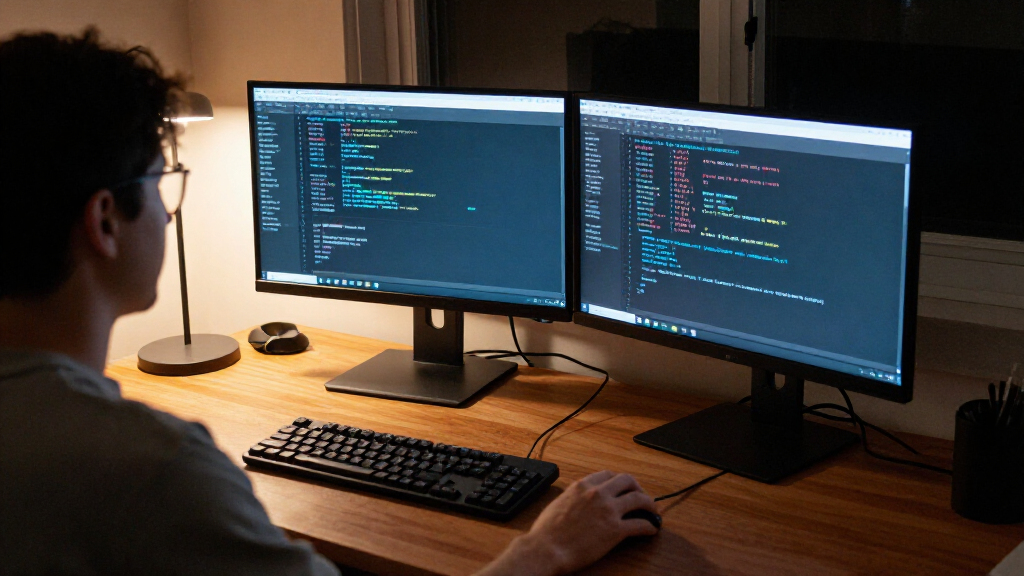
I ranked these monitors around developer-focused use rather than treating Black Friday as a reason to chase a particular spec. I weighed usable coding space, resolution and text clarity, panel format, refresh rate, USB-C capability, and how well each model could fit a range of desks and laptop setups. I also looked at the tradeoffs each specification creates: a larger ultrawide can reduce window switching but take up more desk space, while a compact QHD screen is easier to place but gives less room for parallel work.
The Dell S3425DW ranks first for its combination of 34-inch WQHD workspace, 120Hz refresh rate, and USB-C connectivity. The BenQ RD280UG ranks as a more specialized premium choice for developers who value 4K+ detail, and the ViewSonic VP2766-2K earns attention for its 90W USB-C power delivery in a 27-inch QHD format. The remaining models serve clearer niches: the Samsung ultrawide for broad workspace, the 32-inch Samsung for 4K, the Dell P2425D for compact QHD, and the Sceptre for buyers who specifically want a high refresh rate on an ultrawide. I favored balanced work setups over a single headline specification.
Factors to Consider When Choosing Black Friday Developer Monitors
Before choosing a Black Friday monitor, I would start with how your desk and daily tasks work together—not with screen size alone. These broader checks can prevent a tempting specification from becoming an awkward fit.
Choose a workspace shape that fits your coding habits
Ultrawide screens are useful when you regularly keep an editor, documentation, and a preview visible side by side. They do not automatically replace two monitors: window layouts, screen sharing, and full-screen apps may still work better across separate displays. A 27- or 28-inch panel can feel more focused and may suit a desk where width is limited. Measure the usable desk width and viewing distance before choosing a 34-inch model. Also check whether your preferred window-management tools support the layouts you want. The right format depends on how often you compare windows, not just how many pixels a screen lists.
Match resolution to screen size and text scaling
More resolution can make code and interface elements sharper, but the result depends on panel size, viewing distance, and operating-system scaling. A 4K monitor may require scaling to keep menus and text comfortable, which can reduce the amount of usable workspace compared with the raw pixel count. QHD on a 27-inch display can be a practical balance for readers who want crisp text without a large panel. Check that your laptop or desktop can drive the monitor at its native resolution and intended refresh rate. If you work with accessibility scaling, try to think about the final readable workspace rather than resolution alone. Text comfort should guide the decision more than a headline resolution figure.
Check USB-C power and data before counting on one-cable use
USB-C can simplify a laptop desk by carrying video and power through one connection, but the port’s presence alone does not tell you whether it can charge your computer adequately. Compare the monitor’s power delivery with your laptop’s charging needs, especially if you use a demanding workstation model. Confirm whether the connection also supports the peripherals you plan to attach; USB-C display input and a full docking setup are not the same thing. A separate charger may still be needed if power delivery falls short. Check the included cable and port arrangement before assuming a clean one-cable setup. This can matter more to daily convenience than a small difference in refresh rate.
Prioritize ergonomics and desk fit before adding a second screen
A wide or tall display can change where you place your keyboard, speakers, laptop, and lighting. Measure the stand footprint as well as the panel, and check the adjustment options that matter to you, such as height and tilt. If the supplied stand does not suit your posture, verify the monitor’s mounting compatibility and account for the extra cost and desk space of an arm. Curved panels can help keep the edges of a wide screen within view, though not every user prefers their shape for straight-line design work. A poor viewing position can make a large display tiring to use. Decide where the screen will sit before choosing based on diagonal size.
Spend on the feature you will use every workday
Developers often gain more from a comfortable workspace and dependable connections than from a refresh rate aimed at fast gaming. Higher refresh rates can make scrolling and pointer movement look smoother, but they do not replace sharp text, suitable scaling, or an ergonomic setup. Color-oriented work may call for closer attention to coverage and calibration, while general coding may not benefit from paying extra for color features you rarely use. Likewise, an ultrawide makes less sense if your workflow stays in one window at a time. Set your priorities before reviewing Black Friday offers so a discount does not pull you toward an unnecessary feature. The strongest choice is the one that improves your routine without adding compromises you will notice daily.
Frequently Asked Questions
Should I choose an ultrawide or a 4K monitor for coding?
I would choose an ultrawide if your work often involves comparing code with documentation, terminals, or live previews at the same time. A 4K display is a stronger fit when sharper detail and a more conventional screen shape matter more than a very wide canvas. The BenQ RD280UG represents the 4K+ route in this lineup, while the Dell S3425DW and Samsung S50GC offer ultrawide formats. Consider how your apps arrange windows and how far you sit from the screen. If you rely on high scaling, the 4K panel’s extra pixels may not translate directly into more readable workspace.
Is a 120Hz or higher refresh rate useful for developer work?
A higher refresh rate can make scrolling and cursor movement look smoother, which some people prefer during long coding sessions. It does not make code render faster or improve text sharpness by itself. The Dell S3425DW offers 120Hz, and the Sceptre C345B-QUT168 reaches up to 180Hz, but those figures should not outweigh fit, resolution, or connectivity. Check that your computer can output the chosen resolution at the monitor’s refresh rate through the connection you plan to use. If your workflow is mostly static text, you may get more value from a better workspace layout.
Can a monitor’s USB-C port replace my laptop charger and dock?
It can reduce cable clutter, but only if the monitor provides enough power for your laptop and supports the connections you need. The ViewSonic VP2766-2K specifies 90W USB-C, which makes it a useful candidate for a laptop-centered desk, but you should compare that figure with your laptop’s requirements. Check whether the monitor offers the data ports needed for a keyboard, mouse, or storage devices; not every USB-C display acts as a full dock. A high-power laptop may still need its own charger. Verify cable support and port behavior in the monitor specifications before removing your existing dock.
Will a 34-inch ultrawide fit a small home-office desk?
Panel width is only part of the fit question: stand depth, viewing distance, and nearby equipment matter too. Measure the available space and compare it with the monitor’s full dimensions, including its stand. A curved ultrawide may keep the outer areas easier to view, but its width can still crowd a shallow or narrow desk. If your setup has limited room, the 23.8-inch Dell P2425D or a 27- to 28-inch option may be easier to place. Also check mounting support if you plan to use an arm, since that can free stand space but requires a compatible mount and a suitable desk.
Is the 32-inch Samsung ViewFinity S7 a better choice than a smaller 4K monitor?
The 32-inch size gives you a larger physical workspace, which can make multiple windows easier to arrange without adopting an ultrawide layout. A smaller 4K panel can place pixels more densely, but its text may need scaling to stay comfortable at your normal viewing distance. Your choice depends on whether you prefer a larger image or a more compact screen with fine pixel density. Check your desk depth and viewing distance, since a large panel can feel overwhelming when placed too close. I would also confirm your computer’s output support and test your preferred scaling before settling on a 4K setup.
Conclusion
For most developers seeking one versatile screen, I recommend the Dell 34 Plus S3425DW as the best overall pick, thanks to its ultrawide workspace, 120Hz refresh rate, and USB-C connection. For a best-value-style choice focused on practical desk use rather than premium extras, the Dell Pro 24 Plus P2425D is the compact QHD option; check current Black Friday terms separately before buying. Developers who want a more specialized, high-resolution coding display should look at the BenQ RD280UG as the premium pick. For beginners building a laptop-first desk, the ViewSonic VP2766-2K is a sensible starting point because its 27-inch QHD format is approachable and its 90W USB-C can simplify connections. Choose the Samsung ViewFinity S50GC or Sceptre C345B-QUT168 for a particular ultrawide preference, and the Samsung ViewFinity S7 if 32-inch 4K is your priority. Match the screen to your desk, laptop, and daily workflow rather than buying on one specification alone.