
For design engineers, R&D managers, and product development teams building medical devices under regulatory scrutiny.
If there is one clause in ISO 13485 that keeps quality managers awake at night, it is Section 7.3: Design and Development. It is the most frequently cited clause in FDA 483 observations. It is the area where Notified Body auditors spend the most time. It is where the gap between what companies think they are doing and what their documentation proves they are doing is widest.
The reasons are structural. Design control is inherently cross-functional — it touches R&D, quality, regulatory, manufacturing, and clinical. It spans months or years of development. It generates enormous documentation volumes. And it requires formal gates that many engineering teams experience as bureaucratic friction rather than quality assurance.
Commercial design control tools exist. Arena PLM, Greenlight Guru, and others offer design control modules priced for enterprise budgets. But the medical device industry is not exclusively composed of enterprises. There are thousands of small and mid-size device companies — startups developing their first Class II device, established manufacturers adding a product line, contract manufacturers building to client specifications — that need rigorous design control without a six-figure software commitment.
QAtrial v3.0 delivers a complete design control system that maps directly to ISO 13485 Section 7.3, with gated phase advancement, DHF/DMR/DHR management, and full audit trail. It is open-source under AGPL-3.0.
What ISO 13485 Section 7.3 Actually Requires
Section 7.3 is not a single requirement. It is a family of sub-clauses that collectively define the entire design and development lifecycle:
- 7.3.1 Design and development planning — Plan the design stages, reviews, V&V activities, responsibilities, and their updates as design evolves
- 7.3.2 Design and development inputs — Determine functional, performance, safety, and regulatory requirements; resolve incomplete or ambiguous inputs
- 7.3.3 Design and development outputs — Outputs must meet input requirements, provide information for purchasing/production/servicing, contain acceptance criteria, and specify essential safety characteristics
- 7.3.4 Design and development review — Systematic reviews at suitable stages to evaluate ability to meet requirements and identify problems
- 7.3.5 Design and development verification — Confirm that design outputs meet design input requirements
- 7.3.6 Design and development validation — Confirm the resulting product meets defined user needs and intended use, including clinical evaluation where applicable
- 7.3.7 Design and development transfer — Procedures for transfer of design outputs to manufacturing
- 7.3.8 Control of design and development changes — Identify, document, review, verify, validate, and approve changes before implementation
- 7.3.9 Design and development files — Maintain a design history file (DHF) for each device type or family
The standard requires documented evidence at every stage. Not “we did a design review” but “here is the design review record, signed by the reviewers, with action items tracked to closure.”

Embedded Software Development for Safety-Critical Systems
As an affiliate, we earn on qualifying purchases.
As an affiliate, we earn on qualifying purchases.
QAtrial’s 7-Phase Kanban Board
QAtrial’s Design Control module maps the Section 7.3 lifecycle to a visual Kanban board with seven phases:
- User Needs — Capture user needs, intended use, and use environment (feeds 7.3.2)
- Design Input — Translate user needs into formal design input requirements with acceptance criteria (7.3.2)
- Design Output — Document design output specifications, drawings, software, and manufacturing specs (7.3.3)
- Verification — Confirm outputs satisfy inputs through testing, inspection, analysis (7.3.5)
- Validation — Confirm the product meets user needs under actual or simulated use conditions (7.3.6)
- Transfer — Document the transfer of verified and validated design to manufacturing (7.3.7)
- Released — Final state: design is released for production
Each phase contains design items displayed as cards showing the item title, status badge (draft, in_review, approved, rejected), the number of linked requirements, and the number of linked tests. You create items directly within each column using the inline creation form.
Quality Systems Auditor: Journal, Notes, Ideas, Actions, Priorities, Checklists, Log | Tool for Daily Goal Setting Tracker | Time Management | … | Project Office Book Gifts for Meetings
As an affiliate, we earn on qualifying purchases.
As an affiliate, we earn on qualifying purchases.
Gated Phase Advancement: The Critical Control
Here is where QAtrial diverges from generic project management tools. Phase advancement is gated. A design item in the “Design Input” column cannot move to “Design Output” unless its current phase status is “approved.”
This means someone with the appropriate authority must review the design input, confirm it is complete and adequate, and explicitly approve it before the item advances. The approval is recorded in the audit trail with the reviewer’s identity, timestamp, and the approval action.

This is exactly what auditors look for. The most common design control finding is not that companies skip design stages — it is that they cannot demonstrate formal review and approval at the gates between stages. QAtrial makes gate compliance the default behavior, not an afterthought.
The gating logic is configurable through the Workflow Engine (also new in v3.0). The default “Design Gate Review” workflow requires a review step, then two approvals, then a signature. For less regulated contexts, you can simplify to a single approver. For highly regulated contexts (Class III devices, combination products), you can add additional review steps with discipline-specific approvers.

Medical-Grade Software Development
As an affiliate, we earn on qualifying purchases.
As an affiliate, we earn on qualifying purchases.
DHF, DMR, and DHR: Structured Document Records
ISO 13485 requires three distinct document containers for medical devices:
Design History File (DHF) — The complete record of the design process. Contains or references all design inputs, outputs, reviews, verification records, validation records, and change documentation. The DHF tells the story of how the device was designed.
Device Master Record (DMR) — The complete set of documents needed to manufacture the device. Includes device specifications, production process specifications, quality assurance procedures, packaging and labeling specifications.
Device History Record (DHR) — The production record for each specific unit or lot. Contains manufacturing dates, quantity, acceptance records, labeling, and the unique device identifier (UDI) where applicable.
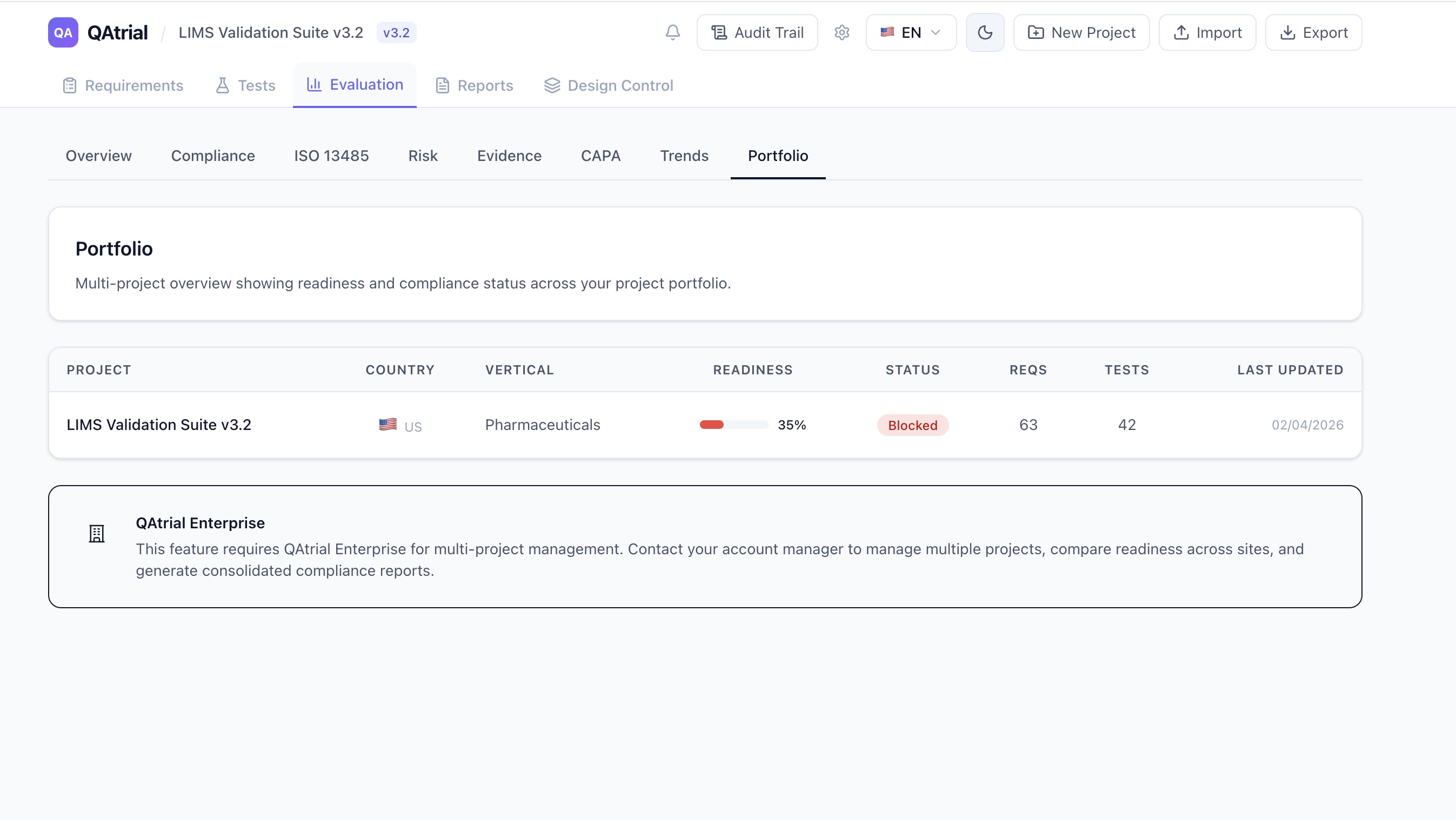
QAtrial v3.0 provides structured containers for all three. Each record type supports:
- Version control with full revision history
- Section management for organizing document content
- Linkage to design items and requirements
- Status lifecycle: draft, active, superseded, obsolete
- Audit trail on every operation
The DHF links to design items on the Kanban board, so the design history file builds itself as the team works through the design phases. Design inputs reference requirements. Design outputs reference specifications. Verification and validation records reference test results. The traceability chain — from user need to design input to design output to verification to validation — is maintained structurally, not as a manually maintained spreadsheet.

Using Event-B for Critical Device Software Systems
As an affiliate, we earn on qualifying purchases.
As an affiliate, we earn on qualifying purchases.
Integration With the Rest of QAtrial
Design control does not exist in isolation. QAtrial’s existing 15 quality modules integrate with the new design control features:
Requirements module: Design inputs are formal requirements with IDs (REQ-001), risk levels, regulatory references, and tags. They participate in the same traceability matrix, coverage metrics, and gap analysis as all other project requirements.
Test module: Design verification and validation activities are tests with IDs (TST-001), linked to specific requirements, with execution status tracking (Not Run, Passed, Failed). The design control Kanban board shows linked test counts per design item.
Risk Management: Risk assessments created in QAtrial’s risk module (supporting ISO 14971 methodology with 5×5 severity/likelihood matrices) link to design items. Design inputs can be tagged with risk levels, and the risk dashboard reflects design-stage risk across the project.
CAPA: When a design verification test fails, the CAPA module captures the failure, supports root cause analysis, and tracks corrective actions. The audit trail connects the failed test to the CAPA record to the design change that resolved it.
Audit Trail: Every design control action — creating an item, changing status, advancing phase, linking a requirement, approving a gate — generates an audit trail entry with user identity, timestamp, and the specific change. The audit trail supports 21 CFR Part 11 electronic signature requirements.
A Concrete Scenario: Class II Infusion Pump
Consider a team developing a Class II infusion pump. Here is how the design control flow works in QAtrial:
User Needs phase: The team creates design items capturing the clinical need (accurate infusion rates from 0.1 to 999 mL/hr), the use environment (hospital bedside, ambulatory), and the user population (nurses, clinical engineers). Each need is documented as a design item card.
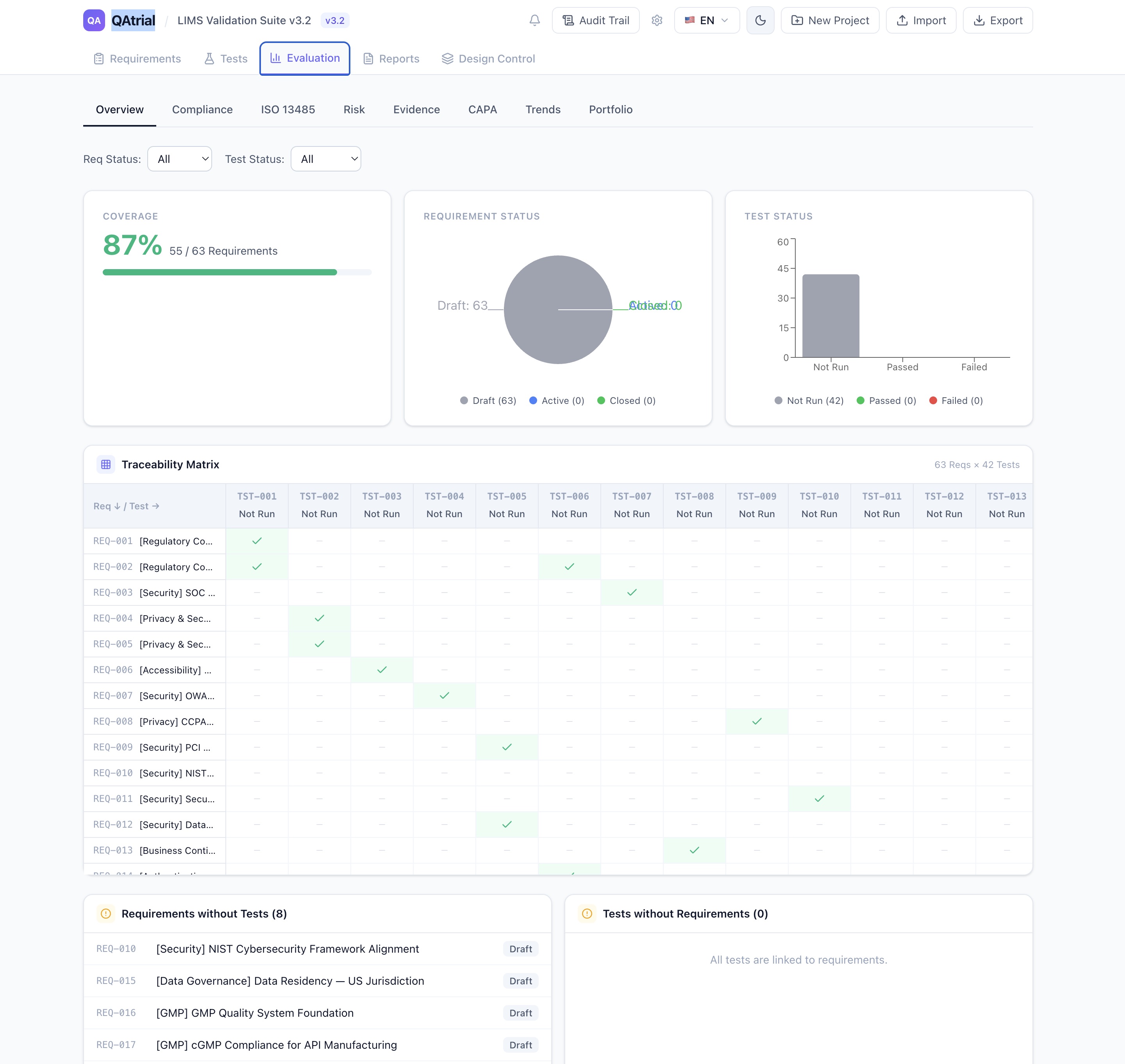
Design Input phase: User needs are translated into formal requirements. “Accurate infusion rates” becomes REQ-012: “The pump shall deliver fluid at rates from 0.1 to 999.9 mL/hr with accuracy of +/- 5% at rates above 1 mL/hr.” The requirement has a regulatory reference (IEC 60601-2-24), a risk level (High — patient safety), and is linked to the corresponding design item. The design input package is reviewed and approved at the gate.
Design Output phase: Engineering produces specifications, schematics, software architecture documents, and manufacturing drawings. These are linked to the design items and stored in the DHF. The design output review confirms that every input requirement has a corresponding output specification.
Verification phase: The team runs bench testing against input requirements. TST-034: “Verify flow rate accuracy at 0.1, 1.0, 10.0, 100.0, and 999.9 mL/hr against REQ-012.” Test results are recorded with pass/fail status. The verification gate requires all linked tests to be executed and all critical tests to pass.
Validation phase: Clinical evaluation with representative users in simulated use conditions. Usability studies, clinical performance data. The validation gate requires clinical evidence review and approval by the clinical affairs team.
Transfer phase: Manufacturing transfer documentation: process specifications, incoming inspection criteria, assembly instructions, quality control checkpoints. The manufacturing engineering team approves the transfer gate.
Released: The design is released for production. The DHF is complete. The DMR contains all manufacturing documentation. DHR templates are ready for production records.
At every stage, the audit trail captures the full history. When an FDA auditor reviews the 510(k) submission and asks to see the design history file, the team opens the DHF in QAtrial and walks through the entire chain — from user need to released product — with every review, every approval, and every change documented.
Compared to Commercial Tools
Arena PLM offers design control as part of a broader PLM platform, starting around $50,000/year for small teams. Greenlight Guru focuses specifically on medical device quality, with design control modules starting at approximately $30,000/year. Both are capable tools with established customer bases.
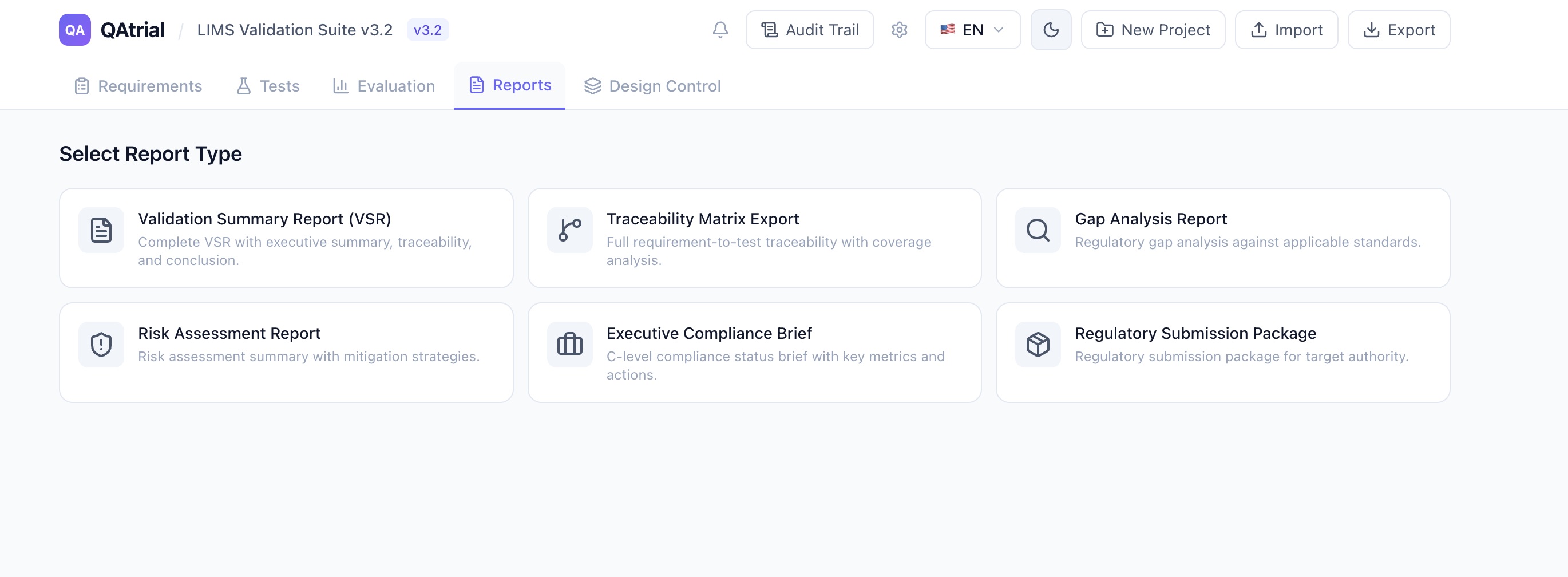
QAtrial is not trying to replace a full PLM system. It does not manage CAD files, BOMs, or supply chain logistics. What it provides is the quality system layer of design control: the requirements, the traceability, the gates, the document records, and the audit trail. For many device companies — particularly those using separate CAD/PLM tools and needing a quality-focused design control overlay — this is exactly the gap that needs filling.
The source code is open. The design control logic, the gating rules, the DHF/DMR/DHR structure — all of it is inspectable, auditable, and modifiable. If your auditor asks how the system enforces design gate approvals, you can show them the code.
That is not something you can do with a proprietary tool.
QAtrial is open-source software licensed under AGPL-3.0. Design control features should be used as part of a comprehensive quality management system validated for your specific regulatory context. Visit github.com/MeyerThorsten/QAtrial to explore the source code and documentation.