

To prove whether an issue is at the network level or within an application, start by capturing traffic data with tools like Wireshark, ensuring proper setup and filtering. Look for patterns like traffic spikes, retransmissions, or delays that can point to network problems. Analyzing packet timestamps and flow data helps confirm if the network or app is causing the issue. Keep exploring these techniques to gain clarity and build confidence in identifying the root cause.

Get business pricing on monitors, keyboards and dev gear
- Business-only prices and quantity discounts
- Tax-exempt purchasing
- Multiple users, one account, clear invoices
Key Takeaways
- Use packet timestamps, response times, and traffic patterns to identify network-level delays versus application issues.
- Analyze flow data to detect network congestion or bottlenecks unrelated to the application itself.
- Look for consistent network anomalies, such as spikes or retransmissions, across multiple sessions.
- Apply filters to focus on network protocols and IP addresses, isolating network infrastructure problems.
- Correlate captured traffic with device logs and application behavior to distinguish network faults from app errors.
Products Worth Considering

Logitech MX Master 4 for Mac, Ergonomic Bluetooth Mouse with Haptic Feedback, Ultra-Fast Scrolling, USB-C Charging, for MacOS, iPadOS, Windo

DJI Osmo Mobile 8 Standard Combo Phone Gimbal Stabilizer

Amazon Kindle Paperwhite Signature Edition (12th Generation, 2024), 32 GB, Metallic Black
As an affiliate, we earn on qualifying purchases.
What Is Packet Capture and Why Do You Need It?

Have you ever wondered what data travels between devices on a network? Packet capture lets you see that data directly by intercepting network traffic. It reveals how network protocols communicate, helping you understand what’s happening behind the scenes. This process is essential for troubleshooting issues, analyzing suspicious activity, or verifying security measures like data encryption. When data is encrypted, packet capture shows you the encrypted content, but it also helps identify where encryption occurs or if vulnerabilities exist. By capturing packets, you gain insights into your network’s flow, making it easier to detect anomalies or unauthorized access. In short, packet capture provides a clear window into your network’s operations, giving you the power to troubleshoot, secure, and optimize effectively. Additionally, understanding digital concepts in packet capture can enhance your ability to analyze network performance and security. This knowledge is crucial for developing media literacy, allowing you to discern between legitimate and potentially harmful traffic. Furthermore, recognizing the importance of contrast ratios in visual outputs can improve the way you analyze data representations in related applications. In the same way that Victorian etiquette informs social interactions, mastering packet capture can enhance your technical communication skills. Moreover, utilizing performance parts such as upgraded engines can help optimize your network’s efficiency, similar to how enhancing car performance can lead to improved handling and speed.
How to Set Up Your Packet Capture Tool
To set up your packet capture tool, start by choosing the right one that fits your needs. Next, configure your network interface settings to guarantee you’re capturing the correct traffic. Once these steps are complete, you’re ready to begin monitoring your network effectively. Additionally, consider leveraging online resources and courses to enhance your understanding of packet capture techniques.
Choose Appropriate Capture Tool
Choosing the right capture tool is essential for effective packet analysis, as different tools are designed for specific environments and purposes. When selecting capture tools, consider your network setup, the level of detail needed, and the analysis scope. The selection criteria include compatibility with your operating system, the ability to handle high traffic volumes, and support for specific protocols. Some tools excel in real-time analysis, while others focus on detailed offline captures. Your goal is to find a tool that balances usability and functionality for your specific needs. Avoid overly complex tools if you’re new, and opt for ones with clear documentation and support. Making an informed choice guarantees efficient data collection, accurate results, and a smoother troubleshooting process.
Configure Network Interface Settings
How you configure your network interface settings can profoundly impact the effectiveness of your packet capture. Proper interface configurations guarantee you’re capturing the right traffic, revealing essential details about network protocols and activity. Set your capture tool to monitor the correct interface—whether it’s Ethernet, Wi-Fi, or virtual adapters—so you don’t miss necessary data. Adjust capture filters to focus on specific protocols or IP ranges, sharpening your analysis. Remember, wrong settings can lead to incomplete or misleading results, wasting time and effort. Take control of your capture environment by verifying interface statuses, enabling promiscuous mode, and tailoring filters to your needs. These steps heighten your chances of uncovering the truth behind network issues, giving you confidence in your findings.
- Feel the thrill of capturing every critical packet
- Overcome frustration with precise interface setups
- Trust your analysis to well-configured network protocols
Capturing Network Traffic Safely and Effectively
Capturing network traffic can reveal critical information about data flow and potential security issues, but doing so safely and effectively requires careful planning. To protect sensitive data, consider encryption methods that secure captured packets, preventing exposure during collection and analysis. Prioritize packets based on their importance or relevance to your investigation, guaranteeing you focus on critical traffic without overwhelming your resources. Use filtering techniques to limit capture scope, avoiding unnecessary data and reducing risks. Always run captures on isolated or controlled environments when possible, and ensure you have proper authorization. By combining encryption methods, packet prioritization, and targeted filtering, you can gather valuable insights while maintaining security and efficiency throughout the process.
Interpreting Packet Capture Data: Key Metrics to Know
Understanding key metrics in packet capture data is essential for identifying network issues and potential security threats. When you analyze packet metrics, you gain insights that help differentiate between network and application problems. Focusing on data interpretation, you’ll look for patterns like unusual traffic spikes, high retransmission rates, or slow response times. These metrics reveal where problems originate, saving you time and effort.
- Feel the power of pinpointing exactly where issues hide behind raw data
- Experience the confidence of making informed decisions quickly
- Gain peace of mind knowing your network’s security is backed by clear evidence
Troubleshooting Network and Application Problems Using Packet Data
When troubleshooting network or application issues, analyzing packet flows helps you spot where problems occur. Look for unusual patterns or irregular traffic that could indicate congestion or errors. Recognizing these troubleshooting patterns allows you to pinpoint and resolve issues more efficiently. Additionally, monitoring air quality benefits can provide insights into how environmental factors may impact network performance. For instance, understanding how microplastics in dust can affect indoor air quality might help you identify potential disruptions to network reliability. Incorporating whole-home water systems can ensure that your network setup is optimized for reliability. Using essential DIY tools can also help ensure that your network setup is optimized for reliability.
Analyzing Packet Flows
Have you ever wondered how to pinpoint the root cause of a network or application issue? Analyzing packet flows is key. You’ll focus on flow correlation, linking related packets to see how data moves through your network. This helps identify patterns and bottlenecks quickly. Look out for anomalies—unexpected spikes or drops—that could signal problems. Detecting anomalies early can prevent bigger outages. With flow correlation, you connect the dots between different network segments, revealing where issues originate. This process gives you a clear view of normal versus abnormal behavior. When combined, flow correlation and anomaly detection empower you to troubleshoot faster, reducing downtime and restoring performance.
- Discover hidden network bottlenecks before they escalate
- Spot suspicious activity or irregular traffic patterns
- Make confident, data-driven troubleshooting decisions
Identifying Troubleshooting Patterns
Identifying troubleshooting patterns is essential for quickly diagnosing network and application issues. By recognizing recurring traffic anomalies and common behaviors, you can pinpoint root causes faster. Look for patterns such as repeated connection resets, sudden spikes in traffic, or unusual retransmissions that indicate underlying problems. Pattern recognition helps differentiate between network and app issues, saving time and reducing guesswork. Use packet captures to identify these signs and compare them across sessions. To make analysis easier, consider these patterns:
| Pattern Type | Common Symptoms |
|---|---|
| Traffic Spikes | Sudden bandwidth increase |
| Connection Resets | Frequent TCP resets |
| Retransmission Patterns | Repeated packet resends |
Recognizing these patterns allows you to act swiftly and confidently.
Common Packet Analysis Challenges and How to Fix Them
Analyzing network packets often presents several common challenges that can hinder effective troubleshooting and security analysis. Encryption challenges make it difficult to interpret data, leaving you guessing whether issues are caused by security measures or actual network problems. Managing data volume is another hurdle; large captures can be overwhelming and slow down your analysis. Without proper tools, you might miss critical details or become frustrated trying to sift through endless packets.
- Struggling to decrypt encrypted traffic that obscures real issues
- Overwhelmed by massive data sets that slow down your investigation
- Missing key clues due to incomplete or poorly filtered captures
- Understanding the influence of Romanian folklore can provide insights into cultural approaches to problem-solving, which may prove beneficial during complex analysis.
Real-World Examples: Proving Network Issues With Packet Data
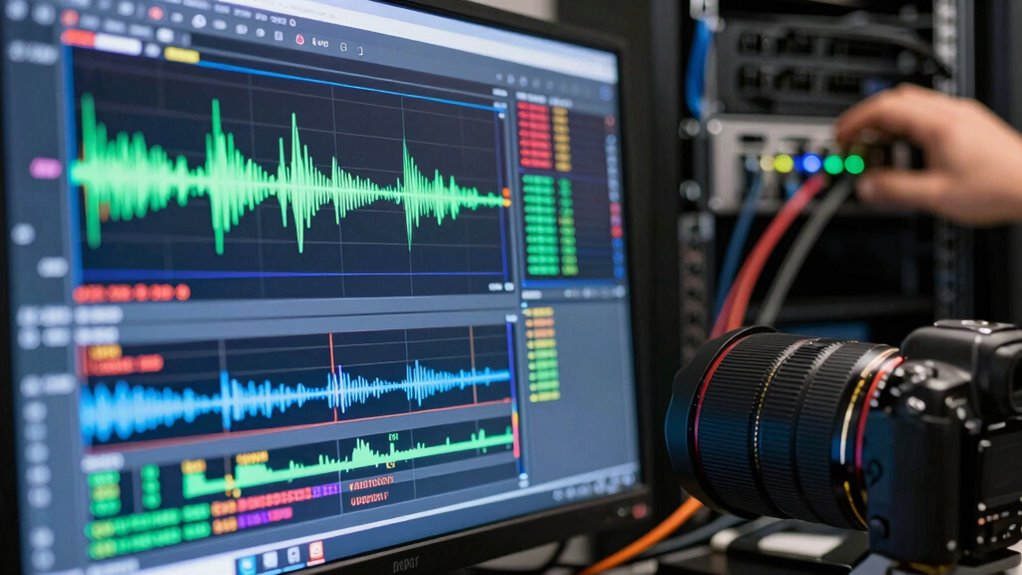
When troubleshooting network issues, real-world packet data can provide concrete proof of where problems originate. For example, if you’re facing latency issues, analyzing packet timestamps reveals delays at specific points, confirming whether the network or the application is causing the slowdown. Bandwidth analysis using packet captures helps identify if network congestion is reducing available throughput. By examining the data flow, you can see if large transfers or unusual traffic spikes are saturating links, leading to performance drops. Packet data allows you to pinpoint whether delays stem from network infrastructure or application behavior. This precise evidence helps justify your diagnosis, guiding targeted improvements and avoiding unnecessary changes. Ultimately, packet captures turn vague suspicions into definitive proof, streamlining troubleshooting efforts.
Best Practices for Secure and Accurate Packet Capture

Once you’ve gathered packet data to diagnose network issues, capturing that data securely and accurately becomes your next priority. To do this effectively, you must follow best practices that respect encryption protocols and hardware limitations. Use encrypted capture methods to protect sensitive information during collection. Be aware of hardware limitations—older devices may struggle with high traffic volumes, causing incomplete captures or data loss. Consider deploying dedicated capture appliances or high-performance hardware to ensure reliability. Additionally, understanding comparative advantage can help you allocate resources more effectively in your network setup. Always verify your capture setup before analyzing data to prevent gaps. Additionally, maintaining a safe operating environment is crucial to avoid potential hazards, such as overheating equipment.
- Feel confident your data is protected from unauthorized access
- Avoid missing critical information due to hardware constraints
- Gain peace of mind knowing your findings are accurate and trustworthy
Frequently Asked Questions
How Do I Differentiate Between Network and Application Issues in Packet Data?
You can differentiate network issues from application errors by analyzing packet data for network latency and packet loss, which point to network problems. If the packets show consistent delays or retransmissions, the network’s likely cause. Conversely, if packets flow smoothly but errors appear within specific application protocols, the issue is probably with the app itself. Focus on timing and error patterns to pinpoint whether the network or application is at fault.
What Legal Considerations Exist When Capturing Network Traffic?
You need to take into account legal compliance and privacy concerns when capturing network traffic. Laws vary by jurisdiction, and unauthorized monitoring may violate privacy rights or breach regulations like GDPR or HIPAA. Always ensure you have explicit consent or proper authorization before capturing data, and anonymize sensitive information where possible. Investigating these legal considerations helps protect you from potential lawsuits or penalties, ensuring your network analysis stays within lawful boundaries.
Can Packet Capture Reveal Encrypted Data Content?
Packet capture can reveal encrypted data content through encryption analysis, but it doesn’t usually allow direct data decryption. You might see encrypted packets, but without the right keys, you can’t interpret the actual content. However, with access to encryption keys or vulnerabilities, data decryption becomes possible. So, while captures can provide clues, they often don’t expose the full encrypted data unless specific conditions are met.
How Often Should Packet Captures Be Performed for Accurate Diagnosis?
Think of your network like a busy highway—regular traffic analysis keeps you in the driver’s seat. You should perform packet captures frequently enough to catch fluctuations and bottlenecks, typically weekly or during specific incidents. Data filtering helps you focus on relevant traffic, ensuring you’re not overwhelmed. Consistent captures provide a clear picture of your network’s health, allowing prompt detection of issues and maintaining smooth, uninterrupted flow.
What Tools Are Best for Analyzing Large Volumes of Packet Data?
You should use tools like Wireshark, tcpdump, or SolarWinds Network Performance Monitor for analyzing large volumes of packet data. These tools efficiently handle encrypted protocols by decrypting traffic when possible, and they support capture automation, making continuous monitoring easier. They help you quickly identify network issues, even with vast data, ensuring you can pinpoint whether the problem’s network-related or app-specific.
Conclusion
Think of packet capture as your detective’s magnifying glass, revealing hidden clues about your network. By mastering this tool, you can confidently distinguish between network issues and application glitches, ensuring you solve problems efficiently. With careful setup and analysis, you’ll navigate troubleshooting like a seasoned investigator, turning complex data into clear answers. Remember, clarity in your captures is the key to keeping your network running smoothly—like a lighthouse guiding ships safely home.