Choosing software development tools often comes down to whether you want a flexible editor you can shape around many projects or an integrated development environment built for a particular language. Visual Studio Code (VS Code) and JetBrains IDEs are compared because both can support everyday coding, debugging, version control, and extensions, but they organize that work differently. VS Code is free, relatively lightweight, and adaptable across languages; JetBrains products such as IntelliJ IDEA, PyCharm, and WebStorm offer more language-aware features built into the application, often for a subscription fee.

Get business pricing on monitors, keyboards and dev gear
- Business-only prices and quantity discounts
- Tax-exempt purchasing
- Multiple users, one account, clear invoices
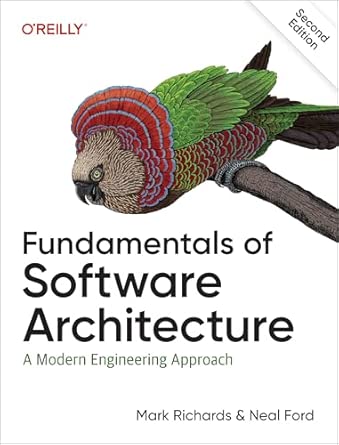
Fundamentals of Software Architecture: A Modern Engineering Approach
- ✔ Type: Book
- ✔ Subject: Software architecture
- ✔ Approach stated: Modern engineering

Agentic Spec-Driven Development: A Practical Method for Using AI to Build Complete Specifications for Software, Products, and Kno…
- ✔ Type: Book
- ✔ Primary subject: AI-assisted specification development
- ✔ Stated method: Practical method for building complete specifications

Software Tools
- ✔ Type: Book, based on the supplied product entry
- ✔ Title: Software Tools
- ✔ ASIN: 020103669X
The main tradeoff is setup and breadth versus integrated depth. VS Code makes more sense for developers who switch languages, value a customizable workspace, or need a capable tool without a license cost. A JetBrains IDE is often the better fit when a developer spends most of their time in a supported language and benefits from its inspections, refactoring, and project navigation. The right choice depends less on which tool has more features in a list and more on which features reduce friction in your actual work.
At a Glance
| Criteria | Visual Studio Code | JetBrains IDEs | Winner |
|---|---|---|---|
| Cost and licensing | Free for individual and commercial use; many features come from optional extensions. | Many products have paid subscriptions; some editions or features are free, depending on the IDE. | A |
| Setup and customization | Start with a compact editor and add extensions, settings, and tools as needed. | More integrated features are ready from installation, with less extension assembly for its target language. | Depends |
| Language-specific assistance | Broad language support, with depth varying by extension and language server. | Often deeper built-in inspections, refactoring, navigation, and framework support for the IDE’s language. | B |
| Debugging and workflow integration | Built-in editor workflows plus extensions for debugging, Git, and other tools. | Integrated coding and project tools are designed around the product’s target languages and workflows. | B |
| Resource use and responsiveness | Generally lighter at startup, though extensions and large workspaces add overhead. | Can use more memory and take longer to load, particularly with large projects. | A |
| Project and team fit | Strong for mixed-language work, web development, and teams that value a common configurable editor. | Strong for language-focused development and teams that benefit from consistent, specialized tooling. | Depends |
Fundamentals of Software Architecture: A Modern Engineering Approach
When our development work calls for better architectural judgment, this is the most direct match in the lineup. Its stated subject is the fundamentals of software architecture, framed through a modern engineering approach. That makes it a more natural choice for readers trying to understand system-level design than the AI specification guide, which concentrates on turning ideas into specifications, or the broadly titled Software Tools, whose coverage is not described.The title positions the book around core concepts rather than a single named development tool or workflow. For a software practitioner, architecture is relevant when decisions about system structure affect how a product can be built and evolved. Still, the supplied description does not list specific topics, examples, technologies, or learning exercises. We should treat the title as a useful subject signal, not proof of any particular chapter coverage.This pick makes the most sense if we want a dedicated architecture resource. It is less suitable when our immediate need is an AI-assisted process for gathering requirements: Agentic Spec-Driven Development speaks more directly to that work. And if we need executable software such as an editor or build tool, neither this book nor the other two listings fits that job. Its main drawback for comparison is the lack of detail about audience level and contents.
Pros:
- The title clearly identifies software architecture as its central subject.
- The description frames the material around a modern engineering approach.
- Its focus is more directly architectural than the AI specification guide.
- It is the clearest fit in this comparison for architecture-focused learning.
Cons:
- The supplied listing provides no chapter list or detailed topic coverage.
- The intended experience level and teaching format are not specified.
- It is a book, so it does not provide an executable development environment.
Best for: Software developers or technical readers seeking a book explicitly focused on software architecture and a modern engineering approach.
Not ideal for: Readers looking for an installable development tool, a specifically AI-driven specification workflow, or confirmed topic-by-topic coverage before buying.
Bottom line: Choose this when architecture fundamentals are your learning priority; verify the contents if you need coverage of a particular technology or skill level.
“Choose this when architecture fundamentals are your learning priority; verify the contents if you need coverage of a particular technology or skill level.”
Agentic Spec-Driven Development: A Practical Method for Using AI to Build Complete Specifications for Software, Products, and Kno…
For teams and individuals who want to make AI part of the planning process, this guide has the most distinctive angle in the comparison. Its stated aim is to offer a practical method for using AI to build complete specifications. In software development, that focus points toward the work of describing what should be built before implementation begins. Compared with Fundamentals of Software Architecture, it is oriented around specification creation rather than architecture fundamentals.The scope is notably broad: the description names software, products, and knowledge work. That breadth could appeal to readers applying structured specifications across different kinds of projects, but software developers looking for a narrowly technical manual should keep the wider remit in mind. The supplied details do not identify particular AI systems, prompts, examples, or a step-by-step contents list, so we cannot promise compatibility with a specific workflow or tool.As a buying choice, this is strongest when our bottleneck is turning an idea into a usable specification and we want AI included in that process. It is not a substitute for an architecture text: readers focused on system design have a clearer match in Fundamentals of Software Architecture. And unlike a code editor or testing framework, this is a learning resource, not software to install. Its practical promise is appealing, but buyers should check the full listing for format and detailed coverage.
Pros:
- Explicitly focuses on practical AI-assisted specification development.
- Names software development among its intended application areas.
- Also addresses product work and knowledge work, offering a broader stated scope.
- Provides a distinct workflow-oriented angle compared with the architecture book.
Cons:
- The supplied details do not identify supported AI tools or platforms.
- No contents list or concrete examples are provided in the description.
- Its cross-domain scope may be less focused for readers seeking only software engineering theory.
Best for: Readers interested in using AI to develop specifications for software projects, product work, or other knowledge work.
Not ideal for: Buyers seeking an installable coding tool, a narrowly software-only reference, or confirmed guidance for a particular AI platform.
Bottom line: Choose this for an AI-centered approach to specification work, while checking the full contents if you need platform-specific or strictly software-focused guidance.
“Choose this for an AI-centered approach to specification work, while checking the full contents if you need platform-specific or strictly software-focused guidance.”
Software Tools
Software Tools is the hardest option to place because the supplied information gives us only its title and ASIN. That title signals a connection to software tools, but it does not tell us whether the book discusses programming utilities, engineering practices, tool history, or something else. We therefore cannot confidently recommend it for a specific development task in the way we can place the architecture book or the AI specification guide.Its broad title may attract readers who want to explore software tooling as a subject, yet that is a starting point for investigation rather than a verified description of the contents. In contrast, Fundamentals of Software Architecture names its subject and approach, and Agentic Spec-Driven Development states both a method and several application areas. Those clearer signals make the other two easier to match to a learning goal.We would consider this listing only if we can inspect a fuller description or sample before purchase. That extra step matters because software development tools span everything from editors and version control to build systems and testing, and the title alone does not reveal which area is covered. The limitation here is not necessarily the book itself; it is that the available information does not support a grounded assessment of its depth, audience, or practical value.
Pros:
- The title signals a general connection to software tools.
- Could warrant further investigation if its fuller description matches the reader’s goal.
- Offers a different apparent subject label from architecture and specification development.
Cons:
- No product description was supplied.
- No topics, audience, format, or approach are confirmed.
- Its fit for a particular software development task cannot be assessed from the title alone.
Best for: A reader willing to review a fuller listing or sample and curious about a book titled around software tools.
Not ideal for: Buyers who need a clearly defined subject, verified contents, or a recommendation matched to a specific software development need.
Bottom line: Investigate the full listing before choosing it; the information available here is too limited to recommend it over the other two books for a defined development goal.
“Investigate the full listing before choosing it; the information available here is too limited to recommend it over the other two books for a defined development goal.”
As an Amazon Associate we earn from qualifying purchases.
Key Differences
The practical divide is how much of the environment is ready before you configure it. VS Code provides a flexible foundation: install language extensions, choose a formatter, and tune the editor to the project. That flexibility helps when projects vary, but the experience can depend on which extensions are installed and maintained. JetBrains IDEs bundle more language-specific understanding into the product, so features such as inspections, navigation, and refactoring can work together with less assembly.
That integration can save time in a large or complex codebase, especially when the IDE supports the language and framework well. It does not make every JetBrains product the right choice for every developer: products are specialized, paid features can raise costs, and the heavier environment may feel unnecessary for small edits. VS Code’s lower cost and broad adaptability matter more when a team works across several stacks or wants a lightweight, shared baseline.
Neither choice removes the need to learn the codebase or establish good team practices. Both support extensions and Git-centered work, and both can be configured to suit individual preferences. The decisive question is whether you value a tailored, ready-made language environment enough to pay for it, or prefer a free editor whose capabilities you assemble as needs arise.
Detailed Comparison
Cost and licensing (Visual Studio Code wins — major)
VS Code wins clearly on direct cost: it is free for personal and commercial use. JetBrains offers free editions for some products and use cases, but many full-featured IDEs require a subscription, with terms depending on the product and user. The gap is major for freelancers, students, and organizations equipping many developers. A paid IDE may still be economical if its tools save enough time on recurring work, but teams should verify the relevant product’s current license terms before standardizing.
Setup and customization (moderate difference)
VS Code wins on flexibility, while JetBrains often wins on readiness. VS Code can be tailored across many project types, but developers may need to choose and maintain extensions for language support, formatting, linting, and debugging. JetBrains IDEs usually deliver a more cohesive setup for their target language from the start. This is a moderate, preference-dependent gap: teams with a known stack can appreciate ready-made integration, while developers moving between stacks may prefer VS Code’s adaptable base.
Language-specific assistance (JetBrains IDEs wins — major)
JetBrains generally wins for the languages and frameworks its IDEs target. Its inspections, code navigation, and refactoring tools are integrated and can understand project structure in detail. VS Code supports a wide range of languages, but the depth and consistency depend on extensions and language servers. The gap is major when working daily in a well-supported JetBrains language on a complex codebase; it can be minor or absent for lighter editing or a language with strong VS Code tooling.
Debugging and workflow integration (JetBrains IDEs wins — moderate)
JetBrains has a moderate advantage for an IDE’s supported workflows because coding assistance, project navigation, and debugging are designed to work together. VS Code also provides debugging and source control in the editor, and extensions can cover many project needs. The difference is less about whether either can perform a task and more about setup and consistency. Choose JetBrains when its integrated workflow fits your stack; choose VS Code when you want to select tools individually or already rely on external workflows.
Resource use and responsiveness (Visual Studio Code wins — moderate)
VS Code usually has the advantage for a quick launch and a lighter starting footprint. JetBrains IDEs can use more memory and take longer to open, especially with large projects, although actual performance depends on hardware, project size, indexing, and configuration. This is a moderate practical difference for developers on constrained machines or those opening tools briefly for small changes. For long sessions on a capable workstation, deeper IDE features may be worth the extra resource use.
Project and team fit (moderate difference)
There is no universal winner. VS Code is a strong shared choice for teams with varied languages, web projects, or a preference for a common editor that can be configured per project. JetBrains can suit teams focused on one supported language, especially when inspections and refactoring are central to daily work. The difference is moderate: standardizing on one tool can simplify onboarding, but the team should weigh license cost, developer preferences, and the actual features used rather than mandate a product by habit.
Visual Studio Code: Pros and Cons
Pros:
- Free for personal and commercial use.
- Flexible across languages and project types.
- Lightweight starting point with a large extension ecosystem.
- Built-in editor support for debugging and source control.
Cons:
- Best language support may require selecting and configuring extensions.
- Extension quality and integration can vary.
- A large collection of extensions can add maintenance and resource overhead.
JetBrains IDEs: Pros and Cons
Pros:
- Strong integrated inspections, navigation, and refactoring for supported languages.
- More of a language-focused workflow is available from installation.
- Project tools can work together in a consistent IDE experience.
Cons:
- Many full-featured products require a paid subscription.
- Products are specialized, so one IDE may not suit every language a team uses.
- Can demand more memory and time to start, particularly on large projects.
Who Should Choose What
Choose Visual Studio Code if:
- You want a capable editor with no license cost for commercial work.
- You switch between languages or need one configurable editor for mixed projects.
- Your work is mostly web development or your language already has strong VS Code extensions.
- You prefer choosing your own tools and keeping the editor relatively lightweight.
Choose JetBrains IDEs if:
- You work mainly in a language with a mature JetBrains IDE.
- You regularly use deep inspections, refactoring, and project-wide navigation.
- A more integrated setup would reduce repetitive configuration in your daily workflow.
- Your team can justify the subscription through time saved or shared language-specific practices.
Skip both if: Neither is a fit if your organization requires a different approved development environment, or your work depends on specialized tooling that neither product supports well.
Value for Money
VS Code is the better value for most people who need a general-purpose editor: there is no license fee, and its extension ecosystem covers many common workflows. That value comes with some setup time and potential variation between developers’ configurations. JetBrains is worth paying for when its language-aware inspections, refactoring, and integrated project tools are used often enough to save meaningful time or reduce errors. The subscription is harder to justify for occasional edits, a small project, or work that relies on only basic editor features. For a team, compare the cost with the time saved across the developers who will use the IDE, and confirm current licensing terms for the specific product.
Final Verdict
Choose VS Code if you want the strongest general-purpose value, work across varied stacks, or prefer a customizable editor with a low starting footprint. Choose a JetBrains IDE if you spend most of your time in a language it supports well and regularly benefit from its integrated inspections, navigation, and refactoring. For most developers who do not already know they need specialized IDE depth, VS Code is the sensible starting point. Pay for JetBrains when its daily workflow advantages are concrete enough to outweigh the subscription and heavier setup.
Frequently Asked Questions
Is VS Code an IDE?
VS Code is an extensible code editor. With language extensions, debugging, and other tools, it can support many IDE-like workflows, but how integrated those features feel depends on the extensions and project.
Are JetBrains IDEs better for beginners?
Either can work for a beginner. VS Code avoids a license cost and supports many languages; a JetBrains IDE may offer more guidance and language-specific tools out of the box. Start with the tool used by a course or team if that helps you follow the same setup.
Is a JetBrains subscription worth paying for?
It can be worth paying for when you use its deeper language support, inspections, and refactoring every day. For basic editing or occasional coding, VS Code is likely to deliver better value. Check the current editions and licensing terms for the specific JetBrains product.
Can a team use both tools?
Yes. Teams can allow developers to use either editor while sharing project configuration, formatting rules, and code quality checks. Agree on the shared practices that matter so the choice of editor does not change how code is built or reviewed.