📊 Full opportunity report: How To Turn Scanned Paper Into Organized Digital Documents on IdeaNavigator AI — validation score, market gap, and execution plan.
TL;DR
IdeaNavigator AI has outlined a proposed auto-filing scanner for paper-heavy small offices, using phone photos and text recognition to create searchable, named PDFs. The proposal recommends a one-week pilot at five offices; no pilot results, product launch or measured accuracy are reported.
IdeaNavigator AI has proposed a document-scanning workflow for paper-heavy small offices that would use a phone camera and text-recognition software to name, classify and file records as searchable PDFs. The proposal recommends testing the service in five small offices over one week; it does not report that the pilot has taken place or provide measured results.
The suggested users are office managers at small nonprofits, clinics and law offices. The problem identified is a buildup of intake forms, invoices and other records in filing cabinets, where staff may struggle to find information. The proposal says generic scanner apps can leave offices with unsorted image files rather than documents organized with useful names or extracted details.
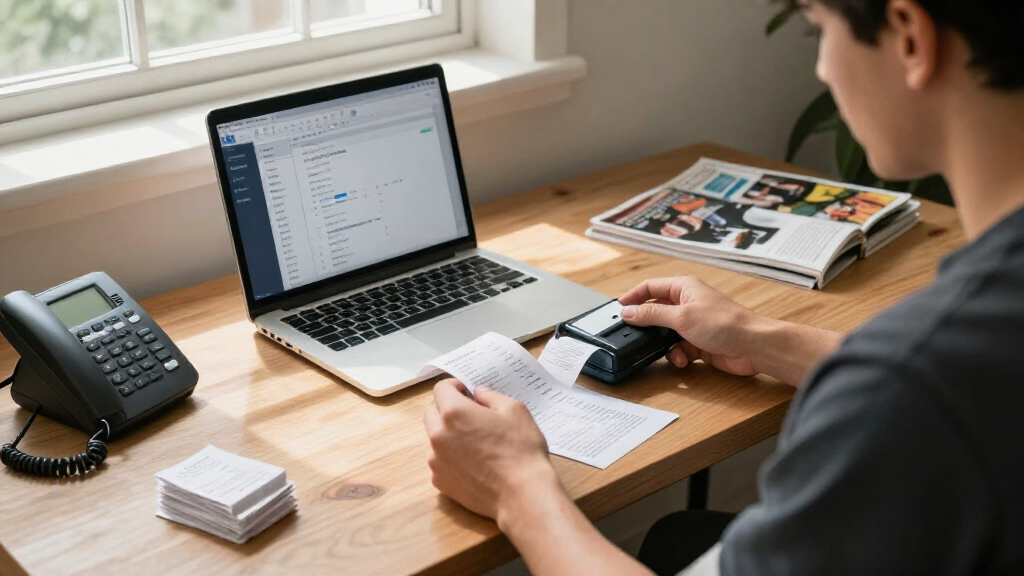
In the proposed minimum viable product, a user would photograph a stack of paperwork with a phone. Optical character recognition (OCR) would read the pages, while software would suggest a document type and filename—for example, an invoice labeled with its date and vendor—and save a searchable PDF in a shared folder.
The proposal describes on-device or API-based OCR and layout-aware models as technologies that may make this workflow practical without a dedicated IT team. It suggests charging a monthly subscription per seat, with a page-volume limit and additional fees for use above that limit. These are product and pricing proposals, not evidence of an existing service or established demand.
Filing Workflows for Small Offices
If the proposed workflow works reliably, it could reduce the manual steps between scanning a paper record and making it findable by other staff. Searchable, consistently named PDFs could help a small office retrieve invoices, forms and records without relying only on paper folders or staff members remembering where something was filed.
The suggested customers often have limited technology support, making setup and error handling relevant to whether the product would be useful. But the material provides no measured accuracy, time savings, security review or customer feedback. Those gaps matter: an incorrectly labeled document can be difficult to locate, and sensitive records at clinics, law offices and nonprofits require careful handling.
document scanner app for small offices
As an affiliate, we earn on qualifying purchases.
As an affiliate, we earn on qualifying purchases.
From Paper Backlogs to Searchable PDFs
The proposal focuses on a specific operational problem: small organizations that still receive or retain substantial amounts of paper. It distinguishes the suggested product from a basic scanner by adding classification, filename suggestions and field extraction after the page is captured. The intended output is not just a digital image, but a searchable document stored in a shared location.
IdeaNavigator AI presents OCR and layout-aware models as the technical basis for the idea, but gives no benchmark, named software provider or comparison of on-device and API-based processing. Its validation plan is to ask five offices to scan 200 documents each from a real backlog during a one-week pilot, then measure classification accuracy and willingness to pay per seat. That is a proposed test design, not a reported study or result.
As an affiliate, we earn on qualifying purchases.
Pilot Results and Data Safeguards
No pilot results are available in the supplied description. It does not say whether five offices have agreed to participate, which organization would build or operate the product, or when testing might begin. There is also no reported classification rate, evidence that users would pay, or demonstration that the software can handle different document layouts and image quality.
Key operational questions remain open, including how the app would correct recognition mistakes, manage duplicate files, and handle documents containing sensitive personal or legal information. The proposal does not specify storage, access controls, retention practices or security measures, nor does it state how staff would review a suggested filename before filing. These details would need to be established before the workflow could be evaluated for real office use.
auto filing document scanner software
As an affiliate, we earn on qualifying purchases.
As an affiliate, we earn on qualifying purchases.
Testing the Proposed Filing Tool
The next step described is a one-week pilot across five small offices, with each office scanning a backlog of 200 documents. The proposed measures are the share of documents classified correctly and participants’ willingness to pay per seat. No launch date or schedule is provided, and the material does not confirm that the test is underway.
Any reported results would help determine whether the idea merits further development, but the proposed measures alone would not answer every practical question. A fuller evaluation would also need to show how often people must fix filenames or extracted fields, whether shared-folder filing fits existing work practices, and how sensitive records are protected. Until such evidence is published, the scanner remains a product concept awaiting validation.
Source: IdeaNavigator AI
searchable PDF creator for office documents
As an affiliate, we earn on qualifying purchases.
As an affiliate, we earn on qualifying purchases.
Key Questions
Is the auto-filing scanner already available?
The supplied description presents it as a product idea. It does not identify a launched app or confirm that a pilot has begun.
How is the proposed scanner meant to work?
A user would photograph documents with a phone. OCR would read the pages, software would suggest a type and filename, and the app would save searchable PDFs in a shared folder.
What would the suggested pilot test?
The plan calls for five offices to scan 200 documents each over one week. It proposes measuring classification accuracy and willingness to pay per seat; no results are reported.
How would the service charge customers?
The proposed model is a monthly per-seat subscription with a page-volume cap and fees for pages above the cap. The pricing has not been tested or confirmed.
What remains unknown about handling sensitive records?
The description does not specify storage, access controls, retention periods or security protections. Those details would matter for offices handling medical, legal or personal records.
Source: IdeaNavigator AI