
To guarantee quality in your AR/VR experiences, focus on thorough testing of UI for intuitiveness and responsiveness, verifying haptic feedback consistency across devices, and confirming hardware compatibility with various headsets and controllers. Optimize performance to maintain smooth, low-latency visuals under different conditions, and gather real user feedback to identify overlooked issues. By addressing these areas early, you can create immersive, seamless experiences your users will enjoy—continue exploring to discover how these tests can elevate your application.

Get business pricing on monitors, keyboards and dev gear
- Business-only prices and quantity discounts
- Tax-exempt purchasing
- Multiple users, one account, clear invoices
Key Takeaways
- Conduct comprehensive UI testing to ensure menus and controls are intuitive and responsive, maintaining immersion.
- Evaluate haptic feedback for consistency, accuracy, and timely responses across different devices and scenarios.
- Verify hardware compatibility and input methods to ensure smooth performance on various VR headsets and controllers.
- Perform performance testing to optimize frame rates, reduce latency, and prevent crashes during extended or high-load use.
- Gather user feedback to identify issues, refine UI, and enhance overall experience for a high-quality immersive environment.

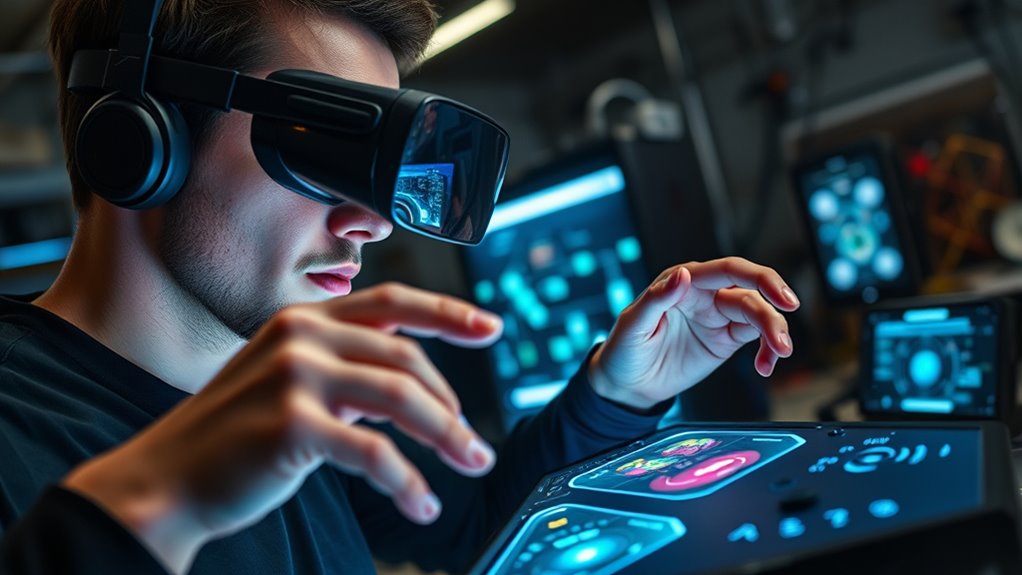
Testing AR and VR applications is essential to guarantee they deliver seamless, immersive experiences without glitches or bugs. When you’re developing these cutting-edge applications, every detail counts, especially the way users interact with the environment. One of the most critical aspects to evaluate is the user interface—how intuitive and responsive it feels. You need to ensure that menus, controls, and gestures work smoothly, without causing frustration or confusion. A poorly designed UI can break immersion and diminish the overall experience, so thorough testing helps you identify and fix issues early on.
Thorough testing ensures intuitive, responsive UI in AR and VR applications, preserving immersion and user satisfaction.
Another vital component is haptic feedback, which adds a tactile layer to the virtual environment. When someone reaches out to grab an object or feels a simulated surface, haptic feedback enhances realism and engagement. During testing, you pay close attention to the consistency and accuracy of these sensations. If haptic responses are delayed, weak, or mismatched with visual cues, it can break the sense of immersion. By rigorously testing haptic feedback across different devices and scenarios, you make sure users receive the intended tactile experience, heightening immersion and satisfaction.
As you test, focus on how well the application handles various hardware configurations and input methods. Different VR headsets and controllers might have unique ways of interpreting gestures or feedback. Your job is to verify that the experience remains smooth regardless of device variation. Pay attention to the calibration of sensors and tracking systems, as inaccuracies here can cause disorientation or motion sickness. When testing, simulate real-world interactions to see how the application responds, ensuring it can handle rapid movements, multiple users, or complex scenarios without lag or errors.
Performance testing is equally crucial. You want the app to run flawlessly on different hardware specifications, maintaining high frame rates and low latency. A laggy or stuttering experience can ruin immersion and cause discomfort. Test the application under various conditions—high loads, extended use, or network fluctuations—to identify potential bottlenecks or crashes. Optimizing performance not only improves user experience but also broadens the accessibility of your app.
Finally, thorough testing involves gathering feedback from real users. Watching how they interact, listening to their concerns, and observing their reactions help you pinpoint issues that might have been overlooked. Whether it’s a confusing user interface, inconsistent haptic feedback, or performance hiccups, user insights guide you in refining the application. Incorporating attention to detail and the importance of comprehensive testing ensures your AR/VR app delivers a truly immersive, high-quality experience from start to finish.
VR headset with high refresh rate
As an affiliate, we earn on qualifying purchases.
As an affiliate, we earn on qualifying purchases.
Frequently Asked Questions
How Do Testers Simulate Real User Behavior in Ar/Vr Environments?
You simulate real user behavior in AR/VR environments by employing tools that mimic gestures and movements, guaranteeing accurate gesture recognition. You also incorporate haptic feedback to replicate tactile sensations, making interactions feel authentic. By testing various scenarios and user inputs, you ensure the system responds naturally. This approach helps identify issues and enhances the overall immersive experience, so users feel as if they’re genuinely interacting within the virtual space.
What Are the Most Common Hardware Compatibility Issues in Ar/Vr Testing?
You often encounter hardware compatibility issues like device calibration problems and tracking accuracy errors during AR/VR testing. These issues can cause misaligned visuals or lag, affecting user immersion. To fix this, you guarantee devices are properly calibrated and test across various hardware configurations. Regular updates and thorough testing help maintain compatibility, so users enjoy a seamless experience without glitches caused by hardware inconsistencies.
How Is User Comfort Evaluated During Ar/Vr Application Testing?
Imagine slipping on a headset, feeling the weight and fit against your face. You evaluate user comfort by conducting ergonomics assessments, checking how natural and comfortable the device feels during extended use. You observe signs of motion sickness, like dizziness or nausea, and modify visuals or frame rates accordingly. This proactive approach guarantees users stay immersed without discomfort, making the experience enjoyable and safe for everyone.
What Tools Are Available for Automated Ar/Vr Application Testing?
You can use tools like Unity Test Runner and Appium to automate AR/VR testing, focusing on gesture recognition and spatial mapping. These tools simulate user interactions, validate gesture accuracy, and guarantee spatial environments are correctly mapped. Additionally, specialized SDKs like Vuforia or ARKit offer automation features for testing tracking and gesture inputs, helping you identify issues early and improve overall user experience efficiently.
How Do Testers Ensure Accessibility for Diverse Ar/Vr Users?
Think of yourself as the Da Vinci of AR/VR, creating art accessible to all. You guarantee accessibility by integrating assistive technologies like voice commands, haptic feedback, and eye-tracking. Embracing inclusive design principles, you test with diverse users to identify barriers and refine experiences. This approach guarantees your immersive environments are welcoming, intuitive, and usable by everyone, regardless of abilities, making your innovation truly universal.
As an affiliate, we earn on qualifying purchases.
Conclusion
Think of AR/VR application testing as tending a delicate garden—you need to nurture every detail to guarantee a thriving, immersive experience. By meticulously testing each aspect, you weed out bugs, fine-tune interactions, and cultivate seamless usability. Remember, in this immersive landscape, even the smallest glitch can overshadow the entire experience. So, stay vigilant and attentive, and you’ll help your virtual world flourish, offering users a truly enthralling and flawless journey.
As an affiliate, we earn on qualifying purchases.
compatibility testing VR headsets
As an affiliate, we earn on qualifying purchases.
As an affiliate, we earn on qualifying purchases.
Halloween Picks
halloween
As an affiliate, we earn on qualifying purchases.