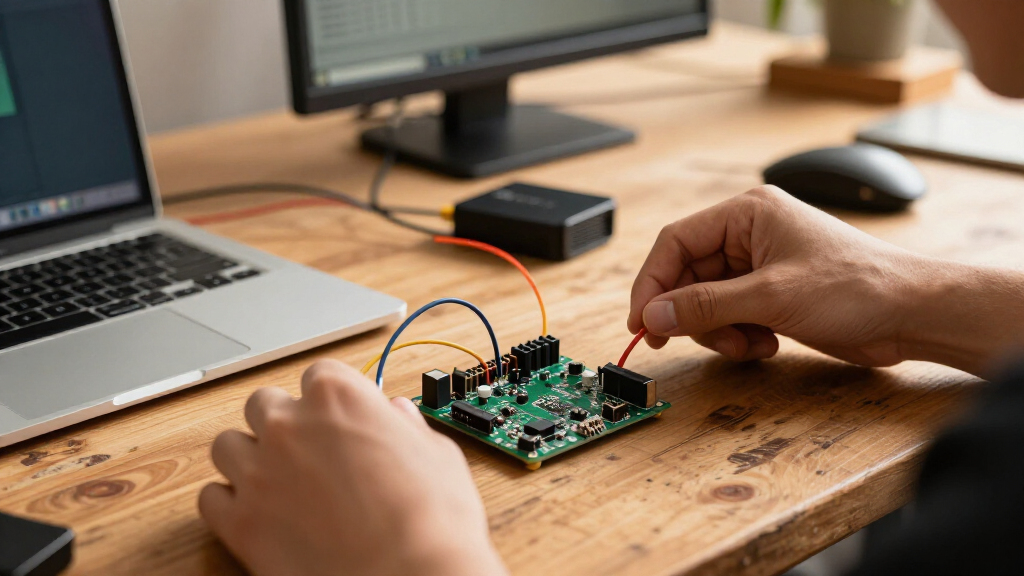

For most makers, the AITRIP ESP32 Development Boards, 3-Pack, USB-C, 30-Pin are the best ESP32 development boards in this roundup, offering a practical set of standard boards for prototyping and repeat builds. The ELEGOO ESP32 Super Starter Kit stands out for beginners who want a tutorial-led start, while the Seeed Studio XIAO ESP32-C5 suits projects that call for a compact board and dual-band Wi-Fi 6. The main tradeoffs are board size, included accessories, processor generation, and how much setup help comes in the box. A multi-board pack can be useful for spares, but a kit may save time if you need learning materials or expansion hardware. Read on for the full comparison and help matching a board to your project.

Get business pricing on monitors, keyboards and dev gear
- Business-only prices and quantity discounts
- Tax-exempt purchasing
- Multiple users, one account, clear invoices
Key Takeaways
- The 30-pin USB-C AITRIP 3-pack is the broadest default choice: It gives makers multiple standard boards for prototyping without committing to a specialized form factor.
- Starter-kit contents matter most to new users: ELEGOO‘s tutorial-led kit is a stronger learning path than buying bare boards, though the included materials should match the parts your planned projects need.
- Newer connectivity comes with a narrower fit: Seeed Studio’s XIAO ESP32-C5 offers dual-band Wi-Fi 6 in a compact format, while conventional ESP32-WROOM boards suit familiar Arduino-style projects.
- Breakout boards solve a physical wiring problem: AITRIP and the 38-pin kit bundle provide more convenient access to GPIO, but add bench space and are less suitable for compact finished devices.
- Board counts and names do not tell the whole story: The roundup includes single boards, multi-packs, kits, an ESP32-S3 model, and touchscreen options; check the exact chip, connector, pinout, and included accessories before choosing.


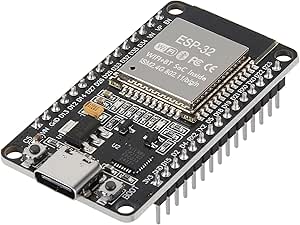


| ESP32 development board | Processor | Quantity | Wireless connectivity |
|---|---|---|---|
| AITRIP ESP32 Development Board | Dual-core | 3 development boards and 3 breakout boards | — |
| AITRIP ESP32 Development Board | — | — | — |
| ELEGOO ESP32 Super Starter Kit | Dual-core Espressif ESP32 | — | Wi-Fi 802.11b/g/n and Bluetooth 4.2 |
| ESP-WROOM-32 ESP32 ESP-32S Dev | Dual-core | — | 2.4 GHz Wi-Fi and Bluetooth |
| Seeed Studio XIAO ESP32-C5 Dev | ESP32-C5 32-bit RISC-V, up to 240 MHz | — | — |
| AITRIP ESP32 Development Board | — | 3 boards | 2.4 GHz Wi-Fi and Bluetooth |
| ESP-WROOM-32 ESP32 ESP-32S Dev | Dual-core Tensilica LX6, up to 240 MHz (as described) | 3 boards | 2.4 GHz Wi-Fi and Bluetooth |
| ELEGOO 3PCS ESP-32 Dev Boards | Dual-core ESP32, up to 240 MHz | 3 boards | 2.4 GHz Wi-Fi and Bluetooth 4.2 |
| AITRIP 1PCS Type-C ESP32 ESP-W | Dual-core ESP32 | 1 board | 2.4 GHz Wi-Fi and Bluetooth |
| HiLetgo ESP-WROOM-32 ESP32 Dev | Dual-core ESP32 | 1 development board | 2.4 GHz Wi-Fi and Bluetooth |
| 3-Set ESP32 Type-C 38-Pin Deve | Dual-core Tensilica LX6 | 3 development boards and 3 breakout boards | — |
| YEJMKJ ESP32-S3-DevKitC-1-N8R8 | Espressif ESP32-S3-WROOM-1, dual-core | — | — |
| Freenove ESP32 Development Boa | Dual-core 32-bit Espressif ESP32 | 2 boards | 2.4 GHz Wi-Fi and Bluetooth 4.2 LE |
| AITRIP 2-Pack ESP32 Developmen | ESP32-D0WDQ6 dual-core, up to 240 MHz | 2 boards | — |
More Details on Our Top Picks
AITRIP ESP32 Development Board and GPIO Breakout Board Set, 3 Sets
This set is a strong fit for projects that need several conventional ESP32 boards and extra room to share GPIO connections. It pairs three 30-pin ESP32 boards with three breakout boards, each designed to split one GPIO pin into two. That can make wiring sensors or other modules easier when a breadboard or the board’s pin layout feels limiting. USB-C and a CP2102 USB-to-serial chip provide a familiar programming setup, while Wi-Fi and Bluetooth cover common connected-device projects.
Compared with the AITRIP DevKitC-32 set with expansion boards, this bundle puts its emphasis on GPIO reuse rather than broader programming-environment support. The tradeoff is compatibility: the included breakouts are for 30-pin ESP32 boards, so they are not a universal expansion solution. Choose it for repeated 30-pin builds; skip it if your projects use a different pin count or need more detailed learning materials.
Pros:- Includes three ESP32 development boards and three matching GPIO breakout boards
- Breakouts split one GPIO connection into two for more flexible wiring
- USB-C connector and CP2102 USB-to-serial chip
- Supports 2.4 GHz Wi-Fi and Bluetooth
Cons:- Breakout boards are specified for 30-pin ESP32 boards only
- GPIO splitting does not add independent microcontroller pins
- The package is less suited to beginners seeking step-by-step projects and varied components
Best for: Makers building several 30-pin ESP32 prototypes who want breakout boards to make GPIO wiring and pin sharing easier.
Not ideal for: People using 38-pin or other ESP32 layouts, or anyone seeking guided lessons and a broad assortment of project components.
- Quantity:3 development boards and 3 breakout boards
- Microcontroller:ESP32 / ESP-WROOM-32
- Processor:Dual-core
- USB connector:USB Type-C
- USB-to-serial chip:CP2102
- Connectivity:2.4 GHz Wi-Fi and Bluetooth
- Breakout function:Expands one GPIO pin to two
- Breakout compatibility:30-pin ESP32 development boards
Our verdict“Choose this set for multiple 30-pin ESP32 builds where GPIO breakout boards help manage wiring, but not for mixed board layouts.”
AITRIP ESP32 Development Board Set with Expansion Boards, USB-C, Wi-Fi and Bluetooth
The DevKitC-32 set makes sense for builders who want two familiar ESP32 boards and matching expansion boards, with more than one route into programming. Support for Arduino IDE, Mixly, Mind+ and Python gives learners and hobbyists room to choose a workflow rather than being tied to a single environment. Each board uses an ESP32-WROOM-32 module and dual-core ESP32-D0WDQ6-V3, with Wi-Fi and Bluetooth for common IoT projects.
Compared with the AITRIP GPIO Breakout Board Set, this package emphasizes compatibility with several programming tools instead of splitting GPIO connections. It also lists USB, external 3.3 V and VIN power options, which can help when a project’s power setup changes. The listing has inconsistent memory specifications, though, so I would not choose it based on the memory figures. Its battery-version input limit is lower than the stated VIN range, too; check the power requirements before wiring a battery.
Pros:- Includes two ESP32-DevKitC-32 boards and two expansion boards
- Supports Arduino IDE, Mixly, Mind+ and Python
- Provides Wi-Fi and Bluetooth connectivity
- Lists USB, external 3.3 V and VIN power options
Cons:- Product details give inconsistent memory specifications
- Battery-version maximum input is 5.5 V, below the listed 5–12 V VIN range
- Two boards may be less useful for projects that need a larger multi-board supply
Best for: Learners and hobbyists who want two ESP32-DevKitC-32 boards, expansion boards and the option to work across several programming environments.
Not ideal for: Buyers who need unambiguous memory documentation or a battery setup that exceeds the stated 5.5 V maximum for the battery version.
- Board model:ESP32-DevKitC-32
- Module:ESP32-WROOM-32
- Main chip:ESP32-D0WDQ6-V3 dual-core 32-bit MCU
- Connectivity:Wi-Fi and Bluetooth
- USB connector and driver:USB-C; CH340C
- External storage:4 MB
- Input voltage:VIN 5–12 V; battery version maximum 5.5 V
- Package contents:2 development boards and 2 expansion boards
Our verdict“Pick this set if programming-environment choice matters more than GPIO-specific breakout features, while treating its memory details cautiously.”
ELEGOO ESP32 Super Starter Kit with Tutorial
Unlike a board-only bundle, this kit gives beginners a starting point for building complete circuits: it includes an ESP32 board, more than 35 types of modules and components, and an online tutorial with 30+ guided projects. Code and circuit diagrams can help a learner move from a basic connection to a working IoT prototype without sourcing every part separately. The board also brings Wi-Fi, Bluetooth 4.2, USB-C and a CP2102 chip, so it remains useful beyond the introductory exercises.
Compared with the AITRIP DevKitC-32 set, ELEGOO is the more instructional choice; the AITRIP bundle instead supplies two boards and expansion boards with wider programming-environment support. The component count is described both as over 35 types and as 200+ parts, so the exact inventory is not clear from the supplied details. This kit also centers on Arduino IDE, making it less flexible for buyers who want to start with other environments.
Pros:- Includes more than 35 types of modules and electronic components
- Online tutorial offers over 30 projects with code and circuit diagrams
- ESP32 provides Wi-Fi and Bluetooth 4.2 for connected projects
- USB-C and CP2102 support a familiar development setup
Cons:- Component quantity is described inconsistently as over 35 types and 200+ parts
- Compatible software is listed as Arduino IDE, a narrower choice than the AITRIP DevKitC-32 set
- The included components may be unnecessary for builders who already have a project parts supply
Best for: New ESP32 learners who want guided circuit projects, example code and a varied set of components in one package.
Not ideal for: Experienced builders who already own components, or programmers who need confirmed inventory counts and support beyond Arduino IDE.
- Processor:Dual-core Espressif ESP32
- Wireless connectivity:Wi-Fi 802.11b/g/n and Bluetooth 4.2
- RAM:520 KB SRAM
- Included components:More than 35 types of modules and components; product details also mention 200+ parts
- Tutorial projects:30+
- Interfaces:GPIO, I2C and USB
- USB connector and serial chip:USB-C; CP2102
- Compatible software:Arduino IDE
Our verdict“Choose this kit if guided, hands-on ESP32 learning matters more than getting multiple boards or a clearly itemized component count.”
ESP-WROOM-32 ESP32 ESP-32S Development Board 2.4GHz Dual-Mode WiFi + Bluetooth Dual Cores Microcontroller Processor Integrated with Antenna RF AMP Filter AP STA Compatible with Arduino IDE (1 PCS)
This single 30-pin ESP32 board is the straightforward option for a project that needs one conventional wireless microcontroller without a bundle of extra parts. Its stated dual-core design, 2.4 GHz Wi-Fi and Bluetooth cover the familiar ESP32 development use case, while AP, STA and AP+STA modes support different ways to connect a project to a network. Arduino IDE compatibility also gives hobbyists a common starting point.
Compared with the AITRIP three-board GPIO Breakout Set, this listing offers no extra boards or breakout hardware; its appeal is the simpler one-board format. The tradeoff is limited documentation: the supplied description does not clearly identify the USB connector or USB-to-serial chip, and its general product data includes conflicting or implausible memory details. That makes it harder to judge against better-specified options such as the ELEGOO starter kit. I would pick it only when the basic board features match the project and exact hardware details are confirmed.
Pros:- Single-board format suits a project that needs one ESP32
- Supports 2.4 GHz Wi-Fi and Bluetooth
- Lists AP, STA and AP+STA wireless modes
- Compatible with Arduino IDE and supports FreeRTOS
Cons:- USB connector and USB-to-serial chip are not specified in the supplied description
- Product information includes conflicting or implausible memory details
- No breakout boards, extra development boards or tutorial components are listed
Best for: Hobbyists who need one standard ESP32 board for a basic Arduino IDE project and can verify the connector and driver details before buying.
Not ideal for: Beginners who need a tutorial and components, or builders who require clearly documented memory, USB and board specifications.
- Board:ESP-WROOM-32 / ESP-32S development board
- Pin count:30 pins
- Processor:Dual-core
- Wireless connectivity:2.4 GHz Wi-Fi and Bluetooth
- Wi-Fi modes:AP, STA and AP+STA
- Wireless hardware:Integrated antenna, RF amplifier and filter
- Operating system support:FreeRTOS
- IDE compatibility:Arduino IDE
Our verdict“Consider this board for a simple single-board ESP32 project only if you can confirm its USB and memory details first.”
Seeed Studio XIAO ESP32-C5 Development Board with Dual-Band Wi-Fi 6
The XIAO ESP32-C5 is the most specialized pick here: its 21 × 17.8 mm form factor suits small embedded builds where a standard ESP32 development board takes up too much space. It also moves beyond the 2.4 GHz Wi-Fi and Bluetooth found on the AITRIP sets, adding dual-band Wi-Fi 6, Bluetooth 5 LE, Zigbee and Thread. With 8 MB each of PSRAM and flash, it has room for applications that need more working memory and storage than a basic board listing provides.
Battery charge management and an included external RF antenna make it better suited to compact, wireless devices than the single-board ESP-WROOM-32 option, whose description does not specify comparable memory or battery features. The cost of that small footprint is physical access: up to 11 GPIO/PWM pins leave less room for direct wiring than a larger board, and the external antenna adds a component to place. Choose it for compact, multi-protocol builds, not breadboard-heavy experiments.
Pros:- Supports dual-band Wi-Fi 6, Bluetooth 5 LE, Zigbee and Thread
- Includes 8 MB PSRAM and 8 MB flash
- Compact 21 × 17.8 mm form factor with battery charge management
- Includes an external RF antenna and offers I2C, SPI and dual UART
Cons:- Small board size limits convenient physical expansion and wiring
- Up to 11 GPIO/PWM pins may constrain projects with many directly attached peripherals
- Its newer wireless protocols may be unnecessary for simple 2.4 GHz Wi-Fi projects
Best for: Embedded-device makers building compact, battery-powered projects that need dual-band Wi-Fi 6, Thread or Zigbee alongside Bluetooth LE.
Not ideal for: Beginners who want generous physical pin access for breadboard experiments or projects that require many directly wired sensors.
- Processor:ESP32-C5 32-bit RISC-V, up to 240 MHz
- Memory:8 MB PSRAM and 8 MB flash
- Connectivity:2.4/5 GHz Wi-Fi 6 and Bluetooth 5 LE
- Protocols:Zigbee and Thread
- Form factor:21 × 17.8 mm
- Interfaces:I2C, SPI, dual UART, up to 11 GPIO/PWM and 5 ADC channels
- Battery feature:Built-in charge management
- Antenna:External RF antenna included
Our verdict“Choose the XIAO ESP32-C5 for a compact device that benefits from Wi-Fi 6 and multiple wireless protocols, not for spacious breadboard prototyping.”
AITRIP ESP32 Development Boards, 3-Pack, USB-C, 30-Pin
The three-board bundle is a practical fit for makers who want to keep a spare on hand or build several prototypes at once. Each board uses an ESP32-WROOM-32 with 2.4 GHz Wi-Fi and Bluetooth, while USB-C and the CP2102 serial interface make programming and serial monitoring straightforward with a compatible cable. Its support for MicroPython and FreeRTOS gives it more firmware flexibility than the single-board AITRIP Type-C option, though that model may suit a project that needs only one board. The 30-pin layout is a familiar, relatively compact format, but it exposes fewer connections than boards with larger pin counts. This is a useful quantity-first choice, not a packaged learning kit: buyers still need to supply wiring, sensors, and other project parts.
Pros:- Three matching ESP32 boards support parallel projects or provide spares
- USB-C connection with a built-in CP2102 USB-to-TTL module
- Supports 2.4 GHz Wi-Fi, Bluetooth, AP, STA, and AP+STA modes
- Firmware options include MicroPython, FreeRTOS, and NodeLua
Cons:- No breakout boards, sensors, or other project accessories are specified
- The 30-pin layout offers fewer exposed connections than higher-pin-count options
- USB-C cable inclusion is not stated
Best for: Makers prototyping several Wi-Fi or Bluetooth projects, or educators who want matching boards for small group exercises.
Not ideal for: Buyers who need expansion hardware, guided lessons, or a larger pin layout; this package is boards only and has 30 pins per board.
- Quantity:3 boards
- Microcontroller:ESP32-WROOM-32
- Pin count:30 pins
- USB interface:USB-C with CP2102 USB-to-TTL module
- Wireless connectivity:2.4 GHz Wi-Fi and Bluetooth
- Operating modes:AP, STA, AP+STA
- Supported firmware:MicroPython, FreeRTOS, NodeLua
Our verdict“Choose this pack when several standard ESP32 boards matter more than included accessories or extra GPIO access.”
ESP-WROOM-32 ESP32 ESP-32S Development Board 2.4GHz Dual-Mode WiFi + Bluetooth Dual Cores Microcontroller Processor Integrated with Antenna RF AMP Filter AP STA Compatible with Arduino IDE (3PCS)
This three-pack is the most Arduino-forward option in this group: the listing explicitly names Arduino IDE compatibility, alongside Wi-Fi, Bluetooth, and AP, STA, and AP+STA modes. The described dual-core ESP32 and built-in reset and boot buttons suit learners who expect to upload firmware repeatedly and want familiar controls on the board. Compared with the ELEGOO 3PCS ESP-32 Dev Boards, it offers a similar three-board format but gives less clear detail about the USB connection and serial interface, so I would check the actual board layout before planning a cable or enclosure. The listing also mixes 30- and 36-pin descriptions and contains inconsistent memory details. That uncertainty makes it less appealing when exact specifications matter, despite its useful Arduino focus and stated FreeRTOS support.
Pros:- Arduino IDE compatibility is stated directly
- Three boards support multiple prototypes or spares
- Wi-Fi and Bluetooth with AP, STA, and AP+STA operating modes
- Reset and boot buttons are described for firmware upload and recovery
Cons:- The listing gives conflicting 30- and 36-pin descriptions
- USB connector and USB-to-serial interface are not clearly specified
- Memory specifications in the listing are inconsistent
Best for: Arduino IDE users who want three conventional ESP32 boards for experiments, classroom practice, or parallel prototypes.
Not ideal for: Buyers who need confirmed pin count, USB connector, or memory specifications before designing a carrier board or enclosure.
- Quantity:3 boards
- Microcontroller:ESP32 / ESP-WROOM-32 family
- Processor:Dual-core Tensilica LX6, up to 240 MHz (as described)
- Wireless connectivity:2.4 GHz Wi-Fi and Bluetooth
- Operating modes:AP, STA, AP+STA
- Pin count:Listing describes 30 or 36 pins
- Software support:Arduino IDE, LWIP, FreeRTOS
- Listed interfaces:UART, SPI, I2C, ADC, DAC, capacitive touch
Our verdict“Pick this pack for Arduino-focused practice if you can verify the board revision and pin layout before wiring a project.”
ELEGOO 3PCS ESP-32 Dev Boards, ESP-WROOM-32, USB-C, WiFi Bluetooth 4.2
ELEGOO’s three-board set stands out for specifying a USB-C connection with CP2102 and calling out OTA update support. That combination suits projects where a board may be installed out of reach after development: once OTA is configured in a compatible framework, firmware changes need not require plugging in over USB each time. The listed Bluetooth 4.2 and 2.4 GHz Wi-Fi cover common sensor and connected-device tasks, while GPIO, UART, SPI, and I2C support add room for peripherals. Compared with the AITRIP three-pack, the ELEGOO listing gives more detail about OTA and power-saving modes, but does not specify a pin count or name the supported firmware frameworks. Its cable is not included, and OTA is a software setup capability rather than a ready-to-use feature out of the box.
Pros:- Three ESP-WROOM-32 boards support parallel builds
- USB-C programming and serial connection use a CP2102 interface
- OTA updates are supported through a compatible software framework
- Wi-Fi, Bluetooth 4.2, and common peripheral interfaces suit connected projects
Cons:- USB-C cable is not included
- Pin count is not specified in the provided product data
- OTA requires compatible firmware configuration and is not plug-and-play
Best for: IoT developers planning several wireless prototypes, especially projects where OTA firmware updates could reduce later physical access.
Not ideal for: Beginners who want a complete guided kit, a supplied USB-C cable, or a clearly documented pin count and firmware setup.
- Quantity:3 boards
- Microcontroller:ESP-WROOM-32
- Processor:Dual-core ESP32, up to 240 MHz
- Memory:520 KB RAM; 4 MB storage
- USB interface:USB-C with CP2102
- Wireless connectivity:2.4 GHz Wi-Fi and Bluetooth 4.2
- Interfaces:GPIO, UART, SPI, I2C
- Additional capability:OTA updates through a compatible software framework
Our verdict“Choose this set for wireless prototypes where USB-C and possible OTA updates matter more than a clearly stated pin layout.”
AITRIP 1PCS Type-C ESP32 ESP-WROOM-32 Development Board WiFi + Bluetooth CP2102 Dual Core 2.4Ghz Microcontroller Compatible with Arduino (ESP32 30P, Type-C)
When a project needs one board rather than a classroom-sized set, this AITRIP model keeps the familiar ESP32 feature set in a 30-pin, USB-C format. Its CP2102 interface, reset and boot buttons, and stated Arduino compatibility make routine uploading and serial debugging accessible without adding a separate USB-to-serial adapter. The listing also names a broad set of connections—including UART, SPI, I2C, PWM, ADC, and DAC—so it can handle varied sensor and control prototypes. Compared with the three-board AITRIP pack, this is the more targeted purchase for a single build, but it gives up the convenience of spare boards. The 30-pin layout can also constrain projects that need many simultaneous connections; buyers wanting more GPIO should compare board layouts before committing.
Pros:- Single-board format suits a focused prototype without extra units
- USB-C and CP2102 support programming and serial communication
- Reset and boot buttons are included
- Listed interfaces include UART, SPI, I2C, PWM, ADC, and DAC
Cons:- Only one board is included, unlike the AITRIP three-pack
- 30-pin layout may limit access to connections in more complex builds
- USB-C cable inclusion is not stated
Best for: A hobbyist or developer building one Arduino-compatible Wi-Fi or Bluetooth prototype who wants USB-C and onboard serial programming.
Not ideal for: Teams needing multiple matching boards or projects that depend on more exposed pins than this 30-pin layout provides.
- Quantity:1 board
- Microcontroller:ESP-WROOM-32
- Pin count:30 pins
- USB interface:USB-C with CP2102 USB-to-TTL interface
- Processor:Dual-core ESP32
- Processor speed:240 MHz (listed)
- Wireless connectivity:2.4 GHz Wi-Fi and Bluetooth
- Interfaces:UART, SPI, SDIO, I2C, PWM, I2S, IR, ADC, DAC
Our verdict“Choose this board for a single compact ESP32 build when USB-C programming and a broad set of interfaces matter more than having spares.”
HiLetgo ESP-WROOM-32 ESP32 Development Board with Wi-Fi and Bluetooth
The HiLetgo board is a straightforward choice for a buyer who wants a single ESP-WROOM-32 board and plans to work with Arduino IDE, LWIP, or FreeRTOS. Its Wi-Fi and Bluetooth support, plus AP, STA, and AP+STA modes, cover the core wireless tasks found across this roundup. Unlike the AITRIP single-board option, however, the listing does not give a clear pin count, USB connector type, or USB-to-serial chip, making it harder to plan wiring and setup from the product details alone. The stated 1 MHz processor speed also conflicts with typical ESP32 specifications, so I would not use that figure for design decisions. It may fit simple experiments where exact board particulars are not central, but the ELEGOO set offers clearer USB and memory information.
Pros:- Supports 2.4 GHz Wi-Fi and Bluetooth
- AP, STA, and AP+STA modes cover common wireless configurations
- Arduino IDE compatibility is stated
- LWIP and FreeRTOS support are listed
Cons:- The listed 1 MHz processor speed appears inconsistent with typical ESP32 specifications
- Pin count and USB-to-serial interface are not specified
- Product details provide limited guidance for confirming board compatibility
Best for: A developer seeking one basic ESP32 board for Arduino, LWIP, or FreeRTOS experiments who can verify hardware details before starting.
Not ideal for: Buyers who need a confirmed processor speed, connector and serial-chip details, or a documented pin layout for a planned build.
- Brand:HiLetgo
- Model:ESP-WROOM-32
- Processor:Dual-core ESP32
- Processor speed:1 MHz listed; appears inconsistent
- Wireless connectivity:2.4 GHz Wi-Fi and Bluetooth
- Operating modes:AP, STA, AP+STA
- Software support:Arduino IDE, LWIP, FreeRTOS
- Quantity:1 development board
Our verdict“Consider this board for basic firmware experiments only if you can confirm its connector and hardware revision before purchase.”
3-Set ESP32 Type-C 38-Pin Development Board Kit with GPIO Breakout Boards
This kit earns its place for projects that benefit from three boards and matching GPIO breakouts in one package. Each breakout duplicates a GPIO connection, giving you another point to attach a wire without making the 38-pin board itself wider. Its narrow format fits breadboards, and USB Type-C plus reset and boot buttons make routine firmware loading more straightforward. Compared with the Freenove ESP32 Development Board Kit, this is more focused on physical wiring than tutorials or example code; Freenove is the more guided choice for learning software. The key limitation is fit: these breakouts are made for the narrow 38-pin version and do not work with ESP32 DevKit V1. Choose it when the matching layout suits your board; skip it if you need broad breakout compatibility.
Pros:- Includes three ESP32 development boards and three matching GPIO breakout boards
- Breakouts provide two connections for each expanded GPIO pin
- Narrow 38-pin layout is compatible with breadboards
- USB Type-C and reset and boot buttons support firmware setup
Cons:- Breakout boards fit only the narrow 38-pin ESP32 version
- Not compatible with ESP32 DevKit V1
- Does not include the tutorials and example projects offered with the Freenove kit
Best for: Makers building breadboard prototypes who want several narrow 38-pin ESP32 boards and matching GPIO connection points.
Not ideal for: Owners of ESP32 DevKit V1 boards or builders who need breakouts compatible with multiple board layouts.
- Quantity:3 development boards and 3 breakout boards
- Pin count:38 pins
- Processor:Dual-core Tensilica LX6
- Processor speed:Up to 240 MHz
- RAM:512 KB
- Connectivity:Wi-Fi 802.11b/g/n; Bluetooth Classic and LE
- USB connector:USB Type-C
- Breakout compatibility:Narrow 38-pin ESP32 only; not compatible with ESP32 DevKit V1
Our verdict“Choose this kit for repeatable breadboard builds around the narrow 38-pin ESP32, but avoid it if your boards use the DevKit V1 layout.”
YEJMKJ ESP32-S3-DevKitC-1-N8R8 Development Board with Wi-Fi and Bluetooth LE
This board is the distinct choice here for buyers who specifically want the ESP32-S3 platform rather than a conventional ESP32 board. Its dual-core ESP32-S3-WROOM-1 and LPDDR4X memory suit projects that need a newer board architecture, while Wi-Fi and Bluetooth LE cover common wireless sensor and smart-home links. The exposed pins provide connections for peripherals such as sensors and displays, and Arduino IDE support makes it accessible to developers already working in that environment. Compared with the Freenove ESP32 Development Board Kit, this listing focuses on one S3 board rather than a two-board package with tutorials and sample code. That makes it a more targeted platform pick, not the strongest learning bundle. Product details omit dimensions and power requirements, so buyers planning a fitted enclosure or a specific power setup should verify those details before choosing it.
Pros:- Uses the ESP32-S3-WROOM-1 dual-core platform
- Includes LPDDR4X memory
- Wi-Fi and Bluetooth LE support wireless projects
- Peripheral pins support sensors, displays, and other devices
Cons:- Includes one board rather than a multi-board set
- Product details do not specify board dimensions
- Power requirements are not provided
Best for: Developers who want a single ESP32-S3 board for Arduino IDE-based IoT, smart-home, sensor, or wearable projects.
Not ideal for: Beginners who want a multi-board kit with included tutorials, or builders who need confirmed dimensions and power requirements before designing an enclosure.
- Model:ESP32-S3-DevKitC-1-N8R8
- Processor:Espressif ESP32-S3-WROOM-1, dual-core
- Memory:LPDDR4X
- Connectivity:Wi-Fi and Bluetooth LE
- USB ports:1
- Included quantity:1 board
- Development environment:Arduino IDE and multiple programming languages
- Warranty:3 months
Our verdict“Pick this board when your project calls for the ESP32-S3 platform, and choose the Freenove kit instead if tutorials and a second board matter more.”
Freenove ESP32 Development Board Kit, 2-Pack
The Freenove kit stands out for pairing two boards with tutorials and example projects in both MicroPython and C. That mix gives learners a way to explore different programming approaches without needing to assemble their own starting material. Each board uses a dual-core ESP32 running up to 240 MHz, with 4 MB of flash and Wi-Fi plus Bluetooth 4.2 LE for common wireless experiments. Compared with the 3-Set ESP32 Type-C 38-Pin Kit, Freenove prioritizes learning resources over matching GPIO breakout hardware; the other kit is a better fit when wiring access is the main concern. The tradeoff is that the tutorials are online or downloadable, not printed, and programming requires a computer with an IDE and driver installed. This is a more useful pick for learning through projects than for someone seeking a board-and-breakout bundle.
Pros:- Includes two ESP32 development boards
- Tutorials and example code cover MicroPython and C
- Dual-core processor runs at up to 240 MHz
- Wi-Fi and Bluetooth 4.2 LE support wireless projects
Cons:- Tutorials are online or downloadable rather than printed
- Programming requires an IDE and driver installed on a computer
- Does not include GPIO breakout boards like the 3-Set ESP32 Type-C kit
Best for: New ESP32 learners and hobbyists who want two boards plus project instructions and code examples in MicroPython and C.
Not ideal for: Builders who need physical GPIO breakout boards, printed instructions, or a board they can program without setting up a computer IDE and driver.
- Quantity:2 boards
- Processor:Dual-core 32-bit Espressif ESP32
- Processor speed:Up to 240 MHz
- Flash storage:4 MB
- RAM:520 KB SRAM
- Wireless connectivity:2.4 GHz Wi-Fi and Bluetooth 4.2 LE
- Programming languages:MicroPython and C
- Tutorial format:Online or downloadable; no paper tutorial
Our verdict“Choose Freenove if learning from structured projects matters more than getting GPIO breakouts or a touchscreen.”
AITRIP 2-Pack ESP32 Development Boards with 2.8-Inch Touchscreen
For a project that needs a display from the start, these boards take a different path from the other picks: each includes a 2.8-inch TFT touchscreen, so a prototype can show controls or readings without adding a separate screen module. The 240 × 320 resolution, dual-core ESP32-D0WDQ6, and support for UART, SPI, I2C, PWM, ADC, and DAC give builders several ways to connect sensors and other hardware. The two-board bundle also makes it practical to develop a pair of display-based prototypes. Compared with the YEJMKJ ESP32-S3-DevKitC-1-N8R8, AITRIP supplies an integrated screen but uses a standard ESP32 rather than the S3 platform. The downside is less setup clarity: the listing does not give detailed compatibility guidance or instructions. Choose it for display-led builds, not when a bare board or clearly documented setup is the priority.
Pros:- Includes two ESP32 boards with built-in 2.8-inch TFT touchscreens
- 240 × 320 display supports compact visual interfaces
- Dual-core ESP32 runs at up to 240 MHz
- Supports UART, SPI, I2C, PWM, ADC, and DAC
Cons:- Product information does not provide setup instructions
- Detailed compatibility guidance is not included
- The onboard display may be unnecessary for projects that need only a basic development board
Best for: Makers prototyping touch-based IoT controls, sensor dashboards, or other projects that need an onboard display.
Not ideal for: Developers seeking a bare ESP32 board, an ESP32-S3 platform, or detailed setup and compatibility guidance before purchase.
- Model:ESP32-2432S028R
- Quantity:2 boards
- Display:2.8-inch TFT touchscreen
- Display resolution:240 × 320
- Processor:ESP32-D0WDQ6 dual-core, up to 240 MHz
- Installed RAM:520 KB
- Connectivity:Wi-Fi 802.11b/g/n and Bluetooth
- Supported interfaces:UART, SPI, I2C, PWM, ADC, and DAC
Our verdict“Choose this pair when an integrated touchscreen is central to your prototype; choose a conventional board when you want a simpler, better-documented setup.”
How We Picked
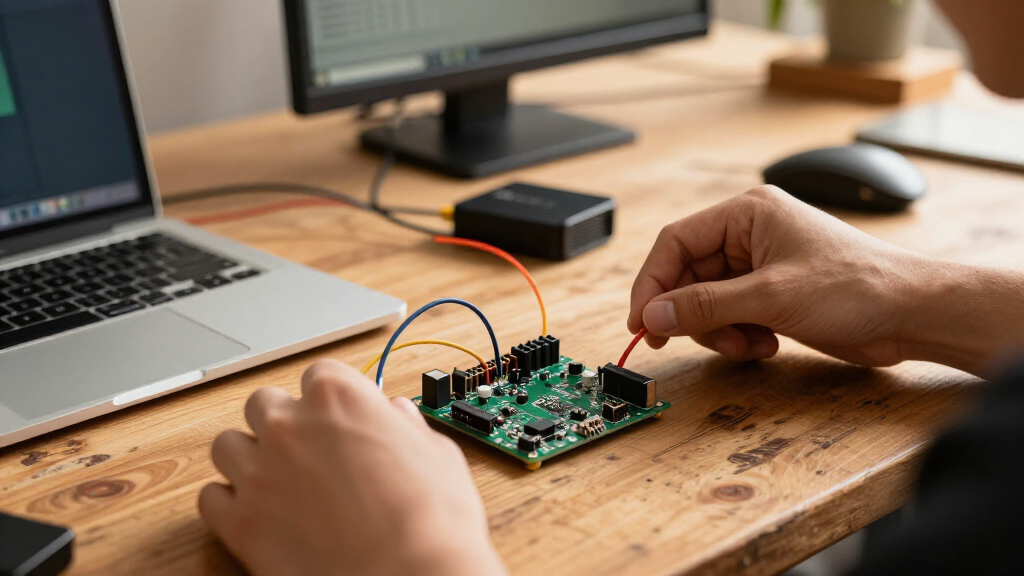
I compared these boards by how well their hardware and included extras fit common ESP32 jobs: learning, breadboard prototyping, repeat builds, compact installations, and projects that need an interface or newer connectivity. I gave weight to the stated chip family, USB connector, accessible GPIO, wireless features, number of boards, and whether the package adds useful breakout hardware or guided learning materials. I also treated clarity of the board identity and project fit as buyer-relevant factors, since similarly named ESP32 boards can differ in pin count, chip generation, and peripheral support.
The ranking favors adaptable boards and kits that offer a clear practical advantage for their intended buyer, not simply the largest bundle or newest specification. The AITRIP 30-pin USB-C multi-pack leads as a broadly useful starting point; the ELEGOO starter kit ranks highly for guided learning, and the XIAO ESP32-C5 earns a distinct place for compact, newer wireless use. Specialized touchscreen and ESP32-S3 choices appear lower for general-purpose buying because their strengths matter most when a project specifically needs them. Where product listings do not establish details such as pin mapping or accessory contents, buyers should verify those before ordering.
Factors to Consider When Choosing Best ESP32 Development Boards
Before choosing a board, decide what the finished project and your workspace actually demand. A familiar, inexpensive-to-wire development board can beat a newer chip when example code and accessories matter more; a compact board can be the better choice when it must fit inside a small enclosure. These factors can help separate useful differences from bundle names and headline specifications.
Match the chip generation to your software and project
ESP32, ESP32-S3, and ESP32-C5 boards are not interchangeable just because they share the ESP32 name. Check which chip your preferred framework supports and whether the libraries your project needs run on that variant. A newer wireless feature has little value if your existing code, sensor library, or tutorial assumes a different family. Before buying, confirm the exact module marking and consult the vendor’s pinout and software documentation. For a first project built from common Arduino examples, a widely documented board may reduce setup friction. Choose a newer variant when its specific performance or connectivity solves a real project constraint.
Plan for GPIO, voltage, and wiring before choosing a pin count
A board’s advertised pin count does not mean every pin is available for every job. Some pins have boot, input-only, or peripheral constraints, and onboard components can reserve pins that appear on the header. Check the pinout before assigning displays, sensors, motors, or communication buses, especially if the design depends on several peripherals at once. Also confirm the logic voltage expected by connected modules; many ESP32 GPIO signals are 3.3 V, and a 5 V sensor may need level shifting. Breakout boards make wiring easier, but they do not remove electrical limits or pin conflicts. Leave spare GPIO for debugging and later revisions rather than designing right up to the board’s limits.
Choose a connector and programming setup that fit your workspace
USB-C is convenient and reversible, but the connector alone does not tell you whether a board has the USB-to-serial hardware or drivers your computer setup requires. Verify the serial interface, operating-system support, and whether the cable you plan to use carries data rather than power only. A board with a familiar USB-serial workflow can be easier for repeated uploads than one that needs a different programming method. Think about physical access too: a bulky cable or breakout may be awkward inside a small enclosure. If you plan to deploy several units, test the upload and reset process on one board before building around a particular connector. This prevents a minor setup mismatch from becoming a repeated production headache.
Decide whether accessories save time or add clutter
Starter kits, breakout boards, and multi-packs solve different problems, so compare their contents with your parts drawer. A tutorial kit can help a learner move from a bare board to working circuits, but it is less useful if its examples rely on components you do not need. A GPIO breakout can simplify bench wiring, yet it takes more room and may not belong in the final device. Multi-packs are practical for parallel prototypes, spares, and classroom work, but only if the boards share a compatible pinout and module. Read the included-parts list rather than assuming a product photo shows everything in the package. Buying only the accessories you will use can produce a cleaner, more reliable setup.
Treat wireless range and antenna placement as part of the design
Wi-Fi and Bluetooth claims describe supported radio features, not the range your finished device will achieve. Enclosures, nearby metal, antenna orientation, and crowded 2.4 GHz networks can all affect communication. A board with dual-band Wi-Fi may help in some network environments, but confirm that your router, firmware, and project use the supported band and features. For a device installed at a distance from the access point, plan a real placement test before committing to the enclosure. Keep the antenna area clear and avoid placing it against batteries, shields, or metal mounting hardware. If connectivity is the project’s main risk, prioritize antenna layout and network testing over a higher board count.
Pay for a display or compact form only when the project needs it
Integrated screens and tiny boards can reduce external parts, wiring, and enclosure size, but they also narrow the board’s role. A touchscreen model makes sense when the user must interact directly with the device; it can be unnecessary overhead for a sensor node that sends readings elsewhere. A compact board helps when space matters, though smaller pads and tighter layouts can make prototyping and repair less comfortable. Check display resolution, touch method, library support, and available pins before building the interface around a screen. For a first electronics project, a conventional board may be easier to probe and rewire. Spend extra on specialized hardware only when it replaces parts or solves a clear size or interface requirement.
Frequently Asked Questions
Which board should I choose if I have never programmed an ESP32?
I would start with the ELEGOO ESP32 Super Starter Kit if its tutorial and included components match the projects you want to build. Guided examples can make wiring and first uploads less ambiguous than a bare multi-pack. Check that the tutorial uses the same board variant and software tools included in the kit, since ESP32 family differences can affect setup. If you already have components and prefer learning by adapting online examples, a standard USB-C board may be a simpler purchase. Choose based on whether instruction or spare boards will remove more friction for you.
Is an ESP32-S3 or ESP32-C5 board automatically better than a standard ESP32?
No; a newer or different chip family is only better when its capabilities fit the project. The ESP32-S3 or ESP32-C5 may suit a design that needs the specific processing or wireless features supported by that variant, but code and libraries may need adjustment. A conventional ESP32-WROOM board can be a smoother fit for projects based on established Arduino examples and familiar wiring. Check framework support, peripheral compatibility, and the chip’s documentation before committing. If the project has no requirement that calls for the newer variant, familiarity can matter more than the model name.
Should I buy a multi-pack or a starter kit?
A multi-pack is the better fit when you already know how to wire and program the board and want spares or parallel prototypes. A starter kit makes more sense when instruction, example circuits, and included components help you learn or build a complete first project. Compare the contents against what you already own rather than treating either package type as automatically better value. Also verify that boards in a pack share the same connector, pinout, and chip variant, especially if you plan to copy one design across several units. For a single finished project, a specialized board may be more useful than either bundle.
Can I use a 38-pin or breakout-board setup for a compact finished device?
You can, but those setups are generally more convenient for bench wiring than for small enclosures. Extra headers and breakout hardware improve access to signals during prototyping, while adding height, footprint, and more connection points that can loosen or snag. For a compact final build, check whether the bare development board can expose the pins you need without the expansion hardware. Measure the board, headers, connector clearance, and antenna area against the enclosure before designing around it. A common approach is to prototype with a breakout and then move to a smaller wiring layout for the finished device.
What should I verify before choosing a touchscreen ESP32 board?
Check that the screen size, touch support, display library, and example code match the interface you plan to build. Confirm how many GPIO pins remain available after the display uses its connections, since a screen can limit sensor or peripheral choices. Review the physical dimensions and connector placement against your enclosure, not just the screen diagonal. Also verify whether the board’s documentation supports your preferred development environment and how the display is powered. If the project only needs status text or remote monitoring, a standard board with a separate interface may be easier to adapt.
Conclusion
For the broadest mix of prototyping and repeat builds, I recommend the AITRIP 30-pin USB-C 3-pack as the best overall choice. The AITRIP ESP32 board-and-breakout sets are my best-value direction for makers who want convenient GPIO access, while the ELEGOO Super Starter Kit is the best fit for beginners who benefit from structured examples. For a specialized premium-style choice, consider the AITRIP touchscreen 2-pack when a built-in touch interface genuinely serves the project; it is not the default pick for general prototyping. Choose the Seeed Studio XIAO ESP32-C5 for compact projects that need its dual-band Wi-Fi 6, and the YEJMKJ ESP32-S3 when your software and design call for that chip family. If your needs are conventional Arduino-style builds, a standard ESP32-WROOM board remains a sensible alternative. Before ordering, match the exact module, pinout, connector, and included accessories to your project.
Fall Picks
fall essentials
As an affiliate, we earn on qualifying purchases.