For USB logic analyzers for debugging, my best overall pick is the Analog Discovery 3, which combines digital capture with oscilloscope, waveform-generation, and power-supply functions. The DSLogic Plus is a strong alternative for buyers who want a dedicated 16-channel analyzer, while the Innomaker LA1010 offers 16 channels and a stated 100 MHz sampling rate in a more focused tool. The main tradeoffs are channel count, sampling speed, included probe accessories, and whether a combined instrument justifies its added complexity. Basic 8-channel, 24 MHz options can suit simple Arduino or serial-bus work, but they leave less room for simultaneous signals and faster timing. Read on for the full breakdown and advice on matching a capture tool to your debugging needs.

Get monitors, keyboards and dev gear delivered free — and shop member deals
- Fast, free delivery on millions of items
- Access to Prime Big Deal Days deals on October 6–7
- Prime Video, Amazon Music and more included
Complete the kit


Key Takeaways
- The Analog Discovery 3 is the broadest all-in-one option: it adds oscilloscope, waveform generator, and variable power supply functions to logic analysis, unlike the dedicated analyzers in this roundup.
- 16-channel models are the practical step up from basic 8-channel units: the DSLogic Plus and Innomaker LA1010 can monitor more signals at once, which helps when a fault spans a bus and several control lines.
- Sampling-rate claims are not the whole speed story: the LA1010 lists 100 MHz and the BINGOX lists 400 MHz, but buyers should also check supported software, capture depth, input limits, and signal conditions.
- Many entry-level picks share an 8-channel, 24 MHz profile: products such as the Xicoolee, HiLetgo, LLidgermal, and clip-equipped options are differentiated as much by included leads and workflow fit as by headline specifications.
- Included accessories can shape first-use convenience: several listings mention test hooks or USB and Dupont cables, while a barebones kit may require extra lead planning before it is ready for bench work.
| Analog Discovery 3: 125 MS/s USB Oscilloscope, Waveform Generator, Logic Analyzer, and Variable Power Supply |  | Best Overall for Mixed-Signal Debugging | Logic analyzer channels: 16 digital I/O | Oscilloscope sample rate: 125 MS/s | Oscilloscope bandwidth: 30+ MHz | VIEW LATEST PRICE | See Our Full Breakdown |
| Xicoolee 8-Channel Mini USB Logic Analyzer with CY7C68013A |  | Best Value for Basic Protocol Checks | Channels: 8 | Chip: CY7C68013A | Maximum sampling rate: 24 MHz | VIEW LATEST PRICE | See Our Full Breakdown |
| LA1010 USB Logic Analyzer – 16 Channels, 2 PWM, 100 MHz Sampling Rate |  | Best for Wider, Faster Embedded Captures | Input channels: 16, including 2 dedicated PWM channels | Sampling rates: 100 MHz at 3 channels; 50 MHz at 6; 32 MHz at 9; 25 MHz at 12; 16 MHz at 16 | Maximum sampling depth: 10 G samples | VIEW LATEST PRICE | See Our Full Breakdown |
| LONELY BINARY 8-Channel 24 MHz USB Logic Analyzer Kit |  | Best Accessory Kit for Breadboard Debugging | Channels: 8 | Maximum sampling rate: 24 MHz | Connection: USB | VIEW LATEST PRICE | See Our Full Breakdown |
| 8-Channel 24 MHz USB Logic Analyzer with Test Leads | 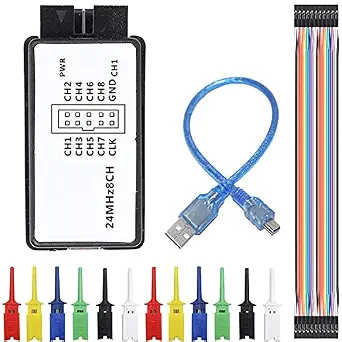 | Best for Simple Saleae-Style Workflow | Digital channels: 8 | Maximum sampling rate: 24 MHz | Voltage range: 0–5.5 V | VIEW LATEST PRICE | See Our Full Breakdown |
| Innomaker LA1010 16-Channel USB Logic Analyzer, 100 MHz |  | Best for Broad Protocol Coverage | Input channels: 16 | Maximum sampling rate: 100 MHz per channel | Interface: USB 2.0 | VIEW LATEST PRICE | See Our Full Breakdown |
| 24 MHz 8-Channel USB Logic Analyzer with 12 Test Hook Clips |  | Best for Fine-Pitch Probing | Channels: 8 | Maximum sampling rate: 24 MHz | Included test clips: 12 SMD IC test hook clips in six colors | VIEW LATEST PRICE | See Our Full Breakdown |
| HiLetgo 8-Channel USB Logic Analyzer, 24 MHz, with USB and Dupont Cables |  | Best for Mixed Logic-Level Projects | Channels: 8 | Maximum sampling rate: 24 MHz | Supported logic levels: 5 V, 3.3 V, 2.5 V, 2.0 V | VIEW LATEST PRICE | See Our Full Breakdown |
| DSLogic Plus 16-Channel USB Logic Analyzer | 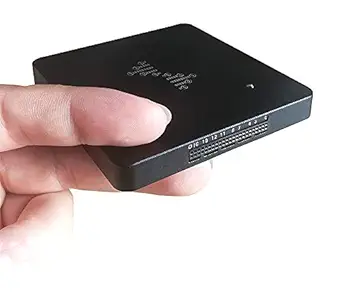 | Best for High-Speed, Memory-Backed Captures | Digital channels: 16 | Maximum sampling rate: 400 MHz in buffer mode | Onboard memory: 256 Mbits SDRAM | VIEW LATEST PRICE | See Our Full Breakdown |
| LLidgermal 8-Channel USB Logic Analyzer, 24 MHz |  | Best Compact PulseView Option | Channels: 8 | Maximum sampling rate: 24 MHz | Supported protocols: More than 100 | VIEW LATEST PRICE | See Our Full Breakdown |
| 8-Channel 24 MHz USB Logic Analyzer for Arduino, ARM, and FPGA |  | Best for Flexible Software Choice | Channels: 8 digital channels | Maximum sampling rate: 24 MHz per channel | Supported sampling rates: 24, 16, 12, 8, 4, 2, 1, 0.5, 0.25, 0.2, 0.1, 0.05, and 0.025 MHz | VIEW LATEST PRICE | See Our Full Breakdown |
| 24 MHz 8-Channel USB Logic Analyzer with Test Hook Clips and USB Cable |  | Best Ready-to-Connect Kit | Digital channels: 8 | Maximum sampling rate: 24 Msps | Input voltage range: 0–5 V | VIEW LATEST PRICE | See Our Full Breakdown |
| DSLogic Plus 16-Channel USB Logic Analyzer |  | Best for Adjustable Logic Thresholds | Channels: 16 | Maximum sampling rate: 400 MHz with 4 channels in buffer mode | Sampling depth: Up to 16G in stream mode; 256M in buffer mode | VIEW LATEST PRICE | See Our Full Breakdown |
| hiBCTR 8-Channel 24 MHz USB Logic Analyzer |  | Best for Common 2.0–5 V Logic | Channels: 8 | Maximum sampling rate: 24 MHz | Supported protocols: UART, I²C, SPI | VIEW LATEST PRICE | See Our Full Breakdown |
| BINGOX 16-Channel USB Logic Analyzer, 400 MHz |  | Best for High-Speed Multichannel Capture | Channels: 16 | USB interface: USB 2.0 High-Speed, USB Type-C | Buffer-mode sampling rate: 400 MHz at 4 channels; 200 MHz at 8 channels; 100 MHz at 16 channels | VIEW LATEST PRICE | See Our Full Breakdown |
| USB logic analyzers for debugging | Maximum sampling rate | Channels | Supported protocols |
|---|---|---|---|
| Analog Discovery 3: 125 MS/s U | — | — | — |
| Xicoolee 8-Channel Mini USB Lo | 24 MHz | 8 | — |
| LA1010 USB Logic Analyzer | — | — | — |
| LONELY BINARY 8-Channel 24 MHz | 24 MHz | 8 | I2C, SPI, UART |
| 8-Channel 24 MHz USB Logic Ana | 24 MHz | — | UART, SPI, IIC |
| Innomaker LA1010 16-Channel US | 100 MHz per channel | — | More than 30, including I2C, SPI, UART, and CAN |
| 24 MHz 8-Channel USB Logic Ana | 24 MHz | 8 | UART, SPI, IIC, RS232, 1-Wire |
| HiLetgo 8-Channel USB Logic An | 24 MHz | 8 | UART, IIC, SPI |
| DSLogic Plus 16-Channel USB Lo | 400 MHz in buffer mode | — | — |
| LLidgermal 8-Channel USB Logic | 24 MHz | 8 | More than 100 |
| 8-Channel 24 MHz USB Logic Ana | 24 MHz per channel | 8 digital channels | UART, SPI, I²C |
| 24 MHz 8-Channel USB Logic Ana | 24 Msps | — | UART, I²C, SPI |
| DSLogic Plus 16-Channel USB Lo | 400 MHz with 4 channels in buffer mode | 16 | — |
| hiBCTR 8-Channel 24 MHz USB Lo | 24 MHz | 8 | UART, I²C, SPI |
| BINGOX 16-Channel USB Logic An | — | 16 | — |
More Details on Our Top Picks
Analog Discovery 3: 125 MS/s USB Oscilloscope, Waveform Generator, Logic Analyzer, and Variable Power Supply
Best when digital traces are only part of the problem, the Analog Discovery 3 pairs a 16-channel logic analyzer with an oscilloscope, waveform generator, and variable supplies. That combination lets me correlate protocol activity with analog signal shape or generate a test signal without adding separate bench instruments. Its SPI, I2C, and UART decoding also suits embedded debugging, while the software and programming integrations make it a more flexible platform than the focused Xicoolee 8-Channel Mini USB Logic Analyzer.
The tradeoff is that this is a larger commitment than a simple USB logic analyzer: buyers who only need to inspect a few digital lines may not use much of its extra instrumentation. The oscilloscope is rated at 30+ MHz bandwidth, so it is not the right pick for high-frequency RF work, and the supplies need auxiliary power to reach their maximum current output.
Pros:- Combines a 16-channel logic analyzer with an oscilloscope, waveform generator, and variable supplies.
- 125 MS/s sampling and 14-bit oscilloscope resolution support detailed mixed-signal investigations.
- Includes SPI, I2C, and UART protocol decoding.
- Software support includes Python, C++, and LabVIEW/MATLAB integration.
Cons:- Its mixed-signal feature set is unnecessary for buyers who only need basic digital captures.
- The oscilloscope bandwidth is 30+ MHz, limiting suitability for higher-frequency RF work.
- An auxiliary power source is needed for the supplies to deliver up to 800 mA per channel.
Best for: Embedded developers, educators, and electronics teams who need protocol decoding alongside oscilloscope measurements, signal generation, and bench power.
Not ideal for: Buyers who only need inexpensive captures of a few digital lines, or engineers debugging high-frequency RF signals beyond the stated oscilloscope bandwidth.
- Logic analyzer channels:16 digital I/O
- Oscilloscope sample rate:125 MS/s
- Oscilloscope bandwidth:30+ MHz
- Oscilloscope resolution:14-bit
- Oscilloscope channels:2 differential
- Waveform generator:2 channels, 12 MHz bandwidth
- Power supply range:0.5 V to 5 V and -0.5 V to -5 V
- USB interface:USB-C
Our verdict“Choose the Analog Discovery 3 if you want one USB instrument for logic, analog measurements, signal generation, and power, rather than a dedicated low-cost logic analyzer.”
Xicoolee 8-Channel Mini USB Logic Analyzer with CY7C68013A
A straightforward choice for routine digital captures, this compact analyzer offers eight channels and sampling up to 24 MHz, enough for many microcontroller-level SPI, I2C, and UART investigations. Its stated PulseView compatibility and support for Windows, Linux, and Mac give it a clearer software path than the LONELY BINARY kit, whose supplied description does not name analysis software. TVS protection and self-recovering fuses add some protection against wiring mishaps.
Its limits are just as clear: 24 MHz is well below the LA1010’s highest listed sample rate, and eight channels leave less room for monitoring wider buses or several signals at once. The product information specifically identifies the maximum sampling rate on Linux, so I would verify rate and setup expectations for other operating systems before building a workflow around it. This is a focused tool, not a mixed-signal replacement for the Analog Discovery 3.
Pros:- Eight channels can capture multiple digital signals simultaneously.
- PulseView compatibility supports protocol analysis across a broad set of protocols.
- Listed for Windows, Linux, and Mac.
- TVS protection and self-recovering fuses add protection against electrical mishaps.
Cons:- The 24 MHz maximum sampling rate trails the LA1010’s stated higher-rate capture options.
- Eight channels may not cover wide buses or complex multi-signal debugging.
- The stated maximum sampling-rate information is specific to Linux, leaving other-platform expectations less clear.
Best for: Hobbyists and embedded developers who need an eight-line PulseView-based analyzer for common low- to mid-speed protocol debugging across major desktop operating systems.
Not ideal for: Engineers capturing wide buses, pushing beyond 24 MHz, or requiring clearly documented maximum-rate behavior on Windows and Mac.
- Channels:8
- Chip:CY7C68013A
- Maximum sampling rate:24 MHz
- Input voltage range:0–5.5 V
- Logic thresholds:VIH >2 V; VIL <1.5 V
- USB interface:Type-C
- Compatible software:Sigrok PulseView
- Compatible platforms:Windows, Linux, Mac
Our verdict“Pick the Xicoolee for compact, PulseView-oriented debugging of common eight-signal projects, but choose the LA1010 when channel count or sampling rate matters more.”
LA1010 USB Logic Analyzer – 16 Channels, 2 PWM, 100 MHz Sampling Rate
More channel headroom and higher stated sampling rates make the LA1010 a stronger fit than the eight-channel Xicoolee or LONELY BINARY analyzers when a debugging session involves a wider bus or many related signals. Its rate scales with active inputs: it lists 100 MHz at three channels, falling to 16 MHz with all 16 active. Adjustable thresholds from -4 V to +4 V help adapt captures to different signal levels, and the software is described as decoding UART, I2C, SPI, CAN, and other protocols across Windows, macOS, and Linux.
Those headline numbers need context: the listed fastest digital signal is 20 MHz, so the 100 MHz figure does not mean every fast signal can be analyzed at that rate. USB 2.0 may also constrain large transfers. Compared with the Analog Discovery 3, this is more focused on digital capture, without the same oscilloscope and power-supply functions.
Pros:- Up to 16 inputs provide more bus and signal coverage than the eight-channel options.
- Sampling rate is specified by active channel count, reaching 100 MHz at three channels.
- Adjustable thresholds from -4 V to +4 V allow level-specific capture setup.
- Supports Windows, macOS, and Linux with decoders for protocols including UART, I2C, SPI, and CAN.
Cons:- The specified fastest digital signal is 20 MHz, a limit that tempers the 100 MHz sampling headline.
- Maximum sampling rate falls to 16 MHz when all 16 channels are active.
- USB 2.0 can constrain very large data captures.
Best for: Embedded and FPGA developers who need up to 16 digital inputs, adjustable thresholds, and protocol decoding across Windows, macOS, or Linux.
Not ideal for: Buyers who need a confirmed high-frequency signal limit above 20 MHz, sustained large captures over a faster interface, or analog instrumentation in the same device.
- Input channels:16, including 2 dedicated PWM channels
- Sampling rates:100 MHz at 3 channels; 50 MHz at 6; 32 MHz at 9; 25 MHz at 12; 16 MHz at 16
- Maximum sampling depth:10 G samples
- Interface:USB 2.0
- Adjustable threshold:-4 V to +4 V in 0.01 V steps
- Fastest digital signal:20 MHz
- Minimum pulse width:20 ns
- Supported operating systems:Windows, macOS, Linux
Our verdict“Choose the LA1010 when you need broader digital coverage and adjustable input thresholds, while keeping its channel-dependent rate and 20 MHz signal limit in view.”
LONELY BINARY 8-Channel 24 MHz USB Logic Analyzer Kit
The included hookup gear is the main reason to choose this kit: its breadboard adapter, breakout board, test clips, alligator clips, jumper wires, and storage case make it easier to move from a desk setup to a breadboard prototype. For basic I2C, SPI, and UART captures, the eight channels and 24 MHz maximum rate align with the Xicoolee analyzer’s core capture class. The extra connection pieces give this bundle a more ready-to-wire focus than the bare-bones 8-Channel 24 MHz Analyzer with Test Leads.
The compromise is uncertainty around the software workflow: the provided description lists Windows, macOS, and Linux support but does not identify a specific analysis application. Its 24 MHz ceiling and eight inputs also put it behind the LA1010 for higher-rate or wider captures. I would favor this kit when accessories and breadboard wiring matter more than advanced capture headroom.
Pros:- Includes a breadboard adapter and breakout board for flexible prototype connections.
- Bundle includes test clips, alligator clips, jumper wires, and a storage case.
- Eight channels support simultaneous observation of multiple digital lines.
- Listed as compatible with Windows, macOS, and Linux.
Cons:- The product description does not specify which analysis software is supported.
- The 24 MHz maximum sampling rate is below the LA1010’s higher listed rates.
- Eight channels can be limiting for wide buses or larger embedded systems.
Best for: Makers and students debugging I2C, SPI, or UART on breadboards who want clips, adapters, jumper wires, and storage in one kit.
Not ideal for: Users who need a named, clearly documented analysis-software workflow, higher sampling rates, or more than eight channels.
- Channels:8
- Maximum sampling rate:24 MHz
- Connection:USB
- Supported protocols:I2C, SPI, UART
- Compatible operating systems:Windows, macOS, Linux
- Included cables:USB-A and USB-C
- Included hookup accessories:10 test clips, 5 alligator clips, jumper wires, breakout board, breadboard adapter
- Storage:Storage case included
Our verdict“Choose the LONELY BINARY kit for its breadboard-oriented accessories, not for a higher-performance capture engine or a clearly named software ecosystem.”
8-Channel 24 MHz USB Logic Analyzer with Test Leads
A compact pick for familiar protocol checks, this eight-channel analyzer is described as working with Saleae Logic Analyzer software and automatically analyzing UART, SPI, and IIC signals. That direct software reference gives it a clearer setup story than the LONELY BINARY kit, which does not name an analysis application. Its 0–5.5 V input range suits many common digital projects, while the included Dupont cable and hook clips cover basic connections.
It shares the 24 MHz ceiling of the Xicoolee, but the Xicoolee explicitly names PulseView and lists Windows, Linux, and Mac compatibility, so buyers who prioritize that documented cross-platform route may prefer it. This analyzer’s stated protocol list is also narrower than the LA1010’s. Its input range confines it to compatible digital logic; it is not a mixed-signal instrument like the Analog Discovery 3.
Pros:- Described as compatible with Saleae Logic Analyzer software.
- Automatic analysis is specified for UART, SPI, and IIC.
- Eight channels capture several digital lines at once.
- Includes a mini USB cable, Dupont cable, and test hook clips.
Cons:- The 24 MHz maximum sampling rate is modest compared with the LA1010’s higher listed rates.
- The 0–5.5 V input range excludes signals outside that range.
- The stated protocol list is narrower than the LA1010’s, and operating-system compatibility is not specified.
Best for: Hobbyists debugging standard 3.3 V or 5 V digital circuits who want an eight-channel analyzer with a stated Saleae Logic software workflow and basic test leads.
Not ideal for: Engineers working with signals outside 0–5.5 V, needing more than eight channels, or requiring a documented multi-platform software compatibility list.
- Digital channels:8
- Maximum sampling rate:24 MHz
- Voltage range:0–5.5 V
- Logic threshold:1.5 V
- Supported protocols:UART, SPI, IIC
- Software:Saleae Logic Analyzer software
- Included accessories:Mini USB cable, Dupont cable, test hook clips
Our verdict“Pick this analyzer for straightforward Saleae-style UART, SPI, and IIC debugging within its 0–5.5 V range, but look to the LA1010 for more channels and broader stated protocol coverage.”
Innomaker LA1010 16-Channel USB Logic Analyzer, 100 MHz
I’d choose the Innomaker LA1010 when debugging means watching many digital lines and decoding several kinds of traffic, rather than chasing the highest possible sample rate. Its 16 channels at up to 100 MHz per channel give it more simultaneous signal coverage than the 8-channel HiLetgo analyzer, while support for more than 30 protocols covers common buses such as I2C, SPI, UART, and CAN. KingstVIS works across Windows, macOS, and Linux, which makes it a flexible PC-based option. The tradeoff is that it needs a computer and its software to inspect captures, and it lacks the DSLogic Plus’s onboard memory and faster high-rate capture options. I’d pick it for general embedded debugging, not for especially fast signals or a standalone workflow.
Pros:- Captures 16 digital input channels simultaneously
- Supports up to 100 MHz per channel
- Decodes more than 30 protocols, including I2C, SPI, UART, and CAN
- Compatible with Windows, macOS, and Linux
Cons:- Requires a computer and KingstVIS software for waveform display and analysis
- Does not match the DSLogic Plus’s 400 MHz maximum rate or onboard capture memory
Best for: Embedded developers who need to monitor up to 16 digital lines and decode a range of common serial protocols across different operating systems.
Not ideal for: Engineers debugging very fast buses who need capture rates above 100 MHz, or anyone who wants analysis without a connected computer.
- Input channels:16
- Maximum sampling rate:100 MHz per channel
- Interface:USB 2.0
- Software:KingstVIS
- Supported operating systems:Windows, macOS, Linux
- Supported protocols:More than 30, including I2C, SPI, UART, and CAN
- Power consumption:0.5 W
- Weight:0.28 kg
Our verdict“Choose the LA1010 for broad 16-channel protocol debugging at up to 100 MHz, but pick the DSLogic Plus for higher-rate capture and onboard memory.”
24 MHz 8-Channel USB Logic Analyzer with 12 Test Hook Clips
This kit’s case for inclusion is practical: 12 SMD IC test hook clips in six colors make it easier to attach probes to crowded boards and keep channels visually distinct. With eight channels and a 24 MHz ceiling, it suits routine microcontroller, ARM, and FPGA bus checks, including UART, SPI, IIC, RS232, and 1-Wire. Compared with the HiLetgo 8-channel analyzer, its included hooks are the clearer advantage for fine-pitch connections; the HiLetgo instead spells out support for several logic levels and includes USB and Dupont cables. This analyzer depends on compatible software such as sigrok, so buyers should be ready to set up their own capture workflow. Tutorials and demo code are available, but access may require a visit to the manufacturer’s site or contact with the seller.
Pros:- Includes 12 SMD IC test hook clips in six colors
- Eight channels suit common multi-line digital captures
- Supports UART, SPI, IIC, RS232, and 1-Wire analysis
- Manufacturer offers tutorials, demo code, and related tools
Cons:- Requires compatible logic analyzer software, such as sigrok
- Tutorial access may require visiting the manufacturer’s website or contacting the seller
- 24 MHz maximum sampling rate limits use on faster signals
Best for: Hobbyists and repairers probing fine-pitch IC pins who want multiple hook clips for organized, simultaneous bus connections.
Not ideal for: Developers who need more than eight channels, faster than 24 MHz sampling, or a plug-and-play software setup with clearly bundled desktop tools.
- Channels:8
- Maximum sampling rate:24 MHz
- Included test clips:12 SMD IC test hook clips in six colors
- Supported protocols:UART, SPI, IIC, RS232, 1-Wire
- Software compatibility:Compatible logic analyzer software, including open-source programs such as sigrok
- Intended project types:Microcontroller, ARM, and FPGA debugging
Our verdict“Pick this kit when its color-coded SMD hooks suit your board work; choose the Innomaker LA1010 for more channels and a higher sampling rate.”
HiLetgo 8-Channel USB Logic Analyzer, 24 MHz, with USB and Dupont Cables
The HiLetgo is a straightforward fit for debugging common serial buses on boards that use different logic levels. It captures eight channels at up to 24 MHz and lists support for 5 V, 3.3 V, 2.5 V, and 2.0 V systems, giving it a useful range for mixed microcontroller projects. The included USB and Dupont cables help get a basic setup connected, while the 1 MΩ || 10 pF typical input specification adds detail for buyers checking probe loading. Compared with the 24 MHz analyzer bundled with 12 SMD hooks, the HiLetgo provides more explicit electrical-level information but fewer specialized clips. Its 1.8 V compatibility is not recommended, and the 24 MHz limit makes it a poor match for faster buses. I’d keep it for ordinary UART, IIC, and SPI troubleshooting.
Pros:- Supports 5 V, 3.3 V, 2.5 V, and 2.0 V logic systems
- Captures eight channels at up to 24 MHz
- Supports UART, IIC, and SPI debugging
- Includes USB and Dupont cables
Cons:- 1.8 V systems may work but are not recommended
- 24 MHz maximum sampling rate is limiting for faster buses
- Provides only eight channels, compared with the 16-channel Innomaker LA1010
Best for: Makers debugging UART, IIC, or SPI on 2.0–5 V boards who want the included USB and Dupont cables and a stated logic-level range.
Not ideal for: Engineers working with 1.8 V logic or high-speed signals, and anyone needing more than eight channels.
- Channels:8
- Maximum sampling rate:24 MHz
- Supported logic levels:5 V, 3.3 V, 2.5 V, 2.0 V
- Input voltage range:-0.5 V to 5.25 V
- Supported protocols:UART, IIC, SPI
- Input impedance:1 MΩ || 10 pF, typical and approximate
- Connectivity:USB Type A
- Included items:Logic analyzer, USB cable, Dupont cable
Our verdict“Choose the HiLetgo for basic serial debugging across its stated 2.0–5 V logic range, but skip it for 1.8 V or high-speed work.”
DSLogic Plus 16-Channel USB Logic Analyzer
For difficult timing problems, the DSLogic Plus offers the widest capture headroom in this group: up to 400 MHz in buffer mode, plus 256 Mbits of onboard SDRAM. That memory allows captures without relying solely on a continuous USB stream, while real-time streaming supports long acquisitions at rates that vary with channel count. At 16 channels, stream mode reaches 20 MHz; buffer mode reaches 100 MHz, so the headline maximum does not apply to every setup. Compared with the Innomaker LA1010, this is the stronger choice for high-speed work and deeper captures, but it requires DSView and careful attention to channel-dependent rates. DSView supports Windows, macOS, and Linux and nearly 100 protocol decoders. I’d choose it for demanding digital debugging, not for buyers who only need occasional low-speed bus checks.
Pros:- Offers buffer capture with 256 Mbits of onboard SDRAM and real-time streaming
- Supports up to 400 MHz in buffer mode, depending on active channel count
- DSView provides nearly 100 protocol decoders across Windows, macOS, and Linux
- Includes shielded fly wires and an aluminum case
Cons:- Maximum sampling rate falls as more channels are used
- Requires DSView software for operation
- The 1-pound unit is heavier than compact 8-channel alternatives such as the HiLetgo
Best for: Embedded and hardware engineers who need deep captures, adjustable thresholds, and higher-rate analysis across up to 16 digital channels.
Not ideal for: Beginners who want a simple low-speed analyzer, or buyers who expect 400 MHz capture while using all 16 channels.
- Digital channels:16
- Maximum sampling rate:400 MHz in buffer mode
- Onboard memory:256 Mbits SDRAM
- 16-channel capture rates:100 MHz buffer mode; 20 MHz stream mode
- Interface:USB 2.0 Type-C
- Threshold adjustment:0.1-step increments
- Software and operating systems:DSView; Windows, macOS, and Linux
- Dimensions:3.11 × 2.91 × 0.35 inches
- Weight:1 pound
Our verdict“Choose the DSLogic Plus for high-rate, memory-backed debugging, provided its channel-dependent capture rates and DSView workflow fit your setup.”
LLidgermal 8-Channel USB Logic Analyzer, 24 MHz
The LLidgermal SG-NANO-DLA-A is the compact pick for buyers who prefer a small USB-C analyzer and a PulseView workflow. Its eight channels and 24 MHz maximum put it in the same basic speed class as the HiLetgo, but its stated support for more than 100 protocols is the main reason to choose it when decoding breadth matters. A 0–5.5 V input range, TVS protection, and self-recoverable fuses add useful safeguards around routine bench connections. It also supports Windows, Linux, and Mac. The limits are clear: eight channels and 24 MHz are not suited to fast, wide captures, and the stated input range does not cover negative voltages. Compared with the DSLogic Plus, it gives up memory and high-rate capture in favor of a small format and simpler PulseView pairing.
Pros:- Compact 50 × 20.32 mm design with USB Type-C connection
- PulseView support for more than 100 protocols
- Compatible with Windows, Linux, and Mac
- Includes TVS protection and self-recoverable fuses
Cons:- 24 MHz maximum sampling rate limits high-speed debugging
- Eight channels provide less signal coverage than the 16-channel LA1010 and DSLogic Plus
- 0–5.5 V input range does not cover negative-voltage signals
Best for: Makers who want a compact USB-C analyzer for low-speed embedded debugging and prefer PulseView’s broad protocol-decoding support.
Not ideal for: Engineers debugging high-speed buses, needing more than eight channels, or capturing signals outside the stated 0–5.5 V input range.
- Channels:8
- Maximum sampling rate:24 MHz
- Supported protocols:More than 100
- Software:PulseView
- Operating systems:Windows, Linux, Mac
- Connection:USB Type-C
- Input voltage range:0–5.5 V
- Protection:TVS protection and self-recoverable fuses
- Dimensions:50 × 20.32 mm
Our verdict“Pick the LLidgermal for compact PulseView-based debugging across many protocols, but choose the DSLogic Plus when capture speed or channel count matters more.”
8-Channel 24 MHz USB Logic Analyzer for Arduino, ARM, and FPGA
I’d choose this analyzer when software flexibility matters more than channel count or high-speed capture. Its eight channels and 24 MHz maximum rate cover routine UART, SPI, and I²C debugging, while compatibility with both Saleae Logic Analyzer software and PulseView gives you options for inspecting captures. Compared with the hiBCTR H1-HBB0068-1, this model names two supported software choices rather than only PulseView, which may suit users who already have a preferred workflow. The tradeoff is a fixed 1.5 V threshold, so it offers less control over logic-level matching than the DSLogic Plus, whose threshold is adjustable. The product details also leave operating-system support and included accessories unspecified, so I’d verify those before relying on it for a particular workstation or lab setup.
Pros:- Works with Saleae Logic Analyzer software and PulseView
- Decodes UART, SPI, and I²C
- Offers multiple sampling-rate settings up to 24 MHz
- Accepts input voltages from 0 to 5.5 V
Cons:- Fixed 1.5 V threshold provides no adjustment for different logic levels
- Operating-system compatibility is not specified
- Included cables and probes are not specified
Best for: Arduino, ARM, and FPGA hobbyists who need standard serial-protocol decoding and want a choice between Saleae software and PulseView.
Not ideal for: Engineers debugging 1.8 V or unusual logic levels, or buyers who need confirmed operating-system support and a clearly listed probe kit.
- Channels:8 digital channels
- Maximum sampling rate:24 MHz per channel
- Supported sampling rates:24, 16, 12, 8, 4, 2, 1, 0.5, 0.25, 0.2, 0.1, 0.05, and 0.025 MHz
- Input voltage range:0–5.5 V
- Voltage threshold:1.5 V, fixed
- Compatible software:Saleae Logic Analyzer software, PulseView
- Supported protocols:UART, SPI, I²C
Our verdict“Choose this eight-channel model for common serial-bus debugging when software choice matters more than adjustable thresholds or documented accessories.”
24 MHz 8-Channel USB Logic Analyzer with Test Hook Clips and USB Cable
This kit stands out for buyers who want the basic connection hardware included rather than sourcing hooks separately. It captures eight digital signals at up to 24 Msps and supports UART, I²C, and SPI, making it a practical fit for routine microcontroller debugging. The 12 colored SMD test hook clips, USB cable, and female cable give it a more clearly equipped starting point than the 8-Channel 24 MHz USB Logic Analyzer for Arduino, ARM, and FPGA, whose listed details do not name any accessories. Its stated ±42 ns pulse-width measurement accuracy at 24 MHz adds useful context for timing checks. The tradeoff is that capture speed remains in the 24 Msps class, well below the DSLogic Plus and BINGOX options, and the operating-system list is narrow and inconsistently stated. I’d confirm software and host compatibility before buying.
Pros:- Captures eight digital signals simultaneously
- Supports UART, I²C, and SPI debugging
- Includes 12 SMD test hook clips in six colors, a USB cable, and a female cable
- Specifies ±42 ns pulse-width measurement accuracy at 24 MHz
Cons:- Maximum sampling rate is 24 Msps, limiting work on faster signals
- Operating-system information is limited and inconsistently written
- Compatible analysis software is not specified in the supplied product data
Best for: Makers debugging UART, I²C, or SPI on a bench who want colored test hooks and cables included in the kit.
Not ideal for: Users who need high-speed multichannel capture, clearly documented modern operating-system support, or specified compatibility with a particular analysis application.
- Digital channels:8
- Maximum sampling rate:24 Msps
- Input voltage range:0–5 V
- Input logic levels:Low: <0.8 V; high: >1.4 V
- Pulse-width measurement accuracy:±42 ns at 24 MHz
- Supported protocols:UART, I²C, SPI
- Included accessories:12 test hook clips in six colors, USB cable, female cable
- Listed operating systems:Windows 7 (32-bit and 64-bit), Windows 2000, Windows XP, Linux
Our verdict“Pick this kit for standard serial-bus work when included hooks and cables matter more than faster capture or clear software documentation.”
DSLogic Plus 16-Channel USB Logic Analyzer
For debugging mixed-voltage digital systems, I’d favor the DSLogic Plus over the simpler eight-channel analyzers here. Its 16 channels and threshold adjustment from 0 to 5 V in 0.1 V steps help match capture settings to different logic levels, while nearly 100 protocol decoders widen its reach beyond the UART, SPI, and I²C coverage listed for the 24 MHz models. It also offers buffer and real-time stream modes, so buyers can choose between the specified 256M buffer depth and up to 16G in stream mode. The headline rate needs context: 400 MHz applies with four channels in buffer mode, not every channel configuration. Compared with the BINGOX 16-Channel USB Logic Analyzer, its listed package and broad protocol-decoder count are appealing, but the USB 2.0 interface and channel-dependent sampling rate still shape what captures it can handle.
Pros:- Provides 16 channels with buffer and real-time stream modes
- Adjustable 0–5 V threshold in 0.1 V steps
- Lists nearly 100 protocol decoders
- Supports Windows, macOS, and Linux and includes shielded wires and 16 test hooks
Cons:- 400 MHz maximum applies to four channels in buffer mode, not every setup
- Uses a USB 2.0 Type-C interface
- The supplied specifications do not give a single maximum sampling rate for all 16 channels
Best for: Embedded developers who need 16-channel visibility, adjustable thresholds, multiple capture modes, and support for Windows, macOS, or Linux.
Not ideal for: Buyers who need the highest specified rate across all 16 channels or want a newer USB interface than USB 2.0.
- Channels:16
- Maximum sampling rate:400 MHz with 4 channels in buffer mode
- Sampling depth:Up to 16G in stream mode; 256M in buffer mode
- Onboard memory:256 Mbits SDRAM
- Interface:USB 2.0 Type-C
- Threshold:0–5 V, adjustable in 0.1 V steps
- Input voltage:-30 V to +30 V
- Operating systems:Windows, macOS, Linux
- Included accessories:Shielded wires, USB 2.0 cable, 16 test hooks, English manual
Our verdict“Choose the DSLogic Plus when adjustable thresholds and flexible capture modes matter more than a uniform high sampling rate across all channels.”
hiBCTR 8-Channel 24 MHz USB Logic Analyzer
The hiBCTR is a straightforward pick for debugging systems built around 2.0 V, 2.5 V, 3.3 V, or 5 V logic. It captures eight signals at up to 24 MHz and decodes UART, I²C, and SPI through Sigrok PulseView, keeping the workflow centered on a named, open-source analysis application. Compared with the 8-Channel 24 MHz USB Logic Analyzer for Arduino, ARM, and FPGA, it specifies supported logic levels and input characteristics, but it does not list Saleae software compatibility. The main boundary is explicit: 1.8 V systems are not recommended, so this is a poor match for many lower-voltage boards. Its 24 MHz ceiling also makes it less suited to fast buses than the DSLogic Plus or BINGOX 16-channel models. I’d choose it for conventional microcontroller signals, not speed-heavy or low-voltage work.
Pros:- Supports common 2.0 V, 2.5 V, 3.3 V, and 5 V logic systems
- Works with Sigrok PulseView
- Decodes UART, I²C, and SPI
- Lists input impedance and pulse-width measurement accuracy
Cons:- Not recommended for 1.8 V systems
- Maximum sampling rate is 24 MHz
- Compatible software is listed as PulseView only
Best for: Developers debugging microcontrollers and FPGA boards that use 2.0 V, 2.5 V, 3.3 V, or 5 V logic and use PulseView.
Not ideal for: Engineers working with 1.8 V interfaces, faster buses, or a required Saleae software workflow.
- Channels:8
- Maximum sampling rate:24 MHz
- Supported protocols:UART, I²C, SPI
- Compatible software:Sigrok PulseView
- Supported logic levels:2.0 V, 2.5 V, 3.3 V, 5 V
- Input voltage range:-0.5 V to 5.25 V
- Input impedance:1 MΩ || 10 pF (typical)
- Pulse-width measurement accuracy:±42 ns at 24 MHz
- Dimensions:7.6 × 3.5 × 0.6 inches
Our verdict“Choose the hiBCTR for PulseView-based debugging of common-voltage serial buses, but skip it for 1.8 V or high-speed designs.”
BINGOX 16-Channel USB Logic Analyzer, 400 MHz
The BINGOX is the stronger fit when debugging calls for more channels and higher capture rates than the eight-channel, 24 MHz analyzers can provide. It has 16 inputs, USB-C, and rate options tied to channel count and mode: buffer mode reaches 400 MHz with four channels, while stream mode lists 20 MHz with all 16 channels. That breakdown is more useful than a headline figure alone because it shows the tradeoff between speed and channel coverage. Compared with the DSLogic Plus, it also specifies stream and buffer rates across several channel counts, plus a compact 3.1 × 2.9-inch footprint. Its stated 100 MHz maximum signal frequency is a separate limit from the sampling-rate figures, and the input impedance is 250 kΩ with approximately 13 pF. I’d check those limits against the circuit before choosing it for fast or sensitive signals.
Pros:- Captures up to 16 digital channels
- Lists buffer-mode rates up to 400 MHz and stream-mode rates by channel count
- Supports adjustable 0–5 V thresholds in 0.1 V steps
- Includes shielded wires and 16 test hooks, with Windows, macOS, and Linux support
Cons:- Sampling rate decreases as more channels are used; stream mode is listed at 20 MHz with 16 channels
- Maximum signal frequency is specified as 100 MHz
- Input impedance is 250 kΩ with approximately 13 pF, which may affect some probing setups
Best for: Embedded and FPGA developers who need 16-channel captures, channel-dependent high-speed sampling, and Windows, macOS, or Linux support.
Not ideal for: Users who require 400 MHz capture across all 16 channels, need a signal-frequency rating above 100 MHz, or are probing circuits sensitive to the stated input impedance and capacitance.
- Channels:16
- USB interface:USB 2.0 High-Speed, USB Type-C
- Buffer-mode sampling rate:400 MHz at 4 channels; 200 MHz at 8 channels; 100 MHz at 16 channels
- Stream-mode sampling rate:100 MHz at 3 channels; 50 MHz at 6 channels; 25 MHz at 12 channels; 20 MHz at 16 channels
- Minimum pulse width:5 ns
- Maximum signal frequency:100 MHz
- Maximum sampling depth:16G in stream mode; 256 Mbits in buffer mode
- Adjustable threshold:0–5 V in 0.1 V steps
- Input impedance:250 kΩ, approximately 13 pF
Our verdict“Choose BINGOX when 16-channel visibility and flexible high-speed capture matter, provided its channel-specific rates and 100 MHz signal limit fit your work.”
How We Picked
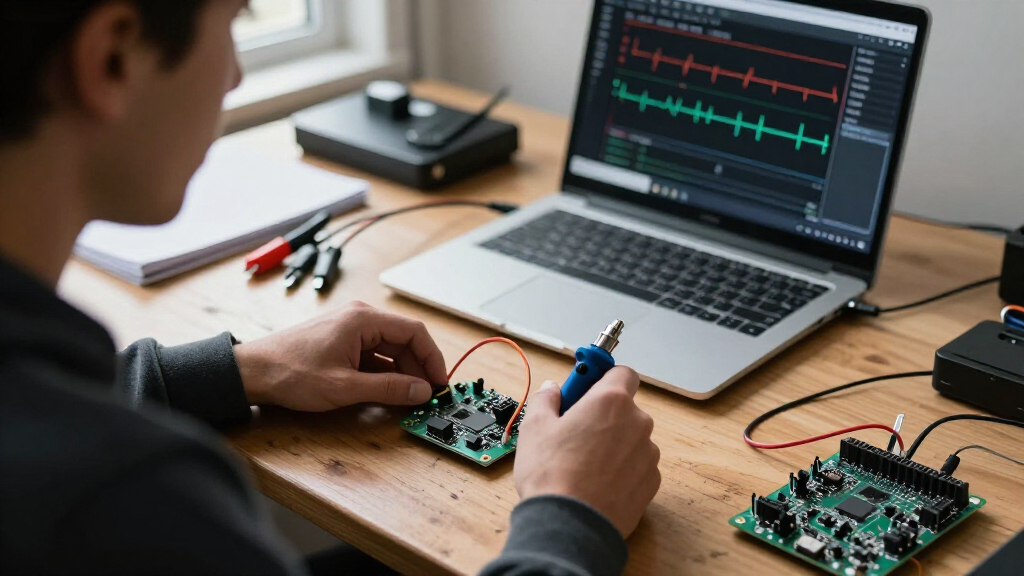
I ranked these analyzers by how well their stated capabilities match real debugging jobs: observing enough signals at once, capturing timing detail at a useful rate, and fitting into a practical bench workflow. I gave added weight to clearly described channel counts, sampling rates, bundled probes or cables, and extra instrument functions. A higher headline rate did not automatically outrank a more versatile or clearly specified option.
The ordering favors tools that can address a wider range of debugging tasks, then separates dedicated 16-channel analyzers from simple 8-channel units. Within the 8-channel group, included clips and leads can improve setup convenience, but they do not change the limits of the channel count or stated 24 MHz rate. Product names and specifications are treated as listing claims; buyers should confirm software compatibility, electrical limits, and capture behavior before purchase. The DSLogic Plus appears twice in the supplied lineup, so its two entries represent the same named model rather than separate capabilities.
Factors to Consider When Choosing USB Logic Analyzers For Debugging
Choosing a logic analyzer is less about chasing the biggest sampling-rate number and more about whether the tool can capture the signals involved in your particular fault. I would start with the bus speed and number of signals, then check how the software and probes fit the way you debug.
Match Sampling Rate to Signal Timing
A stated sampling rate describes how frequently the analyzer records digital states, but it does not guarantee that every fast edge or brief event will be captured cleanly. For debugging, leave margin between the signal’s timing features and the sample interval rather than choosing a device whose headline rate barely matches a bus clock. Check whether the published figure applies to all channels at once, and whether capture depth changes at higher rates. A fast rate can be less useful than a stable, longer capture when a problem occurs only after a lengthy transaction. If your work involves fast interfaces, verify the full specifications and signal requirements instead of treating a single number as proof of suitability.
Count Signals Before Choosing Channels
Channel count should reflect the complete fault, not just the data wires you expect to inspect. A serial bus may need only a few lines, while parallel buses, FPGA debugging, or a protocol plus reset and interrupt signals can consume channels quickly. Leaving spare inputs lets you correlate a bus event with a control signal without taking separate captures. That can save time when a fault depends on interactions between subsystems. An 8-channel unit suits focused tasks, but a 16-channel model is a better fit when the cause is not yet isolated.
Check Software and Protocol Support
Before buying, confirm that the analyzer works with your operating system and the capture software you plan to use. Protocol decoding can turn a waveform of transitions into readable transactions, but support varies by tool and by protocol. Check whether the software offers the triggers you need, such as starting on a particular sequence or event, and whether it can save captures in a format your team can share. A hardware listing that emphasizes channels and speed may say little about these workflow details. If you rely on a particular decoder or open-source application, verify compatibility rather than assuming every USB analyzer behaves the same way.
Treat Probes and Electrical Limits as Part of the Tool
Included test hooks and leads can make first setup easier, but accessory count does not tell you whether a probe is appropriate for a given signal. Long or poorly arranged leads can pick up interference and distort the timing you are trying to understand. Check input voltage limits, threshold behavior, grounding, and whether the target uses compatible logic levels. For noisy or fast circuits, probe arrangement and ground connection may matter as much as the analyzer’s rated speed. Do not connect a logic input to a signal until its electrical limits are clear.
Decide Whether an All-in-One Instrument Saves Bench Space
A combined instrument such as the Analog Discovery 3 may suit a small bench where digital capture, analog viewing, signal generation, and power functions are all useful. A dedicated logic analyzer can be simpler if the job is mainly protocol decoding or parallel signal observation. Before paying for functions you may not use, list the instruments your current debugging routine actually requires. Also check how the combined tool’s software presents those functions, since a broad feature set is valuable only if it fits your workflow. Buyers with specialized or demanding analog needs should confirm the relevant specifications rather than assuming an integrated tool replaces every standalone instrument.
Plan for Capture Length and Repeatability
Intermittent bugs often require more than a high sampling rate: they may need a long capture window, a useful trigger, or a way to repeat the same test. Look for published information about buffer depth and how capture duration changes as more channels are enabled. If you need to compare runs, check whether the software can save, label, and reopen captures without losing context. A short, fast capture may miss a slow failure, while a long capture at a reduced rate may blur brief events. Match the capture strategy to the bug you are chasing before choosing hardware based on speed alone.
Frequently Asked Questions
Is an 8-channel, 24 MHz analyzer enough for Arduino debugging?
It can be enough for many focused Arduino tasks, especially when checking a small number of digital lines or basic serial communication. The 8-channel, 24 MHz options in this roundup share a useful entry-level profile, with some listings adding test hooks or extra cables for easier setup. You may run short of channels if you need to watch several bus lines alongside reset, interrupt, and chip-select signals. A modest sampling rate can also limit work on faster edges or buses. Check the target’s timing and the exact signals you need to capture before choosing an entry-level unit.
Should I choose a 16-channel analyzer over an 8-channel model?
Choose 16 channels when you need to see a bus and its surrounding control signals in the same capture, or when the fault crosses multiple interfaces. That extra visibility can make it easier to identify which event happened first. If your work is limited to a two-wire or small serial connection, an 8-channel analyzer may be simpler and sufficient. More channels do not automatically mean a better capture: check whether the sampling rate or capture depth changes when many inputs are active. The right choice depends on the widest debugging scenario you expect, not only your current project.
Does a higher advertised sampling rate guarantee better debugging?
No. A higher rate can help record shorter timing events, but it does not by itself establish signal accuracy, capture duration, or software usefulness. The BINGOX listing states 400 MHz, while the LA1010 listings state 100 MHz; buyers should verify how those figures apply across channels and operating conditions. Input thresholds, electrical limits, probe setup, and buffer depth all affect the result. For slower buses or long-running intermittent faults, trigger quality and capture length may matter more than the largest rate on the label.
When is a combined instrument a better choice than a dedicated logic analyzer?
A combined tool makes sense when your debugging regularly needs digital timing alongside analog waveforms, stimulus generation, or basic power functions. The Analog Discovery 3 is the clearest fit in this roundup for that broader bench role. If you mainly decode digital protocols, a dedicated analyzer such as the DSLogic Plus may keep the choice more focused. Compare the functions you already use and check each tool’s software and specifications for your work. Extra capabilities are useful only when they replace or complement instruments you actually need.
What should I verify before connecting a USB logic analyzer to my board?
Check the analyzer’s input voltage limits and logic thresholds against the board’s signal levels before attaching any leads. Confirm the grounding method and whether the target and analyzer share a safe reference; never assume that a USB-powered device makes every connection safe. Inspect the included leads and make sure their connectors fit the board without slipping or shorting adjacent pins. For high-speed or noisy signals, keep connections short and arrange the ground carefully. If the listing leaves electrical limits or software support unclear, seek the manufacturer documentation before use.
Conclusion
My best overall recommendation is the Analog Discovery 3 for buyers who want logic analysis alongside several other bench functions. For a best dedicated 16-channel choice, compare the DSLogic Plus and Innomaker LA1010, prioritizing verified software support and capture specifications over the headline rate alone. The best value-style fit is a basic 8-channel, 24 MHz analyzer with the leads you need, especially for straightforward Arduino or serial-bus work; choose among the Xicoolee, HiLetgo, LLidgermal, and clip-equipped listings by checking the exact bundle. For beginners, a kit with test hooks and cables can reduce setup friction, while a simpler 8-channel model keeps the workflow focused. For specific high-speed needs, investigate the BINGOX’s stated 400 MHz capability and confirm its operating details before purchase. If your debugging spans many signals, lean toward 16 channels; if it also demands analog tools, the combined instrument is the more flexible path.
Evergreen bestsellers Picks
bestsellers
As an affiliate, we earn on qualifying purchases.