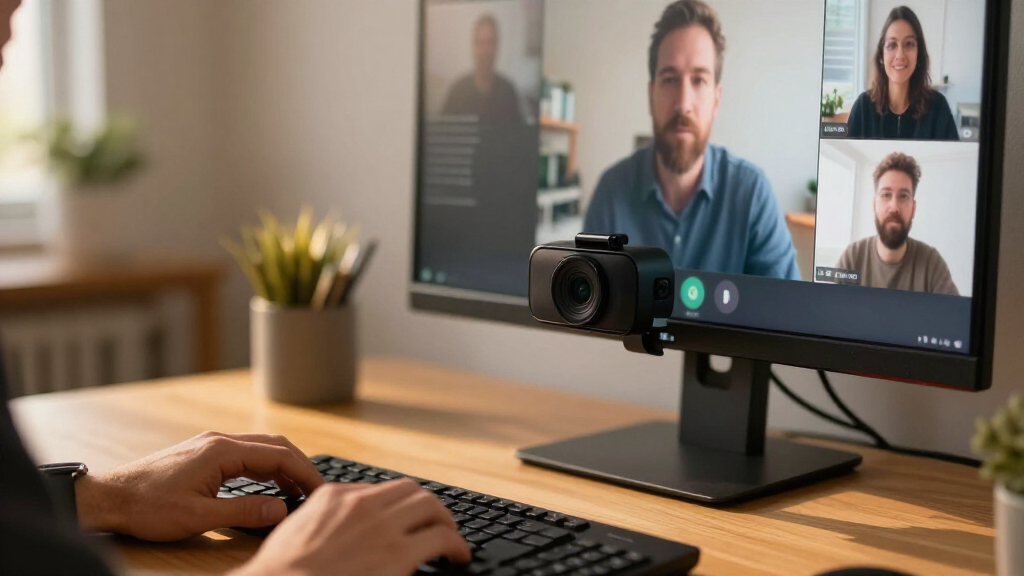

Remote software teams live on video calls — daily standups, pair programming sessions, sprint reviews, and ad-hoc debugging huddles — so a weak webcam gets noticed every single day. After comparing 15 leading models, the Insta360 Link 2 Pro 4K PTZ Webcam stands out as the best overall pick for developers thanks to its AI-powered tracking and gesture controls that keep you framed during whiteboard explanations and screen walks. The Logitech C920S Pro HD remains the value benchmark if you just need clean 1080p for standard meetings, while the Logitech BCC950 covers a different niche entirely as an all-in-one speakerphone-and-camera unit for home-office setups without headsets. The main tradeoff in this category is between resolution and practicality: most video conferencing platforms cap calls at 1080p anyway, so paying for 4K only makes sense if you want superior image processing, better low-light handling, or future-proofing. Read on for the full breakdown of all 15 models and which one fits your team’s workflow.

Get business pricing on monitors, keyboards and dev gear
- Business-only prices and quantity discounts
- Tax-exempt purchasing
- Multiple users, one account, clear invoices
Key Takeaways
- Since Zoom, Teams, and Meet compress most calls to 1080p, pricier 4K models like the Insta360 Link 2 Pro and Logitech MX Brio earn their spot through sensor quality, autofocus, and low-light performance — not raw resolution on a call.
- The Insta360 Link family (2, 2C, and Pro variants) separates itself with PTZ gimbal tracking, which genuinely changes how developers present code walkthroughs and physical whiteboards on camera.
- Logitech‘s C920 line (C920S, C920e, C920x) shows how little separates siblings in a lineup — differences come down to firmware, mounting hardware, and certification rather than image quality, so buying the cheapest variant usually makes sense.
- Budget picks like the NexiGo N60 and Acer A610 are viable for occasional standups, but weak microphones and sluggish autofocus make them frustrating for daily pair-programming sessions.
- The Logitech BCC950 is the only pick that solves the audio problem too — a built-in speakerphone — making it the pragmatic choice for dedicated home-office setups rather than laptop-based nomads.
| Logitech C920S Pro HD Webcam, Full 1080p |  | Best Overall | Resolution: Full HD 1080p | Frame Rate: 30 fps | Focus: Autofocus with glass lens | VIEW LATEST PRICE | See Our Full Breakdown |
| Logitech 4K Webcam | 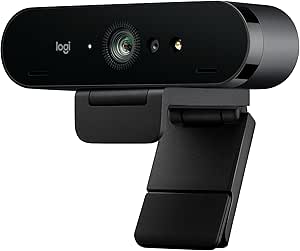 | Legacy 4K Pick — Buy With Caution | Resolution: Ultra 4K | Maximum Frame Rate: 90 fps | Zoom: Up to 5x HD | VIEW LATEST PRICE | See Our Full Breakdown |
| Logitech C920e HD 1080p Webcam with Microphones |  | Best Value for Team Rollouts | Resolution: 1080p HD | Field of View: 78° | Focus: HD autofocus | VIEW LATEST PRICE | See Our Full Breakdown |
| Insta360 Link 2C Pro 4K Webcam |  | Best for Auto-Framing Presenters | Resolution: 4K | Sensor: 1/1.3-inch CMOS | Focus: Autofocus | VIEW LATEST PRICE | See Our Full Breakdown |
| Logitech MX Brio Ultra HD 4K Webcam, Graphite |  | Best Premium Upgrade | Resolution: 4K at 30 fps / 1080p at 60 fps | Connection: USB-C | Microphones: Dual noise-reducing microphones | VIEW LATEST PRICE | See Our Full Breakdown |
| Insta360 Link 2 Pro 4K PTZ Webcam |  | Best Premium Pick | Sensor: 1/1.3-inch CMOS | Max Resolution: UHD 4K | Digital Zoom: 4x | VIEW LATEST PRICE | See Our Full Breakdown |
| EMEET C60E Dual-Camera 4K Webcam |  | Best for Pair Programming and Demos | Resolution: 4K | Sensor: 1/2.8-inch CMOS | Camera Views: Wide-angle and telephoto | VIEW LATEST PRICE | See Our Full Breakdown |
| NexiGo N60 1080p Webcam with Microphone and Privacy Cover |  | Best Budget Pick | Resolution: Up to 1920 × 1080 | Frame Rate: 30 fps | Sensor: 2 MP CMOS | VIEW LATEST PRICE | See Our Full Breakdown |
| Logitech C920x HD Pro 1080p Webcam |  | Best for Daily Standups | Resolution: Full HD 1080p | Frame Rate: 30 fps | Focus: Autofocus | VIEW LATEST PRICE | See Our Full Breakdown |
| Insta360 Link 2C 4K Webcam | 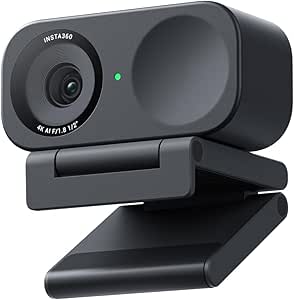 | Best 4K Value | Resolution: 4K | Sensor: 1/2-inch | Focus: Phase Detection Auto Focus (PDAF) | VIEW LATEST PRICE | See Our Full Breakdown |
| Insta360 Link 2 4K PTZ Webcam |  | Best Premium Pick for Active Presenters | Resolution: 4K | Sensor: 1/2-inch | Autofocus: Phase Detection Auto Focus (PDAF) | VIEW LATEST PRICE | See Our Full Breakdown |
| EMEET C960 4K Webcam with PDAF Autofocus and Dual Microphones |  | Best Value 4K | Maximum resolution: 4K | Default resolution: 1080p | Focus: PDAF autofocus | VIEW LATEST PRICE | See Our Full Breakdown |
| Acer A610 1080p Webcam with Dual Microphones |  | Best No-Frills Pick for New Hires | Resolution: 1080p Full HD | Microphones: Dual noise-reduction | Field of view: 83° | VIEW LATEST PRICE | See Our Full Breakdown |
| Logitech BCC950 Desktop Video Conferencing Webcam and Speakerphone |  | Best for Small Team Huddles | Video resolution: 1080p HD at 30 fps | Lens: Carl Zeiss | Microphone: Noise-cancelling, full-duplex | VIEW LATEST PRICE | See Our Full Breakdown |
| Logitech Brio Ultra HD 4K Webcam for Streaming and Meetings |  | Best All-Rounder with Windows Hello | Maximum resolution: 4K Ultra HD at 30 fps | Digital zoom: 5× | Field of view: 65°, 78°, or 90° diagonal presets | VIEW LATEST PRICE | See Our Full Breakdown |
| webcams for remote software team | Compatibility | Resolution | Microphones |
|---|---|---|---|
| Logitech C920S Pro HD Webcam | — | Full HD 1080p | Dual stereo microphones |
| Logitech 4K Webcam | Windows, Mac, ChromeOS | Ultra 4K | Dual omnidirectional, noise-canceling |
| Logitech C920e HD 1080p Webcam | Zoom certified; Microsoft Teams and other major apps; Windows 11 | 1080p HD | Two integrated omnidirectional microphones |
| Insta360 Link 2C Pro 4K Webcam | — | 4K | Dual directional with beamforming |
| Logitech MX Brio Ultra HD 4K W | Windows, macOS, Chrome OS, Linux | 4K at 30 fps / 1080p at 60 fps | Dual noise-reducing microphones |
| Insta360 Link 2 Pro 4K PTZ Web | Windows, macOS, Chrome OS, Linux | — | — |
| EMEET C60E Dual-Camera 4K Webc | Windows 10/11 (64-bit), macOS 10.14+ | 4K | 2 omnidirectional, 9.8 ft pickup radius |
| NexiGo N60 1080p Webcam with M | Windows, macOS, Linux, Chrome OS, Android | Up to 1920 × 1080 | — |
| Logitech C920x HD Pro 1080p We | Windows 11, Nintendo Switch 2 GameChat | Full HD 1080p | — |
| Insta360 Link 2C 4K Webcam | Mac, Windows; Zoom, Teams, Twitch and other major platforms | 4K | — |
| Insta360 Link 2 4K PTZ Webcam | Windows and Mac; Zoom, Teams, Twitch and other major platforms | 4K | — |
| EMEET C960 4K Webcam with PDAF | Windows 7/10/11, macOS 10.14+, Android TV 7.0+, Linux | — | Dual omnidirectional |
| Acer A610 1080p Webcam with Du | Windows 7/8/10/11, Mac OS | 1080p Full HD | Dual noise-reduction |
| Logitech BCC950 Desktop Video | Microsoft Lync 2013, Skype for Business, Cisco Jabber, WebEx | — | — |
| Logitech Brio Ultra HD 4K Webc | Windows, Mac, ChromeOS | — | Dual omnidirectional, noise-canceling, up to 1.2 m pickup |
More Details on Our Top Picks
Logitech C920S Pro HD Webcam, Full 1080p
The C920S earns the top spot because it nails the fundamentals remote developers actually need on daily standups: dependable 1080p at 30 fps, crisp autofocus from a real glass lens, and automatic light correction that holds up in dim home offices with mixed monitor glare. Compared with the C920e, it trades the flip-up cover for a fitted privacy shutter and stereo mics rather than omnidirectional ones — a better fit if you present code walkthroughs where audio direction matters. It obviously can’t match the 4K output of the MX Brio, but for video calls that get compressed to 720p by Zoom or Teams anyway, the difference is barely visible on screen. The tradeoff is software: the bundled XSplit VCam background-removal license is not included with this version, so virtual backgrounds depend on your conferencing app.
Pros:- Consistent 1080p at 30 fps with a glass lens that stays sharp on text-heavy screen-adjacent shots
- Autofocus and automatic light correction handle dim home offices well
- Dual stereo microphones outperform the single-mic budget competition
- Fitted privacy shutter covers the lens physically when not in use
Cons:- No bundled XSplit VCam license, so background removal depends entirely on your meeting app
- Capped at 1080p/30 fps with no field-of-view adjustability
Best for: Remote developers who want a reliable, plug-and-play daily driver for standups and code reviews without overpaying for 4K they won’t use
Not ideal for: Engineers who stream, record tutorials, or present whiteboards in 4K — the 30 fps 1080p ceiling will show
- Resolution:Full HD 1080p
- Frame Rate:30 fps
- Focus:Autofocus with glass lens
- Microphones:Dual stereo microphones
- Viewing Angle:78 degrees
- Connectivity:USB 2.0
- Privacy:Fitted privacy shutter
- Weight:5.76 ounces
Our verdict“If you need one webcam to equip a whole distributed team without fuss, this is the safest pick in the lineup.”
Logitech 4K Webcam
This is the original 4K Brio, and on paper it still looks strong: Ultra 4K capture, up to 90 fps at lower resolutions, HDR light adjustment, and selectable 90°/78°/65° field-of-view presets that the C920S simply doesn’t offer. For a developer who wants a wide 90° view when pair-programming at a shared desk, those presets are genuinely useful. Compared with the newer MX Brio, though, the appeal fades — you lose modern AI image processing, and the big problem is availability: this product is discontinued and no longer supported, meaning no firmware updates and shrinking stock. The 5x HD zoom and noise-canceling mics remain competitive with current midrange options like the Insta360 Link 2C, but buying discontinued hardware for a team roll-out is a risk I’d only take at a steep saving.
Pros:- Ultra 4K resolution with up to 90 fps at lower settings
- Selectable 90°, 78°, and 65° field-of-view presets for flexible framing
- HDR handles backlit and low-light rooms better than standard webcams
- Dual omnidirectional noise-canceling microphones
Cons:- Discontinued and not supported — no future firmware or driver updates
- Superseded by the MX Brio and Insta360 Link line in image processing and features
Best for: Tinkerers and solo engineers who find remaining stock cheap and want 4K plus wide FOV presets without paying current flagship prices
Not ideal for: IT managers equipping a team — discontinued, unsupported hardware is a long-term liability
- Resolution:Ultra 4K
- Maximum Frame Rate:90 fps
- Zoom:Up to 5x HD
- Field of View Presets:90°, 78°, or 65° dFOV
- Microphones:Dual omnidirectional, noise-canceling
- Focus:Autofocus
- Compatibility:Windows, Mac, ChromeOS
- Warranty:1-year limited hardware warranty
Our verdict“A capable 4K camera whose discontinued status makes it a bargain-hunter’s gamble rather than a team standard.”
Logitech C920e HD 1080p Webcam with Microphones
When you’re outfitting ten engineers, per-unit cost matters more than resolution bragging rights, and the C920e is built exactly for that scenario. It delivers the same core 1080p/autofocus/light-correction package as the C920S but adds Zoom certification and a 1/4-inch tripod thread, which the C920S lacks — small things that matter when desks vary and IT wants guaranteed compatibility with Microsoft Teams too. The attachable flip-up privacy cover is a step down from the C920S’s fitted shutter, and the microphones are omnidirectional with a stated range of only about one meter, so it’s weaker for anyone presenting from a distance or in a noisy shared space. Still, compared with budget options like the NexiGo N60, the Logitech tuning and platform certification make it the more dependable bulk buy.
Pros:- Zoom certified and compatible with Microsoft Teams and other major calling apps
- Adjustable clip plus 1/4-inch tripod thread for flexible mounting
- Same 1080p autofocus and light correction engine as the pricier C920S
- Attachable flip-up privacy cover included
Cons:- Fixed 78° field of view with no presets
- Microphone range is limited to roughly one meter, weaker than stereo setups
Best for: Startup IT leads ordering webcams in bulk who need certified Zoom and Teams compatibility at a lower per-seat cost
Not ideal for: Noisy or shared workspaces — the one-meter mic range and omnidirectional pickup won’t isolate your voice well
- Resolution:1080p HD
- Field of View:78°
- Focus:HD autofocus
- Microphones:Two integrated omnidirectional microphones
- Microphone Range:Up to 1 meter
- Privacy Cover:Attachable flip-up cover
- Mounting:Adjustable clip with 1/4-inch tripod thread
- Compatibility:Zoom certified; Microsoft Teams and other major apps; Windows 11
Our verdict“The sensible fleet purchase when you need dependable video for every seat without flagship pricing.”
Insta360 Link 2C Pro 4K Webcam
This option stands out for software intelligence rather than raw resolution alone. Its 1/1.3-inch sensor is physically larger than anything in the Logitech line here, which translates to genuinely better low-light performance for engineers working late under monitor glow. The killer features for remote teams are auto framing, gesture control, and DeskView mode — tilt the camera down mid-call to show your notebook or keyboard without touching anything, something neither the MX Brio’s Show Mode nor the C920S can match in flexibility. Beamforming dual microphones also do a better job isolating voice than the C920e’s one-meter omnidirectional pair. The catches are real: no ARM-based Windows support and no Windows Hello face recognition, which rules it out for Surface-on-ARM users and anyone who logs in with their face. It also costs a fair step above the standard Link 2C, which shares the sensor minus the extra modes.
Pros:- Large 1/1.3-inch sensor delivers strong low-light and HDR performance
- Auto framing plus gesture and smartphone control keep you centered hands-free
- DeskView, Whiteboard, and 4K Portrait modes are genuinely useful for demos
- Beamforming dual microphones reduce background noise effectively
Cons:- Not compatible with ARM-based Windows systems
- No Windows Hello face recognition support
- Priced well above standard 4K options like the Link 2C for features not everyone will use
Best for: Senior engineers and tech leads who present whiteboards, desk work, and demos and want the camera to handle framing automatically
Not ideal for: Anyone on an ARM-based Windows machine or relying on Windows Hello — it supports neither
- Resolution:4K
- Sensor:1/1.3-inch CMOS
- Focus:Autofocus
- Digital Zoom:4x
- Microphones:Dual directional with beamforming
- Connectivity:USB
- Shooting Modes:DeskView, Whiteboard, 4K Portrait Mode
- Weight:113.5 g
Our verdict“The smartest camera in the roundup for people who present as much as they type — provided your hardware is compatible.”
Logitech MX Brio Ultra HD 4K Webcam, Graphite
The MX Brio is the pick when video quality is part of your professional presence — customer-facing engineers, developer advocates, anyone recording conference talks from home. Compared with the discontinued original 4K Brio, it offers current support, AI-enhanced image adjustment for brutal lighting, and 1080p at 60 fps, which makes motion noticeably smoother than any 30 fps option here, including the C920S. Show Mode is a practical touch for holding up a sketch or hardware during calls, though the Insta360 Link 2C Pro’s DeskView is more automated. The main compromise: 4K is capped at 30 fps, so you choose between resolution and smoothness rather than getting both. Several fine image controls and workflow features also sit behind Logitech’s software, which adds a dependency the plug-and-play crowd may not want.
Pros:- 4K at 30 fps or smoother 1080p at 60 fps, the only 60 fps 1080p option in this batch
- AI-enhanced image adjustments hold up in difficult and mixed lighting
- Show Mode tilts the perspective for sharing desk work during calls
- Broad compatibility including Linux, rare among 4K webcams
Cons:- 4K mode is limited to 30 fps — no 4K/60 option
- Manual image controls and several features require Logitech’s companion software
Best for: Developer advocates, interview-heavy senior engineers, and content creators who need polished 4K video with current software support
Not ideal for: Budget-conscious teams buying in bulk — its price per seat buys three C920e units with change
- Resolution:4K at 30 fps / 1080p at 60 fps
- Connection:USB-C
- Microphones:Dual noise-reducing microphones
- Features:Autofocus, auto exposure, auto white balance, Show Mode
- Privacy:Privacy cover
- Compatibility:Windows, macOS, Chrome OS, Linux
- Color:Graphite
Our verdict“The premium choice for engineers whose camera is a work tool rather than an accessory, as long as 30 fps 4K is acceptable.”
Insta360 Link 2 Pro 4K PTZ Webcam
The Insta360 Link 2 Pro stands out as the most capable camera in this lineup, built around a 1/1.3-inch sensor that outclasses the smaller chips in the NexiGo N60 or Logitech C920x. For developers who present from dim home offices during late-night standups, that larger sensor translates into cleaner low-light footage and a natural bokeh that makes laptop webcams look flat by comparison. The motorized pan-and-tilt tracking is genuinely useful when you move between a whiteboard and your desk mid-call, something the fixed-lens C920x simply cannot do.
The tradeoff is compatibility friction: no Windows Hello support and no ARM-based Windows machines. If your team issues Snapdragon laptops, the Logitech 4K Webcam is the safer bet.
Pros:- Large 1/1.3-inch sensor delivers strong low-light clarity and natural depth of field
- AI pan-and-tilt tracking keeps you framed while moving
- Directional dual microphones cut keyboard and background noise
- Stream Deck integration fits streamer-adjacent workflows
Cons:- No ARM-based Windows support, a dealbreaker for newer Snapdragon laptops
- No Windows Hello face recognition, so you still need a PIN or fingerprint
Best for: Senior engineers and team leads who present frequently and want broadcast-grade tracking in imperfect lighting
Not ideal for: Anyone on an ARM-based Windows laptop or teams relying on Windows Hello face login
- Sensor:1/1.3-inch CMOS
- Max Resolution:UHD 4K
- Digital Zoom:4x
- Connectivity:USB-C
- Weight:167.5 g
- Audio:Directional dual microphones, PCM
- Compatibility:Windows, macOS, Chrome OS, Linux
- Special Features:AI tracking, Stream Deck integration, gesture and smartphone control
Our verdict“If your team’s culture rewards polished video and you present often, this premium camera earns its price; budget-minded callers can skip it.”
EMEET C60E Dual-Camera 4K Webcam
Most webcams on this list, like the Insta360 Link 2C, force you to choose between showing your face and showing your screen. The EMEET C60E solves that with a genuine dual-camera design: a wide-angle lens for your face and a telephoto lens for pointing at a second monitor, a sketch, or hardware you’re debugging. The 11× hybrid zoom with PDAF autofocus makes it feel closer to a document camera than a webcam, which is exactly what pairing sessions and architecture walkthroughs need.
The compromises are real. The zoom is disabled in 4K and 60 FPS modes, so you trade resolution for flexibility, and the telephoto lens wants at least 13.8 inches of working distance. Compared with the NexiGo N60, you get far more capability, but also more setup complexity for a plain daily standup.
Pros:- Wide-angle plus telephoto lenses cover both face and desk views
- Up to 11× hybrid zoom with PDAF autofocus for detail work
- Includes a physical remote, so you can switch views mid-presentation
- Two omnidirectional microphones pick up voices across a 9.8 ft radius
Cons:- Zoom is unavailable in 4K, 60 FPS, and YUY2 modes, forcing quality tradeoffs
- Telephoto mode needs roughly 13.8 inches of distance to perform well
Best for: Developers and tech leads who regularly demo hardware, sketches, or a second screen during calls
Not ideal for: Anyone who just needs a clean face cam for standups — the dual-lens hardware goes unused and complicates setup
- Resolution:4K
- Sensor:1/2.8-inch CMOS
- Camera Views:Wide-angle and telephoto
- Zoom:1× to 11× hybrid
- Autofocus:PDAF
- Microphones:2 omnidirectional, 9.8 ft pickup radius
- Connection:USB 2.0 Type-A
- Compatibility:Windows 10/11 (64-bit), macOS 10.14+
- Mounting:1/4-inch tripod mount
Our verdict“This is the pick when your calls involve showing things, not just faces — pure standup callers should buy something simpler.”
NexiGo N60 1080p Webcam with Microphone and Privacy Cover
When a startup is kitting out a dozen remote engineers, the NexiGo N60 makes the most sense as the fleet camera. It delivers the same 1080p at 30 fps baseline as the Logitech C920x but adds something Logitech omitted here: a sliding privacy cover, which matters in teams with always-on video culture. Plug-and-play USB means IT can ship it to a new hire and have it working before their first standup.
Compared with the 4K Insta360 options, the gap is obvious — no HDR, no auto framing, and a modest 2 MP sensor that struggles in dim rooms. There’s also a known audio delay issue that may require a firmware update out of the box, which is an annoyance the C920x avoids. Still, for organizations buying in volume, the value case is hard to argue against.
Pros:- 1080p at 30 fps matches far pricier cameras for basic call quality
- Physical privacy cover blocks the lens between meetings
- Plug-and-play across Windows, macOS, Linux, and Chrome OS
- Built-in noise-canceling microphone covers basic audio needs
Cons:- Audio sync delays may require a firmware update on arrival
- Small 2 MP sensor produces soft footage in low light
Best for: Teams buying webcams in bulk for new hires who need reliable plug-and-play video at low cost
Not ideal for: Anyone presenting to clients or recording demos — 1080p and basic optics won’t hold up next to 4K rivals
- Resolution:Up to 1920 × 1080
- Frame Rate:30 fps
- Sensor:2 MP CMOS
- Lens:3.6 mm glass, optimized for 19.6 in to 13 ft
- Microphone:Built-in noise-canceling
- Connection:USB 2.0/3.0
- Compatibility:Windows, macOS, Linux, Chrome OS, Android
- Console Support:Not compatible with Xbox, PS4, or PS5
Our verdict“The sensible bulk-buy for engineering teams where video needs to be adequate, not impressive.”
Logitech C920x HD Pro 1080p Webcam
The Logitech C920x is the default choice for a reason: autofocus, automatic low-light correction, and dual stereo microphones handle the routine reality of daily standups without any tinkering. Compared with the NexiGo N60, its color science and lighting adjustment produce noticeably more natural skin tones in the mixed home-office lighting most engineers actually sit in, and Logitech’s driver track record means fewer firmware surprises.
The bundled three-month XSplit VCam license adds background blur and replacement — handy when your bedroom office is visible behind you — though it becomes a subscription after the trial. The honest omission is the lack of any privacy shutter, which the N60 includes at a lower tier. If your team keeps cameras mounted and always connected, that’s a real gap; a sticky note is a poor substitute.
Pros:- Autofocus and automatic lighting adjustment handle variable home-office conditions
- Dual stereo microphones deliver natural audio for one-person calls
- XSplit VCam license adds background blur and replacement
- Broad platform support including Windows 11 and Switch 2 GameChat
Cons:- No privacy shutter, unlike cheaper rivals like the NexiGo N60
- Background software is only free for three months before subscription
Best for: Engineers who want a dependable set-and-forget camera for everyday calls across years of service
Not ideal for: Privacy-conscious users or anyone in shared living spaces who needs a physical lens cover
- Resolution:Full HD 1080p
- Frame Rate:30 fps
- Focus:Autofocus
- Audio:Dual stereo microphones
- Lighting:Automatic light correction
- Compatibility:Windows 11, Nintendo Switch 2 GameChat
- Included Software:3-month XSplit VCam license
- Privacy Shutter:None
Our verdict“The zero-drama workhorse for people who want their camera to disappear into the workday — just don’t expect lens privacy.”
Insta360 Link 2C 4K Webcam
The Insta360 Link 2C hits a sweet spot the rest of this lineup struggles to match: genuine 4K with HDR, phase-detection autofocus, and AI noise cancellation at a price well below its Pro siblings. It skips the motorized gimbal of the Link 2 Pro, trading remote tracking for a privacy switch and a lighter footprint — a fair exchange for developers who sit still during calls. The DeskView and Whiteboard modes are quietly brilliant for engineers, letting you tilt down to show a sketch or second screen without repositioning anything.
It shares the same platform limits as the Pro: no ARM Windows support, no Windows Hello. Compared with the Logitech C920x, video quality is a clear step up, but the C920x remains simpler if you never need more than 1080p.
Pros:- 4K resolution with HDR outperforms 1080p rivals like the C920x in detail and contrast
- PDAF autofocus locks on quickly without hunting
- DeskView and Whiteboard modes make showing your desk effortless
- Physical privacy switch and AI noise-canceling microphone
Cons:- No compatibility with ARM-based Windows systems or Windows Hello
- Lacks the motorized tracking of the Link 2 Pro despite sharing its platform limits
Best for: Developers upgrading from a laptop cam who want 4K, HDR, and desk-showing modes without paying for motorized tracking
Not ideal for: ARM-based Windows laptop users and anyone who wants face-recognition login built into the camera
- Resolution:4K
- Sensor:1/2-inch
- Focus:Phase Detection Auto Focus (PDAF)
- Microphone:AI noise-canceling
- Special Features:HDR, auto framing, gesture and smartphone control, DeskView, Whiteboard mode, privacy switch
- Compatibility:Mac, Windows; Zoom, Teams, Twitch and other major platforms
- Limitations:No ARM Windows or Windows Hello support
Our verdict“The smartest upgrade for stationary developers who want premium image quality and desk flexibility at a mid-range price.”
Insta360 Link 2 4K PTZ Webcam
The Insta360 Link 2 stands out as the most technically ambitious camera in this lineup, pairing a 1/2-inch sensor with HDR and phase-detection autofocus — a sensor size larger than anything else here, which translates into cleaner video when your home-office lighting is less than flattering. Its signature feature is AI pan-and-tilt tracking, so if you whiteboard, pace while debugging out loud, or demo hardware on camera, the lens physically follows you. That is something the fixed-lens Logitech Brio simply cannot do, and it justifies the premium over the capable EMEET C960. The tradeoffs are real: no Windows Hello support and no ARM-based Windows compatibility, so Surface-on-ARM users and anyone who wants facial-recognition login should look elsewhere.
Pros:- 1/2-inch sensor with HDR delivers noticeably better low-light and mixed-lighting video
- AI pan-and-tilt tracking physically follows you around the room
- DeskView and Whiteboard modes built for showing your desk or a physical board
- Noise-canceling microphones and gesture control reduce meeting friction
Cons:- Not compatible with ARM-based Windows systems
- No Windows Hello face recognition support
- Premium price for features most seated desk workers will never use
Best for: Developers who move around during calls — whiteboarding, pair-programming sessions, or hardware demos — and want tracking plus strong low-light video
Not ideal for: Anyone on an ARM-based Windows machine or who relies on Windows Hello face login to unlock their workstation
- Resolution:4K
- Sensor:1/2-inch
- Autofocus:Phase Detection Auto Focus (PDAF)
- Features:HDR, AI tracking, AI noise-canceling mic, gesture control, DeskView and Whiteboard modes
- Compatibility:Windows and Mac; Zoom, Teams, Twitch and other major platforms
- Limitations:No ARM-based Windows support; no Windows Hello face recognition
Our verdict“Buy this if you present actively and need tracking plus top-tier image quality; skip it if you sit still and just want sharp 1080p for standups.”
EMEET C960 4K Webcam with PDAF Autofocus and Dual Microphones
The EMEET C960 makes the most sense for teams buying webcams in bulk, because it brings a true 4K sensor and PDAF autofocus — the same focus technology as the far pricier Insta360 Link 2 — at a budget-friendly price. Outcomes matter more than specs here: the PDAF keeps focus locked when you lean in to share code on screen, and automatic light correction handles the classic developer scenario of a dark room lit only by monitors. Compared with the Acer A610, you get sharper detail and better future-proofing, though with a narrower 73° field of view that suits a single seated person rather than a small group. The main annoyance is that it defaults to 1080p, so deploying it company-wide means a settings pass on every machine to unlock 4K.
Pros:- True 4K sensor with PDAF autofocus at a budget price
- Automatic light correction handles dim, monitor-lit rooms
- Broad compatibility including Linux and Android TV
- Includes privacy cover and 1/4-inch tripod thread for flexible mounting
Cons:- Defaults to 1080p; unlocking 4K requires per-machine settings changes
- 73° field of view is tight for more than one person in frame
- USB-A only — no native USB-C connection
Best for: Team leads or IT managers equipping multiple remote developers with 4K-capable cameras without paying flagship prices
Not ideal for: Anyone wanting 4K without manual configuration, or group calls needing a wide field of view
- Maximum resolution:4K
- Default resolution:1080p
- Focus:PDAF autofocus
- Field of view:73°
- Microphones:Dual omnidirectional
- Interface:USB-A, plug-and-play
- Tripod thread:1/4 inch
- Compatibility:Windows 7/10/11, macOS 10.14+, Android TV 7.0+, Linux
Our verdict“The smart pick for outfitting a whole dev team with 4K on a budget, provided someone is willing to tweak settings on each machine.”
Acer A610 1080p Webcam with Dual Microphones
When a startup onboards five engineers in a month, not every desk needs a 4K PTZ camera. The Acer A610 is the zero-friction option: true plug-and-play over USB Type-A (with a Type-C adapter included for modern laptops), a built-in privacy cover, and automatic low-light correction that handles the basement-office problem without configuration. Compared with the EMEET C960, it gives up resolution and PDAF autofocus, but its 83° field of view is wider — better if you occasionally squeeze a second person into frame. Its microphone setup can be finicky: some users will need to manually select the A610 as the system input and grant app permissions before it works in Teams or Zoom, which is a support ticket waiting to happen for less technical staff.
Pros:- Genuinely plug-and-play with both USB-A and USB-C covered
- Built-in privacy cover that can’t be lost
- Wide 83° field of view with 360° rotation for flexible positioning
- Automatic low-light correction for dim workspaces
Cons:- Capped at 1080p with no digital zoom or advanced focus
- Microphone may require manual input-device selection and permission grants
- No built-in speakers — audio out is not an option
Best for: Companies equipping new remote hires or contractors with a simple, reliable camera fast
Not ideal for: Anyone whose work involves screen-recorded demos or client presentations where sharper-than-1080p video matters
- Resolution:1080p Full HD
- Microphones:Dual noise-reduction
- Field of view:83°
- Rotation:360°
- Connection:USB Type-A with included Type-C adapter
- Privacy cover:Built-in
- Low-light correction:Automatic
- Compatibility:Windows 7/8/10/11, Mac OS
Our verdict“A dependable, fuss-free camera for standard daily standups — just don’t expect it to impress on recorded demos.”
Logitech BCC950 Desktop Video Conferencing Webcam and Speakerphone
Most webcams in this roundup assume one person per screen. The Logitech BCC950 is built for the opposite case: two to four developers crowding around one laptop for a joint code review or client call. It combines 1080p video with a full-duplex speakerphone and noise-cancelling microphone rated up to 8 feet, plus a remote control for pan, tilt, zoom, mute, and even answering and hanging up — nobody has to lunge across the table mid-call. Compared with the Acer A610 or EMEET C960, its 8-foot audio reach and speaker output make group conversation actually workable rather than a huddle around one mic. The tradeoffs show its age: the audio frequency response tops out at 8 kHz (fine for speech, thin for music or crisp voices), and its listed compatibility centers on older enterprise platforms rather than being explicitly tuned for modern Zoom or Teams setups.
Pros:- Integrated speakerphone with echo cancellation covers a room, not just one person
- Remote control and base buttons for camera movement and call handling
- Pan, tilt, and zoom let you frame a group without moving the device
- Plug-and-play USB setup on a familiar conference-room form factor
Cons:- Audio pickup limited to 8 feet — larger rooms will drop voices
- 200 Hz–8 kHz frequency response makes audio functional but not rich
- Older platform compatibility list; verify behavior with current meeting apps
Best for: Small co-located teams of 2–4 people sharing one station for joint calls and code reviews
Not ideal for: Solo remote workers — it’s bulkier and more expensive than a standard webcam and its speakerphone is wasted on one person
- Video resolution:1080p HD at 30 fps
- Lens:Carl Zeiss
- Microphone:Noise-cancelling, full-duplex
- Audio coverage:Up to 8 feet
- Frequency response:200 Hz–8 kHz
- Connectivity:USB plug-and-play
- Controls:Remote and base buttons for pan, tilt, zoom, volume, mute, answer, hang-up
- Compatibility:Microsoft Lync 2013, Skype for Business, Cisco Jabber, WebEx
Our verdict“The right choice only when multiple people share one call station — solo workers should pick a standard webcam instead.”
Logitech Brio Ultra HD 4K Webcam for Streaming and Meetings
The Logitech Brio earns its place as the balanced pick between extremes — more practical than the tracking-focused Insta360 Link 2, more polished than the budget EMEET C960. Its killer feature for dev teams is Windows Hello support, which means one device handles both your daily standups and hands-free workstation login — something no other camera in this batch offers alongside the Link 2’s omission. The three field-of-view presets (65°, 78°, 90°) translate directly into meeting flexibility: narrow for a solo deep-work session, wide when a teammate joins your screen. Automatic exposure tames the glare from a bright window behind your desk. Two honest gripes: 4K caps at 30 fps, which is fine for talking-head video but matters if you also stream, and the privacy shutter is an attachable accessory rather than built in — easy to lose in a laptop bag.
Pros:- Windows Hello support combines face login and video calls in one device
- Three field-of-view presets adapt framing from solo to small-group shots
- Automatic exposure adjustment handles backlit and glare-prone setups
- 5× digital zoom and dual noise-canceling microphones cover most meeting scenarios
Cons:- 4K capped at 30 fps — a limitation for streaming or fast motion
- Privacy shutter is attachable rather than built in and can be lost
Best for: Solo developers who want strong 4K video, flexible framing, and Windows Hello login from a single trusted-brand device
Not ideal for: Streamers or content creators needing high frame rates at high resolution, or anyone likely to misplace a detachable shutter
- Maximum resolution:4K Ultra HD at 30 fps
- Digital zoom:5×
- Field of view:65°, 78°, or 90° diagonal presets
- Microphones:Dual omnidirectional, noise-canceling, up to 1.2 m pickup
- Windows Hello support:Yes
- Privacy shutter:Attachable
- Compatibility:Windows, Mac, ChromeOS
- Warranty:1-year limited hardware warranty
Our verdict“The safest do-everything choice for a solo remote developer — buy it if Windows Hello and flexible framing matter more than raw frame rates.”
How We Picked
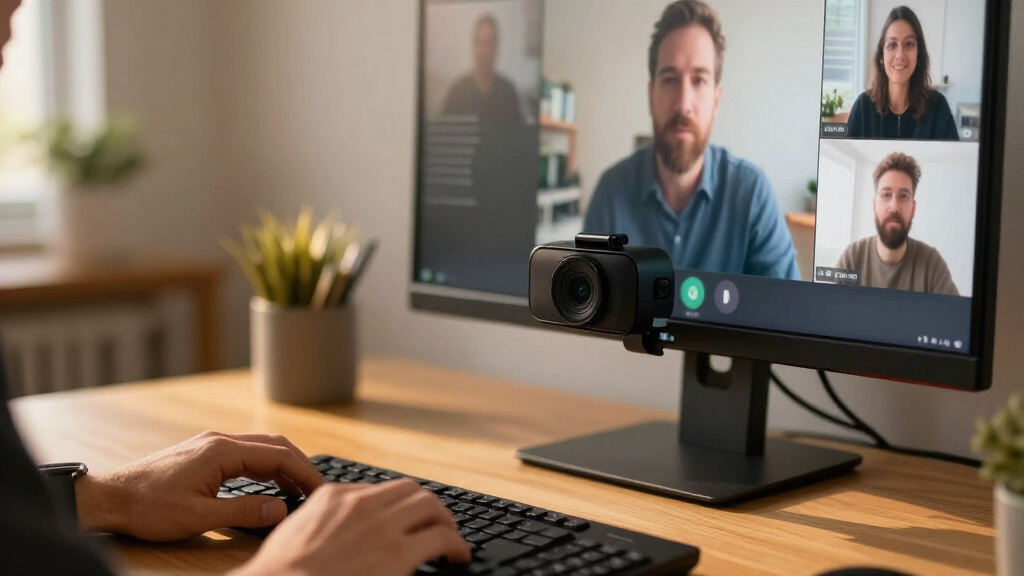
I evaluated each webcam against the realities of a developer’s day: back-to-back video calls, mixed lighting from dual monitors, and frequent transitions between talking-head framing and showing things at your desk. The core criteria were image quality under imperfect home-office lighting, autofocus speed and reliability, microphone clarity, and software behavior — including privacy shutters, background replacement quality, and whether drivers fight with conference platforms. Within a brand lineup, I also weighed whether higher-priced variants justify their premium with features a software team would actually use, versus specs that look good on a box.
Ranking logic follows practical value for this specific audience. AI-tracking and gimbal models rank high because they solve real problems for developers who move, gesture, and present. Proven mid-range 1080p workhorses rank in the middle because they nail the fundamentals at a fair price. Budget models rank lower not because they are bad, but because their microphone and autofocus compromises compound over daily use. The all-in-one BCC950 occupies a deliberate niche slot rather than competing head-to-head on camera specs alone.
Factors to Consider When Choosing Webcams For Remote Software Teams
Before choosing a webcam for your remote setup, it helps to understand what actually matters during developer-heavy video workflows — and where marketing specs mislead buyers.Why 4K Often Doesn’t Matter on Calls
The most common overspend in this category is paying for resolution your platform won’t deliver. Zoom, Google Meet, and Microsoft Teams typically cap or heavily compress outgoing video, so a 4K sensor and a 1080p sensor can look nearly identical to your teammates. What you’re actually paying for in premium 4K models is a larger sensor, which improves color accuracy and low-light behavior rather than sharpness. That matters for developers working in dim rooms lit only by monitor glow. If your workspace is reasonably lit, a well-processed 1080p camera will serve you just as well and cost far less. Reserve 4K for future-proofing, local recording of tutorials or demos, or genuinely poor lighting conditions.
Autofocus Behavior During Demos and Screen Walkthroughs
Autofocus is where cheap webcams quietly fail developers. If you frequently hold up a phone to show a bug, lean in to point at a reference monitor, or shift between sitting and standing, a slow autofocus system produces several seconds of blur that interrupts your explanation. Phase-detection autofocus (PDAF), found on models like the EMEET C960, locks on almost instantly compared with the contrast-detection systems common on budget cameras. Some AI models add face-tracking that keeps you centered as you move, which is genuinely useful for animated presenters. When comparing specs, prioritize autofocus type and speed over megapixels — your teammates will forgive softer resolution, not constant focus hunting.
Microphone Quality and When to Skip It Entirely
Many remote developers already own a headset or USB microphone, which makes onboard webcam mics redundant. If that describes you, camera models with basic mics are fine, and you shouldn’t pay extra for beamforming microphone arrays. But if you prefer going audio-direct for comfort during long days, mic quality becomes a deciding factor — dual-mic setups with noise reduction handle mechanical keyboard clatter far better than single-mic budget cameras. The mistake to avoid is assuming any “built-in microphone” claim means usable quality; on entry-level models, keyboard noise and room echo dominate. Check whether the mic array offers noise cancellation, and remember that a separate speakerphone-equipped unit like the BCC950 can replace both peripherals in one purchase.
Field of View and Framing for Developer Workspaces
Field of view determines how much of your environment teammates see. A wide FOV like 90 degrees captures dual monitors and your whole desk — great if you present physical objects, awkward if your home office doubles as a bedroom. Narrower 65–78 degree framing keeps attention on your face and hides clutter, which many developers prefer for daily standups. Some premium cameras offer adjustable FOV in software, letting you switch between tight headshots for meetings and wide shots for showing hardware or a whiteboard. Before buying, think about what you actually show on camera: pure talking-head participants can go narrow, while anyone who demonstrates physical hardware benefits from width.
Background Handling, Privacy Shutters, and Platform Software
Background blur and replacement increasingly happens at the platform level, but hardware-accelerated versions on premium webcams run with less CPU load and fewer artifacts — relevant when you’re simultaneously running IDEs, containers, and a video call. Software suites also vary in how they behave: some cameras ship companion apps that conflict with Teams or Zoom camera selection, while others integrate cleanly. A physical privacy shutter is a small feature with outsized value for anyone jumping between meetings all day, and models that lack one force you into unreliable software toggles. Finally, check macOS certification if your team runs mixed operating systems, because some Windows-centric camera utilities never receive Mac updates.
Frequently Asked Questions
Is a 4K webcam worth it if my team uses Zoom or Google Meet?
Usually not for the resolution itself, since major conferencing platforms compress outgoing video well below 4K. The real reason to buy a 4K model is the better sensor and image processing that typically accompanies it — improved dynamic range, stronger low-light performance, and faster autofocus. If your workspace is well-lit and you mostly sit still, a good 1080p camera like the Logitech C920S delivers essentially the same on-call experience. 4K earns its price when you record local demo videos, work in dim rooms, or want hardware-accelerated background effects that don’t tax your CPU during builds. For most developers on standard meetings, the honest answer is that mid-range 1080p is the smarter allocation of budget.
Do I need AI tracking or a gimbal webcam as a developer?
It depends on how you present. If you stay seated and centered for meetings, tracking features add cost without daily benefit. But if you regularly stand at a whiteboard, walk through physical hardware, or gesture while explaining architecture, a PTZ model like the Insta360 Link 2 Pro keeps you framed without manual adjustment — and can tilt down to capture your desk surface. Pair programmers who lean in and out of frame also benefit from cameras that reframe automatically. The tradeoff is that gimbal mechanisms add moving parts, a higher price, and a slightly slower startup when joining calls. Assess your actual on-camera behavior for a week before paying the premium.
Why do Logitech’s C920S, C920e, and C920x models cost differently?
These siblings share the same core sensor and produce nearly identical image quality. The differences lie in positioning: the C920e is the enterprise variant with IT-friendly firmware and certification for managed deployments, the C920S includes a privacy shutter and is aimed at individual buyers, and the C920x is the stripped-back consumer version. None of these distinctions change what your teammates see on a call. If you’re buying for yourself, the cheapest variant available is almost always the right call — just verify whether the privacy shutter matters to you, since that’s the feature you can’t add later. Companies provisioning hardware at scale should stick with the enterprise SKU for firmware consistency.
Can a budget webcam hold up for daily standups and pair programming?
For a daily standup where you talk for two minutes, budget models like the NexiGo N60 or Acer A610 are perfectly adequate — your face at 1080p in a small window looks fine. Where they falter is sustained use: weak noise reduction lets mechanical keyboards dominate the audio, and slow contrast-based autofocus blurs every time you lean toward your screen during a pairing session. Lighting sensitivity is the other giveaway, with grainy output in the monitor-lit rooms most developers actually work in. If your calendar is mostly short check-ins, save the money. If you spend hours a day on calls with camera on, the frustration compounds quickly enough to justify mid-range spending.
Should I buy a webcam with a built-in speakerphone like the Logitech BCC950?
That depends on your audio habits. The BCC950 replaces three devices — camera, microphone, and speaker — in one desktop unit, which is ideal for a dedicated home office where you don’t wear a headset and take calls hands-free. Its speakerphone quality beats any webcam’s built-in mics for room audio, and it simplifies your desk setup. The compromise is portability: it’s a conference unit, not a clip-on camera, so it stays on one desk while rivals travel with your laptop. If you already own a quality headset or USB mic, the BCC950 duplicates what you have and its camera alone doesn’t match newer 4K competitors. It’s the right buy only when all-in-one simplicity is the goal.
Conclusion
For most remote developers, the Insta360 Link 2 Pro 4K PTZ Webcam is the best overall choice — its gimbal tracking, strong low-light handling, and desk-view tilt genuinely improve how you present code and hardware. If budget is the constraint, the Logitech C920S Pro HD (or whichever C920 sibling is cheapest) remains the best value, delivering dependable 1080p that covers standups and pairing sessions without compromise on fundamentals. On the premium end, the Logitech MX Brio and Insta360 Link 2C Pro suit anyone who wants flagship image quality without moving parts. Beginners and minimalists should start with the Logitech C920x or NexiGo N60 — simple plug-and-play models with nothing to configure. For specific needs: the EMEET C60E’s dual-camera design fits developers who switch between face and desk framing, the Logitech BCC950 is the pick for a permanent home office that needs audio and video in one unit, and the EMEET C960 offers the sharpest autofocus-per-dollar in the budget tier. Match the purchase to how you actually appear on camera — that’s the decision that matters more than any spec sheet.
Fall Picks
fall essentials
As an affiliate, we earn on qualifying purchases.