
Choosing the best Vim books requires matching the text’s teaching style to your current proficiency and workflow needs. Practical Vim stands out as the best overall choice because it teaches the editor’s grammar rather than just memorizing commands. Modern Vim is the superior pick for developers using Vim 8 or Neovim, while Wicked Cool Vim offers a gentle introduction for those intimidated by the learning curve. The main tradeoff in this category is between deep theoretical understanding and quick-start practicality. Continue reading to see how these options compare on depth, clarity, and relevance to modern development environments.

Get business pricing on monitors, keyboards and dev gear
- Business-only prices and quantity discounts
- Tax-exempt purchasing
- Multiple users, one account, clear invoices
Key Takeaways
- Practical Vim remains the gold standard for learning Vim‘s modal editing philosophy, whereas many other titles focus too heavily on command memorization.
- Books published before 2016 often lack coverage of Neovim and modern plugin ecosystems, making them less useful for current developers.
- Modern Vim is the only title that adequately bridges the gap between traditional Vim configuration and modern async job handling.
- Beginner-focused guides like Vim for Beginners to Power Users often fail to explain the ‘why’ behind commands, leading to shallow retention.
- For Spanish-speaking developers, Vim y Neovim fills a significant gap in the market with up-to-date, language-specific instruction.




| Vim book | Format | Language | ASIN |
|---|---|---|---|
| Wicked Cool Vim: | Paperback | English | B00LP6MLOG |
| Practical Vim: Edit Text at th | Paperback | English | 1680501275 |
| Mastering Vim Quickly: From WT | Paperback | English | 1983325740 |
| Learning the vi and Vim Editor | Paperback | English | 1492078808 |
| Learning the vi and Vim Editor | Paperback | English | 059652983X |
| Guide to Vim Editor: From Begi | Kindle Edition | — | — |
| Modern Vim: Craft Your Develop | — | — | — |
| Pro Vim | — | — | — |
| Vim for Beginners to Power Use | — | — | — |
| Vim Projects Handbook : Master | — | — | — |
| Mastering Vim: Efficient and e | Book | English | 1835081878 |
| Practical Vim: Edit Text at th | Book | English | 1934356980 |
| Vim y Neovim: Guía en español | Book | Spanish | B0HLWR7CZW |
More Details on Our Top Picks
Wicked Cool Vim: (Vi Improved)
Wicked Cool Vim stands out for its specific focus on advanced Vi techniques rather than general Vim basics. Unlike Practical Vim, which modernizes workflows for contemporary developers, this title targets users already comfortable with the older Vi syntax who want to refine their muscle memory. The content assumes prior knowledge, making it less suitable for newcomers who might find Mastering Vim Quickly more accessible. My main concern is the niche audience; unless you maintain legacy codebases or use strict Vi modes, the improvements here may feel redundant compared to broader guides. It is a specialized tool for a specific type of power user, not a general introduction.
Pros:- Deep focus on advanced Vi editing techniques
- Respects existing Vi muscle memory
- Concise format for quick reference
Cons:- Outdated for modern Vim plugin ecosystems
- Assumes significant prior Vi knowledge
- Limited coverage of graphical Vim features
Best for: Experienced Vi users who need to refine specific editing techniques without learning modern Vim plugins or features.
Not ideal for: Beginners or developers using modern Vim/Neovim, as the content lacks coverage of current ecosystem tools.
- Format:Paperback
- Publisher:No Starch Press
- Language:English
- Topic:Vi/Vim Text Editor
- Skill Level:Intermediate to Advanced
- Focus Area:Advanced Editing Techniques
- ASIN:B00LP6MLOG
Our verdict“This is a specialized refresher for legacy Vi users who prefer minimalism over modern feature sets.”
Practical Vim: Edit Text at the Speed of Thought
Practical Vim is widely regarded as the definitive guide for developers seeking to master modal editing. Compared to Learning the vi and Vim Editors, which serves as an exhaustive reference, this book teaches idiomatic Vim usage through practical recipes. It focuses on the philosophy of editing rather than just memorizing commands, helping users think in nouns and verbs. The downside is that it offers little guidance on configuring Vim itself or managing complex plugin setups, areas covered better by Modern Vim. However, for pure editing efficiency, its structured lessons on text objects and macros provide a tangible speed boost that reference manuals often fail to convey.
Pros:- Teaches idiomatic editing patterns
- Highly practical recipe-based structure
- Focuses on speed and muscle memory
- Clear explanation of text objects
Cons:- Minimal coverage of plugin ecosystems
- Does not cover Neovim specific features
- Less useful as a quick command reference
Best for: Software developers who want to increase editing speed and understand the core philosophy of modal editing.
Not ideal for: Users who primarily need help with Vim configuration, plugin management, or setting up a development environment from scratch.
- Format:Paperback
- Publisher:Pragmatic Bookshelf
- Edition:2nd
- Language:English
- Skill Level:Beginner to Advanced
- Focus Area:Editing Efficiency
- ASIN:1680501275
Our verdict“The essential purchase for any developer wanting to transition from basic text editing to fluent, efficient Vim usage.”
Mastering Vim Quickly: From WTF to OMG in No Time
Mastering Vim Quickly addresses the steep learning curve of Vim by stripping away complexity. While Practical Vim dives deep into nuanced editing patterns, this book prioritizes immediate usability, helping users overcome the initial ‘WTF’ phase of modal editing. It is structured to get you productive fast, which contrasts with the slower, more theoretical approach of Learning the vi and Vim Editors. The tradeoff is depth; advanced users might find the content too basic, lacking the sophisticated macro and scripting techniques found in Pro Vim. It is an excellent onboarding tool but may require supplementation as your skills grow beyond fundamental navigation and editing.
Pros:- Accelerates initial learning curve
- Focuses on essential daily commands
- Accessible language for non-technical users
- Reduces friction for new adopters
Cons:- Lacks depth for advanced workflows
- Minimal coverage of customization
- May become outdated quickly as skills advance
Best for: Newcomers to Vim who feel overwhelmed by the interface and need a quick path to basic productivity.
Not ideal for: Advanced users seeking deep dives into Vimscript, custom plugin development, or complex workflow automation.
- Format:Paperback
- Publisher:CreateSpace Independent Publishing Platform
- Language:English
- Skill Level:Beginner
- Focus Area:Rapid Learning
- Topic:Vim Text Editor
- ASIN:1983325740
Our verdict“A fast-track guide for beginners to achieve basic competence without getting bogged down in advanced theory.”
Learning the vi and Vim Editors: Power and Agility Beyond Just Text Editing
This edition of Learning the vi and Vim Editors serves as a massive, authoritative reference. Unlike Practical Vim, which is a narrative guide to improving speed, this book is a dictionary-like resource covering every command, option, and configuration detail. It is significantly more detailed than Mastering Vim Quickly, making it ideal for troubleshooting specific behaviors or understanding obscure features. However, its density can be intimidating for beginners. The sheer volume of information means finding a quick tip for daily editing is harder than in a focused tutorial. It is best kept on the desk for lookup, not read cover-to-cover for learning fundamental habits.
Pros:- Exhaustive coverage of all Vim commands
- Authoritative reference for configuration
- Includes Vi compatibility details
- Detailed explanation of every option
Cons:- Overwhelming for beginners
- Not structured as a learning path
- Dense text layout hinders quick scanning
Best for: Power users and system administrators who need a complete, searchable reference for all Vim features and configurations.
Not ideal for: Users looking for a step-by-step tutorial to improve editing speed or learn best practices for daily coding.
- Format:Paperback
- Publisher:O’Reilly Media
- Edition:8th
- Language:English
- Skill Level:All Levels
- Focus Area:Comprehensive Reference
- ASIN:1492078808
Our verdict“The definitive encyclopedia for Vim, perfect for looking up specifics but poor for learning efficient editing habits.”
Learning the vi and Vim Editors: Text Processing at Maximum Speed and Power
This older edition of Learning the vi and Vim Editors remains a respected classic, though it lacks the updates found in the newer Power and Agility Beyond Just Text Editing edition. It focuses heavily on traditional text processing workflows, which contrasts with the modern development-centric approach of Modern Vim. While it provides solid foundational knowledge, it misses out on recent Vim 8/Neovim features that are critical for current users. Compared to Practical Vim, it is less effective at teaching modern idiomatic editing. I recommend this only if you are working with legacy environments or cannot access the newer edition, as the outdated command descriptions may cause confusion with current software versions.
Pros:- Proven, stable content base
- Strong focus on core text processing
- Widely cited in technical communities
- Clear explanation of basic commands
Cons:- Outdated regarding modern Vim features
- Lacks Neovim compatibility notes
- Missing recent plugin ecosystem context
Best for: Users working in legacy environments or those seeking a classic, stable reference for traditional Vi workflows.
Not ideal for: Developers using Vim 8 or Neovim who need current feature support and modern plugin integration advice.
- Format:Paperback
- Publisher:O’Reilly Media
- Edition:7th
- Language:English
- Skill Level:All Levels
- Focus Area:Text Processing
- ASIN:059652983X
Our verdict“A reliable legacy reference for traditional Vi usage, but superseded by newer editions for modern developers.”
Guide to Vim Editor: From Beginner to Professional
This guide prioritizes a linear progression from novice to expert, making it distinct from the scattered approach often found in Practical Vim. It breaks down complex modal editing concepts into digestible steps, which helps mitigate the initial frustration of Vim’s steep learning curve. However, the promise of reaching “professional” status in a single volume may overstate the depth required for advanced Vimscript mastery compared to Pro Vim. It serves as a solid foundation but may leave power users wanting more granular control over plugin ecosystems. The accessible tone is its greatest strength, though some readers might find the pacing slow if they already possess basic terminal familiarity. This book is best viewed as a foundational curriculum rather than a deep technical reference.
Pros:- Clear, linear structure reduces cognitive load for beginners
- Accessible language demystifies complex Vim concepts
- Covers a wide spectrum of skills in one volume
Cons:- May lack the depth required for advanced plugin development
- Pacing can feel slow for those with prior terminal experience
Best for: Newcomers who need a clear, step-by-step roadmap to overcome the initial barrier of modal editing.
Not ideal for: Experienced users looking for advanced Vimscript customization or plugin development strategies.
- Format:Kindle Edition
- Target Audience:Beginner to Professional
- Learning Style:Structured Progression
- Complexity Level:Accessible
- Focus Area:Core Editor Features
- Author Approach:Easy and Accessible Method
Our verdict“This is the ideal starting point for those who want a guided, step-by-step journey into Vim without feeling overwhelmed.”
Modern Vim: Craft Your Development Environment with Vim 8 and Neovim
While Guide to Vim Editor focuses on foundational mechanics, this title targets the modern ecosystem of Vim 8 and Neovim. It excels at teaching how to build a personalized development environment, emphasizing asynchronous plugins and Lua configuration over legacy Vimscript. This shift makes it far more relevant for contemporary developers using Neovim. However, its assumption of prior knowledge can alienate true beginners who haven’t yet grasped basic modal editing. Compared to Pro Vim, it feels less like a reference manual and more like a project-based tutorial for crafting a specific setup. The focus on environment crafting means you learn by building, which is effective but requires commitment to the process.
Pros:- Focuses on modern Neovim and Vim 8 features
- Teaches practical environment building rather than just commands
- Covers Lua configuration which is the current standard
Cons:- Assumes prior familiarity with basic Vim motions
- Less useful for those sticking to vanilla Vim
Best for: Developers migrating to Neovim or those wanting to build a modern, async-capable configuration.
Not ideal for: Absolute beginners who need to learn basic navigation before configuring plugins.
- Editor Versions:Vim 8 and Neovim
- Primary Focus:Environment Crafting
- Configuration Language:Lua and Vimscript
- Target Skill Level:Intermediate to Advanced
- Pedagogical Approach:Project-based Learning
- Publisher:Pragmatic Bookshelf
Our verdict“Choose this book if you are ready to move beyond basics and craft a sophisticated, modern Neovim setup.”
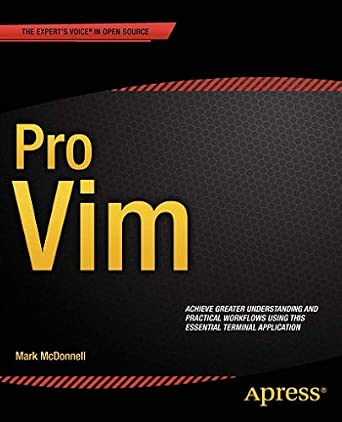
Pro Vim
This title positions itself as a comprehensive reference for developers who demand efficiency. Unlike the beginner-focused Guide to Vim Editor, Pro Vim dives deeper into the mechanics that allow for rapid text manipulation and custom tooling. It offers a modern interface perspective, helping users leverage Vim’s full potential without getting lost in obscure legacy features. The tradeoff is a steeper learning curve; the text assumes you are ready to treat Vim as a programmable environment rather than just a text editor. Compared to Modern Vim, it may feel more traditional in its approach to configuration, but it provides a robust foundation for understanding the editor’s internal logic. It is a serious tool for serious coders.
Pros:- Deep dive into developer-centric features
- Modern perspective on efficient coding workflows
- Strong focus on practical application over theory
Cons:- Steep learning curve for new users
- Limited information on specific legacy compatibility
Best for: Professional developers seeking a deep, reference-style guide to maximize coding efficiency.
Not ideal for: Casual users who only need basic editing capabilities and find deep customization unnecessary.
- Target Audience:Developers
- Interface Style:Modern
- Primary Benefit:Efficient Coding
- Feature Depth:Powerful Features
- Complexity:High
- Usage Context:Professional Development
Our verdict“Pro Vim is the definitive choice for developers who view Vim as a critical part of their professional toolchain.”
Vim for Beginners to Power Users A Practical: Drill-Based Guide to Mastering Vim Editing
Most Vim books, including Pro Vim, rely on passive reading of concepts. This title differentiates itself with a drill-based methodology, forcing the reader to actively practice motions until they become muscle memory. This approach directly addresses the primary failure point for new users: forgetting commands because they were never practiced. While Modern Vim teaches you how to configure your environment, this book ensures you can actually edit text efficiently first. The tradeoff is that the repetitive nature of drills may feel tedious for readers who prefer theoretical understanding. It is less about building a custom environment and more about internalizing the keyboard shortcuts that make Vim powerful. This method is particularly effective for those who struggle with retention.
Pros:- Drill-based format builds strong muscle memory
- Practical focus ensures immediate applicability
- Effective for overcoming the initial learning plateau
Cons:- Repetitive nature may feel tedious to some
- Less focus on advanced configuration or plugin management
Best for: Learners who retain information better through repetition and active exercises rather than reading.
Not ideal for: Users who prefer theoretical overviews and dislike repetitive practice exercises.
- Methodology:Drill-Based
- Skill Range:Beginner to Power User
- Learning Type:Active Practice
- Primary Goal:Mastery of Editing
- Format Focus:Practical Exercises
- Retention Strategy:Muscle Memory
Our verdict“This book is the best remedy for those who understand Vim conceptually but struggle to apply it in real-time editing.”
Vim Projects Handbook : Master the Vim Text Editor from Beginner to Advanced with Modal Editing, Text Objects, Macros, Vimscript, Plugins, Git, and Real-World Developer Workflows
This handbook stands out for its breadth of coverage, integrating Vim with external tools like Git and real-world developer workflows. While Modern Vim focuses on the editor’s internal environment, this book places Vim within the broader context of software development. It covers advanced topics like macros and Vimscript, bridging the gap between basic usage and automation. The sheer volume of topics can be overwhelming, potentially lacking the focused depth found in Guide to Vim Editor. However, for those who want a single reference that touches on everything from text objects to version control integration, this is the strongest option. It serves as a bridge between learning the editor and mastering the workflow.
Pros:- Covers integration with Git and real-world workflows
- Includes advanced topics like macros and Vimscript
- Broad scope from beginner to advanced concepts
Cons:- Breadth may sacrifice depth in specific areas
- Can feel overwhelming due to the wide range of topics
Best for: Developers who want to integrate Vim deeply into their existing Git and development workflows.
Not ideal for: Users who want a quick start guide and may be overwhelmed by the extensive topic list.
- Coverage Scope:Beginner to Advanced
- Key Topics:Modal Editing, Text Objects, Macros
- Integration Tools:Git, Plugins, Vimscript
- Context:Real-World Developer Workflows
- Format Type:Handbook
- Automation Focus:Macros and Vimscript
- Version Control:Git Integration
Our verdict“This handbook is the ideal choice for developers seeking a complete overview of Vim’s role in a modern professional workflow.”
Mastering Vim: Efficient and effortless editing with Vim and Vimscript
This book stands out for its deep focus on Vimscript, distinguishing it from titles like Practical Vim that prioritize immediate editing speed. While Practical Vim teaches you to edit faster with existing commands, this guide teaches you to build your own workflows from scratch. It is the right choice for developers who want to automate repetitive tasks rather than just memorize keybindings. However, the heavy emphasis on scripting means beginners might find the learning curve steep compared to more introductory guides. If you are happy with standard configurations, this may feel like overkill.
Pros:- Detailed coverage of Vimscript for custom automation
- Focuses on creating efficient, personalized workflows
- Bridges the gap between user and power-user configuration
Cons:- Steep learning curve for those unfamiliar with programming concepts
- Less emphasis on standard navigation shortcuts compared to other guides
Best for: Developers who want to write custom plugins and automate their editing environment using Vimscript.
Not ideal for: Complete beginners who just want to learn basic navigation and editing commands without diving into coding.
- ASIN:1835081878
- Format:Book
- Subject:Vim and Vimscript
- Focus:Efficient editing and automation
- Level:Intermediate to Advanced
- Language:English
Our verdict“Choose this if you want to customize Vim deeply rather than just use it.”
Practical Vim: Edit Text at the Speed of Thought
Unlike Mastering Vim, which focuses on scripting, this book is dedicated to mental models for editing text. It teaches you to think in terms of text objects and operators, which significantly increases editing speed for daily tasks. The practical examples make it immediately applicable to real-world coding scenarios. However, it assumes you already know the basics of moving around in Vim. If you are still struggling with hjkl navigation, you will need a more foundational text first. It is less about configuration and more about fluidity.
Pros:- Teaches practical, real-world editing techniques
- Focuses on efficient workflows to increase speed
- Suitable for developers seeking to master modal editing
Cons:- Requires prior basic knowledge of Vim to fully benefit
- Limited scope beyond editing techniques
Best for: Users who know the basics but want to dramatically improve their daily editing efficiency and speed.
Not ideal for: Users who are completely new to Vim and need to learn the fundamental commands and modes first.
- ASIN:1934356980
- Format:Book
- Subject:Vim Text Editor
- Focus:Modal editing and speed
- Level:Beginner to Intermediate
- Language:English
Our verdict“The definitive guide for turning competent Vim users into fast, intuitive editors.”
Vim y Neovim: Guía en español desde cero para editar código y texto en la terminal sin ratón
This is the only option in this list written entirely in Spanish, making it accessible for readers who prefer native-language instruction. It covers both classic Vim and modern Neovim, which is a notable advantage over older texts that ignore Neovim’s features. The focus on keyboard-only editing aligns with the core philosophy of the editor. However, the description lacks detail on specific chapter contents, so it is hard to gauge depth compared to Practical Vim. It serves as a solid starting point but may lack the nuanced workflow advice found in more established English titles.
Pros:- Written entirely in Spanish for native speakers
- Covers both Vim and the newer Neovim editor
- Focuses on mouse-free terminal editing
Cons:- Limited information on book length and chapter structure
- May not cover advanced customization as deeply as specialized guides
Best for: Spanish-speaking developers and beginners who want a comprehensive introduction to Vim and Neovim.
Not ideal for: Users looking for advanced scripting techniques or deep dives into specific plugin ecosystems.
- ASIN:B0HLWR7CZW
- Language:Spanish
- Format:Book
- Topics:Vim, Neovim, terminal editing
- Focus:Keyboard-based editing
- Level:Beginner
Our verdict“The go-to resource for Spanish speakers starting their journey with Vim and Neovim.”

How We Picked
I evaluated these titles based on three primary criteria: pedagogical effectiveness, technical currency, and depth of coverage. Pedagogical effectiveness measured how well each book explains the mental model of Vim rather than just listing keystrokes. Technical currency assessed whether the content addresses Vim 8/Neovim features, such as async jobs and Lua configuration, which are standard in 2027. Depth of coverage looked at whether the book guides the reader from basic navigation to complex macro creation and plugin development.
The ranking prioritizes books that teach transferable skills over those that offer isolated tips. I also considered the clarity of examples and the quality of code snippets. Titles that felt like outdated reference manuals were ranked lower than those that provided a structured learning path. This approach ensures that the top picks actually help readers become proficient, not just informed.
| Vim book | Format | Language |
|---|---|---|
| Wicked Cool Vim: | Paperback | English |
| Practical Vim: Edit Text at th | Paperback | English |
| Mastering Vim Quickly: From WT | Paperback | English |
| Learning the vi and Vim Editor | Paperback | English |
| Learning the vi and Vim Editor | Paperback | English |
| Guide to Vim Editor: From Begi | Kindle Edition | — |
| Modern Vim: Craft Your Develop | — | — |
| Pro Vim | — | — |
| Vim for Beginners to Power Use | — | — |
| Vim Projects Handbook : Master | — | — |
| Mastering Vim: Efficient and e | Book | English |
| Practical Vim: Edit Text at th | Book | English |
| Vim y Neovim: Guía en español | Book | Spanish |
Factors to Consider When Choosing Best Vim Books
Selecting a Vim book is not just about picking the most popular title; it is about finding a resource that aligns with your learning style and technical stack. Here are the critical factors to weigh before making a purchase.Learning Style: Theory vs. Drills
Vim can be learned through two distinct paths: understanding the underlying grammar or drilling muscle memory. Practical Vim excels at the former, explaining why certain motions exist, which helps you adapt to new plugins later. In contrast, drill-based guides like Vim for Beginners to Power Users focus on repetition, which can build speed quickly but may leave gaps in understanding when you encounter unique file types. If you plan to customize your editor heavily, choose a book that emphasizes the ‘why’ over the ‘how’.
Version Compatibility: Vim 8 vs. Neovim
The editor has evolved significantly in the last decade. Older texts often assume Vim 7 conventions, which can lead to confusion when you encounter modern features like async jobs or Lua-based plugins. Modern Vim is specifically designed for this shift, while titles like Learning the vi and Vim Editors remain rooted in POSIX standards. Check the publication date and the specific version mentioned in the preface; if it does not mention Neovim or Lua, it may require significant mental translation to apply to a 2027 workflow.
Depth of Plugin Ecosystem Coverage
Most professional Vim workflows rely on plugins for fuzzy finding, language servers, and git integration. A good book should not just tell you to install CtrlP or fzf, but explain how to configure them and troubleshoot conflicts. Pro Vim and Vim Projects Handbook offer deeper dives into this area, whereas beginner guides often skip plugin management entirely. If you already have a configured setup, prioritize books that teach you to maintain and extend it rather than starting from scratch.
Language and Accessibility
Vim documentation is historically sparse and often written in terse, technical English. For non-native English speakers, this barrier can be prohibitive. Vim y Neovim demonstrates the value of localized resources that explain concepts in the reader’s native tongue. Even for English speakers, look for authors who use clear analogies rather than jargon. If a book reads like a man page, it will likely sit on your shelf unread.
Project-Based vs. Reference Structure
Some books, like Wicked Cool Vim, use a project-based approach where you learn commands by completing specific tasks. Others serve as comprehensive references to be consulted when stuck. Reference books are better for experienced users looking to fill knowledge gaps, while project-based books are superior for building initial competence. Identify whether you need a course or a dictionary; mixing these up leads to frustration and abandoned learning efforts.
Frequently Asked Questions
Do I need to buy a new Vim book if I already have Practical Vim?
Not necessarily, unless you have moved to Neovim or heavily customized your config with Lua. Practical Vim teaches the core modal editing concepts that remain stable regardless of the editor version. However, if you find yourself struggling with modern plugin configurations or async features, supplementing it with Modern Vim or Pro Vim would be more effective than replacing it entirely. The foundational knowledge from Practical Vim is still highly relevant in 2027.
Is it better to learn from a book or from online interactive tutorials?
Books offer a structured, linear path that helps build a coherent mental model, which is often missing from scattered online tutorials. Interactive tutorials like Vim Adventures are excellent for drilling muscle memory but rarely explain the philosophy behind the motions. The most effective approach is to use a book like Practical Vim to understand the ‘why’ while using interactive drills for the ‘how.’ This combination ensures both deep understanding and fast execution.
Can I use Vim books to learn Neovim effectively?
Most modern Vim books cover Neovim, but the depth varies. Modern Vim and Vim y Neovim explicitly address the differences, such as the Lua configuration file and built-in LSP support. Older books may ignore these features, requiring you to consult documentation separately. If your primary editor is Neovim, ensure the book you choose has a dedicated chapter or section on it to avoid learning deprecated practices.
Are drill-based Vim books worth the investment for beginners?
Drill-based books like Vim for Beginners to Power Users can accelerate initial proficiency by forcing muscle memory through repetition. However, they often lack the conceptual depth needed to troubleshoot complex workflows or customize the editor. I recommend them as a supplement to a conceptual guide rather than a standalone resource. If you buy only one book, choose one that explains the grammar of Vim first, then use drills to reinforce those lessons.
How do I know if a Vim book is outdated?
Check for mentions of Vimscript versus Lua and the presence of features like async jobs or terminal mode. Books published before 2016 often lack coverage of these critical modern features. Additionally, look for the editor version specified in the introduction; if it targets Vim 7, it will likely miss significant changes in Vim 8 and Neovim. Always prefer titles updated within the last five years for current relevance.
Conclusion
To choose the right resource, match the book to your current stage. For best overall learning and conceptual clarity, Practical Vim remains the unmatched leader. If you are a developer focused on best modern configuration and Neovim integration, Modern Vim is the superior choice. For those seeking a best value entry point without overwhelming complexity, Wicked Cool Vim provides a gentle, project-based introduction. Best for beginners who need structure will find Guide to Vim Editor useful, while advanced users looking to master Vimscript and deep customization should turn to Pro Vim. Spanish-speaking developers should prioritize Vim y Neovim for accessible, up-to-date instruction.
Black Friday Picks

Bose QuietComfort True Wireless Noise-Cancelling Earbuds, Black
As an affiliate, we earn on qualifying purchases.