
Students shopping for software testing resources face a real dilemma: most tools and books are written for working professionals, not for people learning the craft on a student budget and timeline. After comparing twelve of the most widely recommended options, Foundations of Software Testing ISTQB Certification, 4th Edition stands out as the best overall pick because it anchors you in terminology and principles that universities and employers both recognize. Two other strong options are Introduction to Software Testing: A Practical Guide for hands-on learners who want to write tests early, and Software Testing with Selenium for students who need a marketable automation skill fast. The main tradeoff across this category is breadth versus employability — some resources teach theory that transfers everywhere, while others teach a single tool that gets you interviews sooner. Keep reading for the full breakdown of what each option does well and who should skip it.

Get business pricing on monitors, keyboards and dev gear
- Business-only prices and quantity discounts
- Tax-exempt purchasing
- Multiple users, one account, clear invoices
Key Takeaways
- Certification-aligned resources (the ISTQB Foundations guide) carried the most weight because they double as interview preparation and coursework reinforcement, giving students two returns on one purchase.
- Tool-specific guides (Selenium, JUnit 5) ranked high for employability but carry a hidden cost: they age faster than principle-based books and assume programming knowledge not every student has yet.
- AI-era testing books split the field — strong for students graduating into 2026 job markets, but risky as a first resource because they assume you already understand traditional testing basics.
- Several beginner-branded titles actually cover less practical ground than intermediate books with better exercises, so the ‘beginner’ label on a cover proved unreliable as a buying signal.
- The developer-oriented guides (Effective Software Testing) only make sense for students in CS degree programs — non-technical QA-track students found them the wrong entry point despite strong content.
| Software Testing and Quality Assurance: Exploring Testing Levels, Test Tools, Automation, and Quality Metrics for Improved Software Quality |  | Best for QA Theory Fundamentals | Format: Book (digital/Print) | Primary Audience: Software engineering students and early professionals | Core Topics: Testing levels, test tools, automation, quality metrics | VIEW LATEST PRICE | See Our Full Breakdown |
| All You Need to Know About Software Testing: From Beginner to Job-Ready QA Engineer |  | Best for Career Launch | Format: Book (digital) | Primary Audience: Beginners aiming for QA careers | Core Topics: Manual testing, automation, APIs, Selenium, Playwright, CI/CD, AI-assisted QA | VIEW LATEST PRICE | See Our Full Breakdown |
| Software Testing in the AI Era: A Complete Guide for Modern Testers |  | Best for AI-Era Skills | Format: Book (digital) | Primary Audience: Testers and students with existing fundamentals | Core Topics: AI-driven application testing, modern tools, best practices | VIEW LATEST PRICE | See Our Full Breakdown |
| Software Testing with Selenium Automated Testing Tool: Selenium Book for Beginners |  | Best Value Tool Focus | Format: Book (digital) | Primary Audience: Beginners learning test automation | Core Topics: Selenium fundamentals and practical implementation | VIEW LATEST PRICE | See Our Full Breakdown |
| Lessons Learned in Software Testing: A Context-Driven Approach |  | Best for Building Testing Judgment | Format: Print / eBook | Approach: Context-driven testing | Audience: Early-career and intermediate testers | VIEW LATEST PRICE | See Our Full Breakdown |
| Full Stack Testing: A Practical Guide for Delivering High Quality Software in the Age of AI |  | Best for Career-Focused Students | Format: eBook / Print | Coverage: Full stack: unit to end-to-end testing | AI Content: Yes — AI-era testing strategies | VIEW LATEST PRICE | See Our Full Breakdown |
| Effective Software Testing: A Developer’s Guide |  | Best for Developer-Testers | Format: Print / eBook | Perspective: Developer-centric testing | Topics: Unit, boundary, mocking, testability design | VIEW LATEST PRICE | See Our Full Breakdown |
| Software Test Design: Write Comprehensive Test Plans to Uncover Critical Bugs in Web, Desktop, and Mobile Apps | 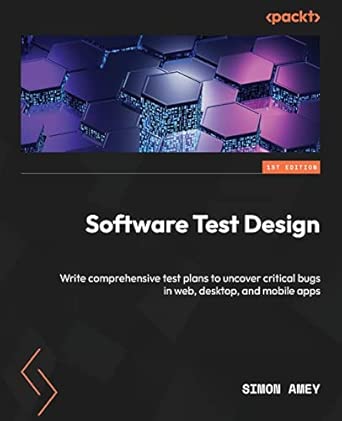 | Best for Test Planning Skills | Format: Print / eBook | Core Focus: Test plan design | Platforms Covered: Web, desktop, mobile | VIEW LATEST PRICE | See Our Full Breakdown |
| Mastering Software Testing with JUnit 5: Comprehensive Guide to Develop High-Quality Java Applications |  | Best for Java Students | Format: Print / eBook | Framework: JUnit 5 | Language: Java | VIEW LATEST PRICE | See Our Full Breakdown |
| Elevating Software Testing with Artificial Intelligence |  | Best Forward-Looking Read | Format: Book / digital publication | Primary Topic: AI-enhanced software testing | Focus Areas: Testing efficiency, testing accuracy, AI-driven techniques | VIEW LATEST PRICE | See Our Full Breakdown |
| Foundations of Software Testing ISTQB Certification, 4th Edition |  | Best Certification Prep | Format: Paperback / print book | Edition: 4th Edition | Certification Target: ISTQB Foundation Level | VIEW LATEST PRICE | See Our Full Breakdown |
| software testing tools for student | Format | Hands-On Exercises |
|---|---|---|
| Software Testing and Quality A | Book (digital/Print) | Limited — conceptual emphasis |
| All You Need to Know About Sof | Book (digital) | Yes — practical insights included |
| Software Testing in the AI Era | Book (digital) | Strategy-focused, moderate practical content |
| Software Testing with Selenium | Book (digital) | Yes — practical examples throughout |
| Lessons Learned in Software Te | Print / eBook | No — conceptual focus |
| Full Stack Testing: A Practica | eBook / Print | — |
| Effective Software Testing: A | Print / eBook | — |
| Software Test Design: Write Co | Print / eBook | — |
| Mastering Software Testing wit | Print / eBook | — |
| Elevating Software Testing wit | Book / digital publication | — |
| Foundations of Software Testin | Paperback / print book | Minimal — primarily theory |
More Details on Our Top Picks
Software Testing and Quality Assurance: Exploring Testing Levels, Test Tools, Automation, and Quality Metrics for Improved Software Quality
For a student who wants a structured tour of the whole QA landscape, this title stands out because it organizes material around testing levels, tooling, automation, and quality metrics rather than around a single tool. Compared with Introduction to Software Testing, which leans toward hands-on execution, this book spends more time on quality metrics — a topic most student-facing books barely touch, and one that shows up constantly in coursework and interviews. The tradeoff is density: chapters assume some technical comfort, so a complete beginner may prefer All You Need to Know About Software Testing first. It also lacks ratings and edition details, so currency of the content is uncertain. This pick makes the most sense for a second-semester student building a mental framework before specializing in any one tool.
Pros:- Broad coverage of testing levels, tools, and automation in one place
- Rare student-friendly treatment of quality metrics and measurement
- Frameworks concepts in a way that maps well to university coursework
- Useful as a long-term desk reference beyond a single course
Cons:- No edition or publication details, so it is hard to verify how current the content is
- No reviews or ratings to gauge reader accuracy
- Too technical as an entry point for first-year students
Best for: Students in a software engineering or QA course who need a broad, structured reference covering theory and metrics, not just tool tutorials.
Not ideal for: Absolute beginners with no programming background — the technical tone and metrics-heavy chapters can be overwhelming as a first book.
- Format:Book (digital/Print)
- Primary Audience:Software engineering students and early professionals
- Core Topics:Testing levels, test tools, automation, quality metrics
- Skill Level:Intermediate
- Focus:Theory and quality assurance practice
- Hands-On Exercises:Limited — conceptual emphasis
- Tool-Specific Content:General tooling overview, no single tool focus
Our verdict“Choose this if you want a metrics-aware, full-picture QA reference to anchor your studies — but not as your very first testing book.”
All You Need to Know About Software Testing: From Beginner to Job-Ready QA Engineer
Of the five books here, this one has the most career-driven scope: manual testing, APIs, Selenium, Playwright, CI/CD, and even AI-assisted QA in a single path from zero to interview-ready. Compared with Software Testing with Selenium Automated Testing Tool, which stops at one framework, this guide gives students the full modern toolchain employers expect on junior QA resumes. The breadth is also the risk. Covering that many topics in one volume means each gets limited depth, so a student preparing specifically for ISTQB-style certification would be better served by Foundations of Software Testing ISTQB Certification. With no reviews or detailed specifications published yet, you are betting on the outline rather than proven reader results. For a final-year student aiming at a first QA job, though, that bet is reasonable.
Pros:- Covers the full modern stack: Selenium, Playwright, APIs, and CI/CD
- Includes AI-assisted QA, matching current hiring trends
- Structured as a career path rather than a topic list
- Starts from zero, so no prior QA background needed
Cons:- Extremely broad scope limits depth on any single tool
- No reviews or ratings yet to validate quality
- Too general for standardized certification study
Best for: Final-year students and career changers who want one book to carry them from basics to a junior QA engineer role.
Not ideal for: Certification hunters — ISTQB prep requires a syllabus-aligned text, and this book’s breadth dilutes exam-specific depth.
- Format:Book (digital)
- Primary Audience:Beginners aiming for QA careers
- Core Topics:Manual testing, automation, APIs, Selenium, Playwright, CI/CD, AI-assisted QA
- Skill Level:Beginner
- Focus:Job readiness and industry practice
- Tools Covered:Selenium, Playwright, and AI QA tools
- Hands-On Exercises:Yes — practical insights included
Our verdict“Pick this if your goal is a job offer, not a certificate — it is the most resume-oriented book in the lineup.”
Software Testing in the AI Era: A Complete Guide for Modern Testers
Testing is shifting fast, and this is the most forward-looking title in the batch. Unlike Software Testing with Selenium Automated Testing Tool, which teaches a tool that has existed for two decades, this guide centers on strategies for testing AI-driven applications — a skill gap most curricula have not closed. It overlaps with All You Need to Know About Software Testing on AI-assisted QA, but goes considerably deeper on testing AI systems themselves rather than just using AI helpers. The tradeoff is timing and trust: the field moves quickly, a fast-dating risk for any AI book, and the absence of reviews or edition details makes it harder to judge whether the strategies described still match current practice. For a student who wants to stand out in interviews, though, this specialization is a genuine differentiator.
Pros:- Focused on a fast-growing niche few textbooks cover
- Bridges traditional QA skills with AI-era practices
- Strong complement to a conventional testing education
- Helps candidates differentiate in junior QA interviews
Cons:- AI content dates quickly compared with classic testing texts
- No reviews or edition details available
- Assumes existing testing knowledge
Best for: Students who already know testing basics and want a distinguishing specialty in AI application testing.
Not ideal for: Beginners — read a foundational guide like Introduction to Software Testing first, or the AI context will not make sense.
- Format:Book (digital)
- Primary Audience:Testers and students with existing fundamentals
- Core Topics:AI-driven application testing, modern tools, best practices
- Skill Level:Intermediate
- Focus:AI-era testing strategies
- Prerequisites:Basic software testing knowledge
- Hands-On Exercises:Strategy-focused, moderate practical content
Our verdict“A smart second or third book — buy it after the fundamentals if you want a specialty that classmates will not have.”
Software Testing with Selenium Automated Testing Tool: Selenium Book for Beginners
Most students do not need every testing topic — they need to automate one project this month, and that is exactly what this book delivers. It is the only title in this batch devoted entirely to Selenium, and compared with the broad career guide All You Need to Know About Software Testing, it trades coverage for step-by-step accessibility: practical examples from the first chapters, no assumed QA background, and typically a lower price point than professionally published alternatives like Introduction to Software Testing. The tradeoff is ceiling. Advanced Selenium topics are absent, edition information is unclear (a real issue given browser and WebDriver changes), and once you finish, you will still need a broader book for test design and strategy. Treat it as a low-risk entry purchase, not a complete education.
Pros:- Focused entirely on one widely-taught tool
- Beginner-friendly with practical, runnable examples
- Cheaper and faster to work through than full textbooks
- Immediately applicable to coursework
Cons:- No advanced Selenium topics once basics are covered
- Unclear whether the edition reflects current Selenium and WebDriver versions
- Nothing on test strategy or broader QA skills
Best for: Students on a budget who need to learn Selenium specifically for a course project or first automation task.
Not ideal for: Learners wanting long-term career coverage — the narrow scope leaves out test strategy, CI/CD, and modern frameworks like Playwright.
- Format:Book (digital)
- Primary Audience:Beginners learning test automation
- Core Topics:Selenium fundamentals and practical implementation
- Skill Level:Beginner
- Focus:Single-tool automation training
- Tools Covered:Selenium only
- Hands-On Exercises:Yes — practical examples throughout
Our verdict“The cheapest way to get automating quickly in Selenium — just plan on a second, broader book afterward.”
Lessons Learned in Software Testing: A Context-Driven Approach
Not every student needs another checklist-driven manual — some need to learn how to think about testing. That’s the gap this book fills. Where Introduction to Software Testing walks through structured process steps, this one argues that no practice works in every context, then teaches you to reason about which techniques fit which situations. For students heading into internships or capstone projects, that judgment is often what separates a decent tester from a memorable one.
The tradeoff is real: it’s a mindset book, not a reference. You won’t find tool tutorials like the ones in Software Testing with Selenium, and beginners who want step-by-step instructions may feel adrift before the lessons click. Read it after — not instead of — a foundational guide.
Pros:- Teaches context-driven thinking rather than rigid processes
- Draws on real-world lessons from working testers
- Builds judgment that transfers to any project or tool
- Compact lessons are easy to read alongside coursework
Cons:- No hands-on tutorials or tool walkthroughs
- Concepts can feel abstract without prior testing exposure
- Older material means modern AI-era practices aren’t covered
Best for: Students who already know the basics and want to develop professional testing judgment before their first internship
Not ideal for: Absolute beginners who need step-by-step tool instruction — this book assumes you understand testing fundamentals already
- Format:Print / eBook
- Approach:Context-driven testing
- Audience:Early-career and intermediate testers
- Content Type:Practical lessons and testing wisdom
- Hands-On Exercises:No — conceptual focus
- Tool Coverage:Minimal — tool-agnostic
- Experience Level:Intermediate
Our verdict“A second book for students who want to think like a senior tester, not just follow procedures.”
Full Stack Testing: A Practical Guide for Delivering High Quality Software in the Age of AI
Most student-oriented testing books stop at functional testing; this one covers the entire stack — from unit tests to deployment pipelines — with a current focus on AI-assisted development. Compared with Software Testing in the AI Era, which centers on how AI changes the tester’s job, this guide is broader and more hands-on across the whole delivery lifecycle, which matters for students targeting modern dev roles where testing is everyone’s responsibility.
The breadth is also the risk. Because it spans so much territory, no single topic gets exhaustive depth, and students wanting deep certification prep will get more from Foundations of Software Testing ISTQB Certification. It also assumes some coding comfort, so pure QA-track students may need to fill gaps elsewhere.
Pros:- Covers the full testing stack, not just one layer
- Directly addresses AI-era testing practices
- Practical guidance that mirrors real development workflows
- Relevant to both developers and dedicated testers
Cons:- Broad scope means less depth per topic
- Assumes some programming background
- Fast-moving AI content may date quickly
Best for: CS students targeting developer or DevOps roles who need testing knowledge across the entire software stack
Not ideal for: Students pursuing pure manual QA certification paths — the breadth dilutes the exam-focused depth they need
- Format:eBook / Print
- Coverage:Full stack: unit to end-to-end testing
- AI Content:Yes — AI-era testing strategies
- Audience:Developers and testers
- Hands-On Focus:Practical tools and workflows
- Experience Level:Intermediate
Our verdict“The most career-relevant pick for students entering modern development teams that test across the whole stack.”
Effective Software Testing: A Developer’s Guide
This book solves a specific problem: developers who write code but were never formally taught to test it. The author structures the book around writing tests that actually catch bugs, moving from basics like boundary testing into design-for-testability and mocking — territory that general QA guides like All You Need to Know About Software Testing skip entirely. For students in software engineering courses where grading hinges on code quality, this translates directly into fewer broken builds and better grades.
The developer-first framing is a double-edged sword. Manual-testing students will find little on test plans or exploratory technique, and those wanting a specific framework deep-dive get more value from Mastering Software Testing with JUnit 5, which trades this book’s breadth for Java-specific depth.
Pros:- Teaches testing from the developer’s perspective
- Progresses logically from fundamentals to advanced techniques
- Directly improves code quality in academic projects
- Covers design-for-testability, a rarity in student texts
Cons:- Requires working programming knowledge
- Little coverage of manual and exploratory testing
- Framework examples are secondary to concepts
Best for: Programming students who want to test their own code properly in coursework and personal projects
Not ideal for: Students on a manual QA analyst track — the developer-centric content won’t map to their daily work
- Format:Print / eBook
- Perspective:Developer-centric testing
- Topics:Unit, boundary, mocking, testability design
- Prerequisite:Programming experience
- Audience:Developers and CS students
- Experience Level:Beginner to intermediate developer
Our verdict“The right pick if you write code and want testing skills that pay off in every project you ship.”
Software Test Design: Write Comprehensive Test Plans to Uncover Critical Bugs in Web, Desktop, and Mobile Apps
Most entry-level testing books teach you how to run tests; this one teaches you how to design them before a line of code is tested. That matters because test planning is the skill hiring managers probe in junior QA interviews, and it’s exactly what Introduction to Software Testing covers only at survey level. By walking through web, desktop, and mobile contexts, it also helps students who haven’t yet chosen a specialization see how plans differ across platforms.
Be aware of what it isn’t: there’s minimal automation content, so students wanting hands-on scripting will need Software Testing with Selenium as a companion. And the design-heavy focus means it’s drier reading than career-narrative books — this is a workbook-style guide you’ll get value from by doing, not skimming.
Pros:- Deep, dedicated focus on test plan design
- Covers web, desktop, and mobile in one place
- Directly builds portfolio-ready planning artifacts
- Teaches prioritization for finding critical bugs first
Cons:- Little to no automation or tooling content
- Dense, workbook-style reading that rewards effort
- Assumes familiarity with basic testing terminology
Best for: Students preparing for junior QA roles who need to demonstrate professional-grade test planning in interviews
Not ideal for: Students focused on automation engineering — test design here is documented planning, not scripting
- Format:Print / eBook
- Core Focus:Test plan design
- Platforms Covered:Web, desktop, mobile
- Automation Content:Minimal
- Audience:Aspiring QA analysts and testers
- Experience Level:Beginner to intermediate
Our verdict“The go-to pick when you need to produce real test plans, not just understand testing theory.”
Mastering Software Testing with JUnit 5: Comprehensive Guide to Develop High-Quality Java Applications
If your coursework lives in Java, a general testing book forces constant mental translation — this one doesn’t. It’s built entirely around JUnit 5, the framework you’ll actually use in assignments, with practical code examples you can run the same day. Compared with Effective Software Testing, which teaches concepts that apply to any language, this guide trades that universality for concrete, immediately applicable Java depth — the right trade if your degree is Java-centric.
The flip side: everything outside Java is out of scope. Students in Python or JavaScript programs get nothing here, and even Java students will want a supplementary text for broader testing theory, since framework mechanics alone don’t teach what to test or why. Treat it as your practical companion, not your only book.
Pros:- Complete, current coverage of JUnit 5
- Runnable code examples, not abstract theory
- Directly applicable to Java coursework and projects
- Covers best practices for maintainable test suites
Cons:- Locked to the Java ecosystem
- Light on testing theory and test design strategy
- Framework focus means fast churn as JUnit evolves
Best for: Java-focused CS students who need to write real unit tests for coursework immediately
Not ideal for: Students working in Python, JavaScript, or other stacks — the JUnit-specific content won’t transfer
- Format:Print / eBook
- Framework:JUnit 5
- Language:Java
- Content Type:Hands-on guide with code examples
- Audience:Java developers and students
- Experience Level:Beginner to advanced Java
Our verdict“The obvious choice for Java students who need working unit tests this week, paired with a theory book for the bigger picture.”
Elevating Software Testing with Artificial Intelligence
For students who want to specialize early in AI-driven testing, this is the most forward-leaning pick in the lineup. Compared with Software Testing in the AI Era: A Complete Guide for Modern Testers, which casts a wider net across the AI testing landscape, this option goes narrower and deeper on how AI actually improves testing efficiency and accuracy — a distinction that matters if coursework or a capstone project touches intelligent automation.
The tradeoff is transparency. With no detailed table of contents or reader ratings available, you’re committing sight unseen, which is a real risk next to established titles like Effective Software Testing: A Developer’s Guide. This pick makes the most sense for students supplementing a solid testing foundation, not building one from scratch.
Pros:- Focused specifically on AI applications in software testing, a growing hiring differentiator
- Covers efficiency and accuracy improvements, connecting theory to measurable outcomes
- Fills a gap most introductory testing books leave open
- Shorter and more specialized than broader guides, so it reads quickly alongside coursework
Cons:- No user reviews or ratings to verify quality before buying
- Lacks detailed specifications, chapter listings, or documented features
- Assumes prior testing knowledge rather than teaching fundamentals
Best for: Students who already know testing basics and want to add AI-augmented testing skills before entering the job market
Not ideal for: Beginners or exam-focused students — the narrow AI scope and lack of foundational coverage make it a poor first testing book
- Format:Book / digital publication
- Primary Topic:AI-enhanced software testing
- Focus Areas:Testing efficiency, testing accuracy, AI-driven techniques
- Audience Level:Intermediate — assumes testing fundamentals
- Prerequisites:Basic understanding of software testing processes
- User Ratings:Not yet available
- Detailed Specs:Limited information published
Our verdict“A worthwhile gamble for students adding an AI specialty to their QA skill set — but only after covering fundamentals elsewhere.”
Foundations of Software Testing ISTQB Certification, 4th Edition
For students aiming at the ISTQB Foundation Level exam, this is the clear specialist in the roundup. Where All You Need to Know About Software Testing: From Beginner to Job-Ready QA Engineer takes a career-broad view, this book is built around a defined syllabus with exam-aligned structure — a meaningful difference when certification is the goal rather than general literacy.
The 4th edition reflects current ISTQB standards and industry best practices, which older testing titles in this list can’t match. The honest drawback: the writing is dense. Students expecting the approachable pace of Introduction to Software Testing: A Practical Guide may find this reads more like a textbook than a tutorial, and it offers little hands-on practice with tools like Selenium or JUnit compared with dedicated tool guides.
Pros:- Aligned directly with the ISTQB Foundation Level syllabus, removing guesswork from exam prep
- Thorough coverage of fundamental testing principles, techniques, and terminology
- Updated 4th edition reflects current certification standards
- Includes industry best practices that carry over into real QA roles
Cons:- Dense, textbook-style writing that can overwhelm complete beginners
- No hands-on automation exercises with tools like Selenium or JUnit
- No customer reviews available to gauge reader experience
Best for: Computer science students and career-changers preparing specifically for the ISTQB Foundation Level certification exam
Not ideal for: Hobbyists or students wanting hands-on tool tutorials — the theory-heavy, exam-focused format skips practical automation work
- Format:Paperback / print book
- Edition:4th Edition
- Certification Target:ISTQB Foundation Level
- Coverage:Testing fundamentals, techniques, and industry best practices
- Audience Level:Beginner to intermediate (exam candidates)
- Style:Textbook / syllabus-aligned study guide
- Hands-On Exercises:Minimal — primarily theory
- User Ratings:Not available
Our verdict“The definitive pick if the ISTQB exam is on your roadmap; skip it if you want tool-based, hands-on practice instead.”

How We Picked
I evaluated each resource against what actually matters to a student buyer: cost-to-outcome ratio, whether the material aligns with university coursework or industry certification paths, how much hands-on practice is included versus pure theory, and how long the content stays relevant. A book that costs the same as another but includes exercises, sample test plans, or tool walkthroughs scored higher than one that only explains concepts. I also weighted entry requirements heavily — a brilliant automation guide that assumes three years of Java experience is useless to a first-year student, no matter how good the writing is.
The ranking logic is straightforward: resources that serve the widest range of students without prerequisites rose to the top, followed by tool-specific guides that trade breadth for job-market value, with niche and advanced titles filling the lower positions. Where two options covered similar ground, I favored the one with better structure for self-study, since students rarely have an instructor walking them through chapter by chapter.
| software testing tools for student | Format | Hands-On Exercises |
|---|---|---|
| Software Testing and Quality A | Book (digital/Print) | Limited — conceptual emphasis |
| All You Need to Know About Sof | Book (digital) | Yes — practical insights included |
| Software Testing in the AI Era | Book (digital) | Strategy-focused, moderate practical content |
| Software Testing with Selenium | Book (digital) | Yes — practical examples throughout |
| Lessons Learned in Software Te | Print / eBook | No — conceptual focus |
| Full Stack Testing: A Practica | eBook / Print | — |
| Effective Software Testing: A | Print / eBook | — |
| Software Test Design: Write Co | Print / eBook | — |
| Mastering Software Testing wit | Print / eBook | — |
| Elevating Software Testing wit | Book / digital publication | — |
| Foundations of Software Testin | Paperback / print book | Minimal — primarily theory |
Factors to Consider When Choosing Software Testing Tools For Students
Choosing a testing resource as a student is different from choosing one as a professional. You are buying with limited money, limited time, and a career that has not started yet — which changes what ‘good value’ means.Match the Resource to Your Degree Path, Not Just Your Interest
The most common mistake students make is buying a testing book that belongs to a different track than their own. If you are in a computer science program writing code daily, developer-testing guides will slot naturally into your existing coursework. If you are on a QA or business-analysis track with lighter programming requirements, those same guides will sit unread because every chapter assumes comfort with a codebase. Before buying anything, check whether the resource expects you to write code, read code, or neither. This single filter eliminates roughly a third of bad purchases in this category.
Certification Alignment Is Worth More Than You Think
Employers screening junior QA candidates frequently look for ISTQB Foundation certification, and a resource aligned to that syllabus gives you a two-for-one: course understanding plus exam prep. Non-aligned books may teach the same concepts, but you will end up buying separate study material anyway. The tradeoff is that certification-aligned content can feel dry and terminology-heavy compared with practical guides. My advice for students within a year of graduation is to tolerate the dryness — the certification pays for itself in interviews. First and second-year students have more freedom to prioritize engaging, practical material.
Tool-Specific Guides Age Fast — Budget Accordingly
A Selenium or JUnit guide tied to a specific version loses value with every major framework release. That does not make them bad purchases; it makes them short-term investments. If you plan to use the tool in a project within the next semester, the purchase is justified. If you are buying ‘for someday,’ a principles-first book will still be useful five years from now while the tool guide collects dust. A practical rule: tool books for now, theory books for later.
Exercises Beat Explanations for Actually Learning Testing
Testing is a skill you learn by doing, and resources that include worked exercises, sample applications to test, or test-plan templates consistently produce better outcomes than pure explanation. When comparing two options at similar prices, check the table of contents for practice material — chapters ending in exercises, appendixes with case studies, or downloadable sample projects. Students who skip this check often understand testing concepts perfectly and then freeze in their first practical assessment because they have never written a real test case. The gap between knowing and doing is the single biggest failure point in this category.
AI Content: Timing Matters More Than Quality
AI-focused testing books are genuinely forward-looking, but they assume you already understand test design, coverage, and regression basics. Buying one as your first testing resource is like buying a cookbook on molecular gastronomy before learning to fry an egg. The right sequence is fundamentals first, AI-era material second — ideally in your final year or early career when the content connects to real projects. That said, students graduating into the 2026 market should not skip AI topics entirely; hiring managers increasingly ask about them. The second-book strategy — one foundational title plus one AI title — covers both bases without overloading a single semester.
Frequently Asked Questions
Do I need to know programming before buying any of these testing resources?
No, but the answer depends entirely on which resource you pick. Certification-focused and principle-based books like the ISTQB Foundations guide assume no coding ability and are written for exactly that audience. Practical guides to Selenium and JUnit, by contrast, assume working knowledge of Java or at least strong familiarity with one programming language — attempting them cold will waste your money. Developer-oriented guides sit in between and work best alongside a programming course you are already taking. A safe approach for non-programmers is to start with a fundamentals resource, then decide whether the automation track appeals before investing in tool-specific guides.
Is the ISTQB certification worth pursuing as a student, and should I buy the aligned book?
For most students targeting QA roles, yes — the ISTQB Foundation credential is one of the few certifications that junior-level employers actively recognize, and having it on a student CV compensates for lack of work experience. The aligned book is the cheapest way to prepare since training courses cost many times more while covering the same syllabus. The exception is students aiming at developer roles, where the certification carries little weight and a developer-testing guide is the better spend. If you are unsure of your track, the aligned book is still low-risk because its terminology appears across the entire industry.
Should I learn Selenium through a book or free online tutorials?
Books win when you need structure, and tutorials win when you need a quick specific answer. A dedicated Selenium book walks you through a planned progression — locators, waits, frameworks, reporting — which most students cannot assemble from scattered tutorials without gaps in understanding. Tutorials tend to demonstrate happy paths and skip the debugging skills that actually make automation work, which is exactly where a good book spends its pages. The practical compromise many students land on is the book for structure and free documentation for version-specific issues, since books lag behind framework updates. If your budget only stretches to one, buy the book and supplement with the official docs.
Are the AI-era testing books a replacement for learning traditional testing?
They are not, and treating them as a shortcut is the fastest way to build shaky skills. AI testing tools automate parts of the process — test generation, maintenance, visual checking — but evaluating whether the output is any good still requires classical test-design knowledge. The authors of the best AI-era books assume you already understand coverage, risk-based testing, and regression strategy; the books extend that foundation rather than replacing it. A student who learns only AI tools will struggle the moment a tool produces plausible but wrong tests, which happens regularly. Treat AI content as your second or third purchase, not your first.
Can one book cover both my university coursework and job preparation?
Often yes, and that overlap is the smartest way to buy as a student. Certification-aligned fundamentals books map closely to most university software engineering modules, so a single purchase can serve an exam, a project, and an interview simultaneously. Where the overlap breaks down is with tool-specific guides — universities tend to test principles, while employers test practical tool skills, so those serve only the job side. The students who get the most value typically buy one broadly aligned fundamentals resource early, then add a single tool-specific guide in their final year targeted at the jobs they are applying for. Buying everything at once is the expensive mistake to avoid.
Conclusion
For best overall, Foundations of Software Testing ISTQB Certification, 4th Edition earns the top spot because it serves coursework, certification, and interviews with a single purchase. The best value pick is Introduction to Software Testing: A Practical Guide, which delivers hands-on skills at a beginner-friendly price point. For beginners with no technical background, All You Need to Know About Software Testing offers the gentlest entry without assuming code experience. Students wanting a premium, career-proofing investment should pair Full Stack Testing with an AI-era title to graduate ahead of the market curve. For specific needs: Selenium for Beginners if you need an automation credential for your CV, Mastering JUnit 5 if you are a Java-track CS student, Effective Software Testing if you test the code you write, and Lessons Learned in Software Testing once you have internship experience and want to sharpen your judgment. Whatever your path, buy one resource matched to your current level rather than a stack you will never finish.
Halloween Picks
halloween
As an affiliate, we earn on qualifying purchases.