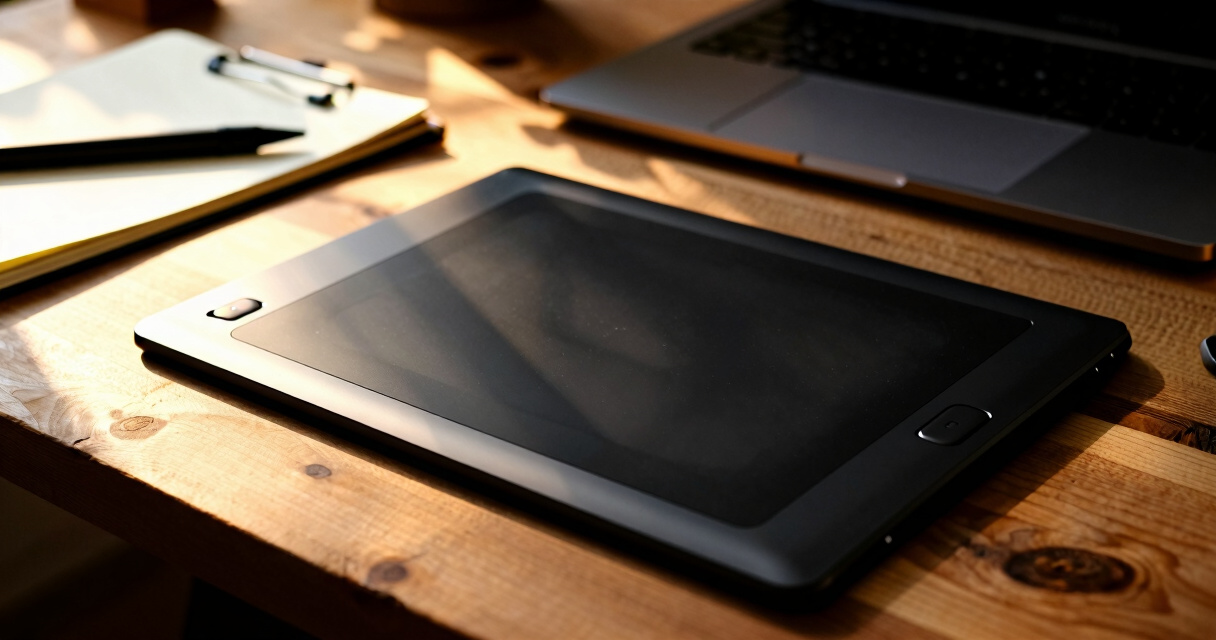

Finding the best graphics tablet for design work in 2026 involves balancing performance, usability, and budget. The Wacom Cintiq 16 stands out as the overall top choice thanks to its high-quality display and precise stylus. For those seeking value, the XPPen Artist 15.6 Pro V2 offers excellent features at a more accessible price. Meanwhile, beginners might prefer the Wacom Intuos Small for its simplicity and reliability. Each option comes with its own tradeoffs—whether in price, screen quality, or learning curve. Keep reading for a detailed breakdown of which tablet suits your specific needs.

Get business pricing on monitors, keyboards and dev gear
- Business-only prices and quantity discounts
- Tax-exempt purchasing
- Multiple users, one account, clear invoices
Key Takeaways
- High-end models like the Wacom Cintiq 16 deliver exceptional display quality but come with a higher price tag.
- Budget-friendly options such as the Wacom Intuos Small are ideal for beginners or occasional use, sacrificing screen real estate and advanced features.
- Screen size varies significantly, so consider your workspace and portability needs before choosing a model.
- Stylus technology, including pressure sensitivity and tilt support, greatly impacts drawing accuracy and comfort.
- Connectivity options like Bluetooth and USB influence ease of setup and mobility, especially for users who work on the go.


More Details on Our Top Picks
Wacom Intuos Small Graphics Drawing Tablet with Software and Training
The Wacom Intuos Small stands out for its exceptional control and natural pen-on-paper feel, making it ideal for both beginners and professionals. Compared with larger tablets like the XPPen Artist 22R Pro, this model offers a more portable size but sacrifices screen real estate. Its battery-free EMR stylus ensures hassle-free use, and the included software and training make it accessible for newcomers. However, the small size may be limiting for complex projects, and it requires software registration for full features. Choosing this makes sense if you want reliable precision in a compact form, especially for portable use or space-constrained setups.Pros:- High precision and pen-on-paper feel
- Compatible with all major software platforms
- Includes software and training for beginners
Cons:- Limited to small size, not ideal for large projects
- Requires software registration for full features
Best for: Digital artists and designers seeking a highly accurate, portable tablet with software support
Not ideal for: Those working on large-scale projects or needing a built-in display, as it lacks a screen and is limited in size
- Size:Small
- Compatibility:Chromebook, Mac, Android, Windows
- ExpressKeys:4 customizable keys
- Technology:Electromagnetic Resonance (EMR), battery-free pen
Bottom line: This tablet offers a reliable, precise experience best suited for artists who prioritize portability and control.
PicassoTab A10 Drawing Tablet with Stylus, 10-inch Screen, 6GB RAM, 128GB Storage, Android 14
The PicassoTab A10 delivers a standalone 10-inch Android tablet that’s perfect for artists and students who need portability without sacrificing performance. It’s a step up from basic models like the XP-Pen Deco 01 V3 in terms of internal storage and pre-installed apps, making it ready for creative work right out of the box. Its octa-core processor and ample RAM support smooth multitasking, though it’s limited to Android apps, excluding iOS and Windows software, which can be a drawback for professionals. Battery life details are scarce, but its included accessories enhance value. Ideal for casual creatives who want a versatile device on the move, but less suited for those needing cross-platform compatibility or intensive applications.Pros:- Affordable and portable for creative and note-taking tasks
- High-performance octa-core processor with ample storage
- Includes bonus accessories like a case and screen protector
Cons:- Limited to Android apps, not compatible with iOS or Windows software
- Battery life details are not specified
Best for: Students and hobbyists seeking an affordable, portable drawing device with pre-installed apps
Not ideal for: Professional artists requiring compatibility with iOS or Windows software or larger screens for detailed work
- Display:10 inches
- Processor:MediaTek Octa-core
- RAM:6GB
- Storage:128GB
- Operating System:Android 14
Bottom line: This tablet provides excellent value for casual and mobile artists who prioritize portability and quick setup over cross-platform flexibility.
X11 Drawing Tablet – 11-Inch Portable Screen with Stylus and Tutorials
The X11 Drawing Tablet offers an 11-inch 2K laminated display that provides a crisp, paper-like drawing experience, making it attractive for newcomers and casual artists. Its pre-installed apps and tutorials, including concepts and Flipaclip, make it accessible for beginners, unlike larger or more professional models like the XPPen Artist 22R Pro. The high-resolution laminated screen and anti-glare coating create a realistic drawing feel, but the absence of specified pressure sensitivity levels could be a concern for more detailed work. Its portability and standalone setup are major advantages, yet the limited size might not satisfy those needing larger canvases or advanced features. This model is perfect for learners and hobbyists who want a user-friendly, high-quality display without complexity.Pros:- High-resolution 2K laminated, anti-glare screen
- Pre-installed creative apps and tutorials for beginners
- Portable, standalone design for on-the-go use
Cons:- Unclear pressure sensitivity levels, limiting for detailed work
- Limited to 11-inch screen, not ideal for large projects
Best for: Beginners and hobbyists looking for an affordable, high-res, portable drawing solution
Not ideal for: Professional artists or those needing large, detailed canvases with advanced stylus features
- Screen Size:11 inches
- Resolution:2K
- Storage:128GB
- RAM:6GB
- Included Apps:Concepts, Infinite Painter, Flipaclip, Artixo
Bottom line: This tablet is an excellent choice for new artists and learners who want a high-quality, easy-to-use portable display.
XPPen Artist 22R Pro Drawing Tablet with Screen, 21.5 Inch FHD LCD, Battery-Free Stylus, 120% sRGB, Full-Laminated Technology, 20 Shortcut Keys & Red Dial
The XPPen Artist 22R Pro offers a commanding 21.5-inch FHD display with stunning color accuracy, making it a top choice for professional artists, designers, and editors. Its 120% sRGB and 90% Adobe RGB coverage ensure vivid, true-to-life colors, outperforming smaller or less color-accurate tablets like the Wacom Cintiq 16. The inclusion of a battery-free stylus with tilt and pressure sensitivity enables natural, nuanced strokes, and the customizable shortcut keys and red dial streamline workflow. The main tradeoff involves its setup complexity and higher price point, which might be prohibitive for casual users or hobbyists. This tablet is best for users who need large, color-accurate displays and professional-grade control for demanding work.Pros:- High color accuracy with 120% sRGB and 90% Adobe RGB
- Large 21.5-inch high-resolution display
- Supports tilt and pressure sensitivity with customizable shortcuts
Cons:- Requires connection to a computer or laptop
- Can be expensive and complex to set up
Best for: Professional artists, designers, and editors requiring a large, color-accurate display with customizable controls
Not ideal for: Casual hobbyists or those with limited budgets, due to its cost and setup complexity
- Screen Size:21.5 inches
- Resolution:1920 x 1080
- Color Gamut:120% sRGB, 90% Adobe RGB
- Pen Sensitivity:8192 levels
- Connectivity:Type-C, HDMI, VESA
- Stand Adjustment:16° to 90°
Bottom line: This large, color-rich display is ideal for professionals needing precise control and vibrant visuals, with a tradeoff of higher cost and setup effort.
X14 Drawing Tablet with 14.1-inch Screen and Learning Package
The X14 Drawing Tablet stands out for its large 14.1-inch Full HD screen that delivers an immersive drawing experience without needing a computer, unlike the Wacom Cintiq 16, which requires a connection. Its all-in-one design makes it ideal for artists who want portability and convenience, especially for those who prefer working on a dedicated device. However, the absence of detailed stylus specifications and unclear battery info suggest it may lack some refinement seen in more established brands. Its included apps and tutorials are a plus for learners, but the price range remains unspecified, which could be a concern for budget-conscious buyers. This model is best suited for mobile artists or students who need a standalone device and are comfortable with a possibly limited feature set compared to more premium options.
Pros:- Large 14.1-inch Full HD screen for detailed artwork
- Operates independently, no computer needed
- Includes premium apps and tutorials
Cons:- No specific battery life information provided
- Limited details on stylus specifications
- Price range not specified
Best for: Artists and students who want a portable, all-in-one drawing device without needing a computer
Not ideal for: Professional illustrators requiring advanced stylus tech or extensive customization, as details are limited
- Screen Size:14.1 inches
- Resolution:Full HD
- RAM:6GB
- Storage:128GB
- Operating System:Standalone (no computer needed)
- Included Apps:Concepts, Infinite Painter, Flipaclip, Artixo
Bottom line: A solid choice for creators seeking an all-in-one standalone tablet with a generous display at a reasonable price point, if budget details align.
XPPen Artist 15.6 Pro V2 Drawing Tablet with Screen and Stylus
The XPPen Artist 15.6 Pro V2 excels in delivering high-precision, color-rich digital art, thanks to its full-laminated anti-glare screen and 16K pen pressure sensitivity—features that surpass the GAOMON PD1161’s 8,192 levels. It caters well to professional artists and enthusiasts who need detailed control and vibrant color fidelity. Its ergonomic design with an adjustable stand and customizable shortcut keys enhances comfort during long sessions, but its dependency on a computer limits portability. The high price might be a barrier for hobbyists, and the learning curve could be steep for newcomers unfamiliar with advanced stylus tech. This pick makes the most sense for serious digital artists seeking precision and color accuracy over standalone convenience.
Pros:- High-precision 16K pressure-sensitive stylus
- Full-laminated anti-glare screen reduces parallax errors
- Excellent color accuracy with wide gamut support
- Adjustable stand and shortcut keys for ergonomic comfort
Cons:- Requires connection to a computer; no standalone mode
- Learning curve for new users
- Limited to 8 shortcut keys
Best for: Professional artists or serious hobbyists who prioritize accuracy and color fidelity in their workflow
Not ideal for: Beginners or casual users who prefer an easy, standalone experience or a more affordable entry point
- Screen Size:15.6 inches
- Pen Pressure Sensitivity:16,384 levels
- Color Gamut:99% sRGB, 96% Adobe RGB, 96% Display P3
- Brightness:250 cd/m²
- Contrast Ratio:1000:1
- Stand:Foldable AC41 with 90-degree adjustment
Bottom line: Ideal for experienced artists demanding top-tier precision and color performance, provided they are comfortable with a wired setup.
GAOMON PD1161 Drawing Tablet with Screen, 11.6-inch IPS Display, Battery-Free Stylus, 8 Shortcut Keys for Digital Art and Design
Compared with larger models like the XP-Pen Deco 01 V3, the GAOMON PD1161 offers a more manageable 11.6-inch display that balances portability with usability. Its 1920×1080 resolution and vivid color performance make it suitable for artists stepping into digital creation, especially those who prefer a smaller device for desk or travel use. The battery-free stylus with 8192 pressure levels ensures natural strokes, though the limited hotkeys might feel restrictive for advanced workflows. It requires connection to a computer and needs HDMI and USB ports, which could mean extra adapters for some setups. Overall, this tablet favors users who want quality on a smaller footprint without the complexity of larger, more professional devices.
Pros:- Vivid full HD IPS display
- Battery-free stylus with 8192 pressure levels
- Compact and portable design
- Good color performance with sRGB coverage
Cons:- Requires connection to a computer; not standalone
- Limited hotkeys for complex workflows
- Needs extra adapters for some setups
Best for: Beginners or intermediate artists seeking a reliable, portable drawing tablet with good display quality
Not ideal for: Advanced professionals requiring extensive hotkeys and standalone operation
- Display Size:11.6 inches
- Resolution:1920×1080
- Color Gamut:72% NTSC (100% sRGB)
- Pressure Sensitivity:8192 levels
- Tilt Support:Yes (60° tilt)
- Connectivity:HDMI, USB
Bottom line: A practical, high-quality choice for artists who want a smaller, portable screen with reliable color and pressure sensitivity.
XP-Pen Deco 01 V3 Drawing Tablet with Battery-Free Stylus, 10×6 Inch, 16,384 Pressure Levels, 8 Hotkeys, Compatible with Windows, Mac, Android, Chrome OS, Linux
The XP-Pen Deco 01 V3 offers a large 10×6 inch drawing area and impressive 16,384 pressure levels, making it suitable for detailed work across diverse operating systems, including Linux—a feature not common among competitors like the GAOMON PD1161. Its broad compatibility and portable design appeal to beginners and seasoned artists who need flexibility and a sizable workspace on the go. The 8 hotkeys enhance workflow efficiency, but setup requires driver installation, which might challenge complete novices. The stylus’s tilt support and battery-free operation add to its natural drawing feel, although the limited hotkeys could restrict power users. This device makes an excellent all-around choice for versatile digital creation.
Pros:- Large 10×6 inch drawing surface
- High 16,384 pressure sensitivity levels
- Compatible with Windows, Mac, Android, Chrome OS, Linux
- Battery-free stylus with tilt support
Cons:- Requires driver setup and software installation
- Limited to 8 hotkeys, which might be insufficient for complex tasks
- Needs connection to a computer; no standalone mode
Best for: Beginners or hobbyists seeking a large, portable drawing tablet with broad OS compatibility
Not ideal for: Advanced professionals who need extensive hotkeys or standalone operation without a computer
- Drawing Area:10 x 6 inches
- Pressure Sensitivity:16,384 levels
- Hotkeys:8
- Compatibility:Windows, Mac, Android, Chrome OS, Linux
- Stylus:Battery-free with tilt support
Bottom line: A flexible, large drawing tablet suitable for varied creators who need a portable yet capable device across multiple platforms.
Wacom Cintiq 16 Drawing Tablet with Screen, 16 inch Display, Pro Pen 3 (Battery-Free), sRGB Pen Display for Artists, Designers, Animation, Game Development
The Wacom Cintiq 16 delivers a high-resolution 2.5K display with 99% DCI-P3 and 100% sRGB coverage, making it ideal for professionals demanding vibrant colors and sharp visuals, unlike the X14’s standalone design. Its Pro Pen 3 with 8192 pressure levels and tilt support offers a natural, precise drawing experience with minimal parallax, but the need for a compatible USB-C connection and extra cables can complicate setup. With only 3 shortcut keys, it favors simplicity over extensive customization, which might be limiting for power users. Its premium price reflects its quality, making it best suited for artists who prioritize visual fidelity and ergonomic comfort over portability.
Pros:- High-resolution 2.5K IPS display
- Vibrant color coverage with 99% DCI-P3
- Natural drawing with Pro Pen 3 and tilt support
- Adjustable stand and ergonomic design
Cons:- Requires compatible USB-C connection and extra cables
- Limited shortcut keys for advanced workflows
- Premium price point
Best for: Professional artists, designers, and animators seeking a high-resolution, color-accurate pen display with ergonomic features
Not ideal for: Beginners or those needing a portable, standalone device, due to its dependency on a computer and premium cost
- Display Size:16 inches
- Resolution:2560 x 1600 (2.5K WQXGA)
- Color Coverage:99% DCI-P3, 100% sRGB
- Pen Technology:Pro Pen 3, battery-free
- Pressure Levels:8192
- Connectivity:USB-C (DisplayPort Alt Mode, Thunderbolt 3/4)
Bottom line: A top-tier pen display perfect for professionals who prioritize color accuracy, resolution, and comfort in a sleek, wired setup.
Graphics Drawing Tablet, UGEE M708 10 x 6 inch Large Drawing Tablet with 8 Hot Keys, Passive Stylus of 16384 Levels Pressure, UGEE M708 Graphics Tablet for Paint, Design, Art Creation Sketch
The UGEE M708 stands out for its generous 10 x 6 inch active drawing area, offering ample space that surpasses smaller tablets like the Wacom Intuos Small. This makes it highly suitable for detailed artwork and complex designs, providing a natural, paper-like feel thanks to its textured surface. Its 16384 pressure levels ensure precise control for both light sketching and bold strokes, comparable to premium options like the XP-Pen Artist 15.6 Pro but at a more accessible price point. The tablet’s compatibility with multiple operating systems and software enhances its versatility, though it might involve a slightly steeper setup process compared to plug-and-play models. The 8 customizable shortcut keys boost workflow efficiency, but the lack of touch or tilt support could be a drawback for users seeking more advanced features. Overall, this tablet offers a balanced mix of size, sensitivity, and affordability, making it ideal for serious amateurs and intermediate artists.
Pros:- Large active drawing area for detailed work
- High-pressure sensitivity for precise control
- Wide compatibility with OS and software
- Customizable shortcut keys for workflow speed
Cons:- No built-in screen or touch support
- Requires external monitor or device for display
- Setup may be more involved than plug-and-play models
Best for: Artists and designers who need a large, responsive workspace without the premium price of screen tablets.
Not ideal for: Beginners who prefer a compact, simple device or those seeking integrated screens for instant visual feedback.
- Active Drawing Area:10 x 6 inches
- Pressure Levels:16,384
- Compatibility:Windows, Mac, Linux, Android, Chrome OS
- Shortcut Keys:8 customizable
- Stylus Type:Passive stylus
- Connection:USB, USB-C adapters included
Bottom line: This tablet best suits artists who prioritize a large drawing surface and reliable performance over integrated display features.

How We Picked
These products were evaluated based on key criteria tailored for design work, including display quality, stylus responsiveness, build durability, and overall usability. Price-to-performance ratio was a major factor, ensuring options are accessible yet capable. We also considered the versatility of features like hotkeys, connectivity, and compatibility with different software platforms. Ultimately, the ranking reflects a balance between professional-grade features and practical value for various budgets and skill levels, highlighting which tablets are most likely to enhance design workflows.Factors to Consider When Choosing Best Graphics Tablet For Design Work
Choosing the best graphics tablet for design work involves more than just looking at specs. It’s important to consider how the device will integrate into your workflow, your workspace, and your budget. Factors like screen size, stylus quality, and connectivity can dramatically affect your experience. Being aware of common pitfalls, such as overestimating portability or underestimating stylus responsiveness, helps make smarter investment choices. The following sections outline key considerations to help you find a tablet that truly meets your creative needs.Display Quality and Size
A high-resolution display with accurate color reproduction is essential for professional design work. Larger screens provide more space for detailed work but can be less portable and more expensive. Consider your typical workspace and whether you prefer a compact tablet for portability or a larger one for precision and comfort. Remember, a good display can reduce eye strain and improve color accuracy, making your work more consistent across different devices.
Stylus Performance and Features
The stylus should feel natural in your hand, with sufficient pressure sensitivity and tilt support for nuanced drawing. Battery-free styluses reduce hassle and maintenance, but some advanced models with battery-powered pens offer features like customizable buttons or wireless charging. Evaluate whether the stylus’s response time and pressure levels match your level of detail and precision. A responsive stylus can significantly improve your workflow and reduce fatigue during long sessions.
Connectivity and Compatibility
Most modern tablets connect via USB or Bluetooth, each with pros and cons. Bluetooth offers wireless freedom, but may introduce latency or connection issues, especially if your workspace has interference. Compatibility with your preferred software—such as Photoshop, Illustrator, or CorelDRAW—is also critical. Check if the device supports your operating system and software ecosystem to avoid frustrating setup issues or missing features.
Build Quality and Durability
A well-built tablet withstands daily use and travel. Look for sturdy materials, reliable buttons, and a responsive surface that resists scratches. Some tablets include customizable shortcut keys, which should feel tactile and durable over time. Investing in a sturdy device can save money in long-term repairs or replacements, especially if you work on the go or in a busy studio environment.
Price and Value
Prices range from budget options to premium devices, so consider what features you truly need. More expensive tablets often offer better screens, stylus tech, and build quality, but may not be necessary for casual or beginner use. Conversely, opting for a cheaper model may limit your creative potential or require upgrades sooner. Aim for a device that balances your current needs with future growth, ensuring you get good value without overpaying for features you won’t use.
Frequently Asked Questions
Do I need a high-resolution display for professional design work?
Yes, a high-resolution display enhances your ability to see fine details and ensures color accuracy, which is vital for professional design. Lower-resolution screens can cause your work to appear less sharp and may result in color discrepancies. Investing in a display with at least Full HD (1920×1080) or higher resolution is recommended for serious artists and designers, especially when working on detailed projects or printing. This helps prevent the need for constant zooming and makes your work more precise.
Is a wireless stylus significantly better than a wired one?
Wireless styluses offer greater freedom of movement and reduce clutter, making them appealing for mobile workspaces. However, they may introduce latency or require regular charging, which could interrupt your workflow. Wired styluses, on the other hand, tend to be more reliable with consistent responsiveness and do not need charging, but they can limit range of motion. Your choice depends on whether you prioritize convenience or maximum responsiveness for detailed drawing.
Can I use a graphics tablet with my existing software without issues?
Most modern tablets are compatible with major design software like Adobe Photoshop, Illustrator, and CorelDRAW, but it’s important to verify compatibility before purchasing. Some devices may require specific drivers or software updates, which could pose a learning curve or setup challenge. Ensuring your tablet supports your preferred operating system and has good driver support will help avoid frustration and maximize productivity.
How important is the size of the tablet for professional work?
The size of the tablet affects both your workspace and portability. Larger tablets provide more drawing space, which is beneficial for detailed work, but they can be heavy and less portable. Smaller tablets are easier to carry around but may limit your ability to work on intricate projects comfortably. Consider your typical workspace and whether you need a device that can be easily moved or one that offers a large working area for precision.
Should I prioritize a tablet with hotkeys and customizable buttons?
Yes, hotkeys and customizable buttons can significantly speed up your workflow by allowing quick access to tools and commands. This feature is especially useful for professional designers who want to streamline repetitive tasks. However, ensure the buttons are tactile and durable, as cheap or poorly designed hotkeys can become frustrating over time. Balance this feature with other important factors like display quality and stylus responsiveness.
Conclusion
For those seeking a reliable all-around performer, the Wacom Cintiq 16 remains the best choice thanks to its excellent display and stylus precision. Beginners or casual artists will find the Wacom Intuos Small to be a simple, affordable entry point. Professionals needing a large, color-accurate screen should consider the XPPen Artist 22R Pro or the Wacom Cintiq 16. Budget-conscious buyers can opt for the GAOMON PD1161, which balances features and affordability. Ultimately, your ideal tablet depends on your skill level, workspace, and specific design needs, but this list offers solid options across the spectrum.