

Automated testing tools are software applications designed to perform tests on other software automatically, reducing manual effort and increasing testing accuracy. This guide is intended for testers, developers, or QA engineers familiar with basic testing concepts who want to implement automated testing effectively. You will learn how to select appropriate tools, set up test environments, write test scripts, execute tests, and interpret results. Completing this process will help improve your testing efficiency and software quality.

Get business pricing on monitors, keyboards and dev gear
- Business-only prices and quantity discounts
- Tax-exempt purchasing
- Multiple users, one account, clear invoices

Hands-On Automated Testing with Playwright: Create Fast, Reliable, and Scalable Tests for Modern Web Apps with Microsoft’s Automa…
- ✔ Framework: Playwright
- ✔ Focus: Web apps
- ✔ Audience: Intermediate to advanced testers

AI Testing with Python: Build Intelligent Test Automation Using Python, Selenium, APIs, PyTest, LLMs & AI-Powered Testing Tools
- ✔ Language: Python
- ✔ Tools covered: Selenium, PyTest, APIs, LLMs
- ✔ Focus: AI-powered testing
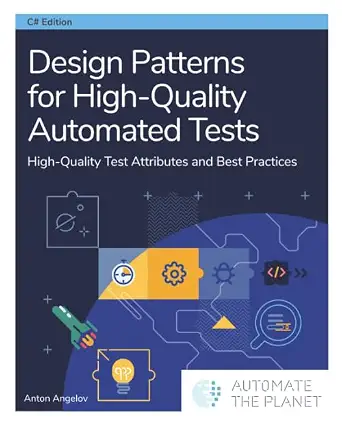
Design Patterns for High-Quality Automated Tests: High-Quality Test Attributes and Best Practices
- ✔ Focus: Test design patterns
- ✔ Target audience: Developers, experienced testers
- ✔ Coverage: Reliability, maintainability
Difficulty: Intermediate | Time: 3-4 hours
What You’ll Need
Tools & Materials:
- A computer with internet access
- Test automation tools (e.g., Selenium, JUnit, TestNG, Cypress)
- Code editor (e.g., VS Code, IntelliJ IDEA)
- Testing framework setup (if applicable)
Knowledge:
- Basic understanding of testing principles
- Familiarity with programming languages used for testing (e.g., Java, JavaScript, Python)
- Knowledge of your application’s architecture and test requirements
Ensure your development environment is ready and that you have access to the application or system to be tested. Some tools may require specific browsers or environments to function correctly.
Hands-On Automated Testing with Playwright: Create Fast, Reliable, and Scalable Tests for Modern Web Apps with Microsoft’s Automa…
This book stands out for its comprehensive coverage of Playwright, a leading automation framework for modern web applications. It emphasizes creating reliable and scalable tests that can handle complex user interactions across browsers. Compared with other tools, Playwright offers robust cross-platform support and easier integration into CI/CD pipelines, making it ideal for teams focused on web app quality. However, it may be less accessible for complete beginners due to its technical depth and lack of explicit prerequisites. Its focus on modern web testing means it’s less suited for legacy systems or non-web apps.
Pros:
- Comprehensive guide to Playwright automation
- Focus on creating reliable and scalable tests
- Excellent support for modern web browsers
- Integrates well into CI/CD workflows
Cons:
- Dense content that may challenge beginners
- No explicit prerequisites or beginner-friendly tutorials
- Limited focus outside web applications
Best for: Teams and developers aiming to automate testing for modern, scalable web applications.
Not ideal for: Beginners without prior automation experience or those working primarily on legacy or non-web systems.
Bottom line: This book is a must-have for teams seeking deep expertise in scalable web application testing with Playwright, despite its learning curve.
“This book is a must-have for teams seeking deep expertise in scalable web application testing with Playwright, despite its learning curve.”
AI Testing with Python: Build Intelligent Test Automation Using Python, Selenium, APIs, PyTest, LLMs & AI-Powered Testing Tools
This resource makes a strong case for leveraging AI and machine learning in test automation, especially using Python. It covers a broad range of techniques—from API testing with Selenium and PyTest to integrating large language models (LLMs) for smarter QA processes. This makes it ideal for teams looking to push automation boundaries with cutting-edge AI tools. Compared to the Playwright guide, this book offers more flexibility in testing different aspects of applications but requires a higher level of technical skill. The focus on AI-driven testing also means it may be overkill for simple projects or teams just starting with automation.
Pros:
- Covers a wide array of AI-powered testing tools
- Includes practical Python examples and scripts
- Focus on intelligent testing strategies and API testing
- Useful for integrating machine learning models into QA
Cons:
- Highly technical and potentially intimidating for novices
- Lack of clear pricing or rating info
- Requires familiarity with Python, APIs, and AI concepts
Best for: Experienced testers and developers interested in AI-powered testing and machine learning integration.
Not ideal for: Beginners or teams seeking straightforward, low-technical overhead automation solutions.
Bottom line: Best suited for advanced teams looking to incorporate AI and ML into their testing workflows, though it demands a solid technical background.
“Best suited for advanced teams looking to incorporate AI and ML into their testing workflows, though it demands a solid technical background.”
Design Patterns for High-Quality Automated Tests: High-Quality Test Attributes and Best Practices
This book emphasizes design patterns and best practices for creating high-reliability, maintainable automated tests. It is ideal for teams that want to improve test quality and avoid brittle scripts. Compared with the other two options, this resource is more about test architecture and design principles rather than specific tools or frameworks. It provides valuable insights into how to structure tests for long-term robustness but can be quite technical, especially for beginners. Its focus on attributes like reusability, readability, and fault tolerance makes it a strategic choice for mature teams aiming for high-quality automation.
Pros:
- Comprehensive coverage of test design patterns
- Focus on reliability and maintainability
- Strong emphasis on best practices
- Suitable for experienced developers
Cons:
- Lacks specific tool or framework instructions
- Potentially dense, requiring prior testing knowledge
- Less practical for immediate implementation without foundational skills
Best for: Software developers and experienced testers seeking to strengthen their test design skills for reliable automation.
Not ideal for: Beginners or teams needing quick, tool-specific guidance without delving into design principles.
Bottom line: This book is a valuable asset for teams committed to building resilient, high-quality automated tests, though it demands a good grasp of testing fundamentals.
“This book is a valuable asset for teams committed to building resilient, high-quality automated tests, though it demands a good grasp of testing fundamentals.”
As an Amazon Associate we earn from qualifying purchases.
Before You Start
Review your current testing process to identify repetitive manual tasks that could benefit from automation. Confirm that your team has the necessary programming skills or access to resources for scripting. Make sure you have administrative rights or permissions to install and configure testing tools on your machine.
Step-by-Step Instructions
Step 1: Identify Testing Requirements
Determine which parts of your application need automation, such as regression tests, load tests, or functional tests. Document the test cases that are repetitive, time-consuming, or prone to human error.
Tip: Focus on high-impact tests that will save time or improve coverage. Prioritize test cases with stable requirements.
Check: A list of specific test cases identified for automation, with clear objectives and expected outcomes.
Step 2: Select Appropriate Automation Tools
Research and choose tools that fit your testing needs, programming language, and environment. For web applications, tools like Selenium or Cypress are common; for unit testing, consider JUnit or pytest.
Tip: Check compatibility with your development stack and community support. Start with open-source options if unsure.
Check: A chosen list of tools aligned with your test cases, with downloaded or installed versions ready for configuration.
Step 3: Set Up Your Testing Environment
Install the selected tools on your machine. Configure necessary dependencies, such as browsers, drivers, or SDKs. Create a dedicated folder for your test scripts and related files.
Tip: Follow official documentation for installation steps. Use version control (e.g., Git) to manage your scripts.
Check: Tools installed and configured without errors; test environment ready for scripting.
Step 4: Write Automated Test Scripts
Develop scripts that perform the test actions, check expected outcomes, and report results. Use the programming language supported by your chosen tools and adhere to best coding practices.
Tip: Start with simple test cases to validate your setup. Use assertions to verify outcomes clearly.
Check: Test scripts run without errors and produce expected results on initial runs.
Step 5: Configure Test Execution
Set up test runners or build scripts to execute your test scripts automatically. Define schedules or triggers for running tests, such as on code commits or nightly builds.
Tip: Use continuous integration tools like Jenkins, GitLab CI, or CircleCI to automate execution if possible.
Check: Tests execute automatically on schedule or trigger, with logs indicating success or failure.
Step 6: Run Automated Tests and Analyze Results
Execute your tests through your configured environment. Review the output logs, reports, or dashboards to identify failed tests or issues.
Tip: Pay attention to detailed failure messages to diagnose problems quickly. Use reporting tools to visualize test results over time.
Check: All tests pass or failures are understood and documented; reports clearly show test statuses.
Step 7: Maintain and Update Tests
Regularly review your test scripts for updates as your application evolves. Refactor scripts for clarity and reliability, and add new tests for new features.
Tip: Integrate test maintenance into your development cycle to keep tests relevant and effective.
Check: Test suite accurately reflects current application behavior with minimal false failures.
Common Mistakes to Avoid
- Creating overly complex or fragile test scripts. — Write simple, modular tests; avoid dependencies on UI timing or external systems when possible.
- Not updating tests after application changes. — Establish a process to review and update tests with each release or feature change.
- Ignoring flaky tests that intermittently fail. — Investigate and stabilize flaky tests; consider isolating problematic tests or environments.
- Running tests manually instead of automating triggers. — Configure automated triggers via CI/CD pipelines to ensure tests run consistently.
Troubleshooting
Problem: Tests fail unexpectedly even though code is correct.
Solution: Check environment configurations, dependencies, and test data. Verify that the test scripts are compatible with current application versions.
Problem: Test scripts produce false negatives or false positives.
Solution: Review assertions for accuracy, simplify test logic, and ensure synchronization points (like waits) are correctly implemented.
Problem: Tests run but produce no output or logs are missing.
Solution: Confirm the test runner setup and logging configurations. Check permissions and paths for log files.
What Success Looks Like
All selected tests execute automatically, pass without errors, and produce reports that clearly indicate the tested features are functioning as expected. The test suite can run repeatedly with consistent results, confirming the reliability of your automation setup.
Next Steps
Integrate automated tests into your continuous integration/continuous deployment (CI/CD) pipeline. Schedule regular review and updates of your test suite. Expand your automation coverage to include additional test cases or environments. Monitor test reports for trends over time to catch regressions early.
Frequently Asked Questions
Which automation tool should I choose for my project?
Select a tool that matches your application’s technology stack, your team’s programming skills, and your testing needs. For web apps, Selenium or Cypress are popular; for APIs, Postman or REST-assured work well; for unit testing, JUnit or pytest are common choices.
How do I handle flaky tests that sometimes fail?
Investigate the cause of flakiness, such as timing issues or unstable environment conditions. Stabilize tests by adding explicit waits, mocking unreliable external systems, or refactoring flaky code segments.
Is automation replacing manual testing completely?
No, automation complements manual testing by handling repetitive, time-consuming tasks. Manual testing remains essential for exploratory testing and user experience assessments.
How often should I run automated tests?
Run critical tests frequently, such as on every code commit or pull request. Schedule full test runs during nightly builds or integration cycles to catch regressions early.
Halloween Picks

8.5 Foot Halloween Inflatable Haunted House Castle with Skeleton, Ghost & Skulls

Gemmy Bluey Family Halloween Inflatable Scene, 5.5 ft Lighted Yard Decoration

Gemmy 6.4 ft Beetlejuice Animatronic Halloween Decoration with Spinning Head
As an affiliate, we earn on qualifying purchases.