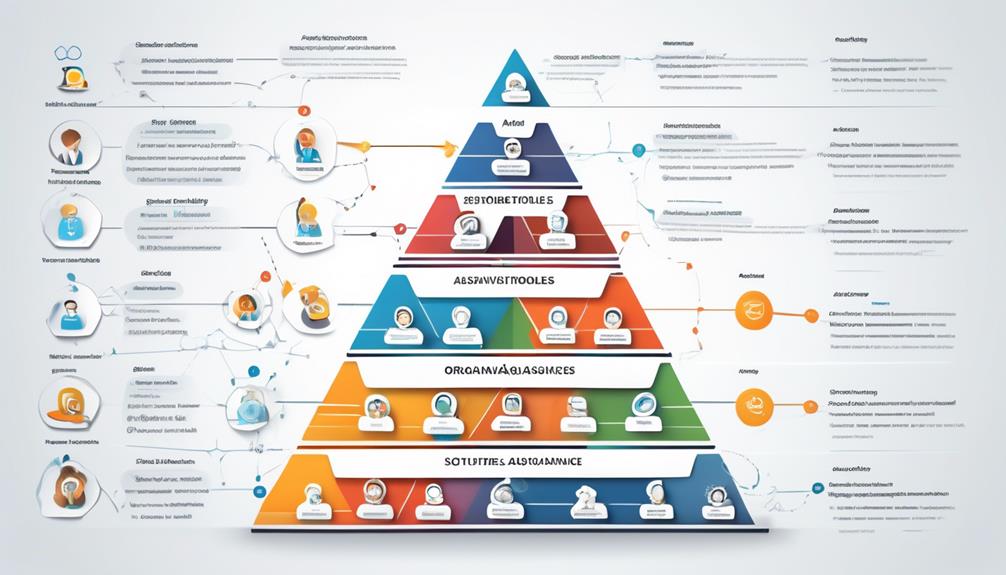
To prevent flaky tests from derailing CI, you should guarantee each test is isolated from others by avoiding shared resources like databases or network sockets. Use mocks or in-memory data stores to simulate external dependencies. Standardize environments with containerization tools like Docker, and automate setup and cleanup processes. Regularly review flaky tests to identify patterns and fix issues. Keeping tests reliable and environment consistent helps accelerate development—learn more to strengthen your approach.

Get business pricing on monitors, keyboards and dev gear
- Business-only prices and quantity discounts
- Tax-exempt purchasing
- Multiple users, one account, clear invoices
Key Takeaways
- Isolate tests by avoiding shared resources and using mocks or in-memory data stores.
- Standardize environments with containerization tools like Docker to ensure consistency.
- Automate environment setup and teardown to maintain clean, reproducible test states.
- Design tests to be fast, reliable, and independent to reduce external failure points.
- Regularly review and refactor flaky tests to identify root causes and improve stability.

Flaky tests can undermine your continuous integration (CI) pipeline, causing false failures and slowing down development. These unpredictable tests make it difficult to trust your build results, which can lead to wasted time troubleshooting false alarms instead of fixing real issues. To minimize this problem, focus on ensuring test isolation and environment stability. When tests are isolated properly, they don’t depend on shared states or external factors, reducing the chances of flakiness. This means each test runs independently, with no side effects or interference from other tests, making failures easier to diagnose and fix.
Flaky tests disrupt CI by causing false failures; ensure test isolation and environment stability for reliable results.
Maintaining environment stability is equally essential. Flaky tests often arise when the environment in which tests run isn’t consistent. Variations in network conditions, server configurations, or even the timing of resource availability can cause tests to behave unpredictably. To prevent this, you should create a controlled, reproducible environment for every test run. Use containerization tools like Docker or virtual machines to standardize your testing environment so that each test starts from a known, clean state. This consistency guarantees that external factors don’t influence test outcomes, making your CI process more reliable. Additionally, incorporating consistent environments helps replicate real-world conditions and prevents test failures due to environmental discrepancies.
Another key step is to design your tests with test isolation in mind. Avoid shared resources such as databases, files, or network sockets that can introduce race conditions or state leakage. Instead, use mock objects or in-memory data stores to simulate external dependencies. This approach not only improves test reliability but also speeds up test execution, which is critical for continuous integration. When tests are fast and predictable, you get quicker feedback, enabling you to catch and resolve issues early.
Automate environment setup and teardown procedures to maintain environment stability. Implement scripts or CI pipeline steps that initialize the environment before tests and clean up afterward. This ensures every test run starts fresh, eliminating issues caused by leftover data or configuration drift. Additionally, incorporate retries or timeouts for tests that depend on external systems, but only as a last resort after addressing underlying stability issues.
Finally, regularly review and refactor flaky tests to identify patterns or common failure points. Maintain a culture of quality where developers prioritize creating robust, isolated tests and invest in infrastructure that guarantees environment consistency. By doing so, you’ll build a more resilient CI pipeline that delivers trustworthy results, accelerates development cycles, and reduces the frustration caused by flaky tests.
As an affiliate, we earn on qualifying purchases.
Frequently Asked Questions
How Can I Identify the Root Cause of Flaky Tests?
To identify the root cause of flaky tests, start by examining your test environment for inconsistencies or external dependencies that might cause instability. Run tests multiple times to see if failures are repeatable, indicating code stability issues. Review logs carefully, look for patterns, and isolate tests that fail intermittently. This process helps you pinpoint whether flaky tests stem from environment issues, timing problems, or unstable code, ensuring you can address the core problem effectively.
What Tools Are Best for Detecting Flaky Tests?
You should explore tools that excel in test detection and flaky identification. Tools like Jenkins with Flaky Test Handler, TestNG, and Jenkins plugins offer automated detection of flaky tests by analyzing test patterns and stability. Additionally, using CI/CD platforms like CircleCI or GitHub Actions with built-in test reporting helps you pinpoint flaky tests quickly. These tools streamline flaky identification, enabling you to address issues proactively and maintain a reliable testing process.
How Should Flaky Tests Be Prioritized for Fixing?
Imagine uncovering flaky tests that threaten your CI pipeline—where do you start? Prioritize them based on their impact on critical features and frequency of failure. Use test prioritization and bug triage to identify which flaky tests cause the most disruption. Fix the most damaging ones first to stabilize your pipeline quickly. This strategic approach minimizes delays, boosts confidence, and keeps your CI running smoothly, even amid uncertainty.
Can Flaky Tests Be Automatically Rerun to Reduce False Negatives?
You can automatically rerun flaky tests to improve test stabilization and reduce false negatives. Automated reruns help identify persistent issues versus transient failures, allowing your CI system to better distinguish genuine bugs. Implement rerun strategies that trigger when tests fail intermittently, ensuring your pipeline isn’t derailed by flaky tests. This approach keeps your build process dependable, saves time, and ensures more accurate test results without manual intervention.
How Do Flaky Tests Impact Overall Team Productivity?
Did you know that flaky tests can reduce team productivity by up to 20%? When tests unpredictably fail, you spend extra time investigating, delaying feature releases, and risking code stability. These unreliable tests disrupt your test environment, forcing your team to re-run tests and double-check results. As a result, overall efficiency drops, and maintaining a stable codebase becomes more challenging, slowing down progress and increasing frustration.
As an affiliate, we earn on qualifying purchases.
Conclusion
By proactively addressing flaky tests, you keep your CI pipeline running smoothly, like a well-oiled machine. Think of flaky tests as weeds in a garden—they may seem small at first, but if left unchecked, they can choke out the healthy growth. Regular maintenance, thorough testing, and quick fixes help make certain your CI remains reliable. Stay vigilant, and you’ll cultivate a robust testing environment that supports your software’s growth instead of hindering it.
in-memory data store for testing
As an affiliate, we earn on qualifying purchases.
As an affiliate, we earn on qualifying purchases.
As an affiliate, we earn on qualifying purchases.
Halloween Picks
halloween
As an affiliate, we earn on qualifying purchases.