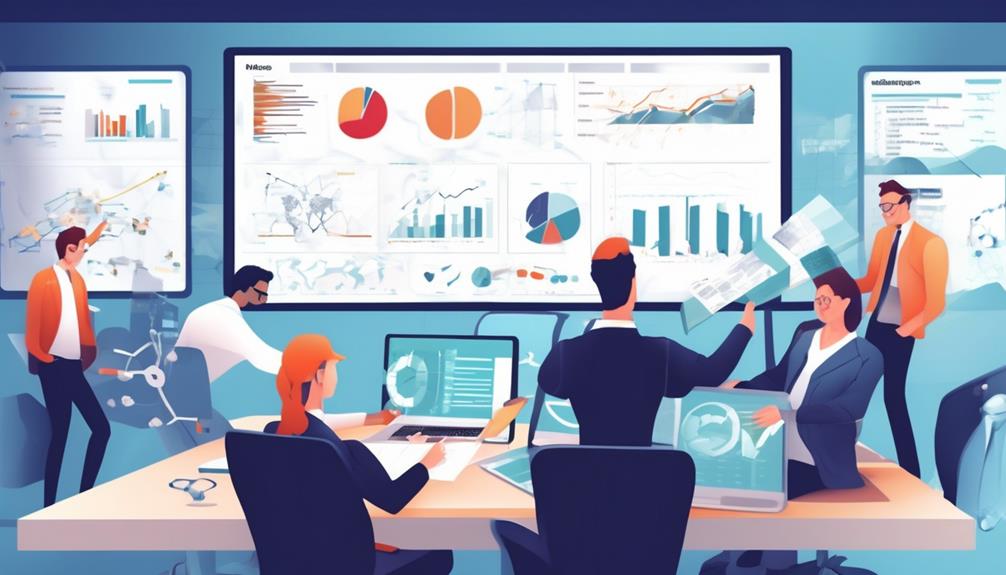
Effective risk management tools help you identify, track, and mitigate potential issues throughout your QA process. These tools provide real-time dashboards, risk matrices, and heat maps to visualize vulnerabilities and prioritize actions. They integrate with your workflows, automate alerts, and support continuous risk assessment. By using these tools, you can proactively address threats, improve quality, and streamline your testing efforts. Staying informed about these solutions will give you a clearer path to stronger risk control.
Key Takeaways
- Risk tracking tools monitor and document potential issues throughout the QA process, ensuring timely mitigation.
- They utilize visualizations like risk matrices and heat maps to prioritize and communicate risks effectively.
- Integration with testing and project management systems enhances real-time risk assessment and workflow efficiency.
- Automated alerts and dashboards keep teams informed of risk status, deadlines, and updates.
- These tools support continuous risk evaluation, fostering proactive mitigation strategies for higher quality outcomes.

Effective risk management is essential in quality assurance (QA) to identify potential issues early and prevent costly failures. One of the most crucial steps in this process is conducting a thorough risk assessment. By systematically evaluating possible risks, you can pinpoint vulnerabilities within your project or product, allowing you to focus on areas that need attention. Risk assessment tools help organize and visualize these risks, making it easier to prioritize them based on their likelihood and potential impact. When you understand where the most significant threats lie, you can develop targeted mitigation strategies to address each risk effectively.
Effective risk assessment helps identify vulnerabilities and prioritize issues to improve quality and prevent costly failures.
Risk tracking tools serve as the backbone of this proactive approach. These tools enable you to monitor identified risks throughout the development cycle, ensuring that mitigation strategies are implemented and effective. For example, many risk management platforms provide dashboards that display real-time data on risk status, so you can quickly see which issues need immediate action. They also facilitate documentation, making it simple to log new risks as they emerge and update existing ones with new information. This continuous tracking reduces the chance of overlooked risks slipping through the cracks, which could lead to failures or quality issues later on.
Many risk tracking tools incorporate features like risk matrices and heat maps, which visualize the severity and probability of various risks. These visual representations make it easier to understand complex risk profiles at a glance. You can then allocate resources more efficiently, focusing on the most critical risks first. Automated alerts and notifications are other valuable features, reminding you and your team about deadlines, updates, or newly identified risks. This proactive communication helps maintain momentum in your risk management efforts and ensures nothing is neglected. Additionally, understanding the importance of project-specific risk factors can help tailor your risk mitigation strategies more effectively.
Furthermore, many tools integrate with other QA and project management systems, creating a seamless workflow. This integration allows you to embed risk data directly into your testing and development processes, fostering a culture of continuous risk assessment and mitigation. As you gather more data and insights, the tools help refine your mitigation strategies, making them more effective over time. The goal is to create a dynamic environment where risks are constantly evaluated, tracked, and addressed in real time, reducing the likelihood of failures and ensuring higher quality outcomes.

The Year of Corporate Software: Why AI Will Redefine Enterprise Software
As an affiliate, we earn on qualifying purchases.
As an affiliate, we earn on qualifying purchases.
Frequently Asked Questions
How Do Risk Tracking Tools Integrate With Existing QA Software?
You can integrate risk tracking tools with your existing QA software by ensuring compatibility and seamless data flow. Address integration challenges by choosing tools with open APIs and customizable interfaces. Focus on a user interface that’s intuitive, so your team can easily adopt new features without disruption. Proper integration streamlines risk management, enhances visibility, and allows you to efficiently monitor and address risks within your current QA workflow.
What Are the Costs Associated With Different Risk Management Tools?
The costs of risk management tools vary based on features and scale. You should consider your budget considerations carefully, as some tools are subscription-based, while others require upfront licensing fees. Conducting a cost benefit analysis helps you determine if the tool’s benefits justify the expense. Keep in mind that investing in effective risk tracking can prevent costly issues later, ultimately saving you money and improving your QA process.
Can These Tools Be Customized for Specific Project Needs?
Yes, these tools often offer customization options to suit your project needs. You can tailor features like risk categories, notification alerts, and reporting formats to match your specific requirements. Many tools allow you to integrate project-specific features, ensuring seamless adaptation to your workflow. This flexibility helps you prioritize risks effectively, improve tracking accuracy, and align risk management efforts with your unique project goals.
How Secure Are Risk Tracking Tools Regarding Sensitive Data?
Your risk tracking tools are generally secure, but you need to stay vigilant. They use data encryption to protect sensitive information and implement strict access controls, so only authorized personnel can view or modify data. However, just like a lock is only as good as its key, verify your security measures are up-to-date. Regular audits and strong passwords help keep your data safe and sound, guarding against potential breaches.
What Training Is Required to Effectively Use These Risk Management Tools?
You need to complete training that covers tool functionalities, best practices, and data security to become proficient. Focus on hands-on sessions to boost your user proficiency and understand how to identify and mitigate risks effectively. Regular updates and refresher courses are essential to stay current with new features. With proper training, you’ll confidently navigate risk tracking tools, ensuring accurate risk assessments and improved quality assurance processes.

Study Guide for The New Trading for a Living (Wiley Trading)
Learn to trade and Make serious cash in the market. Brand New! Ships Fast from NJ
As an affiliate, we earn on qualifying purchases.
As an affiliate, we earn on qualifying purchases.
Conclusion
Think of risk management tools as your trusted compass on a stormy sea; they guide you through turbulent waters, helping you navigate potential pitfalls with confidence. As you chart your course, these tools act like steady lighthouses, illuminating hidden dangers before they reach your shores. With each risk tracked and managed, you steer closer to success, turning unpredictable waves into manageable currents. Embrace these tools—they’re your navigational allies in the vast ocean of QA.
risk matrix visualization tools
As an affiliate, we earn on qualifying purchases.
As an affiliate, we earn on qualifying purchases.

Medical Alert System for Seniors – Advanced Mini Device with Automatic Fall Detection, 24/7 Monitoring, GPS Tracking, Emergency Alert Pendant Necklace, SOS Button, Caregiver App, Waterproof | Black
EASY ACTIVATION + MONTHLY SUBSCRIPTION: Elevate your safety and security with our straightforward medical alert pendants. For just…
As an affiliate, we earn on qualifying purchases.
As an affiliate, we earn on qualifying purchases.