📊 Full opportunity report: Best Quiet CPU Coolers for Sustained AI/Compute Loads on ThorstenMeyerAI.com — validation score, market gap, and execution plan.

Get business pricing on monitors, keyboards and dev gear
- Business-only prices and quantity discounts
- Tax-exempt purchasing
- Multiple users, one account, clear invoices
TL;DR
This article reviews the best quiet CPU coolers suited for sustained AI and compute workloads in 2026. It compares air and liquid cooling options, emphasizing reliability, noise levels, and thermal capacity.
In 2026, the top quiet CPU coolers for sustained AI and compute workloads are identified, emphasizing reliability, thermal performance, and noise levels for long-term operation.
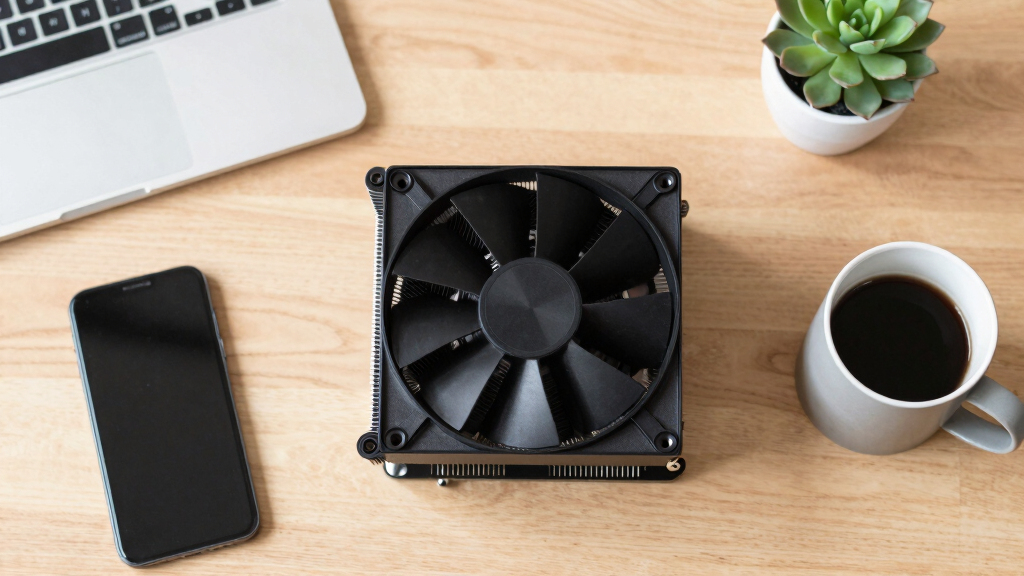
The guide highlights the Noctua NH-D15 G2 as the leading air cooler for continuous workloads, offering near-quiet operation and high thermal capacity. The Thermalright Peerless Assassin 120 SE is noted as the best value, delivering close to flagship performance at a third of the cost. For silence-focused setups, be quiet! Dark Rock Pro 5 is recommended, with ultra-low noise under load. The Arctic Liquid Freezer III Pro 360 is presented as the top liquid AIO option for high TDP workloads, while the Noctua NH-P1 offers fanless cooling for completely silent operation. The importance of cooling capacity under sustained loads, as opposed to peak performance, is emphasized, with larger heatsinks and slower fans providing quieter, more reliable cooling over long periods. The article also discusses the tradeoffs between air and liquid cooling, including reliability considerations and maintenance needs.Best quiet CPU coolers
for sustained AI loads.
A cooler that’s fine for gaming bursts can run out of headroom on hour three of an inference job. What matters here isn’t peak capacity — it’s holding a steady temperature at a quiet fan speed, all day. Tap your priority in Part 3 to find your pick.
- Mainstream to high-end CPU, power-capped.
- You run it 24/7 — no pump to fail, ever.
- You want zero maintenance for years.
- Quiet matters more than the last few degrees.
- Top-tier CPU under sustained all-core load.
- A big air tower won’t physically fit (multi-GPU case).
- You want maximum sustained thermal headroom.
- You’ll accept a pump as one more moving part.
Impact of Cooler Choice on Long-Running AI Workloads
Choosing the right cooler for sustained AI and compute tasks is critical for maintaining stable temperatures, reducing noise, and ensuring long-term reliability. Proper cooling prevents thermal throttling, extends hardware lifespan, and improves overall efficiency of AI workstations. This guide helps builders select options that balance performance, noise, and durability, which is vital for professional AI research and production environments.
Products Worth Considering

Apple iPad Air (2025) 13‑inch Wi‑Fi 256 GB – Space Gray (M3 chip)

Logitech MX Mechanical Wireless Illuminated Keyboard, Tactile Quiet, Graphite

Apple iPad Air 11-inch (M2), 512GB, Wi-Fi, Space Gray
As an affiliate, we earn on qualifying purchases.
Evolution of Cooling Solutions for AI Workstations
As AI workloads grow in intensity and duration, cooling solutions have shifted from primarily peak-performance focus to sustained thermal management. Historically, high-performance air coolers sufficed for gaming and occasional heavy tasks, but long-term AI inference and training demand more robust, steady cooling. Liquid coolers gained popularity for their superior thermal capacity, but reliability concerns remain. The 2026 landscape favors larger air coolers with dual-tower designs and high-quality fans for reliability and quiet operation, alongside advanced AIOs for the most demanding workloads.
"For sustained AI workloads, thermal capacity and quiet operation are more important than peak performance. Larger, well-designed air coolers often outperform smaller AIOs in long-term reliability."
— Thorsten Meyer, AI hardware expert
Uncertainties in Long-Term Cooler Performance
While current data supports the effectiveness of these coolers, long-term reliability over years of continuous operation remains to be fully validated, especially for liquid coolers which have moving parts like pumps that can fail. Future updates or real-world testing may reveal additional considerations or new contenders.
Upcoming Developments in AI Cooling Technologies
Manufacturers are expected to release next-generation cooling solutions with improved thermal capacity, lower noise, and enhanced reliability. Monitoring real-world performance over the coming year will be essential to confirm the long-term durability of current top choices. Additionally, innovations in passive cooling and advanced materials could reshape the landscape for silent, maintenance-free AI workstations.
Key Questions
Why are quiet coolers important for AI workloads?
Quiet coolers reduce noise pollution and prevent thermal throttling during long, sustained AI inference or training sessions, ensuring stable performance and hardware longevity.
Is liquid cooling necessary for high-end AI workstations?
Not necessarily. High-quality large air coolers can handle most sustained workloads reliably, but liquid coolers may offer better thermal stability for the hottest CPUs under continuous load.
How do I choose between air and liquid cooling?
Consider factors like reliability, maintenance, noise levels, and thermal capacity. Air coolers are generally more reliable for long-term operation, while liquid coolers excel at managing higher TDPs with lower noise.
What should I check before buying a cooler for my AI workstation?
Ensure compatibility with your CPU socket, case size, RAM clearance, and power requirements. Also, consider your noise tolerance and whether you prefer maintenance-free solutions.
Will cooling technology improve in the future?
Yes. Innovations in passive cooling, advanced materials, and hybrid solutions are expected to enhance thermal performance and silence, further benefiting AI and compute workloads.
Source: ThorstenMeyerAI.com