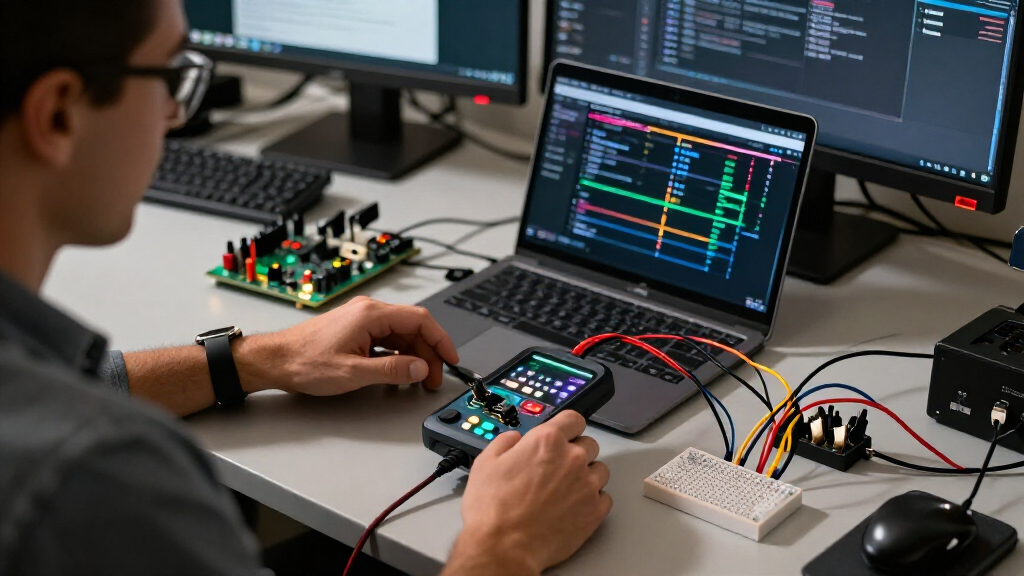

For most developers, I’d start with the Saleae Logic Pro 8 for its polished workflow, while the DreamSourceLab DSLogic Plus stands out for buyers who need 16 channels and deeper capture options. The Innomaker LA1010 is another strong fit when a 16-channel analyzer is more important than a premium software ecosystem. The main tradeoff is between affordable 8-channel tools for everyday serial debugging and higher-channel, higher-speed models for wider or faster buses. Software support, capture depth, and compatible signal levels can matter as much as the headline sampling rate. Read on for the full breakdown of all 15 USB logic analyzers and how I’d match them to developer workflows.

Get business pricing on monitors, keyboards and dev gear
- Business-only prices and quantity discounts
- Tax-exempt purchasing
- Multiple users, one account, clear invoices
Key Takeaways
- Software workflow separates the premium pick: Saleae Logic Pro 8 is the standout for developers who value a refined analysis environment, while budget 24 MHz models prioritize basic capture over workflow depth.
- Channel count changes what you can debug at once: The 16-channel DSLogic Plus and LA1010 better suit parallel buses and multi-signal timing than the many 8-channel options.
- Headline sampling rates need context: The 200 MHz LA2016 and models advertised at 400 MHz may fit faster signals, but buyers should also check capture depth, supported protocols, and actual software compatibility.
- Entry-level 24 MHz analyzers share a practical role: hiBCTR, HiLetgo, LONELY BINARY, DKARDU, Comidox, and similar 8-channel units are aimed at routine low-speed serial debugging, not every timing problem.
- Specialized needs justify the larger models: The DSLogic U3Pro32 targets wide-channel capture, while the DSLogic Plus variants and USB-C 400 MHz model appeal to developers who need more capacity or a faster interface.
| hiBCTR 8-Channel 24 MHz USB Logic Analyzer |  | Best for PulseView Users | Channels: 8 | Maximum sampling rate: 24 MHz | Selectable sampling rates: 24, 16, 12, 8, 4, 2, 1 MHz, down to 25 kHz | VIEW LATEST PRICE | See Our Full Breakdown |
| USB Logic Analyzer LA2016 16 Channel 200MHz with PC Software |  | Best for High-Speed, Multi-Bus Debugging | Channels: 16 | Sampling rate: 200 MHz | Memory depth: 1 Gbit | VIEW LATEST PRICE | See Our Full Breakdown |
| HiLetgo 8-Channel USB Logic Analyzer, 24 MHz |  | Best Entry-Level Kit | Channels: 8 | Maximum sampling rate: 24 MHz | Supported sampling rates: 24, 16, 12, 8, 4, 2, 1 MHz; 500, 250, 200, 100, 50, 25 kHz | VIEW LATEST PRICE | See Our Full Breakdown |
| LONELY BINARY 8-Channel 24 MHz USB Logic Analyzer Kit |  | Best for Breadboard Prototyping | Channels: 8 | Maximum sampling rate: 24 MHz | Supported protocols: I2C, SPI, UART | VIEW LATEST PRICE | See Our Full Breakdown |
| DKARDU 24 MHz 8-Channel USB Logic Analyzer with Cables and Test Clips | 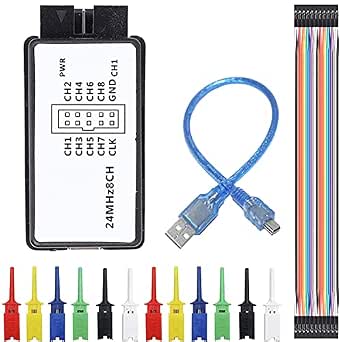 | Best for Saleae-Software Workflows | Channels: 8 digital channels | Maximum sampling rate: 24 MHz | Supported protocols: UART, SPI, IIC | VIEW LATEST PRICE | See Our Full Breakdown |
| Saleae Logic Pro 8-Channel Logic Analyzer, Black |  | Best for Mixed-Signal Debugging | Inputs: 8 digital/analog inputs | Digital sample rate: Up to 500 MS/s | Analog sample rate: Up to 50 MS/s | VIEW LATEST PRICE | See Our Full Breakdown |
| 8-Channel USB Logic Analyzer, 24 MHz, with USB Cable and Ferrite Rings |  | Best for Simple UART, IIC, and SPI Work | Channels: 8 | Maximum sampling rate: 24 MHz | Selectable sampling rates: 25 kHz to 24 MHz | VIEW LATEST PRICE | See Our Full Breakdown |
| 8-Channel USB Logic Analyzer, 24 MSps |  | Best for Cross-Platform Beginners | Channels: 8 | Sampling rate: 24 mega samples per second | Input capacitance: About 5 pF | VIEW LATEST PRICE | See Our Full Breakdown |
| DreamSourceLab DSLogic Plus 16-Channel USB Logic Analyzer |  | Best for High-Speed Digital Capture | Channels: 16 digital | Maximum sampling rate: Up to 400 MHz in buffer mode | Onboard memory: 256 Mbits SDRAM | VIEW LATEST PRICE | See Our Full Breakdown |
| 16-Channel USB-C Logic Analyzer, Up to 400 MHz |  | Best for Configurable Thresholds and Signal Tolerance | Channels: 16 | Buffer sampling rate: 400 MHz at 4 channels; 200 MHz at 8; 100 MHz at 16 | Stream sampling rate: 100 MHz at 3 channels; 50 MHz at 6; 25 MHz at 12; 20 MHz at 16 | VIEW LATEST PRICE | See Our Full Breakdown |
| Innomaker LA1010 16-Channel USB Logic Analyzer, 100 MHz |  | Best Cross-Platform Midrange Pick | Channels: 16 input channels | Sampling rate: 100 MHz per channel | Interface: USB 2.0 | VIEW LATEST PRICE | See Our Full Breakdown |
| 16-Channel USB Logic Analyzer with 100M Sampling Rate |  | Best for Saleae Logic Workflows | Channels: 16 | Maximum sampling rate: 100M | Software support: Saleae Logic software | VIEW LATEST PRICE | See Our Full Breakdown |
| Comidox USB Logic Analyzer, 24 MHz, 8 Channels |  | Best for Basic Embedded Debugging | Channels: 8 digital channels | Maximum sampling rate: 24 MHz per channel | Input voltage range: 0–5.5 V | VIEW LATEST PRICE | See Our Full Breakdown |
| DreamSourceLab DSLogic U3Pro32 32-Channel USB Logic Analyzer | 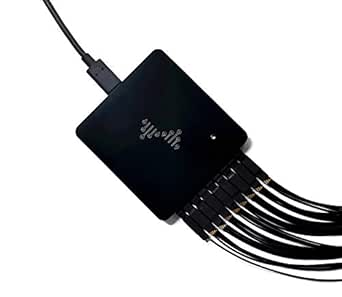 | Best for High-Channel-Count Captures | Channels: 32 | Maximum sampling rate: Up to 1 GHz, depending on active channels and mode | Onboard memory: 2 Gbits DDR3 | VIEW LATEST PRICE | See Our Full Breakdown |
| DSLogic Plus USB Logic Analyzer – 16 Channels, 400 MHz Sampling Rate, 16 G Sample Depth, 256 Mbit Memory, USB‑2.0 Interface (WinXP/10, macOS, Linux) |  | Best for Long-Duration Captures | Channels: 16 | USB interface: USB 2.0, 480 Mbps | Buffer mode sampling rates: 400 MHz at 4 channels; 200 MHz at 8; 100 MHz at 16 | VIEW LATEST PRICE | See Our Full Breakdown |
| USB logic analyzers for developer | Channels | Maximum sampling rate |
|---|---|---|
| hiBCTR 8-Channel 24 MHz USB Lo | 8 | 24 MHz |
| USB Logic Analyzer LA2016 16 C | 16 | — |
| HiLetgo 8-Channel USB Logic An | 8 | 24 MHz |
| LONELY BINARY 8-Channel 24 MHz | 8 | 24 MHz |
| DKARDU 24 MHz 8-Channel USB Lo | 8 digital channels | 24 MHz |
| Saleae Logic Pro 8-Channel Log | — | — |
| 8-Channel USB Logic Analyzer | 8 | 24 MHz |
| 8-Channel USB Logic Analyzer | 8 | — |
| DreamSourceLab DSLogic Plus 16 | 16 digital | Up to 400 MHz in buffer mode |
| 16-Channel USB-C Logic Analyze | 16 | — |
| Innomaker LA1010 16-Channel US | 16 input channels | — |
| 16-Channel USB Logic Analyzer | 16 | 100M |
| Comidox USB Logic Analyzer | 8 digital channels | 24 MHz per channel |
| DreamSourceLab DSLogic U3Pro32 | 32 | Up to 1 GHz, depending on active channels and mode |
| DSLogic Plus USB Logic Analyze | 16 | — |
More Details on Our Top Picks
hiBCTR 8-Channel 24 MHz USB Logic Analyzer
The hiBCTR is a straightforward choice for developers who want eight digital channels and a familiar Sigrok PulseView workflow. It decodes UART, I2C, and SPI, making it suitable for checking common microcontroller buses without stepping up to a faster, more complex analyzer like the LA2016. Its selectable rates, down to 25 kHz, also let you capture slower activity without treating every job as a high-speed measurement.
The tradeoff is its 24 MHz ceiling: it offers less headroom for fast edges and dense traffic than the LA2016’s 200 MHz sampling rate. Its stated logic support begins at 2.0 V, so I would skip it for direct work with 1.8 V interfaces. Choose it for routine embedded debugging, not high-speed or low-voltage work.
Pros:- Eight channels capture several digital lines at once
- Sigrok PulseView support fits an established open-source analysis workflow
- Decodes UART, I2C, and SPI
- Selectable sampling rates extend down to 25 kHz
Cons:- The 24 MHz maximum is well below the LA2016’s 200 MHz rate
- Not recommended for 1.8 V systems
- Digital capture only; it does not replace an analog oscilloscope
Best for: Developers who already use Sigrok PulseView and need to inspect UART, I2C, or SPI signals on 2.0 V to 5 V systems.
Not ideal for: Engineers debugging 1.8 V logic or fast digital buses who need more sampling headroom than 24 MHz.
- Channels:8
- Maximum sampling rate:24 MHz
- Selectable sampling rates:24, 16, 12, 8, 4, 2, 1 MHz, down to 25 kHz
- Supported protocols:UART, I2C, SPI
- Compatible software:Sigrok PulseView
- Supported logic levels:2.0 V, 2.5 V, 3.3 V, 5 V
- Input voltage range:-0.5 V to 5.25 V
- Input impedance:1 MΩ || 10 pF (typical)
Our verdict“Choose the hiBCTR if PulseView compatibility and everyday 2.0 V to 5 V bus debugging matter more than high-speed capture.”
USB Logic Analyzer LA2016 16 Channel 200MHz with PC Software
For developers who need more capture headroom than the 24 MHz eight-channel models provide, the LA2016 is the strongest fit in this batch. It combines 16 channels, a stated 200 MHz sampling rate, and 1 Gbit of memory, giving you more room to capture several related signals and inspect faster activity in one session. Its listed decoders also cover CAN, JTAG, I2S, and Modbus alongside UART, I2C, and SPI—broader protocol coverage than the hiBCTR.
That range comes with a learning cost: the supplied software may feel complex if you only need occasional serial-bus checks. It is USB-powered and portable, but remains a digital-only analyzer, not a tool for viewing analog voltage shape. I would choose it for varied, faster digital work and skip it for simple, low-speed debugging where an eight-channel unit is easier to justify.
Pros:- 16 channels capture more related signals than the eight-channel models here
- 200 MHz sampling rate offers substantially more headroom than the 24 MHz options
- 1 Gbit memory depth supports longer captures
- Listed protocol support includes CAN, JTAG, I2S, and Modbus as well as common serial buses
Cons:- Software may be challenging for users new to protocol analysis
- Digital-only capture does not show analog waveform shape
- More channel and decoder capability may be unnecessary for basic bus checks
Best for: Embedded developers who debug several digital buses, need 16 channels, and can make use of faster sampling and broader protocol decoding.
Not ideal for: Beginners seeking a simple UART or I2C capture, or developers who need analog waveform measurement rather than digital analysis.
- Channels:16
- Sampling rate:200 MHz
- Memory depth:1 Gbit
- Supported protocols:I2C, SPI, UART, CAN, I2S, USB 1.1, JTAG, Modbus
- Operating systems:Windows, macOS, Linux
- Power:USB bus-powered
- Weight:0.37 kg
- Included accessories:Test probes, hook clips, USB cable
Our verdict“Pick the LA2016 when your projects call for 16-channel captures, faster digital sampling, and protocol coverage beyond the basics.”
HiLetgo 8-Channel USB Logic Analyzer, 24 MHz
The HiLetgo 8-channel analyzer suits developers who want a basic capture setup with connection leads included. Its eight inputs and 24 MHz maximum rate cover common UART, IIC, and SPI debugging, while the supplied USB and Dupont cables help connect it to a computer and typical development boards. Like the hiBCTR, it supports common 2.0 V to 5 V logic and has a stated input range of -0.5 V to 5.25 V.
The practical distinction is the included Dupont cable; the hiBCTR instead specifies Sigrok PulseView compatibility, which may matter more to buyers choosing around software. This listing does not specify a compatible application, so confirm your intended software and device support before buying. At 24 MHz, it also lacks the speed and channel count of the LA2016, and it is not recommended for 1.8 V work.
Pros:- Eight channels support simultaneous capture of multiple digital lines
- Includes USB and Dupont cables for common bench connections
- Supports UART, IIC, and SPI debugging
- Offers selectable rates down to 25 kHz
Cons:- 24 MHz maximum sampling rate is far below the LA2016’s 200 MHz
- 1.8 V system use is not recommended
- Compatible software is not specified in the provided product data
Best for: Hobbyists and embedded developers who need an eight-channel analyzer with USB and Dupont leads for basic 2.0 V to 5 V bus debugging.
Not ideal for: Developers who need documented PulseView compatibility, 1.8 V inputs, or faster sampling for high-speed signals.
- Channels:8
- Maximum sampling rate:24 MHz
- Supported sampling rates:24, 16, 12, 8, 4, 2, 1 MHz; 500, 250, 200, 100, 50, 25 kHz
- Supported protocols:UART, IIC, SPI
- Input voltage range:-0.5 V to 5.25 V
- Input logic thresholds:Low: -0.5 V to 0.8 V; high: 2.0 V to 5.25 V
- Input impedance:1 MΩ || 10 pF (typical)
- Included accessories:USB cable, Dupont cable
- Weight:0.07 kg
Our verdict“Choose the HiLetgo for a cable-equipped entry-level setup, but verify software compatibility and avoid it for 1.8 V or high-speed work.”
LONELY BINARY 8-Channel 24 MHz USB Logic Analyzer Kit
The LONELY BINARY kit is the most connection-ready option here for developers moving between breadboards and microcontroller boards. Its standout advantage is not a faster capture rate—it shares the 24 MHz, eight-channel ceiling of the hiBCTR and HiLetgo—but the included breakout and breadboard adapters, USB-A and USB-C cables, clips, jumper wires, and storage case. That assortment can reduce the extra setup needed to probe a prototype.
It supports I2C, SPI, and UART and lists compatibility with Windows, Mac, and Linux. By comparison, the LA2016 is the better pick when you need more channels and sampling speed, while the hiBCTR names Sigrok PulseView specifically. The LONELY BINARY data does not state logic-level voltage support or input limits, so I would check those details against the target board before connecting it.
Pros:- Breadboard adapter and breakout board help connect to prototype circuits
- Includes USB-A and USB-C cables, test clips, alligator clips, and jumper wires
- Works with Windows, Mac, and Linux
- Decodes I2C, SPI, and UART
Cons:- 24 MHz maximum sampling rate offers less speed headroom than the LA2016
- Only eight channels
- Provided data does not specify supported logic levels or input voltage range
Best for: Developers who regularly probe breadboard prototypes and want adapters, clips, jumper wires, and both USB-A and USB-C cables in the kit.
Not ideal for: Engineers working with fast buses or unlisted logic voltages who need specified input thresholds and more than 24 MHz sampling.
- Channels:8
- Maximum sampling rate:24 MHz
- Supported protocols:I2C, SPI, UART
- Compatible operating systems:Windows, Mac, Linux
- Connectivity:USB
- Included cables:USB-A and USB-C
- Included accessories:Breakout board, breadboard adapter, 10 test clips, 5 alligator clips, jumper wires, storage case
Our verdict“Choose this kit for its ready-to-use breadboard accessories, provided its unspecified input limits match your target logic.”
DKARDU 24 MHz 8-Channel USB Logic Analyzer with Cables and Test Clips
The DKARDU stands out for developers whose workflow is built around Saleae Logic Analyzer software. It provides eight digital channels at up to 24 MHz and decodes UART, SPI, and IIC, covering the common embedded-bus checks also handled by the hiBCTR and HiLetgo. The included mini USB cable, 22-pin Dupont cable, and 12 test hook clips give buyers a practical set of connections for board-level debugging.
Its voltage specifications are clearly stated for 2.0 V to 5 V systems, with 1.8 V operation possible but not recommended. That makes its limits easier to evaluate than the LONELY BINARY kit, whose supplied data omits logic thresholds. The tradeoff remains the familiar 24 MHz ceiling and eight-channel limit; the LA2016 is a better match for faster captures, more signals, or broader protocol work.
Pros:- Designed to work with Saleae Logic Analyzer software
- Input thresholds and voltage range are specified
- Includes mini USB, Dupont cable, and 12 test hook clips
- Decodes UART, SPI, and IIC
Cons:- 24 MHz maximum sampling rate is much lower than the LA2016’s 200 MHz
- Eight channels provide less coverage than 16-channel alternatives
- 1.8 V operation is possible but not recommended
Best for: Embedded developers who use Saleae Logic Analyzer software and need an eight-channel tool with stated thresholds for 2.0 V to 5 V digital systems.
Not ideal for: Developers capturing fast buses, analyzing more than eight signals, or relying on 1.8 V logic in routine work.
- Channels:8 digital channels
- Maximum sampling rate:24 MHz
- Supported protocols:UART, SPI, IIC
- Compatible software:Saleae Logic Analyzer
- Supported system voltages:5 V, 3.3 V, 2.5 V, 2.0 V
- Input voltage range:-0.5 V to 5.25 V
- Input logic thresholds:Low: -0.5 V to 0.8 V; high: 2.0 V to 5.25 V
- Input impedance:1 MΩ || 10 pF (typical, approximate)
- Included accessories:Mini USB cable, 22-pin female-to-female Dupont cable, 12 test hook clips
Our verdict“Pick the DKARDU if Saleae software compatibility and clearly stated 2.0 V to 5 V input limits matter more than speed or channel count.”
Saleae Logic Pro 8-Channel Logic Analyzer, Black
The Saleae Logic Pro is the strongest fit here when a bug calls for viewing analog behavior alongside digital timing. Its eight inputs can capture both signal types, while SPI, I2C, and 23+ additional analyzers help turn protocol traffic into readable transactions. Compared with the DSLogic Plus, it has fewer channels and lacks the listed onboard memory, but it offers analog capture and a stated digital rate up to 500 MS/s. That makes it a better match for inspecting voltage changes as well as logic edges, rather than monitoring many digital lines at once. The main tradeoff is that capture capacity relies on the connected computer’s memory, so long captures can compete with other workloads. I’d choose it for mixed-signal firmware work, not maximum channel count.
Pros:- Captures both digital and analog signals across its eight inputs
- Decodes SPI, I2C, and more than 23 additional protocols
- Works with Windows, Mac, and Linux
- Offers digital sampling up to 500 MS/s and large stated capture capacities
Cons:- Capture capacity uses the connected computer’s memory
- Eight channels provide less digital coverage than the 16-channel DSLogic Plus
- Its analog capability may be unnecessary for developers focused only on digital protocol traces
Best for: Developers debugging boards where analog voltage behavior and digital protocols need to be examined in the same workflow.
Not ideal for: Teams that need 16 or more digital channels at once, or want capture storage independent of the host computer.
- Inputs:8 digital/analog inputs
- Digital sample rate:Up to 500 MS/s
- Analog sample rate:Up to 50 MS/s
- Protocol analyzers:SPI, I2C, and 23+ more
- Connection:USB 3.0
- Digital sample capacity:10 billion+ samples
- Analog sample capacity:500 million+ samples
- Operating systems:Windows, Mac, Linux
Our verdict“Choose the Logic Pro when mixed analog-and-digital debugging matters more than having 16 digital channels.”
8-Channel USB Logic Analyzer, 24 MHz, with USB Cable and Ferrite Rings
This compact 8-channel, 24 MHz analyzer makes sense for developers who need basic protocol visibility without the higher sampling rates or broader feature set of the Saleae Logic Pro. Its selectable rates, from 25 kHz to 24 MHz, let users match capture speed to slower buses and reduce unnecessary data collection. It lists UART, IIC, and SPI support, which covers common embedded debugging tasks, and the included cable and ferrite rings provide a ready-to-connect starting point. Compared with the 24 MSps model that lists PulseView and Logic2 compatibility across three operating systems, this product does not specify software or system support. That documentation gap makes setup less predictable. I’d treat it as a straightforward low-speed tool, not a safe pick for an established cross-platform workflow.
Pros:- Eight channels cover several signals in a small system at once
- Selectable sampling rates span 25 kHz to 24 MHz
- Lists UART, IIC, and SPI debugging support
- Includes a USB cable and ferrite rings
Cons:- System compatibility details are not provided
- Software support is not identified in the supplied product information
- The 24 MHz ceiling is far below the Saleae Logic Pro and DSLogic Plus
Best for: Students and embedded developers troubleshooting low-speed UART, IIC, or SPI traffic who can confirm software and host compatibility before buying.
Not ideal for: Developers working with fast buses or requiring clearly documented operating-system and software support.
- Channels:8
- Maximum sampling rate:24 MHz
- Selectable sampling rates:25 kHz to 24 MHz
- Supported protocols:UART, IIC, SPI
- Dimensions:About 5.6 × 2.8 cm (2.2 × 1.1 in)
- Included items:USB logic analyzer set, USB cable, ferrite rings
Our verdict“Pick this for basic, slower serial-bus debugging only if its software and host requirements are confirmed first.”
8-Channel USB Logic Analyzer, 24 MSps
For developers starting with digital capture, this 24 MSps, eight-channel analyzer has a clearer software path than the similarly rated 24 MHz model in this group. It names PulseView and Logic2 and lists Mac, Windows, and Linux support, so buyers can assess the workflow before connecting it to a project. The included USB cable and Dupont wires also help with first-time setup. Its 24 MSps ceiling is suited to modest-speed signals, not the faster work covered by the DSLogic Plus or Saleae Logic Pro. Input capacitance of about 5 pF and impedance of 100 kOhm are useful details for evaluating the connection, but the product data does not state protocol decoder coverage. Drivers must be obtained from software websites, adding a setup step for new users.
Pros:- Lists compatibility with PulseView and Logic2
- Supports Mac, Windows, and Linux
- Includes a USB cable and Dupont wires
- Provides input capacitance and impedance figures for connection planning
Cons:- Sampling is limited to 24 MSps
- Drivers must be obtained from the software websites
- Protocol decoder coverage is not specified in the supplied product data
Best for: New developers and students who want an entry-level eight-channel tool with named software options for Mac, Windows, or Linux.
Not ideal for: Engineers debugging high-speed interfaces, or buyers who need clearly specified protocol decoders and bundled drivers.
- Channels:8
- Sampling rate:24 mega samples per second
- Input capacitance:About 5 pF
- Input impedance:100 kOhm
- Compatible software:PulseView and Logic2
- Operating systems:Mac, Windows, Linux
- Included accessories:USB cable and Dupont wires
- Weight:2.46 ounces
Our verdict“Choose this as a clearly documented starting point for cross-platform, lower-speed digital debugging.”
DreamSourceLab DSLogic Plus 16-Channel USB Logic Analyzer
The DSLogic Plus is the digital-focused step up for developers who need more lines and deeper protocol coverage than the eight-channel options provide. It captures 16 channels, includes 256 Mbits of onboard SDRAM, and offers both stream and buffer modes; buffer sampling can reach 400 MHz. DSView’s nearly 100 protocol decoders give it broader stated protocol coverage than the Saleae Logic Pro’s listed set, though the Saleae has the advantage when analog capture is part of the task. Rate depends on channel count and capture mode, so the headline maximum is not available in every configuration. Its USB-C connector is convenient, but the specified interface is USB 2.0, not a promise of USB 3.0 transfer performance. I’d pick it for demanding digital work, with mode limits in mind.
Pros:- Provides 16 digital channels for broader simultaneous tracing
- Offers stream and buffer capture modes with 256 Mbits of onboard memory
- DSView supports nearly 100 protocol decoders
- Adjustable threshold and shielded fly wires support flexible signal setup
Cons:- Maximum sampling rate varies with active channel count and capture mode
- Stream-mode sampling rates decrease as more channels are used
- Captures digital signals only, unlike the Saleae Logic Pro’s digital-and-analog inputs
Best for: Embedded developers tracing multiple digital buses or high-speed signals who want onboard buffer memory and a large decoder library.
Not ideal for: Buyers who need analog signal capture or expect the maximum sampling rate while using all channels in every capture mode.
- Channels:16 digital
- Maximum sampling rate:Up to 400 MHz in buffer mode
- Onboard memory:256 Mbits SDRAM
- Capture modes:Stream and buffer
- Maximum stream sample depth:16G samples
- Interface:USB 2.0 Type-C
- Threshold adjustment:0.1-step increments
- Software compatibility:Windows, macOS, Linux
Our verdict“Choose the DSLogic Plus for high-speed, multi-channel digital analysis when its mode-dependent rate limits fit the capture.”
16-Channel USB-C Logic Analyzer, Up to 400 MHz
This 16-channel USB-C analyzer stands out for the unusually detailed electrical limits in its product data: adjustable thresholds from 0 to 5 V, a stated input range of -30 V to +30 V, and a 5 ns minimum pulse width. That specificity can help developers judge whether it fits a mixed-voltage bench before wiring it into a setup. Like the DSLogic Plus, it offers 256 Mbits of hardware memory and mode-dependent sampling up to 400 MHz, but the listing spells out rates by channel count and includes test hooks and four groups of shielded wires. The tradeoff is that 400 MHz applies only to four channels in buffer mode; at all 16 channels, buffer sampling is 100 MHz and stream sampling is 20 MHz. Its stated maximum signal frequency is 100 MHz.
Pros:- Provides 16 digital channels with sampling rates specified by mode and channel count
- Adjustable 0–5 V thresholds in 0.1 V steps
- Lists an input voltage range of -30 V to +30 V
- Includes shielded wires, USB cable, and 16 test hooks
Cons:- 400 MHz buffer sampling is available at four channels, not all 16
- At 16 channels, listed stream sampling is 20 MHz
- Maximum signal frequency is 100 MHz, and analog capture is not listed
Best for: Embedded developers who need 16-channel digital capture, adjustable thresholds, and clearly listed input limits for varied board signals.
Not ideal for: Users who need 400 MHz sampling across all 16 channels or analog waveform capture.
- Channels:16
- Buffer sampling rate:400 MHz at 4 channels; 200 MHz at 8; 100 MHz at 16
- Stream sampling rate:100 MHz at 3 channels; 50 MHz at 6; 25 MHz at 12; 20 MHz at 16
- Hardware memory:256 Mbits
- Adjustable threshold:0–5 V in 0.1 V steps
- Input voltage:-30 V to +30 V
- Maximum signal frequency:100 MHz
- USB interface:USB 2.0 High-Speed, Type-C
- Operating systems:Windows, macOS, Linux
Our verdict“Pick this when adjustable thresholds and detailed input limits matter more than maximum-speed sampling across every channel.”
Innomaker LA1010 16-Channel USB Logic Analyzer, 100 MHz
The Innomaker LA1010 balances channel count, sampling rate, and software coverage for developers who move between operating systems. Its 16 inputs and 100 MHz per channel give it more room for parallel buses and faster digital signals than the Comidox CP317, which has eight channels and a 24 MHz ceiling. KingstVIS also decodes more than 30 protocols, a wider stated selection than the 17 listed for the other 16-channel 100M analyzer in this group. That makes the LA1010 a flexible bench tool for mixed projects rather than a specialist high-speed capture system. The tradeoff is that it depends on a connected computer to display signals, and the product data does not specify deep capture memory or advanced streaming modes like the DSLogic U3Pro32. I’d choose it for broad everyday debugging, not maximum capture depth.
Pros:- Captures 16 digital signals at once for debugging multi-line interfaces.
- Rated for 100 MHz per channel.
- Decodes more than 30 protocols, including I2C, SPI, UART, and CAN.
- KingstVIS supports Windows, macOS, and Linux.
Cons:- A computer and software are required to view captured signals.
- The supplied specifications do not state capture depth or support for standalone recording.
Best for: Developers who need 16-channel digital captures, broad protocol decoding, and support across Windows, macOS, and Linux.
Not ideal for: Engineers diagnosing long or very high-speed captures who need specified onboard memory or dedicated streaming modes.
- Channels:16 input channels
- Sampling rate:100 MHz per channel
- Interface:USB 2.0
- Protocol decoding:More than 30 protocols
- Software:KingstVIS
- Supported operating systems:Windows, macOS, and Linux
- Power consumption:0.5 W
- Weight:0.28 kg
Our verdict“Choose the LA1010 for a portable, cross-platform 16-channel analyzer with broad protocol coverage, but look to the DSLogic U3Pro32 for more explicit high-speed capture options.”
16-Channel USB Logic Analyzer with 100M Sampling Rate
This 16-channel 100M analyzer is the lineup’s straightforward choice for developers who want Saleae Logic software compatibility and readable protocol output. It analyzes 17 protocols, including SPI, UART, CAN, JTAG, and 1-Wire, and lets users view data as ASCII, hexadecimal, decimal, octal, or binary. That range of formats can make unfamiliar payloads easier to inspect than a basic waveform view. Compared with the Innomaker LA1010, its stated protocol list is narrower, but Saleae Logic support may better suit developers already using that workflow. There are important limits behind the headline sampling figure: optimal results require USB 2.0 high-speed mode, and the 100 MHz test is described using three channels. I’d treat it as a software-compatible option, not assume it sustains 100 MHz across all 16 inputs.
Pros:- Provides 16 channels for simultaneous bus and control-signal capture.
- Supports Saleae Logic software.
- Analyzes 17 protocols, including JTAG and 1-Wire.
- Displays decoded data in five formats, including ASCII and hexadecimal.
Cons:- USB 2.0 high-speed mode is required for optimal results.
- The 100 MHz test is described as using three channels, so full-channel performance is unclear.
Best for: Developers already working in Saleae Logic who want 16 inputs, common serial-bus decoding, and several numeric display formats.
Not ideal for: Buyers who need a clearly specified 100 MHz rate across all 16 channels or broad protocol coverage beyond the listed 17 protocols.
- Channels:16
- Maximum sampling rate:100M
- Software support:Saleae Logic software
- Protocol analysis:17 protocols, including SPI, UART, CAN, JTAG, and 1-Wire
- Display formats:ASCII, hexadecimal, decimal, octal, and binary
- Connection requirement:USB 2.0 high-speed mode for optimal results
- Material:ABS
- Item weight:6.5 ounces
Our verdict“Pick this model if Saleae Logic compatibility and flexible data formats matter more than a documented full-channel 100 MHz rate or the LA1010’s broader protocol count.”
Comidox USB Logic Analyzer, 24 MHz, 8 Channels
The Comidox CP317 is a practical fit for developers tracing ordinary UART, SPI, or I2C traffic on smaller embedded boards. Its eight channels and 24 MHz sampling rate are more modest than the 16-channel, 100 MHz Innomaker LA1010, but they suit routine low-speed bus debugging without paying for capabilities a project may not use. A useful distinction is its stated 0–5.5 V input range and compatibility with 5 V, 3.3 V, 2.5 V, and 2.0 V systems, which covers several common logic levels. It also works with Saleae Logic Analyzer software and PulseView. The compromise is clear: only three protocols are named, 1.8 V systems are not recommended, and the listing expects some electronics experience. This is a focused starter for familiar buses, not a high-speed or protocol-rich instrument.
Pros:- Eight channels cover several signals in common embedded debugging tasks.
- Supports automatic UART, SPI, and I2C analysis.
- Works with Saleae Logic Analyzer software and PulseView.
- Lists support for 2.0 V, 2.5 V, 3.3 V, and 5 V systems.
Cons:- The 24 MHz maximum is below the 100 MHz options from Innomaker and the 16-channel analyzer.
- 1.8 V systems are not recommended.
- Requires basic electronics knowledge and hands-on setup.
Best for: Embedded developers and electronics learners tracing UART, SPI, or I2C on 2.0–5 V logic systems with Saleae-compatible software or PulseView.
Not ideal for: Developers working with 1.8 V logic, faster buses, or projects that need more than eight simultaneous signal channels.
- Channels:8 digital channels
- Maximum sampling rate:24 MHz per channel
- Input voltage range:0–5.5 V
- Supported system voltages:5 V, 3.3 V, 2.5 V, and 2.0 V; 1.8 V not recommended
- Protocol analysis:UART, SPI, and I2C
- Software compatibility:Saleae Logic Analyzer software and PulseView
- Input impedance:1 MΩ || 10 pF (typical, approximate)
- Included items:Analyzer, USB cable, and 10 Dupont wires
Our verdict“Choose the CP317 for accessible, lower-speed debugging of common buses, but move to the Innomaker LA1010 for more channels and faster sampling.”
DreamSourceLab DSLogic U3Pro32 32-Channel USB Logic Analyzer
For developers who need to watch many lines at once, the DSLogic U3Pro32 stands apart with 32 channels, USB-C 3.0, and two capture approaches. Stream mode can record long runs, while buffer mode uses onboard DDR3 memory for high-rate captures; this is a more capable capture architecture than the Innomaker LA1010’s listed 16 channels and 100 MHz per channel. The headline 1 GHz figure needs context, though: stream mode reaches that rate at three channels, while all 32 channels run at 50 MHz in stream mode or 250 MHz in buffer mode. That channel-dependent ceiling makes setup choices part of the buying decision. DSView works across Windows, macOS, and Linux, and adjustable thresholds add flexibility. I’d favor it for dense digital systems, while developers with simpler buses may find the smaller DSLogic Plus easier to justify.
Pros:- 32 channels support broad observation of parallel buses and control signals.
- Offers stream and buffer capture modes.
- Includes 2 Gbits of onboard DDR3 memory.
- DSView supports Windows, macOS, and Linux.
Cons:- Maximum sampling rate falls as more channels are used.
- The 1 GHz stream-mode rate is specified for three channels, not all 32.
- At one pound, it is heavier than the compact DSLogic Plus.
Best for: Hardware developers debugging dense digital designs who need up to 32 channels, adjustable thresholds, and both streaming and buffered capture.
Not ideal for: Users who need the maximum sampling rate on every channel at once or only need a simple analyzer for a few low-speed buses.
- Channels:32
- Maximum sampling rate:Up to 1 GHz, depending on active channels and mode
- Onboard memory:2 Gbits DDR3
- Stream mode rates:1 GHz at 3 channels; 500 MHz at 6; 250 MHz at 12; 100 MHz at 30; 50 MHz at 32
- Buffer mode rates:1 GHz at 8 channels; 500 MHz at 16; 250 MHz at 32
- Interface:USB 3.0 Type-C
- Software compatibility:DSView for Windows, macOS, and Linux
- Dimensions:3.11 × 2.91 × 0.35 inches
- Weight:1 pound
Our verdict“Choose the U3Pro32 when channel density and flexible capture modes matter more than a uniform maximum rate across every input.”
DSLogic Plus USB Logic Analyzer – 16 Channels, 400 MHz Sampling Rate, 16 G Sample Depth, 256 Mbit Memory, USB‑2.0 Interface (WinXP/10, macOS, Linux)
The DSLogic Plus suits developers who need to capture a long-running event rather than simply chase the highest peak sampling rate. Its stream mode supports up to 16 G samples, while buffer mode reaches 400 MHz at four channels; those modes let users choose between extended observation and faster, shorter captures. The DSLogic U3Pro32 offers 32 channels and higher specified rates at some channel counts, but the Plus is a smaller 16-channel option with nearly 100 open-source protocol decoders and cross-platform support. USB 2.0 is the main constraint: stream rates top out at 20 MHz with all 16 channels active, so the large sample depth does not mean maximum-rate, full-channel streaming. Threshold adjustment also stays within 0–5 V. I’d pick it for persistent debugging of intermittent faults, not for the fastest dense capture.
Pros:- Stream mode supports up to 16 G samples for extended captures.
- Dual stream and buffer modes let users trade duration against sampling speed.
- Nearly 100 open-source protocol decoders support varied interfaces.
- Supports Windows, macOS, and Linux in a compact design.
Cons:- USB 2.0 limits stream mode to 20 MHz at 16 channels.
- The 400 MHz buffer-mode maximum is available at four channels, not all 16.
- Threshold adjustment is limited to 0–5 V.
Best for: Developers tracking intermittent or long-duration digital events who want deep stream captures, 16 channels, and open-source protocol decoding.
Not ideal for: Engineers who need high-rate streaming across all 16 channels or threshold settings outside the 0–5 V range.
- Channels:16
- USB interface:USB 2.0, 480 Mbps
- Buffer mode sampling rates:400 MHz at 4 channels; 200 MHz at 8; 100 MHz at 16
- Stream mode sampling rates:100 MHz at 3 channels; 50 MHz at 6; 25 MHz at 12; 20 MHz at 16
- Maximum sampling depth:16 G samples in stream mode; 256 M samples in buffer mode
- Hardware memory:256 Mbit SDRAM
- Threshold range:0–5 V in 0.1 V steps
- Supported operating systems:Windows, macOS, and Linux
- Weight:8.3 ounces
Our verdict“Choose the DSLogic Plus for long, flexible captures and broad decoder support; choose the DSLogic U3Pro32 if you need 32 channels or higher rates at larger channel counts.”
How We Picked
I ranked these analyzers around the work developers ask them to do: capture digital signals reliably, inspect timing, decode common protocols, and fit into a repeatable PC-based debugging workflow. I compared channel count, stated sampling capability, capture-depth and memory details when supplied, connection type, included accessories, and software or operating-system information. I treated headline speed as one factor rather than a guarantee of useful performance; a fast capture rate has limited value if the workflow, memory, or channel count does not match the target system.
The ordering favors tools that offer a strong balance of usability, capability, and flexibility for a broad range of development tasks. Premium software and more capable capture features earn higher placement when they can reduce friction or expand the types of bugs a developer can investigate. Lower-cost 8-channel models remain relevant for simple serial debugging, but I place them below options with clearer differentiation or broader capacity. Where listings provide limited detail, I avoid assuming capabilities that are not stated and treat that lack of information as a buying caveat.
Factors to Consider When Choosing USB Logic Analyzers For Developers
Choosing a USB logic analyzer is less about selecting the largest number on the box and more about matching capture capability to the signals and debugging workflow you actually have. I’d check these factors before comparing individual models.
Match Channel Count to the Signals You Must Capture Together
Count the signals that need to be observed in the same capture, including clock, data, chip select, reset, and any useful control lines. An 8-channel analyzer can be enough for UART or a modest SPI setup, but it can force compromises when debugging parallel buses or several peripherals at once. More channels help reveal interactions that disappear when you probe signals in separate runs. They also create more wiring and can make setup less tidy on a crowded board. Avoid buying extra channels without a real use case, but leave room for the debugging signals you routinely wish you had captured.
Read Sampling Rate Alongside Signal Speed and Capture Length
A high sampling-rate figure does not tell you how long a device can record, how much data it can retain, or how well its software handles large captures. For timing work, the sample rate needs to be comfortably above the signal activity you want to inspect; the right margin depends on the signal and the detail you need to see. Deep capture can matter more than peak speed when a bug appears only after a long sequence or intermittent event. Check whether the stated rate applies across all channels and what memory or sample-depth limits are disclosed. If those details are missing, treat the headline number as incomplete evidence rather than a direct measure of real debugging reach.
Check Software, Protocol Decoding, and Operating-System Support
The analyzer’s software determines how quickly raw transitions become useful evidence. Before buying, confirm that the application supports your operating system and the protocols you need to decode, and look for a workflow that makes it easy to set triggers, zoom, search, and export captures. Community-supported or open software can be appealing, but its setup and documentation may require more effort than a polished vendor application. Proprietary software can simplify routine analysis, though it may limit flexibility or depend on a particular device ecosystem. I would verify current compatibility against the seller’s documentation instead of assuming that a generic USB listing supports every desktop platform.
Verify Voltage Compatibility and Protect the Target Circuit
Digital analyzers are not automatically safe for every voltage or electrical environment. Check the input threshold and voltage range against the board, and confirm whether the unit provides any input protection or level compatibility. A logic analyzer is meant to observe digital signals, not replace an oscilloscope for analog behavior or power integrity. Use suitable ground connections and short leads where possible, since poor probing can introduce misleading captures or disturb a sensitive circuit. When specifications are unclear, do not assume that a low-cost analyzer tolerates higher-voltage systems.
Treat Accessories and Connection Type as Workflow Decisions
Included clips, leads, and cables affect how soon you can start capturing and how securely you can connect to a prototype. Check whether the kit includes enough probes for its channel count and whether the clips fit the pitch and access conditions on your boards. USB-C can simplify connection to newer computers, but it does not by itself guarantee faster captures or broader software support. A USB 2.0 device may still meet many debugging needs if its capture performance and application are suitable. If you already own quality leads, prioritize analyzer capability; otherwise, factor accessory compatibility into the total setup.
Choose for Your Most Frequent Debugging Task, Not a Rare Peak Case
Developers often overbuy for a theoretical high-speed problem and then use the analyzer mainly for routine UART or SPI checks. For everyday embedded work, straightforward setup, reliable decoding, and a manageable capture workflow may save more time than the highest advertised rate. A premium or high-channel model makes more sense when your projects repeatedly involve wide buses, complex timing, or long captures. If you are learning, a simpler 8-channel analyzer can teach the core workflow without adding extra setup demands. Write down the protocols, signal count, and failure pattern you need to investigate most often, then spend on the capability that addresses those needs.
Frequently Asked Questions
Is an 8-channel 24 MHz analyzer enough for embedded development?
It can be enough for common low-speed debugging, especially when you need to inspect UART, I²C, or a small SPI connection. Eight channels let you capture several related lines together, though a wider bus or multiple peripherals can quickly use them all. The 24 MHz rating makes these models better suited to modest signal speeds than demanding high-speed timing analysis. Check software decoding and voltage compatibility before treating any model as a fit for your board. If you regularly need more signals or faster captures, compare a 16-channel option instead.
Should I choose a 200 MHz or 400 MHz analyzer over a 24 MHz model?
Choose a higher stated rate when your signals or timing questions require finer capture resolution, not simply because the number is larger. Compare the rate with channel count, memory depth, trigger options, and whether the software can make sense of the resulting data. A 24 MHz model can remain practical for routine low-speed serial work and may be easier to justify when that is your main task. Listings that advertise 400 MHz should be checked for the conditions behind that figure, including channel use and capture limits. If those details are not clear, ask the seller or consult the manufacturer’s documentation before making the higher rate the deciding factor.
Do I need 16 or 32 channels for debugging microcontroller boards?
Many microcontroller projects can be debugged with eight channels, especially when the problem is confined to one serial bus. Sixteen channels become useful when you need to watch several buses, control lines, or parallel signals in one capture. A 32-channel model is most relevant for wide interfaces or systems where separating captures would hide timing relationships. More channels also mean more probes to connect and potentially more data to manage. Base the choice on the number of signals that must be observed simultaneously, not on the largest available channel count.
How should I choose between Saleae Logic Pro 8 and a 16-channel analyzer?
I’d favor the Saleae Logic Pro 8 when a polished software workflow is a priority and eight channels cover the signals you need. A 16-channel model is the better fit when capturing a wider bus or several devices together matters more than the workflow advantage of the Saleae option. Compare protocol support and operating-system compatibility for your actual setup, since software can shape daily usability. Also check the 16-channel model’s capture depth and stated rate rather than assuming that extra inputs make it more capable in every respect. The right choice depends on whether your recurring constraint is analysis workflow or simultaneous signal coverage.
What should I verify before using a USB logic analyzer on a target board?
Confirm the analyzer’s supported input voltage and logic thresholds against the target’s signal levels before connecting it. Check whether the analyzer shares ground with the computer and follow the device instructions for safe grounding and probing. Make sure the included or separately purchased leads can reach the test points without shorting adjacent pins. For analog voltage shape, ringing, or power noise, use an oscilloscope rather than relying on digital transition captures. If the listing does not state electrical limits clearly, do not guess; find documentation or choose a model with explicit specifications.
Conclusion
For a broad range of developers, I’d choose the Saleae Logic Pro 8 as the best overall when software workflow matters and eight channels are enough. The best value is a basic 8-channel 24 MHz analyzer such as the hiBCTR, HiLetgo, LONELY BINARY, DKARDU, or Comidox when the task is routine low-speed serial debugging and the listing confirms the needed compatibility. For beginners, I’d start with a straightforward 8-channel unit and learn capture, triggering, and decoding before paying for more capacity. The DSLogic Plus is a stronger premium choice for developers who need 16 channels and deeper capture features, while the DSLogic U3Pro32 fits specialized wide-bus work. Choose the LA2016, LA1010, or another higher-rate 16-channel model when simultaneous signal coverage and faster capture matter more than a minimal setup; verify software and capture specifications before deciding.