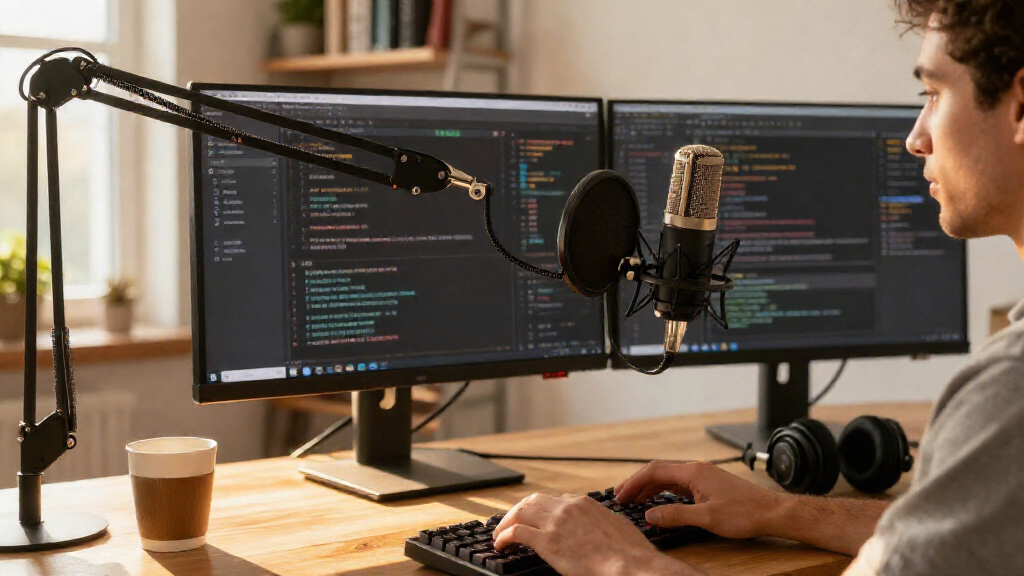
Software developers don’t need a studio microphone — they need clean, reliable voice pickup for daily stand-ups, pair programming sessions, screen recordings, and the occasional dictation into a voice-to-code tool. That changes what matters: noise rejection beats audio fidelity, a mute button you can hit mid-keystroke matters more than RGB lighting, and desk footprint competes directly with your keyboard and monitors. My top pick is the FIFINE AmpliGame AM8T, a dynamic mic with a boom arm that ignores mechanical keyboard clatter and stays out of your typing zone. The Blue Yeti remains the safest all-round choice if you also record podcasts or course content, while the TONOR G11 and MillSO gooseneck make sense for developers who want spoken audio without giving up desk space or budget. The main tradeoff in this category is between sensitive condenser mics that sound rich but pick up everything in the room, and dynamic mics that sound drier but shrug off fans, keyboards, and household noise. Read on for the full breakdown, including who each mic is for and who should skip it.

Get business pricing on monitors, keyboards and dev gear
- Business-only prices and quantity discounts
- Tax-exempt purchasing
- Multiple users, one account, clear invoices
Complete the kit



Key Takeaways
- Dynamic microphones (amazon.com/dp/B09JG62KDJ?tag=earnqa-20&ascsubtag=dc-1089554″ target=”_blank” rel=”nofollow sponsored noopener”>FIFINE AM8T, AM8) won this comparison for developers specifically because they reject mechanical keyboard noise and fan hum — the two biggest audio problems in a home-office coding setup.
- Gooseneck and mini mics (MillSO, Estiq, CMTECK) are the underrated picks here: they cost little, take no desk space, and are perfectly adequate for stand-ups, though they fail for content creation.
- The Blue Yeti’s four pickup patterns make it the most versatile mic in the lineup, but its sensitivity is a liability in untreated rooms — it captured more background noise than any dynamic option.
- Mute button placement separated good from great: mics with a tap-to-mute on the body or a boom-arm reach (AM8T, ZealSound K66) beat options requiring software muting during calls.
- Hybrid XLR/USB models (MAONO A04 Gen2, FIFINE AM8/AM8T) future-proof your purchase: start on USB today, upgrade to an audio interface later without replacing the mic.
| ZealSound K66 Podcast USB Microphone |  | Best for Remote Pair Programming Calls | Model: K66 | Connector: USB (USB-C and Lightning adapters included) | Polar Pattern: Cardioid | VIEW LATEST PRICE | See Our Full Breakdown |
| Movo M1 USB Lavalier Microphone with 20-Foot Cord |  | Best for Recording While Walking Around | Type: USB lavalier (lapel) microphone | Polar Pattern: Omnidirectional | Cord Length: 20 feet | VIEW LATEST PRICE | See Our Full Breakdown |
| Estiq Super Mini USB 2.0 Microphone |  | Best Ultra-Budget Backup Mic | Connectivity: USB 2.0 | Dimensions: 2cm x 2cm x 0.5cm | Polar Pattern: Unidirectional | VIEW LATEST PRICE | See Our Full Breakdown |
| FIFINE AmpliGame A6V USB Gaming Microphone |  | Best for Streaming Code Reviews | Type: USB condenser gaming microphone | Sampling Rate: 192kHz | Polar Pattern: Cardioid | VIEW LATEST PRICE | See Our Full Breakdown |
| TONOR G11 Conference USB Microphone |  | Best for Team Standup Rooms | Polar Pattern: Omnidirectional | Pickup Distance: 11.5 ft (360°) | Signal-to-Noise Ratio: 78 dB | VIEW LATEST PRICE | See Our Full Breakdown |
| MAONO A04 Gen2 XLR/USB Condenser Microphone Kit |  | Best Upgrade Path | Connectivity: XLR and USB | Sampling Rate: 192kHz/24bit | Frequency Response: 30Hz-16kHz | VIEW LATEST PRICE | See Our Full Breakdown |
| Logitech Blue Yeti USB Microphone (Blackout) |  | Most Versatile Pickup Patterns | Connectivity: USB | Polar Patterns: Cardioid, Omni, Bidirectional, Stereo | Capsule Design: Custom tri-capsule array | VIEW LATEST PRICE | See Our Full Breakdown |
| Amazon Basics Condenser Microphone for PC |  | Best Budget Plug-and-Play | Connectivity: USB | Polar Pattern: Cardioid (unidirectional) | Diaphragm Size: 14mm | VIEW LATEST PRICE | See Our Full Breakdown |
| MillSO USB Gooseneck Microphone for Laptop |  | Best for Minimal Desk Footprint | Connector: USB-A | Pickup Pattern: Omnidirectional | Material: ABS body, metal carbon steel gooseneck | VIEW LATEST PRICE | See Our Full Breakdown |
| FIFINE AmpliGame AM8T XLR/USB Dynamic Microphone with Boom Arm |  | Best for Noisy Home Offices | Connectivity: USB / XLR | Microphone Type: Dynamic | Polar Pattern: Cardioid | VIEW LATEST PRICE | See Our Full Breakdown |
| USB Microphone, 360 Degree Adjustable Gooseneck Design with Mute Button & LED Indicator |  | Best for Voice Dictation | Design: 360-degree adjustable gooseneck | Pickup Pattern: Omnidirectional condenser | Controls: Mute button with LED indicator | VIEW LATEST PRICE | See Our Full Breakdown |
| CMTECK USB Computer Microphone G009 |  | Best Budget Gooseneck | Model: CMTECK G009 | Pickup Pattern: Omnidirectional/Unidirectional | Signal-to-Noise Ratio: 76 dB | VIEW LATEST PRICE | See Our Full Breakdown |
| USB Computer Microphone with Flexible Gooseneck, Touch Mute & LED Indicator |  | Best for Travel and Hot-Desks | Pickup Pattern: 360-degree omni-directional | Optimal Range: 6-12 inches | Mute Control: Touch-sensitive button | VIEW LATEST PRICE | See Our Full Breakdown |
| FIFINE K669B USB Condenser Microphone |  | Best Value Condenser | Type: USB condenser microphone | Polar Pattern: Cardioid | Connection: USB-B to USB-A/C, 5.9 ft cable | VIEW LATEST PRICE | See Our Full Breakdown |
| FIFINE AmpliGame AM8 USB/XLR Dynamic Microphone |  | Best Premium Pick | Capsule Type: Dynamic | Polar Pattern: Cardioid (unidirectional) | Connectivity: USB and XLR (XLR cable not included) | VIEW LATEST PRICE | See Our Full Breakdown |
| USB microphones for software developer | Polar Pattern | Compatibility |
|---|---|---|
| ZealSound K66 Podcast USB Micr | Cardioid | — |
| Movo M1 USB Lavalier Microphon | Omnidirectional | Laptop, PC, Mac |
| Estiq Super Mini USB 2.0 Micro | Unidirectional | Windows XP–8; Mac |
| FIFINE AmpliGame A6V USB Gamin | Cardioid | — |
| TONOR G11 Conference USB Micro | Omnidirectional | PC, laptop, Windows and macOS |
| MAONO A04 Gen2 XLR/USB Condens | Cardioid | — |
| Logitech Blue Yeti USB Microph | — | — |
| Amazon Basics Condenser Microp | Cardioid (unidirectional) | Windows 7+, Mac OS 10.10+ |
| MillSO USB Gooseneck Microphon | — | — |
| FIFINE AmpliGame AM8T XLR/USB | Cardioid | — |
| USB Microphone | — | Windows 7/8/10/11, macOS (no Xbox, Raspberry Pi, Android) |
| CMTECK USB Computer Microphone | — | Windows 7/8/10, Mac OS, PS4 |
| USB Computer Microphone with F | — | Windows, Mac |
| FIFINE K669B USB Condenser Mic | Cardioid | PC, Mac, PS4/PS5; OBS, Discord, Zoom, Twitch, Audacity |
| FIFINE AmpliGame AM8 USB/XLR D | Cardioid (unidirectional) | — |
More Details on Our Top Picks
ZealSound K66 Podcast USB Microphone
Most mics in this roundup treat meetings as an afterthought, but the ZealSound K66 builds its whole identity around clean call audio. The intelligent noise reduction mode targets exactly the sounds developers fight daily — mechanical keyboards, desk fans, HVAC hum — and the physical knobs for gain, monitoring volume, and echo let you tune your sound mid-call without alt-tabbing out of your IDE. Compared with the FIFINE AmpliGame A6V, which offers a higher sampling rate but gamer-forward styling, the K66 reads as office-appropriate and adds zero-latency headphone monitoring, a feature the TONOR G11 lacks entirely. The tradeoff is the cardioid pattern: it demands consistent, direct positioning, so slouching back during a long session audibly drops your level. The knob-based controls also feel less precise than software EQ, though they are faster to reach.
Pros:- Plug-and-play with no drivers on Windows, Mac, PS4/PS5, and mobile
- Noise reduction mode specifically tames keyboard and fan noise
- Zero-latency headphone monitoring with independent volume
- Includes USB-C and Lightning adapters for phones and tablets
Cons:- Cardioid pattern requires speaking directly into the mic face
- Analog knobs offer less precision than software-based gain control
Best for: Developers on daily standups and pairing calls who want broadcast-quality voice with keyboard noise suppressed
Not ideal for: Anyone who moves around while talking — the cardioid pickup punishes off-axis speech, and mobile cabling adds clutter at a desk
- Model:K66
- Connector:USB (USB-C and Lightning adapters included)
- Polar Pattern:Cardioid
- Frequency Response:40Hz–18kHz
- Sampling Rate:46kHz
- Monitoring:3.5mm headphone jack, zero-latency
- Controls:Mic volume, monitoring volume, echo, mute button
Our verdict“If your calendar is wall-to-wall video calls and your loudest background noise is your own keyboard, this is the pick that solves both at once.”
Movo M1 USB Lavalier Microphone with 20-Foot Cord
Every desktop mic here — from the ZealSound K66 to the FIFINE AmpliGame A6V — assumes you sit still. The Movo M1 rejects that assumption entirely: clip it to your collar, and the 20-foot cord lets you pace while dictating code walkthroughs, recording documentation narration, or filming a screencast away from your desk. The omnidirectional capsule keeps your level steady regardless of head position, something the K66’s cardioid pattern cannot do. The tradeoff is fidelity — audio is serviceable for voice, not rich, and the lavalier format means you are always tethered by a long cable snaking across the floor. Compared with the TONOR G11, another omnidirectional option, the M1 trades table-top convenience for body-mounted mobility, and it captures only your voice, not a room.
Pros:- True plug-and-play with no drivers on laptop, PC, and Mac
- 20-foot cord allows full mobility while recording
- Omnidirectional pickup stays consistent as you move your head
- Kit includes lapel clip and two foam windscreens
Cons:- Lavalier audio quality is noticeably below desktop condensers
- No case or storage solution included for the long cable
Best for: Developers who record tutorials or documentation while standing, pacing, or demonstrating away from the desk
Not ideal for: Podcasters or streamers wanting studio presence and warmth — this is a utility lav, not a broadcast mic
- Type:USB lavalier (lapel) microphone
- Polar Pattern:Omnidirectional
- Cord Length:20 feet
- Connection:USB
- Compatibility:Laptop, PC, Mac
- Includes:Lavalier mic, aluminum lapel clip, 2 foam windscreens
Our verdict“Buy this when your recording setup involves moving around; skip it if you are building a fixed streaming or podcast station.”
Estiq Super Mini USB 2.0 Microphone
Sometimes a developer just needs any working input device — a spare laptop, a test machine, a rig where the internal mic died. The Estiq Super Mini fills that niche for pocket change. At roughly two centimeters square, it can live permanently in a USB port, and its 8-foot shielded cord plus adjustable stand give it surprising placement flexibility for the size. Against the TONOR G11, it matches the plug-and-play simplicity but gives up omnidirectional room pickup for a unidirectional pattern with a modest 100Hz–16kHz response — fine for speech recognition and VoIP, thin for anything creative. The bigger concern is longevity: official compatibility tops out at Windows 8 and older Macs, so Windows 10/11 users are rolling the dice even though it generally works. Where the Movo M1 is a deliberate tool, this is an emergency spare.
Pros:- Extremely small and light enough to stay plugged into a laptop
- Driver-free plug-and-play on Windows and Mac
- Noise-cancelling helps filter ambient office noise
- 8-foot shielded cord allows flexible desk placement
Cons:- No listed Windows 10/11 compatibility, making it a gamble on modern systems
- Tiny stand makes precise positioning awkward
Best for: Developers who need a cheap, forgettable input for voice recognition, Skype, or a backup machine
Not ideal for: Anyone recording podcasts or video — the frequency response and tiny capsule won’t hold up to published audio
- Connectivity:USB 2.0
- Dimensions:2cm x 2cm x 0.5cm
- Polar Pattern:Unidirectional
- Frequency Response:100Hz–16kHz
- Sensitivity:-67 dBV/pBar, -47 dBV/Pascal ±4dB
- Cord Length:8 ft shielded
- Compatibility:Windows XP–8; Mac
Our verdict“Treat this as a disposable utility mic for voice input and testing — not as your primary audio device.”
FIFINE AmpliGame A6V USB Gaming Microphone
For developers who moonlight as streamers, the FIFINE AmpliGame A6V is the strongest all-around package here. The 192kHz sampling rate edges out every USB mic in this batch, capturing voice detail that holds up under OBS compression, and the quick-mute button with RGB confirmation is a genuine accident preventer — no more broadcasting hot mic moments mid-merge conflict. Compared with the ZealSound K66, the A6V’s bundled shock mount and pop filter immediately address desk thumps and plosives that the K66 leaves you to solve yourself. The tradeoffs are real, though: the RGB styling may look out of place on a corporate camera, and the included tripod, while stable, forces a fixed desk position where a boom arm — like the one bundled with the FIFINE AmpliGame AM8T — would free your workspace. Cardioid pickup again demands front-facing discipline.
Pros:- 192kHz sampling rate for detailed, stream-ready audio
- Quick-mute with RGB indicator prevents live-stream accidents
- Shock mount, pop filter, and tripod included in the box
- Plug-and-play on PS4/PS5, Windows, and macOS
Cons:- Fixed tripod is less flexible than a boom arm for desk arrangements
- RGB gamer design may clash with professional meeting contexts
Best for: Developers who livestream coding sessions or record screencasts and want polished, detailed voice with a complete accessory kit
Not ideal for: Professionals on client-facing calls — gamer aesthetics and desk-hogging tripod don’t suit a minimalist or corporate setup
- Type:USB condenser gaming microphone
- Sampling Rate:192kHz
- Polar Pattern:Cardioid
- Signal-to-Noise Ratio:70dB
- RGB Lighting:7 gradient colors
- Cable:6.6ft detachable USB
- Includes:Shock mount, pop filter, tripod stand, USB cable
Our verdict“The best value-for-money streaming package here — buy it if you broadcast, skip it if your mic never leaves a Zoom window.”
TONOR G11 Conference USB Microphone
When the whole squad gathers around one laptop for a remote standup, a cardioid mic like the ZealSound K66 only hears whoever sits directly in front of it. The TONOR G11 solves that with 360° omnidirectional pickup reaching 11.5 feet, comfortably covering a small meeting room from a single USB port. The mute button with indicator light handles the inevitable side-conversation moment, and the metal base with anti-slip mat plus shielded nylon cable feel built for shared conference-table abuse — sturdier than the plastic tripods that ship with the FIFINE AmpliGame A6V. The catch: it is input-only, so audio still routes through your computer speakers, and its room-capturing design works against solo recording, picking up every keyboard and chair squeak a cardioid mic would reject. Some machines also need the mic manually selected as the input device before it works.
Pros:- Omnidirectional pickup with 11.5 ft range covers a full meeting table
- Mute button with a clear working indicator light
- Metal base with anti-slip mat stays put on shared desks
- Shielded nylon cable reduces signal interference
Cons:- Not a speakerphone — output still relies on computer speakers
- Omnidirectional design captures unwanted room and keyboard noise for solo use
Best for: Dev teams running hybrid standups where multiple people share one machine in a small room
Not ideal for: Solo streamers or podcasters — omnidirectional pickup drags in every background sound instead of isolating your voice
- Polar Pattern:Omnidirectional
- Pickup Distance:11.5 ft (360°)
- Signal-to-Noise Ratio:78 dB
- Cable Length:1.8m shielded nylon
- Weight:135 g
- Enclosure:Metal, nylon
- Compatibility:PC, laptop, Windows and macOS
Our verdict“A purpose-built conference-room mic — perfect for group calls, wrong tool for voice-isolated streaming.”
MAONO A04 Gen2 XLR/USB Condenser Microphone Kit
The MAONO A04 Gen2 stands out for one reason that matters to developers thinking long-term: dual XLR and USB connectivity. You can plug it straight into your machine today for standups and screencasts, then move it onto an audio interface later without buying a new microphone. Compared with the Amazon Basics Condenser, which locks you into USB forever, this kit also arrives complete — scissor arm, shock mount, pop filter, and windscreen are all in the box, so you are not hunting for accessories at 11pm before a demo recording. The 192kHz/24bit capture and MAONO Link processing deliver noticeably richer voice than bare-bones options. The tradeoffs: advanced software features only work in USB mode, no XLR cable is included, and XLR use with phones or Windows demands external phantom power. Budget for those extras if the interface path is your goal.
Pros:- Dual XLR/USB connectivity protects your investment as your setup evolves
- Complete bundle with boom arm, shock mount, pop filter, and windscreen
- 192kHz/24bit resolution with strong bass response
- MAONO Link software adds noise reduction, EQ, compressor, and limiter
Cons:- Advanced software controls are USB-mode only
- No XLR cable included, and phone/Windows XLR use needs phantom power
Best for: Developers who want a plug-and-play mic now but plan to grow into an XLR audio interface setup later
Not ideal for: Anyone expecting full XLR functionality out of the box — the cable and phantom power are sold separately
- Connectivity:XLR and USB
- Sampling Rate:192kHz/24bit
- Frequency Response:30Hz-16kHz
- Polar Pattern:Cardioid
- Capsule:16mm electret condenser
- Software:MAONO Link (USB mode only)
- Optimal Recording Distance:2-6 inches
- Desk Clamp Max Thickness:2.1 inches
Our verdict“This is the pick if you want one microphone that survives your upgrade from laptop-only recording to a full XLR chain.”
Logitech Blue Yeti USB Microphone (Blackout)
The Blue Yeti earns its place through four switchable pickup patterns — cardioid, omni, bidirectional, and stereo — something no other mic in this lineup offers. For a developer, that translates into real flexibility: cardioid for solo voice-overs and standups, bidirectional for a pair programming session recorded face-to-face, omni for capturing a whole-room team retro. The onboard controls for gain, mute, and headphone volume sit on the mic body itself, which the Amazon Basics Condenser lacks entirely — no fumbling through OS settings mid-call. Blue VO!CE via Logitech G HUB adds broadcast-style processing if you stream or record tutorials. Where the Yeti is less appealing: it is physically large and heavy, its sensitivity picks up keyboard clatter and fan noise more than a dynamic mic like the FIFINE AM8T, and full functionality requires installing G HUB software — extra overhead some developers will resent.
Pros:- Four pickup patterns cover solo, duo, and group recording scenarios
- Onboard gain, mute, and headphone volume controls
- No-latency headphone monitoring built in
- Blue VO!CE software adds broadcast vocal processing
Cons:- Bulky footprint dominates a desk setup
- High sensitivity captures keyboard and fan noise in untreated rooms
- Full features require installing Logitech G HUB
Best for: Developers who record in varied formats — solo, interviews, and group sessions — and want one mic to handle all of them
Not ideal for: Quiet-room purists with loud mechanical keyboards or ambient fan noise — its condenser sensitivity will amplify all of it
- Connectivity:USB
- Polar Patterns:Cardioid, Omni, Bidirectional, Stereo
- Capsule Design:Custom tri-capsule array
- Frequency Response:20Hz-20kHz
- Onboard Controls:Headphone volume, pattern selection, mute, mic gain
- Software:Blue VO!CE via Logitech G HUB
- Monitoring:Zero-latency headphone output
- Enclosure:Metal
Our verdict“Buy the Yeti if your recording scenarios vary week to week; skip it if your desk is loud, cramped, or both.”
Amazon Basics Condenser Microphone for PC
Sometimes a developer just needs voice to be clear, cheap, and working in sixty seconds, and the Amazon Basics Condenser delivers exactly that with zero driver installs and zero configuration rituals. The cardioid pickup does a respectable job rejecting the noise behind your monitor, and the 360° adjustable stand with a built-in shock absorber plus a standard 5/8-inch thread means it fits the boom arm you may already own. Where it falls short against the MAONO A04 Gen2: there is no XLR escape hatch, no software suite, and — more frustrating day to day — no gain control, so if your input level is wrong, your only lever is the OS slider. The 75dB signal-to-noise ratio is merely adequate, and the included stand feels less stable than a dedicated boom. But as a set-and-forget daily driver for calls, it does the job without asking for anything back.
Pros:- True plug-and-play with no drivers on Windows and Mac
- Cardioid pattern isolates voice from background noise
- One-tap mute for quick mid-call silencing
- Standard 5/8-inch thread works with tripods and boom arms
Cons:- No gain or volume control on the mic
- Moderate 75dB signal-to-noise ratio
- Corded USB only, no upgrade path
Best for: Developers who want the simplest possible upgrade from a laptop’s built-in mic without extra software or setup
Not ideal for: Anyone recording tutorials or courses — the lack of gain control and modest signal-to-noise ratio limit polish
- Connectivity:USB
- Polar Pattern:Cardioid (unidirectional)
- Diaphragm Size:14mm
- Frequency Response:Up to 20kHz
- Signal-to-Noise Ratio:75 dB
- Special Feature:One-tap mute
- Mounting:Standard 5/8 inch thread
- Compatibility:Windows 7+, Mac OS 10.10+
Our verdict“A sensible no-frills choice when ‘good enough voice on every call’ is the entire requirement.”
MillSO USB Gooseneck Microphone for Laptop
The MillSO Gooseneck takes a different approach from every boom-arm mic here: it plugs directly into a USB-A port and bends into whatever position you need, with a carbon steel neck that survived 10,000+ bend tests in design. For a developer with a dual-monitor battlestation and no room for a Blue Yeti and its chunky stand, this mic effectively disappears — no base, no extra cords, no clamp eating desk edge. It is bus-powered and driver-free, so it works the moment it is plugged in. The compromises are real, though. Omnidirectional pickup means it hears your keyboard and everything else, which is the opposite of what the cardioid FIFINE AM8T achieves, and clarity drops off beyond about 30cm — so it needs to sit close to your mouth. There is also no mute button, and USB extension cables degrade performance, limiting placement flexibility.
Pros:- Flexible gooseneck holds any position without a stand or base
- Driver-free, bus-powered plug-and-play operation
- Nearly zero desk footprint
- Durable carbon steel neck rated for 10,000+ bends
Cons:- Omnidirectional pattern picks up keyboard and room noise
- No mute button
- Requires placement within 30cm and degrades with USB extensions
Best for: Developers with crowded desks who want an invisible mic for calls and quick voice notes, not polished recordings
Not ideal for: Loud environments or anyone recording content — omnidirectional pickup and 30cm range make background noise unavoidable
- Connector:USB-A
- Pickup Pattern:Omnidirectional
- Material:ABS body, metal carbon steel gooseneck
- Power:USB bus-powered
- Driver Required:No — plug and play
- Recommended Distance:Within 30cm
Our verdict“This one wins on desk economy alone — buy it for calls, and accept its limits for anything recorded.”
FIFINE AmpliGame AM8T XLR/USB Dynamic Microphone with Boom Arm
Unlike the condenser mics dominating this list, the FIFINE AM8T is a dynamic microphone with -50dB sensitivity — meaning it focuses tightly on your voice and largely ignores the mechanical keyboard, desk fans, and household chaos around you. For a developer recording a screencast in an untreated room, that single design choice does more for audio quality than any software filter. It matches the MAONO A04 Gen2 on dual USB/XLR connectivity, but adds hardware the MAONO lacks on the mic body: mute button, gain knob, and a headphone jack for zero-latency monitoring. The included metal boom arm with anti-scratch clamp rounds out a genuinely complete kit. Tradeoffs mirror the MAONO — no XLR cable in the box — and the RGB lighting, while fun for streamers, will feel gimmicky in a professional context. The clamp also caps out at 2-inch desk thickness.
Pros:- Dynamic capsule with -50dB sensitivity rejects keyboard and room noise
- Onboard mute, gain knob, and real-time headphone monitoring
- Both USB and XLR connectivity for future expansion
- Sturdy metal boom arm included with anti-scratch clamp
Cons:- XLR cable sold separately
- Desk clamp fits desks only up to 2 inches thick
- RGB lighting may not suit a professional workspace
Best for: Developers in shared or noisy spaces who need clean voice capture without acoustic treatment
Not ideal for: Minimalists who dislike RGB aesthetics or owners of desks thicker than 2 inches at the clamp point
- Connectivity:USB / XLR
- Microphone Type:Dynamic
- Polar Pattern:Cardioid
- Sensitivity:-50dB
- Controls:Mute button, gain knob, headphone volume
- Monitoring:3.5mm headphone jack
- Arm Stand:Metal boom arm, clamp fits desks up to 2 inches
- Cable Included:8.2ft USB to USB-C (XLR cable not included)
Our verdict“If background noise is your enemy rather than budget, this dynamic kit solves it better than any condenser here.”
USB Microphone, 360 Degree Adjustable Gooseneck Design with Mute Button & LED Indicator
Developers who live in Dragon dictation or voice-controlled workflows need a mic that stays out of the way while staying close to the mouth, and this gooseneck design answers that brief better than a traditional desktop mic like the FIFINE K669B, whose fixed tripod can’t be repositioned mid-session. The 360-degree pickup means it captures speech reliably even when you lean back to think, and the one-click mute with LED status is handy during pairing sessions when you want to cough or talk to someone off-call. Noise-canceling circuitry tames fan hum — a real concern if your workstation sounds like a render farm. The tradeoff is fidelity: this is a utility mic, not a recording mic, so anyone hoping for broadcast-grade streaming audio should step up to the FIFINE AmpliGame AM8 instead.
Pros:- Fully adjustable gooseneck keeps the mic close to your mouth without a boom arm
- One-click mute with LED indicator for quick privacy during calls
- Noise-canceling technology reduces fan and keyboard noise common at developer desks
- Driver-free plug-and-play on Windows 7 through 11 and macOS
Cons:- Not compatible with Linux, Android, or Raspberry Pi — a problem for developers on those platforms
- Omnidirectional pickup can still pull in room noise despite noise cancellation
Best for: Developers who rely on Dragon NaturallySpeaking or voice dictation for long coding sessions and need flexible positioning
Not ideal for: Streamers or content creators — the audio quality prioritizes speech intelligibility over richness
- Design:360-degree adjustable gooseneck
- Pickup Pattern:Omnidirectional condenser
- Controls:Mute button with LED indicator
- Noise Handling:Built-in noise-canceling technology
- Cable Length:1.8m / 6ft USB
- Compatibility:Windows 7/8/10/11, macOS (no Xbox, Raspberry Pi, Android)
Our verdict“A practical dictation-first mic for developers who talk to their machines more than they record for an audience.”
CMTECK USB Computer Microphone G009
The CMTECK G009 occupies the same gooseneck niche as the 360 Degree Adjustable Gooseneck above it, but separates itself with a dedicated CCS2.0 smart chip for noise cancellation and a published 76 dB signal-to-noise ratio — specs most generic goosenecks never disclose. For a developer doing daily standups or mob-programming calls, that means clearer speech with less typing clatter bleeding through. The compact base takes up minimal desk real estate next a dual-monitor setup, and the volume control on the unit is a nice touch the cheaper goosenecks skip. Compared with the TONOR G11 conference mic, the G009 is more personal — aimed at one speaker at close range rather than a table of people. The honest drawback is platform support: no Linux or Raspberry Pi, which rules out a chunk of the dev community outright.
Pros:- CCS2.0 smart chip noise cancellation with a published 76 dB signal-to-noise ratio
- Quick mute button with LED status plus onboard volume control
- Flexible 360-degree gooseneck on a space-saving metal base
- Driver-free setup on Windows, macOS, and PS4
Cons:- No Linux, Raspberry Pi, or Android support
- Omnidirectional pickup still lets some room noise through in untreated spaces
Best for: Budget-conscious developers who want a compact, flexible desk mic for daily standups and voice chat
Not ideal for: Linux users or anyone recording podcasts — the pickup pattern and platform support don’t stretch that far
- Model:CMTECK G009
- Pickup Pattern:Omnidirectional/Unidirectional
- Signal-to-Noise Ratio:76 dB
- Audio Sensitivity:30 dB
- Form Factor:Gooseneck with metal construction
- Compatibility:Windows 7/8/10, Mac OS, PS4
- Special Features:Mute function, volume control, noise cancellation, pop filter
Our verdict“The strongest low-cost gooseneck here, provided your OS is Windows, Mac, or PlayStation.”
USB Computer Microphone with Flexible Gooseneck, Touch Mute & LED Indicator
This unbranded gooseneck competes directly with the CMTECK G009, and its differentiator is convenience engineering: a touch-sensitive mute instead of a physical button, and a non-slip silicone shockproof base that survives being tossed into a laptop bag between offices. For a developer who hot-desks or works from cafés, that portability matters more than raw specs. The green/red LED status light removes the classic embarrassment of talking while muted during a sprint demo. However, the 6-12 inch optimal range is a real constraint — stray beyond it and clarity drops off, which makes it less forgiving than the K669B’s cardioid design for people who move around while talking. It’s also strictly an input device, so anyone expecting combined speaker functionality should look elsewhere.
Pros:- Touch-sensitive mute with instant green/red LED feedback
- Shockproof ABS base with non-slip silicone pad stays put on any surface
- Compact and lightweight enough for a laptop bag
- Plug-and-play with zero drivers on Windows and Mac
Cons:- Optimal pickup limited to 6-12 inches — clarity falls off quickly outside that zone
- Omni-directional pattern captures background noise in shared or busy spaces
Best for: Developers who move between workstations or travel and need a light, durable mic that packs down small
Not ideal for: Anyone who wants one mic anchored at a fixed desk with forgiving range — the close pickup requirement gets tiring
- Pickup Pattern:360-degree omni-directional
- Optimal Range:6-12 inches
- Mute Control:Touch-sensitive button
- LED Indicator:Green (working), Red (muted)
- Cable Length:1.8m / 6ft
- Materials:Metal gooseneck, ABS shockproof base, silicone pad
- Compatibility:Windows, Mac
Our verdict“A take-it-anywhere gooseneck for mobile developers, as long as you’re willing to stay close to the mic.”
FIFINE K669B USB Condenser Microphone
The K669B is where this roundup shifts from utility goosenecks to proper studio-style recording, and it does so at a price that undercuts the Blue Yeti while covering the features developers actually use. Its cardioid pattern is the key advantage over every gooseneck listed above — it rejects keyboard clatter and mechanical-drive noise from behind, which matters when your mic sits inches from a clacky keyboard. The onboard volume knob doubles as a fast pseudo-mute, and the metal body with included tripod feels far more durable than the ABS plastic competition. Compared with the FIFINE AmpliGame AM8, it lacks XLR expandability and zero-latency monitoring, so it’s a terminal purchase rather than the start of an audio chain. Note the Zoom quirk: auto-gain can fight with the mic’s own level control until you disable it.
Pros:- Cardioid pickup pattern blocks rear noise like keyboard typing and case fans
- Solid metal construction with a stable tripod included
- Onboard volume knob for instant level adjustments mid-call
- USB-powered with no phantom power or drivers needed, works with PS4/PS5
Cons:- No compatibility with Xbox or phones
- Requires disabling auto volume adjustments in apps like Zoom to avoid fluctuating levels
- Tripod base takes up more desk space than a gooseneck and isn’t adjustable for height
Best for: Developers who want clear, room-tolerant audio for calls, tutorials, and light streaming without studio-grade cost
Not ideal for: Anyone planning to upgrade to an audio interface later — there’s no XLR path from this model
- Type:USB condenser microphone
- Polar Pattern:Cardioid
- Connection:USB-B to USB-A/C, 5.9 ft cable
- Power:USB bus power (no 48V phantom required)
- Controls:Onboard volume knob
- Stand:Included stable tripod
- Compatibility:PC, Mac, PS4/PS5; OBS, Discord, Zoom, Twitch, Audacity
Our verdict“The smartest entry point for developers who want noticeably better-than-headset audio without buying gear twice.”
FIFINE AmpliGame AM8 USB/XLR Dynamic Microphone
The AM8 is the most future-proof option in this batch, and its dual USB/XLR connectivity is why it sits at the top of the lineup. Start on USB for daily standups, then add an interface and XLR cable later when you begin recording course content or streaming — a path no other mic here offers except the MAONO A04 Gen2. Its dynamic capsule is also the practical choice for untreated rooms, ignoring far more ambient noise than the K669B’s condenser design. Developers will appreciate the zero-latency headphone jack and tap-to-mute with LED reminder, which the K669B lacks entirely. The caveats: it’s end-addressed with a tight 2-6 inch working range, so you must mic properly, and the RGB lighting plus function keys go dark in XLR mode — a slightly awkward tradeoff between aesthetic and pro use.
Pros:- Dual USB and XLR connectivity grows with you into an audio interface setup
- Dynamic capsule with cardioid pattern rejects room noise in untreated spaces
- Zero-latency headphone monitoring jack with independent volume control
- Hardware tap-to-mute with LED reminder plus gain knob, independent of any app
Cons:- Requires close 2-6 inch positioning — casual arm’s-length use sounds thin
- RGB and function keys are inactive over XLR, splitting the feature set between modes
- XLR cable and interface are not included, adding cost to the upgrade path
Best for: Developers who want one mic to handle meetings today and XLR-based recording or streaming setups tomorrow
Not ideal for: Casual users unwilling to keep the mic close — the dynamic capsule demands proper 2-6 inch positioning
- Capsule Type:Dynamic
- Polar Pattern:Cardioid (unidirectional)
- Connectivity:USB and XLR (XLR cable not included)
- Frequency Response:50Hz-16kHz
- Signal-to-Noise Ratio:80 dB
- Monitoring:3.5mm headphone jack with volume control
- Extras:RGB ring with memory function, gain knob, tap-to-mute, 3/8″ and 5/8″ threads
Our verdict“The pick for developers treating audio as a long-term investment rather than a one-time purchase.”

How We Picked
I judged every microphone against how developers actually work: hours of daily video calls, loud mechanical keyboards nearby, small or cluttered desks, and frequent muting and unmuting. The ranking criteria were background noise rejection, ease of muting mid-conversation, desk footprint and mounting flexibility, and plug-and-play reliability across Windows, macOS, and Linux without driver hunts. Voice clarity for speech — not music or streaming production — was the audio benchmark.
Ranking order follows a simple logic: mics that solve the developer-specific problems (keyboard noise, muting, desk space) sit highest, versatile mics that also serve content creation come next, and budget specialists fill the lower slots. A mic was never penalized for being cheap — the Estiq and CMTECK rank where they do because they narrowly serve one job well — and no mic earned a spot without a genuine, stated drawback. Where two products overlap heavily, like the FIFINE AM8 and AM8T, I separated them by the accessory bundle and use-case fit rather than treating them as interchangeable.
| USB microphones for software developer | Polar Pattern |
|---|---|
| ZealSound K66 Podcast USB Micr | Cardioid |
| Movo M1 USB Lavalier Microphon | Omnidirectional |
| Estiq Super Mini USB 2.0 Micro | Unidirectional |
| FIFINE AmpliGame A6V USB Gamin | Cardioid |
| TONOR G11 Conference USB Micro | Omnidirectional |
| MAONO A04 Gen2 XLR/USB Condens | Cardioid |
| Logitech Blue Yeti USB Microph | — |
| Amazon Basics Condenser Microp | Cardioid (unidirectional) |
| MillSO USB Gooseneck Microphon | — |
| FIFINE AmpliGame AM8T XLR/USB | Cardioid |
| USB Microphone | — |
| CMTECK USB Computer Microphone | — |
| USB Computer Microphone with F | — |
| FIFINE K669B USB Condenser Mic | Cardioid |
| FIFINE AmpliGame AM8 USB/XLR D | Cardioid (unidirectional) |
Factors to Consider When Choosing USB Microphones For Software Developers
Before picking a mic from the list above, it helps to understand why these products differ so much in price and shape for what seems like the same job. These are the factors that actually change your day-to-day experience as a developer.Condenser vs. Dynamic: The Decision That Matters Most
Most buying guides treat this as an audio-quality question, but for developers it is a noise question. Condenser mics (Blue Yeti, FIFINE K669B, MAONO A04) capture a wide, detailed soundstage — which means they also capture your keyboard, your desk fan, and the dishwasher down the hall. Dynamic mics (FIFINE AM8, AM8T) only pick up sound close to the capsule, so your voice stays intelligible while room noise fades out. If you code in a quiet, dedicated room, a condenser sounds noticeably richer. If you share space with family, roommates, or server fans, a dynamic mic will make you easier to understand, not worse. The common mistake is buying a condenser for its ‘studio quality’ and spending every call apologizing for background noise.
How You Mute Matters More Than You Think
Developers mute and unmute dozens of times per day, and the friction adds up. A physical mute button on the mic body lets you silence yourself without leaving your editor or finding the meeting window. Software muting — relying on Zoom, Teams, or Discord — works, but it fails exactly when you need it: when you start typing an answer before remembering your mic is hot. Touch-to-mute with an audible or visual confirmation, as on the ZealSound K66 or FIFINE AmpliGame models, is the sweet spot. Some developers go further and bind a hardware mute to a macro key, which is a sign the muting experience genuinely shapes workflow. Don’t dismiss this as a minor convenience; it’s the feature you’ll touch most often.
Desk Real Estate and Mounting
A microphone competes with your keyboard, mouse, monitors, and coffee for the same square footage. Boom-arm mics like the FIFINE AM8T float above your desk and out of your typing arc, which is why they rank highly despite taking a few minutes to install. Desk-stand mics like the Blue Yeti are stable but eat space and sit where your keyboard wants to be. Gooseneck and mini mics (MillSO, Estiq) are the space champions — they clamp to a monitor edge or sit nearly invisible next to a laptop. Measure your actual desk before buying: a large-diaphragm mic on a heavy stand can consume the footprint of a small keyboard. Also check whether the stand is detachable with a standard thread, in case you want to add an arm later.
USB vs. Hybrid XLR: Are You Future-Proofing or Overpaying?
Hybrid mics (MAONO A04 Gen2, FIFINE AM8 and AM8T) carry both USB and XLR outputs. The honest question is whether you’ll ever own an audio interface. If you only attend meetings and record the occasional tutorial, USB alone is enough, and paying extra for XLR is wasted budget. But if there’s a realistic chance you’ll start a podcast, stream, or record course content, the hybrid path means you upgrade with a $100 interface instead of replacing the mic entirely. The mistake to avoid is buying hybrid gear ‘just in case’ with no actual plan — that money often buys a better USB-only mic today. Decide based on your next twelve months, not hypothetical scenarios.
Latency Monitoring and Voice-to-Code Tools
Two developer-specific features rarely appear in generic guides. First, zero-latency monitoring (a headphone jack on the mic) lets you hear yourself without the echo that comes from routing through software — useful when recording screencasts or dictating. Second, if you use voice dictation or AI coding assistants, consistent close-mic positioning improves recognition accuracy noticeably, which favors gooseneck or boom-mounted mics over far-field conference mics like the TONOR G11. Conference-style mics assume several people around a table; dictation engines assume one mouth a few inches from the capsule. Match the pickup design to whether you talk to people or talk to your computer.
The Budget Trap: What Cheap Mics Do and Don’t Do
The sub-$25 tier (Estiq, CMTECK, generic goosenecks) is more capable than audiophiles admit, but only for speech. These mics will make you audible and clear on calls — what they won’t do is reject noise, survive being knocked around, or sound pleasant enough for published content. The real trap is the middle of the market: paying $40–60 for a no-name condenser that performs like a $15 mic with RGB lights. In this comparison, the value sweet spot sat with recognized budget brands (FIFINE, TONOR, MAONO) whose entry models deliver predictable speech quality. Spend little if meetings are the only use; spend sensibly at the value tier if you ever record anything someone else will hear twice.
Frequently Asked Questions
Will a gaming microphone with RGB lighting look unprofessional on work video calls?
Only if you can’t switch the lighting off — and most models let you. The FIFINE AmpliGame series and similar gaming mics allow RGB to be disabled entirely or dimmed, leaving a plain black microphone that looks like any office peripheral. What matters more is that gaming-branded mics often include the exact features remote work demands: tap-to-mute, headphone monitoring, and gain control on the device itself. Don’t reject a mic for its marketing category; check whether the lighting can be turned off and whether the feature set fits your meeting workflow. In this lineup, the FIFINE AmpliGame models ranked highly precisely because their ‘gaming’ features double as productivity features.
Do I need a pop filter for developer meetings and screen recordings?
For live calls, generally no — meeting audio compression masks most plosives, and nobody notices. For recordings you’ll edit or publish, yes: plosive pops (‘p’ and ‘b’ sounds) become very audible once audio is processed, and fixing them in post is tedious. Built-in foam or mesh screens, like those on the FIFINE K669B and MAONO A04 kits, handle most of the problem. Dynamic mics used close-up benefit most from a filter because you’re speaking directly into the capsule. If you ever plan to record tutorials or course content, buy the filter — it costs less than the time you’d spend removing pops by hand.
Is a lavalier mic like the Movo M1 better than a desktop mic for long coding sessions?
It depends on how much you move and how much you tolerate on your body. A lavalier keeps a constant distance from your mouth regardless of posture, so your volume stays even if you lean back or pace while thinking — a real advantage for developers who think on their feet. The tradeoffs are a 20-foot cord crossing your workspace, clothing rustle against the capsule, and audio quality that’s serviceable rather than rich. Desktop and boom mics sound better and require nothing attached to you, but they punish movement with volume swings. If you stay seated most of the day, skip the lavalier; if you’re restless or walk while talking through problems, it solves a problem no desk mic can.
Can I use one of these mics for voice dictation and AI coding assistants?
Yes, and mic choice affects recognition accuracy more than most people expect. Dictation engines perform best with a consistent, close, dry voice signal — which favors dynamic mics and goosenecks positioned a few inches from your mouth. Far-field conference mics like the TONOR G11 pick up keyboard clatter and room reflections that can confuse speech recognition, even though they sound fine to human listeners. Condenser mics work well for dictation only in quiet rooms. If voice-to-code is a primary use case, prioritize consistent positioning and noise rejection over audio warmth; a $30 gooseneck often outperforms a $130 condenser for this specific job.
Will a USB microphone work with Linux, or will I hit driver problems?
Every mic in this roundup presents itself as a standard USB audio class device, which modern Linux distributions handle natively without vendor drivers. The plug-and-play claim on these products genuinely holds on Linux for basic capture, mute, and volume, because the operating system treats them like any USB sound card. Where you may hit friction is with vendor software: Blue VO!CE effects, RGB control panels, and Maono’s companion apps are Windows-and-macOS only, so those extras won’t configure on Linux. The safe approach on any platform is to buy a mic whose hardware controls (gain, mute, monitoring) live on the device itself rather than in software, since hardware features work everywhere.
Conclusion
Matching the right mic to your situation is easier than it looks once you know your noise level and desk constraints. For best overall, the FIFINE AmpliGame AM8T takes it: dynamic capsule, boom arm, hardware mute, and hybrid XLR/USB cover nearly every developer scenario from stand-ups to streaming. The FIFINE K669B earns best value — dependable speech clarity and onboard gain control at a price that leaves budget for a decent boom arm. For best premium, the Blue Yeti is unmatched in versatility if you produce content alongside code, provided your room is reasonably quiet. Beginners and minimalists should grab the Amazon Basics condenser or the Estiq mini: cheap, simple, and entirely sufficient for meetings. For specific needs, the Movo M1 lavalier suits restless talkers, the TONOR G11 handles multi-person spaces, and the MillSO gooseneck is the pick for voice-dictation-heavy workflows. Whatever you choose, decide based on your room, not the spec sheet — the quietest mic is the one that matches where you actually work.
Fall Picks
fall essentials
As an affiliate, we earn on qualifying purchases.