
Among the 15 programming laptops for students compared here, I rank the Lenovo 16-inch Premium Laptop as the best overall because its Core i5-13420H and 16GB of DDR5 memory offer a strong foundation for coursework, though its 256GB SSD is restrictive. The NIMO Ryzen 5 6600H model is the better value with 1TB of storage, while the MSI Venture 16 AI leads the premium tier with 32GB of memory and a 2TB SSD. Students must weigh processing power and memory against portability, storage capacity, software compatibility, and brand support. Lower-priced Pentium, N95, J4105, and entry-level Ryzen 3 machines can handle basic lessons but leave less room for larger projects. Read on for the full breakdown and the buyer types each option suits best.

Get business pricing on monitors, keyboards and dev gear
- Business-only prices and quantity discounts
- Tax-exempt purchasing
- Multiple users, one account, clear invoices
Key Takeaways
- Lenovo’s 16-inch Core i5 model earned the top position through its balanced processor and 16GB memory combination, but its 256GB SSD is smaller than several lower-ranked alternatives.
- The NIMO Ryzen 5 6600H configuration offers the strongest value on listed specifications, pairing 16GB of memory with 1TB of storage; the tradeoff is less established support than Lenovo, HP, ASUS, or MSI.
- MSI Venture 16 AI is the clear premium choice for virtual machines, large datasets, and parallel development tools, yet its 32GB and 2TB configuration will be excessive for many introductory courses.
- The Surface Laptop is the most compelling compact option, but its Snapdragon processor creates a Windows-on-Arm compatibility question that does not apply to the Intel and AMD picks.
- The comparison exposed a sharp divide between 16GB performance models and laptops built around 8GB or older entry-level processors; the latter group makes sense mainly for browser-based coding and short assignments.
| Lenovo 16-inch Premium Laptop |  | Best Overall | Processor: Intel Core i5-13420H, 13th Gen | Display: 16-inch WUXGA, 1920 × 1200, 16:10 | Memory: 16GB DDR5 | VIEW LATEST PRICE | See Our Full Breakdown |
| NIMO 15.6-inch AI-Creator Laptop |  | Best Storage Value | Processor: AMD Ryzen 5 6600H, 6 cores, up to 4.5GHz | Graphics: AMD Radeon 660M | Display: 15.6-inch FHD IPS | VIEW LATEST PRICE | See Our Full Breakdown |
| HP OmniBook 3 16-inch Laptop PC |  | Best for All-Day Classes | Processor: AMD Ryzen 3 30 | Display: 16-inch 2K IPS touchscreen | Memory: 8GB LPDDR5 | VIEW LATEST PRICE | See Our Full Breakdown |
| 2026 15.6-inch Windows 11 Pro Laptop |  | Best for Basic Coursework | Processor: Intel Pentium | Display: 15.6-inch IPS, 1920 × 1080 | Memory: 8GB RAM | VIEW LATEST PRICE | See Our Full Breakdown |
| MSI Venture 16 AI A2HMTG-046US |  | Best Premium Power | Processor: Intel Core Ultra 7 255H, 16 cores, up to 5.1GHz | Display: 16-inch IPS touchscreen, 1920 × 1200, 400 nits, 100% DCI-P3 | Graphics: Intel Arc Graphics | VIEW LATEST PRICE | See Our Full Breakdown |
| Microsoft Surface Laptop (2024) |  | Best Premium Pick | Display: 13.8-inch touchscreen | Processor: 12-core Snapdragon X Elite | Memory: 16GB RAM | VIEW LATEST PRICE | See Our Full Breakdown |
| 17.6-Inch Intel N95 Laptop with Office 365 |  | Best for a Desk-Based Setup | Display: 17.6-inch FHD, 1920×1200 | Processor: Intel N95 with turbo mode | Memory: 16GB DDR4 RAM | VIEW LATEST PRICE | See Our Full Breakdown |
| Acer Aspire Go 15 AI Ready Laptop |  | Best for Introductory Coding | Display: 15.6-inch FHD IPS | Processor: AMD Ryzen 3 7320U | Memory: 8GB LPDDR5 | VIEW LATEST PRICE | See Our Full Breakdown |
| 2026 15.6-Inch Ryzen 7 6800H Laptop |  | Best for Virtual Machines and Heavy Multitasking | Display: 15.6-inch FHD IPS, anti-glare | Processor: AMD Ryzen 7 6800H, 8 cores and 16 threads, up to 4.7GHz | Memory: 32GB LPDDR5 | VIEW LATEST PRICE | See Our Full Breakdown |
| Lenovo 2026 Premium Business Student Laptop |  | Best Mainstream Windows Pick | Display: 15.3-inch WUXGA IPS, 1920×1200, 300 nits, anti-glare | Processor: 13th Gen Intel Core i5-13420H, 8 cores, up to 4.6GHz | Memory: 8GB DDR5 RAM | VIEW LATEST PRICE | See Our Full Breakdown |
| 15.6-inch Student Laptop with AI Assistant |  | Best Budget Office Bundle | Display: 15.6-inch IPS, 1920 x 1080 | Processor: Intel J4105 | RAM: 12GB | VIEW LATEST PRICE | See Our Full Breakdown |
| HP 14-Inch Ultralight Laptop | 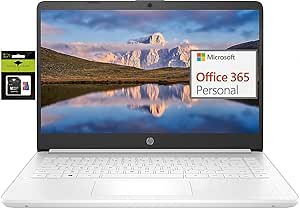 | Best for Maximum Portability | Display: 14-inch HD | Processor: Intel Celeron quad-core | RAM: 8GB DDR4 | VIEW LATEST PRICE | See Our Full Breakdown |
| ASUS Vivobook 15 2025 |  | Best Premium Multitasker | Display: 15.6-inch IPS touchscreen, 1920 x 1080, 250 nits | Processor: Intel Core i7-1355U, 10 cores, up to 5.0GHz | Graphics: Intel Iris Xe | VIEW LATEST PRICE | See Our Full Breakdown |
| NIMO 15.6-inch FHD IPS Student Laptop |  | Best Midrange Balance | Display: 15.6-inch Full HD IPS | Processor: AMD Ryzen 5, up to 3.7GHz | RAM: 16GB DDR4 | VIEW LATEST PRICE | See Our Full Breakdown |
| NIMO 15.6-inch AI-Creator Laptop |  | Best for Compiling and Virtual Machines | Display: 15.6-inch Full HD IPS, 1920 x 1080 | Processor: AMD Ryzen 5 6600H, six cores, up to 4.5GHz | Graphics: AMD Radeon 660M integrated | VIEW LATEST PRICE | See Our Full Breakdown |
| programming laptops for student | Processor | Display | Storage | Operating System |
|---|---|---|---|---|
| Lenovo 16-inch Premium Laptop | Intel Core i5-13420H, 13th Gen | 16-inch WUXGA, 1920 × 1200, 16:10 | 256GB SSD | Windows 11 |
| NIMO 15.6-inch AI-Creator Lapt | AMD Ryzen 5 6600H, 6 cores, up to 4.5GHz | 15.6-inch FHD IPS | 1TB PCIe SSD | — |
| HP OmniBook 3 16-inch Laptop P | AMD Ryzen 3 30 | 16-inch 2K IPS touchscreen | 256GB PCIe NVMe M.2 SSD | Windows 11 Home |
| 2026 15.6-inch Windows 11 Pro | Intel Pentium | 15.6-inch IPS, 1920 × 1080 | 256GB SSD | Windows 11 Pro |
| MSI Venture 16 AI A2HMTG-046US | Intel Core Ultra 7 255H, 16 cores, up to 5.1GHz | 16-inch IPS touchscreen, 1920 × 1200, 400 nits, 100% DCI-P3 | 2TB NVMe M.2 SSD | Windows 11 Pro |
| Microsoft Surface Laptop | 12-core Snapdragon X Elite | 13.8-inch touchscreen | 1TB SSD | Windows 11 Copilot+ PC |
| 17.6-Inch Intel N95 Laptop wit | Intel N95 with turbo mode | 17.6-inch FHD, 1920×1200 | 1TB SSD plus 128GB eMMC | Windows 11 |
| Acer Aspire Go 15 AI Ready Lap | AMD Ryzen 3 7320U | 15.6-inch FHD IPS | 128GB PCIe SSD | Windows 11 Home in S Mode |
| 2026 15.6-Inch Ryzen 7 6800H L | AMD Ryzen 7 6800H, 8 cores and 16 threads, up to 4.7GHz | 15.6-inch FHD IPS, anti-glare | 1TB NVMe SSD, expandable up to 4TB | Windows 11 Pro |
| Lenovo 2026 Premium Business S | 13th Gen Intel Core i5-13420H, 8 cores, up to 4.6GHz | 15.3-inch WUXGA IPS, 1920×1200, 300 nits, anti-glare | 512GB PCIe NVMe SSD | Windows 11 Home |
| 15.6-inch Student Laptop with | Intel J4105 | 15.6-inch IPS, 1920 x 1080 | 256GB SSD | Windows 11 Home |
| HP 14-Inch Ultralight Laptop | Intel Celeron quad-core | 14-inch HD | — | Windows 11 S |
| ASUS Vivobook 15 2025 | Intel Core i7-1355U, 10 cores, up to 5.0GHz | 15.6-inch IPS touchscreen, 1920 x 1080, 250 nits | 1TB PCIe NVMe SSD | Windows 11 Pro |
| NIMO 15.6-inch FHD IPS Student | AMD Ryzen 5, up to 3.7GHz | 15.6-inch Full HD IPS | 512GB PCIe SSD | — |
| NIMO 15.6-inch AI-Creator Lapt | AMD Ryzen 5 6600H, six cores, up to 4.5GHz | 15.6-inch Full HD IPS, 1920 x 1080 | 1TB PCIe SSD | — |
More Details on Our Top Picks
Lenovo 16-inch Premium Laptop
I rank the Lenovo 16-inch Premium Laptop as my best all-round choice because its Core i5 and 16GB of DDR5 give student developers enough headroom for IDEs, browser tabs, local databases, and light containers. The 16:10 WUXGA screen shows more code vertically than the NIMO 15.6-inch panel, while the 3.70-pound body remains easier to carry than the 4.19-pound MSI Venture 16 AI. I place it above the HP OmniBook 3 for serious coursework because the faster H-series processor and 16GB memory offer more room for compilers and virtual machines. The compromise is storage: its 256GB SSD can fill quickly once SDKs, datasets, and Docker images accumulate. Its stated battery life is respectable but trails the HP, and GPU-heavy students need dedicated graphics.
Pros:- Core i5-13420H provides ample performance for compilers, IDEs, and light virtualization
- 16GB DDR5 supports productive multitasking
- 16:10 WUXGA display fits more lines of code vertically
- Broad port selection reduces dependence on adapters
Cons:- 256GB SSD offers limited room for development tools, containers, and project archives
- Real battery runtime may fall below the stated 10 hours under heavier development loads
- No dedicated graphics for demanding GPU compute or 3D work
Best for: I recommend it to computer science students who need one portable Windows laptop for coding, multitasking, and everyday campus work.
Not ideal for: I would skip it for students storing large datasets locally or running GPU-based machine-learning and 3D workloads.
- Processor:Intel Core i5-13420H, 13th Gen
- Display:16-inch WUXGA, 1920 × 1200, 16:10
- Memory:16GB DDR5
- Storage:256GB SSD
- Battery Life:Up to 10 hours
- Weight:3.70 lbs
- Operating System:Windows 11
- Connectivity:Wi-Fi 6, USB-C, USB-A 3.2, HDMI, SD card reader
Our verdict“I would choose this Lenovo as the balanced default for most programming students, provided 256GB of storage is enough.”
NIMO 15.6-inch AI-Creator Laptop
I give the NIMO 15.6-inch AI-Creator Laptop the storage-value spot because its 1TB PCIe SSD leaves far more room for repositories, virtual machines, Android emulators, and course files than the 256GB Lenovo or HP. Its six-core Ryzen 5 6600H and 16GB DDR5 also make it a stronger development platform than either 8GB model in this batch. Compared with the Lenovo 16-inch Premium Laptop, NIMO trades the taller 16:10 workspace and lighter documented weight for four times the storage, expandable components, and 100W USB-C charging. That makes it appealing to students who want room to grow without starting at MSI pricing. I rank it below the Lenovo overall because portability and unplugged runtime are less convincing: the 53.58Wh battery is modest, and no weight is provided. The Radeon 660M remains integrated graphics, limiting intensive 3D and GPU-compute projects.
Pros:- 1TB PCIe SSD provides generous space for development environments and project files
- Ryzen 5 6600H and 16GB DDR5 suit demanding student multitasking
- Expandable memory and storage can extend the laptop’s useful life
- 100W USB-C Power Delivery supports fast, convenient charging
Cons:- 53.58Wh battery may struggle through a full day of sustained coding
- Radeon 660M integrated graphics are limited for advanced 3D or GPU workloads
- Unspecified weight makes campus portability harder to judge
Best for: I recommend it to software-engineering students who keep several toolchains, virtual machines, or large project libraries on one laptop.
Not ideal for: I would skip it for commuters prioritizing verified low weight, all-day battery life, or dedicated-GPU performance.
- Processor:AMD Ryzen 5 6600H, 6 cores, up to 4.5GHz
- Graphics:AMD Radeon 660M
- Display:15.6-inch FHD IPS
- Memory:16GB DDR5
- Storage:1TB PCIe SSD
- Battery:53.58Wh
- Charging:100W USB-C Power Delivery
- Warranty:2 years
Our verdict“I would pick this NIMO for storage-hungry programming courses when upgradeability matters more than proven all-day mobility.”
HP OmniBook 3 16-inch Laptop PC
I assign the HP OmniBook 3 the all-day-class role because its stated 14-hour-plus battery life comfortably exceeds the Lenovo’s 10-hour claim and the six-hour figure attached to the basic Windows 11 Pro laptop. Its 16-inch 2K touchscreen is also the sharpest study display here, giving students a roomy surface for code, documentation, diagrams, and handwritten interaction. That screen does not make it the best machine for heavier development, though. With 8GB of soldered LPDDR5, a Ryzen 3 processor, and 256GB of storage, it has less breathing room than the 16GB Lenovo or NIMO when multiple services, emulators, or containers run together. I see it as a better fit for introductory Python, web fundamentals, and database classes than advanced systems work. The Radeon 610M graphics add another boundary for game-development or machine-learning students.
Pros:- Long stated battery life suits full days of classes and library work
- 16-inch 2K touchscreen provides a sharp, spacious workspace
- Wi-Fi 6 and Bluetooth 5.4 offer modern wireless connectivity
- Noise reduction can improve remote classes and project meetings
Cons:- 8GB LPDDR5 leaves limited capacity for virtual machines and heavy multitasking
- Ryzen 3 processor is less capable than the Lenovo and NIMO H-series chips
- 256GB SSD and Radeon 610M constrain data-heavy and graphics-heavy coursework
Best for: I recommend it to beginners who spend long days away from outlets and mainly write lightweight Python, JavaScript, SQL, or introductory Java projects.
Not ideal for: I would skip it for students expecting to run several virtual machines, large builds, GPU frameworks, or memory-heavy IDE setups.
- Processor:AMD Ryzen 3 30
- Display:16-inch 2K IPS touchscreen
- Memory:8GB LPDDR5
- Storage:256GB PCIe NVMe M.2 SSD
- Graphics:AMD Radeon 610M
- Battery Life:Up to 14 hours 15 minutes
- Wireless:Wi-Fi 6 and Bluetooth 5.4
- Operating System:Windows 11 Home
Our verdict“I would choose the OmniBook 3 for battery-focused beginners who value its 2K touchscreen more than high-end development speed.”
2026 15.6-inch Windows 11 Pro Laptop
I reserve the basic-coursework position for this 15.6-inch Windows 11 Pro laptop. Its combination of Office 365 and Windows 11 Pro makes sense for students mixing beginner coding exercises with essays, spreadsheets, and presentations, while the 3.53-pound chassis is slightly lighter than the Lenovo 16-inch model. Yet the Intel Pentium processor places it last for programming performance in this group. The HP OmniBook 3 offers much longer stated battery life and a sharper touchscreen, while the NIMO supplies twice the memory, four times the storage, and a far stronger Ryzen chip. I would keep this model to browser-based editors, simple scripts, and small introductory projects; heavier IDEs, local servers, or compilation jobs may expose its limits. The six-hour battery ceiling also calls for carrying a charger, and the 256GB SSD leaves little room for expanding toolchains.
Pros:- Windows 11 Pro and Office 365 support mixed academic workloads
- 3.53-pound weight is manageable for campus travel
- Full HD IPS screen provides a roomy workspace for basic code and documents
- Multiple ports accommodate common classroom peripherals
Cons:- Intel Pentium processor is poorly matched to demanding development tools
- Six-hour stated battery life trails every other model in this batch
- 8GB RAM and 256GB storage leave little headroom for growing coursework
Best for: I recommend it to students taking a first coding module alongside Office-heavy general education classes.
Not ideal for: I would skip it for computer science majors planning large builds, Android development, virtualization, or long days without power.
- Processor:Intel Pentium
- Display:15.6-inch IPS, 1920 × 1080
- Memory:8GB RAM
- Storage:256GB SSD
- Battery Life:Up to 6 hours
- Weight:3.53 lbs
- Operating System:Windows 11 Pro
- Ports:2 USB 3.0, Mini HDMI, audio jack, Micro TF slot
Our verdict“I would buy this only for introductory programming and Office work, not as a long-term laptop for a demanding computer science degree.”
MSI Venture 16 AI A2HMTG-046US
I place the MSI Venture 16 AI at the premium end for students whose coursework already resembles professional development. Its 16-core Core Ultra 7, 32GB DDR5, and 2TB SSD give it far more capacity than the Lenovo or NIMO for virtual machines, large datasets, containers, and several development services running together. The 400-nit touchscreen adds full DCI-P3 color coverage, making MSI the better choice for students combining programming with interface design or media work. That power does not make it my best overall recommendation: at 4.19 pounds, it is the heaviest option in this batch, and the 55Wh battery is modest for such capable hardware. Intel Arc graphics also remain integrated, so CUDA-focused machine learning and demanding 3D work still call for a dedicated GPU. I reserve its higher-spec platform for buyers who will genuinely use the extra memory and storage.
Pros:- Core Ultra 7 processor and 32GB DDR5 handle demanding parallel workloads
- 2TB NVMe SSD provides extensive room for datasets, virtual machines, and repositories
- 400-nit touchscreen covers 100% of the DCI-P3 color space
- Ethernet, USB-C, HDMI, Wi-Fi 6E, and multiple USB connections support desk setups
Cons:- 4.19-pound weight is burdensome for daily campus travel
- 55Wh battery may provide limited runtime under sustained development loads
- Integrated Intel Arc graphics do not replace a dedicated GPU for CUDA or intensive 3D work
Best for: I recommend it to advanced computer science, data, and creative-technology students running multiple virtual machines, containers, or large local projects.
Not ideal for: I would skip it for budget-focused beginners, frequent commuters, and students who need NVIDIA CUDA or dedicated gaming graphics.
- Processor:Intel Core Ultra 7 255H, 16 cores, up to 5.1GHz
- Display:16-inch IPS touchscreen, 1920 × 1200, 400 nits, 100% DCI-P3
- Graphics:Intel Arc Graphics
- Memory:32GB DDR5-5600
- Storage:2TB NVMe M.2 SSD
- Battery:55Wh, 4-cell lithium-ion
- Weight:4.19 lbs
- Connectivity:Wi-Fi 6E, Bluetooth 5.3, Ethernet, USB-C, USB 3.1, HDMI
- Operating System:Windows 11 Pro
Our verdict“I would choose the MSI for advanced students who need workstation-like memory and storage and can accept extra weight and shorter unplugged use.”
Microsoft Surface Laptop (2024)
I rank the Microsoft Surface Laptop (2024) as the premium choice for students who carry a laptop between lectures, labs, and study sessions. Its Snapdragon X Elite processor, 16GB of RAM, and 20-hour battery claim promise smoother multitasking and longer unplugged use than the Acer Aspire Go 15. The sharp 13.8-inch touchscreen also gives it a more polished, compact workspace. The catch is software compatibility: its ARM-based processor may present problems with older development tools, specialist drivers, or virtualization workflows built for x86 Windows. The Lenovo Premium Business Student Laptop is a safer choice for broad Windows compatibility, while this Surface offers better mobility and twice the storage. I recommend checking every required course application before paying the premium price; otherwise, its 1TB SSD and portable design make it the most refined option here.
Pros:- Up to 20 hours of claimed battery life suits long campus days
- 16GB RAM supports coding tools and everyday multitasking
- 1TB SSD provides ample room for projects and local datasets
- Compact touchscreen design is easier to carry than 15- and 17-inch models
Cons:- ARM compatibility may be uneven with older development software and peripherals
- Premium hardware is likely to cost more than mainstream student laptops
- Port selection is not detailed in the supplied product data
Best for: Computer science students who prioritize battery life and portability and whose required development tools support Windows on ARM
Not ideal for: Students relying on older x86-only software, specialist hardware drivers, or virtualization tools with uncertain ARM support
- Display:13.8-inch touchscreen
- Processor:12-core Snapdragon X Elite
- Memory:16GB RAM
- Storage:1TB SSD
- Battery Life:Up to 20 hours
- Operating System:Windows 11 Copilot+ PC
- Color:Black
Our verdict“Choose this premium model for long battery life and campus mobility, but only after confirming that your course software runs properly on ARM.”
17.6-Inch Intel N95 Laptop with Office 365
I give this 17.6-inch Intel N95 laptop the desk-based role because its expansive 1920×1200 display can fit an editor, documentation, and terminal more comfortably than the 13.8-inch Microsoft Surface Laptop. Students also get 16GB RAM and 1TB SSD storage, a useful combination for keeping several coding projects and browser tabs open. Its broad port selection makes attaching monitors, drives, and classroom hardware straightforward. That large screen also makes the machine less convenient for crowded lecture halls or daily commuting, and the N95 processor sits well below the Ryzen 7 6800H model for compiling large projects. I would treat the bundled Office subscription as a bonus rather than the buying reason. This is a roomy, connectivity-rich workstation for basic programming, but its modest processor and unknown brand support limit its appeal for demanding degree work.
Pros:- Large 1920×1200 display provides generous room for code and documentation
- 16GB RAM and 1TB SSD are practical for multitasking and project storage
- Wide port selection supports monitors, storage, and classroom accessories
- Includes a one-year Office 365 subscription
Cons:- Intel N95 performance is limited for large builds, virtual machines, and data-heavy coursework
- A 17.6-inch chassis is cumbersome for frequent campus travel
- No dedicated GPU is provided for GPU-accelerated computing or demanding graphics work
Best for: Students studying mainly from a dorm room or home desk who want a large coding canvas and plenty of built-in storage
Not ideal for: Daily commuters and students compiling large codebases, since the oversized chassis and entry-level processor work against those needs
- Display:17.6-inch FHD, 1920×1200
- Processor:Intel N95 with turbo mode
- Memory:16GB DDR4 RAM
- Storage:1TB SSD plus 128GB eMMC
- Battery:7000mAh, 53.2Wh with fast charging
- Operating System:Windows 11
- Wireless:Wi-Fi 6 and Bluetooth 5.2
- Ports:USB-C, HDMI, 3 USB 3.0 ports, Micro TF, headphone jack
- Included Software:One-year Office 365 subscription
Our verdict“Pick this model for an affordable-looking large-screen coding station, not for heavy compilation or constant travel.”
Acer Aspire Go 15 AI Ready Laptop
I see the Acer Aspire Go 15 as the sensible starter for browser-based lessons, Python basics, and lightweight IDE work. Its Ryzen 3 7320U should feel more capable than the Intel N95 option during ordinary coursework, while the 15.6-inch IPS display offers a practical middle ground between portability and usable coding space. The limits arrive quickly: 8GB of non-upgrade-friendly LPDDR5 memory can constrain Docker, Android Studio, or several development services, and the 128GB SSD leaves little space after Windows and applications. Windows 11 Home in S Mode also restricts software installation until the student switches out of that mode. Compared with the Lenovo Premium Business Student Laptop, Acer provides half the storage and a weaker processor. I still favor it for beginner-friendly everyday use, provided the buyer accepts tight memory and storage ceilings.
Pros:- Ryzen 3 processor is suitable for introductory coding and routine coursework
- Full HD IPS screen provides a clear, practical workspace
- Wi-Fi 6 and USB-C support modern campus connectivity
- Lightweight design is easier to carry than the 17.6-inch option
Cons:- 128GB SSD can fill rapidly after installing development tools
- 8GB soldered-class LPDDR5 memory leaves limited headroom for demanding workflows
- Windows 11 S Mode must be disabled to install many standard programming applications
Best for: New programming students using browser tools, introductory Python, or lightweight editors who need a straightforward 15-inch Windows laptop
Not ideal for: Students running virtual machines, Android Studio, large local databases, or multiple containers because 8GB RAM and 128GB storage are restrictive
- Display:15.6-inch FHD IPS
- Processor:AMD Ryzen 3 7320U
- Memory:8GB LPDDR5
- Storage:128GB PCIe SSD
- Graphics:AMD Radeon 610M
- Operating System:Windows 11 Home in S Mode
- Wireless:Wi-Fi 6
- Ports:USB Type-C and HDMI 2.1
- Color:Silver
Our verdict“This is a credible first coding laptop for light coursework, but students expecting heavier tools should buy more memory and storage.”
2026 15.6-Inch Ryzen 7 6800H Laptop
I assign the Ryzen 7 6800H laptop to students running virtual machines, containers, local servers, or large compiles. Its eight-core, 16-thread processor and 32GB of LPDDR5 memory provide far more working room than the 8GB Acer Aspire Go 15 or Lenovo Premium Business Student Laptop. A 1TB expandable NVMe SSD also gives sizable projects and VM images space to grow, while the 3.5-pound body remains surprisingly portable. Despite the gaming label, no dedicated GPU is listed, so buyers should not expect the graphics performance associated with a conventional gaming notebook. Battery estimates of about five hours while gaming and eight hours during productivity also trail the Surface Laptop’s claim. I rank it highly for CPU-heavy development, but the unclear manufacturer pedigree and integrated graphics call for extra scrutiny before purchase.
Pros:- Eight-core Ryzen 7 processor suits compilation and parallel workloads
- 32GB LPDDR5 RAM provides ample capacity for virtual machines and containers
- 1TB NVMe SSD can be expanded up to 4TB
- 3.5-pound weight is low for this level of CPU and memory capacity
Cons:- No dedicated GPU is listed despite the gaming branding
- Approximately five hours of gaming battery life limits unplugged intensive work
- Brand support and long-term service details are not supplied
Best for: Advanced programming students running virtual machines, container stacks, parallel builds, or memory-heavy development environments
Not ideal for: Game-development or machine-learning students who need a documented dedicated GPU and dependable all-day battery life
- Display:15.6-inch FHD IPS, anti-glare
- Processor:AMD Ryzen 7 6800H, 8 cores and 16 threads, up to 4.7GHz
- Memory:32GB LPDDR5
- Storage:1TB NVMe SSD, expandable up to 4TB
- Operating System:Windows 11 Pro
- Weight:3.5 pounds
- Battery Life:About 5 hours gaming or 8 hours productivity
- Ports:Dual USB-C with DisplayPort, HDMI 2.0, USB 3.2 ports, SD card reader
Our verdict“Choose this for memory-heavy development and virtual machines, but skip it if dedicated graphics or established support matters more.”
Lenovo 2026 Premium Business Student Laptop
I place the Lenovo Premium Business Student Laptop between entry-level bargains and higher-priced performance models. Its Core i5-13420H supplies stronger compile performance than the Acer Aspire Go 15, and standard x86 Windows avoids the ARM compatibility questions attached to the Microsoft Surface Laptop. The 15.3-inch 1920×1200 anti-glare display gives code more vertical room, while a 3.51-pound weight remains manageable for campus travel. Its weak point is the 8GB memory allocation, which undercuts an otherwise capable processor when several development tools, browser tabs, or containers run together. Integrated Intel UHD graphics also rule out serious 3D or GPU-compute work, and 300-nit brightness is merely adequate outdoors. I favor this as the safest general-purpose Windows choice, though the Ryzen 7 model offers much more memory for advanced workloads. Its balanced ports, storage, and portability suit conventional coursework.
Pros:- Core i5 H-series processor provides strong performance for mainstream coding tasks
- 1920×1200 display adds useful vertical space for editors and terminals
- 512GB NVMe SSD offers a practical balance of speed and capacity
- Useful port selection and 3.51-pound weight suit campus use
Cons:- 8GB RAM may bottleneck the processor during heavy multitasking
- Intel UHD graphics are poorly suited to 3D, gaming, or GPU-compute coursework
- 300-nit display brightness is limited for frequent outdoor use
Best for: Windows-focused students who need broad software compatibility, solid CPU performance, and a portable full-size display for general programming courses
Not ideal for: Students planning to run several virtual machines, GPU programming tools, or memory-heavy data workloads because it has only 8GB RAM and integrated graphics
- Display:15.3-inch WUXGA IPS, 1920×1200, 300 nits, anti-glare
- Processor:13th Gen Intel Core i5-13420H, 8 cores, up to 4.6GHz
- Memory:8GB DDR5 RAM
- Storage:512GB PCIe NVMe SSD
- Graphics:Intel UHD Graphics
- Operating System:Windows 11 Home
- Wireless:Wi-Fi 6 and Bluetooth 5.2
- Ports:USB-C, 2 USB-A ports, HDMI 1.4, SD card reader, headphone jack
- Weight:3.51 pounds
Our verdict“This Lenovo is my mainstream choice for compatible Windows development, provided 8GB of memory is enough for the planned coursework.”
15.6-inch Student Laptop with AI Assistant
I rank the 15.6-inch Student Laptop with AI Assistant as the budget office bundle because its 12GB of RAM, Full HD IPS panel, and included Office 365 year cover common coursework without immediate add-on costs. Compared with the HP 14-Inch Ultralight, it supplies more memory, a sharper screen, and a conventional 256GB SSD, making it friendlier for browser-heavy coding lessons and larger project folders. The 180-degree hinge also suits shared study tables. Its weak point is the aging J4105 processor, which may feel slow during compilation, package installation, or local server work. Wi-Fi 5 and Bluetooth 4.2 trail newer standards, while the AI assistant does not offset the limited computing headroom. I would choose it for introductory programming, but not for advanced development workloads.
Pros:- 12GB RAM supports browser tabs, Office apps, and a lightweight code editor together
- Full HD IPS display provides more workspace and sharper text than basic HD panels
- One year of Office 365 reduces initial software costs
- 180-degree hinge is useful for sharing work across a desk
Cons:- J4105 processor may struggle with compilation and demanding development tools
- Wi-Fi 5 and Bluetooth 4.2 are behind current connectivity standards
- No dedicated graphics for GPU-based coursework
Best for: Beginning web-development students who want a large Full HD screen, Office software, and enough RAM for browser-based coursework on a tight budget
Not ideal for: Computer-science students running virtual machines, large compilers, or data-analysis tools, because the J4105 processor offers limited performance
- Display:15.6-inch IPS, 1920 x 1080
- Processor:Intel J4105
- RAM:12GB
- Storage:256GB SSD
- Battery:53.2Wh
- Operating System:Windows 11 Home
- Wireless:Wi-Fi 5 and Bluetooth 4.2
- Ports:Mini-HDMI, USB 3.2, and USB-C
Our verdict“I recommend this model for low-cost introductory coding and office work, provided processor speed matters less than screen quality and included software.”
HP 14-Inch Ultralight Laptop
The HP 14-Inch Ultralight Laptop earns its place for students who carry a computer between lectures all day and mainly write beginner code, take notes, and join online classes. Its smaller chassis is easier to transport than the 15.6-inch NIMO models, while 8GB of RAM is workable for a code editor and a modest number of browser tabs. Compared with the 15.6-inch Student Laptop with AI Assistant, though, it has less memory, a lower-resolution HD screen, and awkward split storage: only 64GB is internal eMMC, with another 128GB supplied on an SD card. Windows 11 S also restricts software installation until the user leaves S mode. I rank it below stronger programming machines because the Celeron processor leaves little room for Android Studio, virtual machines, or lengthy builds.
Pros:- Compact 14-inch design is convenient for daily campus travel
- 8GB RAM is adequate for basic coding, documents, and online classes
- USB-C, HDMI, USB-A, and microSD connections cover common student accessories
- One year of Office 365 is included
Cons:- Intel Celeron processor has limited capacity for demanding developer software
- 192GB figure combines 64GB eMMC with a removable 128GB SD card
- Windows 11 S restricts app installation until the user switches modes
Best for: Commuting students learning HTML, CSS, Python basics, or browser-based coding who place low carrying weight ahead of raw speed
Not ideal for: Students who need Linux tools, Android Studio, virtual machines, or large local repositories, due to the Celeron processor, split storage, and Windows 11 S restrictions
- Display:14-inch HD
- Processor:Intel Celeron quad-core
- RAM:8GB DDR4
- Internal Storage:64GB eMMC
- Included Expansion Storage:128GB Ghost Manta SD card
- Operating System:Windows 11 S
- Ports:USB-C, two USB 3.1 Type-A, HDMI, audio combo, and microSD
- Included Software:One year of Office 365
Our verdict“I would pick this HP for highly portable beginner coursework, but students expecting their projects to grow should buy a faster model.”
ASUS Vivobook 15 2025
I place the ASUS Vivobook 15 2025 at the premium end for students who run an IDE, database, containers, documentation, and video calls at once. Its 10-core Core i7, 24GB of RAM, and 1TB NVMe SSD provide far more working room than the NIMO 15.6-inch model with 16GB RAM and 512GB storage. The touchscreen and Windows 11 Pro also suit students mixing programming with presentations or business coursework. That extra capability comes with compromises: at 3.75 pounds it is less convenient than the HP 14-Inch Ultralight, the 250-nit screen may look subdued in bright rooms, and the 42Wh battery is modest for this performance class. Intel Iris Xe graphics can support interface work and light creative tasks, but CUDA or demanding 3D courses need dedicated graphics.
Pros:- Core i7-1355U and 24GB RAM suit heavy multitasking and larger development environments
- 1TB NVMe SSD provides ample space for repositories, SDKs, and local datasets
- Full HD anti-glare touchscreen adds flexibility for coursework and presentations
- Wi-Fi 6, backlit keyboard, and broad port selection support campus use
Cons:- Intel Iris Xe graphics are unsuitable for GPU-heavy development
- 42Wh battery is relatively small for a 15.6-inch performance laptop
- 3.75-pound weight is less appealing for constant campus travel
Best for: Advanced programming students who keep several development tools open and want generous memory, storage, a touchscreen, and Windows 11 Pro
Not ideal for: Students studying CUDA, advanced 3D rendering, or game development who need a dedicated GPU, or commuters seeking the lightest machine
- Display:15.6-inch IPS touchscreen, 1920 x 1080, 250 nits
- Processor:Intel Core i7-1355U, 10 cores, up to 5.0GHz
- Graphics:Intel Iris Xe
- RAM:24GB DDR4 SDRAM
- Storage:1TB PCIe NVMe SSD
- Battery:42Wh, three-cell
- Weight:3.75 pounds
- Wireless:Wi-Fi 6 AX101 and Bluetooth 5.2
- Operating System:Windows 11 Pro
Our verdict“I recommend this ASUS to advanced students who value memory and multitasking more than low weight or dedicated graphics.”
NIMO 15.6-inch FHD IPS Student Laptop
The NIMO 15.6-inch FHD IPS Student Laptop is my balanced midrange choice: 16GB of RAM and a 512GB PCIe SSD give most students enough room for an IDE, local databases, and several browser tabs without paying for premium capacity. Its Ryzen 5 processor offers a healthier base for programming than the J4105 in the 15.6-inch Student Laptop with AI Assistant. Compared with the NIMO AI-Creator Laptop, this model has half the storage, slower listed peak processor speed, and older DDR4 memory, so it is less suited to sustained compilation or virtual machines. The fingerprint reader, backlit keyboard, USB-C fast charger, and two-year warranty add practical campus value. Wi-Fi 5 is dated, upgrade options are unclear, and the lack of dedicated graphics limits 3D or GPU-focused classes.
Pros:- Ryzen 5 processor and 16GB RAM provide a capable base for mainstream development
- 512GB PCIe SSD balances useful capacity with quick project access
- Fingerprint reader and backlit keyboard improve everyday campus usability
- Two-year warranty and included USB-C fast charger add practical value
Cons:- Wi-Fi 5 trails the Wi-Fi 6 connection found on newer competitors
- No dedicated GPU for graphics-heavy coursework
- RAM and SSD upgrade options are not stated
Best for: Mainstream computer-science students who need 16GB RAM and fast SSD storage for IDEs, databases, and moderate local development
Not ideal for: Students planning GPU programming, advanced 3D projects, or several virtual machines, because graphics are integrated and upgrade paths are unspecified
- Display:15.6-inch Full HD IPS
- Processor:AMD Ryzen 5, up to 3.7GHz
- RAM:16GB DDR4
- Storage:512GB PCIe SSD
- Wireless:Wi-Fi 5 and Bluetooth 5.2
- Charging:65W USB-C PD charger included
- Security:Fingerprint sensor
- Warranty:Two years
Our verdict“I see this NIMO as the sensible middle choice for mainstream coding students who do not need premium storage or GPU performance.”
NIMO 15.6-inch AI-Creator Laptop
I rank the NIMO 15.6-inch AI-Creator Laptop as the strongest development-focused value in this batch. The six-core Ryzen 5 6600H, 16GB of DDR5 memory, and 1TB PCIe SSD are well matched to large codebases, local servers, and one or two virtual machines. Compared with the regular NIMO 15.6-inch Student Laptop, it doubles storage and brings a faster processor, newer memory, a larger 100W charger, and a wider port selection. The ASUS Vivobook 15 still offers 24GB RAM and Windows 11 Pro, making that model better for heavier multitasking. Here, Radeon 660M integrated graphics limit advanced rendering and GPU-compute courses, while the 53.58Wh battery may not cover a full day under sustained loads. Build materials and weight are also unspecified, which makes portability harder to judge.
Pros:- Ryzen 5 6600H offers strong multicore capacity for compilation and local development
- 16GB DDR5 RAM supports demanding IDEs and moderate virtual-machine use
- 1TB PCIe SSD provides generous space for SDKs, repositories, and datasets
- Two USB-C ports, three USB-A ports, HDMI, and microSD provide broad connectivity
Cons:- Radeon 660M integrated graphics limit GPU-compute and demanding 3D work
- 53.58Wh battery may drain quickly during sustained processor-heavy tasks
- Weight and build materials are not specified
Best for: Computer-science students compiling sizable projects, running local services, or using a small number of virtual machines on a value-focused budget
Not ideal for: Game-development, machine-learning, or 3D students who depend on a dedicated GPU, and buyers who need verified all-day battery life
- Display:15.6-inch Full HD IPS, 1920 x 1080
- Processor:AMD Ryzen 5 6600H, six cores, up to 4.5GHz
- Graphics:AMD Radeon 660M integrated
- RAM:16GB DDR5
- Storage:1TB PCIe SSD
- Battery:53.58Wh
- Charging:100W USB-C Power Delivery
- Ports:Two USB-C, three USB-A, HDMI 2.0, microSD, and 3.5mm audio
- Warranty:Two years
Our verdict“I would choose this NIMO for processor-heavy student development when 1TB of storage matters and dedicated graphics do not.”

How We Picked
I ranked these laptops around the demands students are likely to encounter across several academic years, giving the most weight to processor capability, usable memory, storage capacity, and compatibility with common development tools. Models with 16GB of RAM and modern Core i5, Core i7, Ryzen 5, Ryzen 7, or Core Ultra processors placed ahead because they can handle an editor, browser tabs, local servers, and communication apps at the same time. I treated 8GB as an entry-level allocation and penalized Pentium, N95, and J4105 systems when their other features did not offset that limitation.
After performance, I compared screen usability, portability, port flexibility, operating-system restrictions, warranty information, and value. The ranking rewards balanced machines over products that advertise one oversized specification while leaving processor quality or support unclear. I also separated genuine student benefits from extras: more storage helps with SDKs and virtual machines, while bundled office software does little to improve coding performance. Generic models ranked below similarly equipped established brands when their listings offered less confidence about long-term service, replacement parts, or configuration consistency.
| programming laptops for student | Operating System |
|---|---|
| Lenovo 16-inch Premium Laptop | Windows 11 |
| NIMO 15.6-inch AI-Creator Lapt | — |
| HP OmniBook 3 16-inch Laptop P | Windows 11 Home |
| 2026 15.6-inch Windows 11 Pro | Windows 11 Pro |
| MSI Venture 16 AI A2HMTG-046US | Windows 11 Pro |
| Microsoft Surface Laptop | Windows 11 Copilot+ PC |
| 17.6-Inch Intel N95 Laptop wit | Windows 11 |
| Acer Aspire Go 15 AI Ready Lap | Windows 11 Home in S Mode |
| 2026 15.6-Inch Ryzen 7 6800H L | Windows 11 Pro |
| Lenovo 2026 Premium Business S | Windows 11 Home |
| 15.6-inch Student Laptop with | Windows 11 Home |
| HP 14-Inch Ultralight Laptop | Windows 11 S |
| ASUS Vivobook 15 2025 | Windows 11 Pro |
| NIMO 15.6-inch FHD IPS Student | — |
| NIMO 15.6-inch AI-Creator Lapt | — |
Factors to Consider When Choosing Programming Laptops For Students
Choosing a student coding laptop starts with the course toolchain, not the largest number in a product title. I would match the machine to the software it must run, then decide how much portability, screen space, and upgrade headroom the budget can support. The sections below address the tradeoffs that product listings often hide, including processor architecture, memory pressure, storage growth, and support quality.
Match the Processor to the Course Toolchain
A modern Core i5 or Ryzen 5 is the practical middle ground for most computer-science students because it can compile code while running an editor, browser, and local database. Core i7, Ryzen 7, and Core Ultra chips become more useful for large builds, data analysis, and several virtual machines, but they rarely improve basic Python or web assignments enough to justify a large price jump. Pentium, N95, J4105, and generic quad-core systems suit browser-based lessons and lightweight editors, yet their limits appear sooner during compilation or multitasking. I would also check processor architecture before buying: the Snapdragon X Elite uses Arm, unlike the Intel and AMD options in this roundup. Many mainstream tools support Windows on Arm, but course-specific drivers, virtualization packages, or older binaries may still require x86 compatibility. Students whose departments publish a required-software list should use that list as the deciding reference.
Treat 16GB of Memory as the Practical Target
Eight gigabytes can support introductory coding, but the operating system, browser, editor, and video calls consume much of it before a project starts. I recommend 16GB for a multi-year degree, especially for Java development, Android Studio, Docker containers, or local databases. Moving to 24GB or 32GB helps when several memory-heavy tools run together, which gives the ASUS and MSI models a clearer role than the entry-level machines. More memory does not compensate for a weak processor, so a 16GB N95 laptop should not be mistaken for a direct rival to a 16GB Ryzen 5 model. Buyers should also verify whether memory is soldered or replaceable, since that detail is absent from many retail titles. If upgrades are impossible, buying enough RAM at the start protects the useful life of the laptop.
Leave Room for Development Tools and Project Files
A 128GB drive fills quickly after Windows updates, development kits, cached packages, and recovery files, making the Acer Aspire Go configuration hard to recommend beyond cloud-based work. A 256GB SSD is workable with careful file management, but it is the main weakness of the top-ranked Lenovo and the HP OmniBook 3. I view 512GB as the comfortable baseline for students who keep projects locally, while 1TB provides space for virtual-machine images, datasets, and several toolchains. The 2TB MSI configuration is useful for demanding programs but unnecessary for ordinary web and software-development classes. External storage can archive projects, though it does not fix the inconvenience of an almost-full system drive. Before paying for a larger factory drive, I would check whether the laptop has a replaceable SSD or a second storage slot.
Balance Screen Space Against Daily Portability
A 15- or 16-inch display makes split-screen coding easier because the editor, terminal, and documentation can remain visible together. The 17.6-inch model offers even more workspace, but its size is less appealing for crowded desks, lecture halls, and daily commuting. By comparison, the 13.8-inch Surface fits smaller bags and suits students who move between classes, though long sessions may feel cramped without an external monitor. Resolution matters alongside size: FHD or WUXGA is a sensible floor, while the HP OmniBook’s 2K panel can render text and interface elements more sharply. Touch input may help with notes and general navigation, but it adds less value to programming than keyboard quality and screen legibility. I would prioritize a comfortable keyboard, readable panel, and manageable weight before paying extra for touch capability.
Check Windows Restrictions, Ports, and Support
Windows 11 in S Mode limits software installation to approved sources, which can interfere with compilers, package managers, and utilities used in programming classes. Students can usually leave S Mode, but I would confirm the current process and school policy before relying on an Acer or HP configuration that ships with it. Port selection matters when connecting monitors, microcontroller boards, external drives, or wired networks, so a thin chassis may require a hub. The NIMO listing that calls out multiple ports and a two-year warranty has a clearer support proposition than generic models with little service information. Bundled Office 365 access should be valued separately from the computer because subscriptions may expire and many schools already provide productivity software. When two machines have similar specifications, I favor clear warranty terms, dependable drivers, and established service channels over a minor memory or storage bonus.
Know When Paying More Makes Sense
Students learning HTML, Python fundamentals, or introductory programming through browser tools do not need a premium workstation. Paying more becomes reasonable when a course relies on virtual machines, Android development, computer-aided design, machine learning, or large local datasets. In those cases, stronger processors, 24GB to 32GB of memory, and a 1TB or larger SSD reduce slowdowns that can disrupt assignments. A premium price can also buy better construction and support, but the product title alone cannot prove either quality. I would avoid spending heavily on specifications that the curriculum will never use, especially 2TB of storage for lightweight web projects. The best purchase leaves enough performance headroom for later courses without sacrificing the portability needed every day.
Frequently Asked Questions
Is 8GB of RAM Enough for a Student Programming Laptop?
Eight gigabytes is enough for introductory Python, HTML, CSS, and browser-based coding when the student keeps background applications under control. It becomes restrictive with Android Studio, Docker, virtual machines, or large Java projects. Since memory may be soldered, a cheap 8GB laptop can become an early replacement rather than a long-term saving. I recommend 16GB for most degree students and 24GB to 32GB only for heavier development workloads.
Should a Programming Student Buy the Snapdragon Surface Laptop?
The Surface Laptop makes sense for students who value compact size and a polished mobile design and whose required applications support Windows on Arm. It is less predictable than an Intel or AMD laptop when a course uses older x86 utilities, specialized drivers, or certain virtualization tools. Emulation may run some unsupported software, but performance and compatibility can vary. I would choose the Surface only after checking the department’s software list; otherwise, an x86 Lenovo, ASUS, NIMO, or MSI is the safer academic purchase.
Do Students Need a Gaming Laptop for Programming?
Most programming classes do not need gaming hardware because code editors, compilers, and databases depend more on the processor, memory, and storage than on graphics performance. A gaming-oriented model becomes useful for game development, 3D work, GPU computing, or some machine-learning projects. The Ryzen 7 laptop in this lineup has attractive memory and storage figures, but its generic listing does not clearly identify dedicated graphics hardware. I would not pay a gaming premium without confirming the exact GPU, cooling design, weight, and battery expectations. For general coding, a balanced Core i5 or Ryzen 5 laptop is usually the smarter fit.
Is a 256GB SSD Large Enough for a Computer-Science Degree?
A 256GB SSD can handle ordinary coursework, but students will need to remove unused installers, archive old projects, and watch free space. Development environments, phone emulators, virtual machines, and datasets can consume tens of gigabytes each. That makes 512GB a more comfortable starting point and 1TB useful for students expecting heavier local workloads. The top-ranked Lenovo remains appealing despite its smaller drive because its processor and memory are well balanced, but I would budget for external storage or an SSD upgrade if the hardware permits one.
Is a Lesser-Known Laptop Brand Worth the Specification Savings?
A lesser-known brand can deliver more memory and storage for the money, which is why the NIMO Ryzen 5 model ranks highly for value. The risk lies in support responsiveness, replacement parts, firmware updates, and listing consistency, none of which appears in a processor comparison. A stated two-year warranty helps only when the coverage terms and service route are clear. I would choose a specification-rich alternative for a tight budget if the seller has a reliable return policy, but pay more for an established brand when downtime during a semester would be costly.
Conclusion
For the widest range of students, I recommend the Lenovo 16-inch Premium Laptop as the best overall choice because its Core i5-13420H and 16GB of DDR5 memory create the strongest balance, provided 256GB of storage is manageable. The NIMO Ryzen 5 6600H with 16GB RAM and 1TB SSD is my best-value pick, while the MSI Venture 16 AI is the best premium option for virtual machines, large datasets, and demanding multitasking. Beginners working mainly in a browser or lightweight editor can save with the HP OmniBook 3, though its 8GB memory and 256GB drive offer limited growth. The Surface Laptop is my choice for compact portability after software compatibility has been checked, and the ASUS Vivobook 15 is better suited to students wanting 24GB of memory and 1TB of storage from a familiar Windows brand. For a large desktop-like screen, the 17.6-inch N95 model fills a specific role, but its weaker processor makes it a poor substitute for the Lenovo or NIMO performance picks. I would skip the Pentium, J4105, and 128GB configurations unless the budget is strict and the coursework stays light.
Fall Picks
fall essentials
As an affiliate, we earn on qualifying purchases.