
Choosing the right GPU workstation for AI assisted testing requires balancing raw processing power, reliability, and scalability. The NVIDIA RTX PRO 6000 Blackwell Workstation Edition stands out as the best overall choice, offering high-end performance and future-proof features. The MSI EdgeXpert AI Supercomputer Desktop delivers an excellent option for those needing a compact yet powerful system, while the NVIDIA Jetson Thor Developer Kit is ideal for edge computing and rapid prototyping. Most buyers face tradeoffs between cost, performance, and ease of integration—this guide helps clarify those choices. Continue reading for a detailed comparison to find the best fit for your AI testing needs.

Get business pricing on monitors, keyboards and dev gear
- Business-only prices and quantity discounts
- Tax-exempt purchasing
- Multiple users, one account, clear invoices
Key Takeaways
- High-end workstation GPUs like the NVIDIA RTX PRO 6000 excel in handling large AI models and datasets, making them best for demanding enterprise environments.
- Compact AI-focused solutions like the MSI EdgeXpert provide a balance of power and size, suitable for labs with space constraints but still requiring robust AI capabilities.
- Edge computing kits such as the NVIDIA Jetson Thor are optimized for rapid deployment and testing at the edge, though they may lack the raw power of larger workstations.
- Cost remains a significant factor, with premium models offering future-proof features at a higher price, while mid-range options provide more budget-friendly alternatives without sacrificing critical AI features.
- Compatibility and expandability are often overlooked but are essential for long-term AI projects—consider systems that support easy upgrades and integration with existing infrastructure.
| AMD Radeon™ Pro W7800 Professional Graphics Card |  | Best for High-Resolution AI and 3D Workloads | Compute Units: 70 CU | AI Accelerators: 2 per CU | FP32 Performance: 45 TFLOPS | VIEW LATEST PRICE | See Our Full Breakdown |
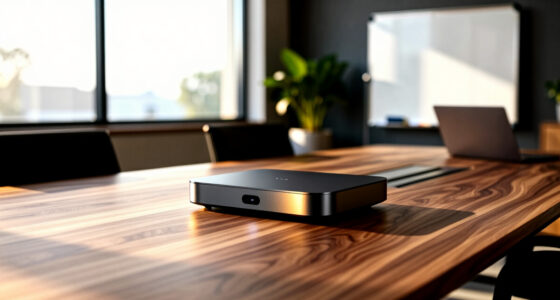
| MSI EdgeXpert AI Supercomputer Desktop with ARM CPU and NVIDIA Blackwell Architecture |  | Best for Integrated AI Supercomputing Power | CPU: 20-core ARM Cortex-X925 and Cortex-A725 cores | GPU: NVIDIA Blackwell Architecture | Memory: 128GB LPDDR5X | VIEW LATEST PRICE | See Our Full Breakdown |
| NVIDIA Jetson Thor Developer Kit |  | Best for High-End AI Development and Prototyping | GPU: 2560-core NVIDIA Blackwell architecture | Tensor Cores: 96 fifth-generation | AI Performance: 2070 TFLOPS | VIEW LATEST PRICE | See Our Full Breakdown |
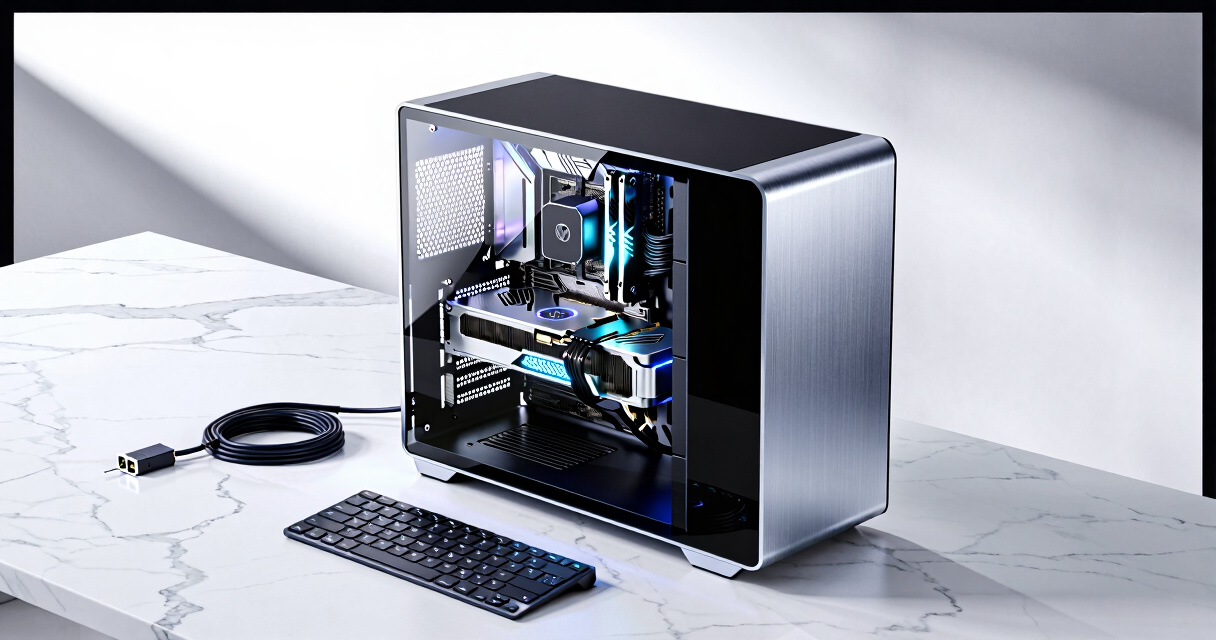
| NVIDIA RTX PRO 6000 Blackwell Workstation Edition |  | Best for High-End, Large-Scale AI Testing | Memory: 96GB GDDR7 | Memory Interface: 512-bit | Model: PNY VCNRTXPRO6000B-PB | VIEW LATEST PRICE | See Our Full Breakdown |
More Details on Our Top Picks
AMD Radeon™ Pro W7800 Professional Graphics Card
The AMD Radeon™ Pro W7800 stands out for its ability to handle demanding AI testing workflows that involve high-resolution visualization, surpassing many consumer-grade options in display support and memory. Compared with NVIDIA’s offerings like the Jetson Thor, it emphasizes raw graphics power and broad API compatibility, making it ideal for complex visualization tasks. However, its high power consumption and professional focus mean it might be overkill for smaller teams or those on a tight budget. This card is perfect for professionals needing extensive display support and large memory capacity, but less so for budget-conscious or less display-intensive environments.
Pros:- Exceptional support for 8K and multi-4K display setups
- Large 32GB GDDR6 memory for intensive workloads
- Extensive API support including OpenCL and Vulkan
Cons:- High power draw at 260W TDP
- Premium cost may be prohibitive for some users
Best for: AI researchers and creative professionals requiring high-end visualization and large memory buffers.
Not ideal for: Small startups or individual developers who don’t need ultra-high resolutions or extensive API support.
- Compute Units:70 CU
- AI Accelerators:2 per CU
- FP32 Performance:45 TFLOPS
- Memory:32GB GDDR6
- Display Support:8K at 60Hz, four 4K at 120Hz, 12K at 60Hz
- TDP:260W
Bottom line: This GPU is best suited for high-end professional environments where display support and memory capacity are critical for AI-assisted testing.
MSI EdgeXpert AI Supercomputer Desktop with ARM CPU and NVIDIA Blackwell Architecture
The MSI EdgeXpert combines a 20-core ARM CPU with NVIDIA’s Blackwell GPU architecture, offering an exceptionally powerful platform for AI-assisted testing that demands both CPU and GPU compute. Its 128GB LPDDR5X memory and 4TB NVMe SSD position it as a top-tier choice for data-intensive tasks. Compared to GPU-only options like the NVIDIA Jetson Thor, this desktop offers a balanced, high-performance environment suitable for large-scale AI testing and development. The high cost and specialized design mean it’s less suitable for small teams or those seeking portable solutions. This desktop excels in environments where integrated CPU-GPU performance and high memory capacity are essential.
Pros:- Powerful 20-core ARM CPU for diverse workloads
- 128GB high-speed LPDDR5X memory for large datasets
- Fast 4TB NVMe Gen5 SSD supports rapid data access
- Advanced connectivity options including WiFi 7
Cons:- High price point limits accessibility
- Designed primarily for professional AI environments, not casual use
Best for: AI research teams needing a high-performance, integrated system for testing and development.
Not ideal for: Individual developers or small startups lacking the infrastructure to support a dedicated desktop system.
- CPU:20-core ARM Cortex-X925 and Cortex-A725 cores
- GPU:NVIDIA Blackwell Architecture
- Memory:128GB LPDDR5X
- Storage:4TB NVMe Gen5 SSD
- Connectivity:WiFi 7, Bluetooth 5.3
- Operating System:NVIDIA DGX OS
Bottom line: This desktop is ideal for well-funded AI labs or institutions seeking an all-in-one, high-performance workstation for testing and development.
NVIDIA Jetson Thor Developer Kit
The NVIDIA Jetson Thor Developer Kit delivers formidable AI processing with a 2560-core NVIDIA Blackwell GPU and 96 Tensor Cores, making it a leading choice for AI researchers and developers focusing on machine learning models. Its architecture offers a significant performance boost over typical workstation GPUs, comparable to or exceeding the performance of the AMD Radeon W7800 in AI tasks, especially with Tensor Core acceleration. However, its high power consumption and need for specialized setup can be limiting for smaller teams or those seeking a straightforward, low-maintenance solution. This kit is best for advanced AI development, especially where Tensor Core performance is critical.
Pros:- Massive GPU core count with 2560 cores
- 96 Tensor Cores for rapid AI training and inference
- Exceptional architecture for demanding AI workloads
- High TFLOPS performance of 2070 TFLOPS
Cons:- Potentially high power consumption
- Requires specialized hardware setup and integration
- Cost can be prohibitive for smaller organizations
Best for: AI developers and machine learning researchers requiring maximum GPU compute and Tensor Core acceleration.
Not ideal for: Teams with limited technical expertise or those seeking a plug-and-play workstation for general testing.
- GPU:2560-core NVIDIA Blackwell architecture
- Tensor Cores:96 fifth-generation
- AI Performance:2070 TFLOPS
Bottom line: This developer kit is best suited for advanced AI research teams needing top-tier GPU and Tensor Core performance for testing and prototyping.
NVIDIA RTX PRO 6000 Blackwell Workstation Edition
The NVIDIA RTX PRO 6000 Blackwell Workstation Edition makes a compelling case for users who require massive memory capacity and professional-grade reliability. With 96GB of GDDR7 memory and a 512-bit memory interface, it surpasses the AMD Radeon™ Pro W7800 in raw memory size, enabling extensive AI model training and complex testing without bottlenecks. While this card is undoubtedly powerful, its high cost and need for a compatible high-end workstation make it less suitable for smaller teams or casual users. Compared to more modest options, this pick delivers unmatched capacity but demands significant investment and infrastructure. This card excels in environments where maximum memory and stability are critical, but may be overkill for lighter workloads.
Pros:- Exceptional 96GB GDDR7 memory capacity for large models
- Reliable professional-grade build quality
- Designed specifically for demanding workstation tasks
Cons:- High cost can be a barrier for many users
- Requires compatible, high-end workstation setup
- Potentially overpowered for smaller-scale projects
Best for: Large research labs, enterprise AI teams, or organizations running intensive AI-assisted testing at scale.
Not ideal for: Small startups or individual developers with limited budgets, as the cost and setup complexity are prohibitive.
- Memory:96GB GDDR7
- Memory Interface:512-bit
- Model:PNY VCNRTXPRO6000B-PB
- Edition:Workstation
Bottom line: This graphics card is best suited for large-scale AI testing environments where maximum memory and stability justify the high investment.

How We Picked
The products in this roundup were evaluated based on their performance in AI assisted testing tasks, build quality, scalability, and usability. We prioritized systems with high GPU counts, advanced architecture, and reliable support for AI frameworks. Cost-to-performance ratio was also a key factor, ensuring options appeal to different budget levels. To rank these products, we considered not only raw power but also ease of integration into existing workflows and future upgrade potential, giving balanced options for various user types.Factors to Consider When Choosing Best Gpu Workstation For Ai Assisted Testing
Selecting the best GPU workstation for AI assisted testing involves several critical factors beyond just GPU specs. Understanding your workload, budget, and future needs can prevent costly mistakes and ensure long-term satisfaction. Here are key considerations that help refine your choice:Performance and GPU Architecture
The core of any AI workstation is its GPU. Look for models with the latest architecture, such as NVIDIA’s Blackwell or Ada Lovelace, which provide faster processing and better support for AI frameworks. Higher GPU counts mean more parallel processing power, essential for training large models or running multiple experiments simultaneously. However, more GPUs also increase system complexity and cost, so balance your requirements carefully.
Scalability and Expandability
AI projects often grow in scope, requiring hardware that can be upgraded over time. Check for systems that support additional GPUs, increased RAM, or faster storage options. Overlooking scalability can lead to early obsolescence or the need for costly replacements. Consider your future project plans when selecting a workstation to avoid bottlenecks.
System Reliability and Support
AI testing demands consistent uptime and dependable hardware. Opt for brands with proven track records in workstation reliability and excellent customer support. Redundant power supplies, robust cooling, and durable build quality reduce downtime risks. Remember, a workstation is an investment in your productivity, so prioritize vendors offering warranty and support services.
Cost-to-Performance Ratio
While premium systems deliver cutting-edge performance, they come at a steep price. Mid-range options can provide ample power for most AI testing tasks without breaking the bank. Avoid overpaying for features you won’t use, but also be cautious of low-cost systems that might lack necessary GPU power or stability. Striking the right balance ensures long-term value.
Compatibility with AI Frameworks and Software
Ensure the workstation’s hardware and drivers support the AI frameworks you plan to use, such as TensorFlow, PyTorch, or CUDA. Incompatibility can cause frustrating delays and wasted effort. Also, verify that your chosen system supports the necessary software versions and offers ease of installation and updates. This compatibility reduces technical hurdles during your projects.
Frequently Asked Questions
How do I determine the right GPU count for my AI testing needs?
The optimal number of GPUs depends on your workload size and budget. For large-scale training of deep neural networks, multiple high-end GPUs like the NVIDIA RTX PRO 6000 are ideal. Smaller projects or prototyping can often be handled effectively with one or two GPUs. Consider future growth when choosing GPU count, but avoid overspending on unnecessary hardware that your current projects don’t require.
Is high GPU VRAM more important than GPU speed for AI testing?
Both are important, but GPU VRAM often plays a more critical role in AI testing. Large models and datasets require significant memory capacity to run efficiently without frequent data swapping. While faster GPUs process data quicker, insufficient VRAM can bottleneck performance. Balancing high VRAM with strong processing power ensures smoother workflows and reduces training times.
Can I upgrade my GPU workstation later if I outgrow its capabilities?
Most modern workstations are designed with some level of expandability, allowing for GPU upgrades or additional memory. However, the ease of upgrading varies by model, so check the system’s specifications beforehand. Planning for future upgrades can save money and extend the lifespan of your investment, but be aware that some systems may have limitations that prevent significant hardware additions.
What is the importance of thermal management in AI workstations?
Effective cooling is vital for maintaining consistent performance during intensive AI tasks. Overheating can cause thermal throttling, reducing GPU speed and potentially damaging hardware over time. Look for workstations with robust cooling solutions, such as advanced airflow design or liquid cooling options, especially if you plan to run workloads continuously for extended periods.
Should I prioritize a workstation with integrated AI acceleration features?
Yes, features like dedicated tensor cores or AI acceleration modules can significantly boost performance for AI workloads. These specialized components optimize training and inference tasks, reducing computation time. However, ensure that your software stack supports these features to fully leverage their benefits. Investing in such hardware can be worthwhile if AI is central to your work.
Conclusion
For those seeking the best overall performance and future-proofing, the NVIDIA RTX PRO 6000 Blackwell Workstation Edition is the clear choice, especially for demanding enterprise AI projects. Buyers on a tighter budget or those starting out should consider mid-range systems that offer a good balance of power and affordability. If you need a compact solution for edge AI testing, the NVIDIA Jetson Thor Developer Kit provides portability without sacrificing critical capabilities. Finally, professionals requiring rapid deployment and edge computing should evaluate systems like the MSI EdgeXpert. Your ideal choice depends on your specific AI testing scope, budget, and technical requirements. As an affiliate, we earn on qualifying purchases.Fall Picks
fall essentials